What Makes Houzz Pro Online Payments Fast, Safe and Essential
Streamline your business transactions, secure your revenue and deliver a frictionless client experience with Houzz Pro online payments.

Digital payments are the modern standard for professional business management because they provide essential security and immediate convenience. Moving your financial transactions online both protects your business and simplifies client billing.
The adoption of digital invoicing speeds up payouts, eliminates processing delays, and secures your operational cash flow. This guide covers the advantages of online billing and key best practices for your business.
We’ll also show you how Houzz Pro’s online payments feature offers everything you need to accept funds electronically and securely right away.

Benefits of Online Payments
- Absolute convenience: Paper checks drain valuable business hours. Sending them requires writing, tracking, stamping, and mailing. Receiving them is equally inefficient. You wait for delivery, drive to the bank, and manually enter data. Online payments automate this entire loop. They eliminate office friction, respect your client's time, and immediately elevate your customer service.
- Accelerated speed: Paper invoices delay your revenue. Online payments route capital to your account quickly. This predictable processing speed stabilizes your operational cash flow. Immediate access to capital ensures you can pay your crew, purchase materials, and cover overhead safely. You protect your business from relying on interest-heavy loans or short-term financing.
- Enterprise-grade security: Cash and checks lack automated tracking. They invite fraud, theft, and human error. Online transactions are completely traceable. Integrated banking networks apply advanced security protocols to every deposit. Protection features include continuous fraud monitoring, end-to-end data encryption, and multi-factor authentication. Every dollar remains secure from initial request to final payout.

Best Practices for Digital Invoicing
- Match options to transaction scale: Align your accepted payment methods with total invoice size. For milestone amounts under $5,000, offer credit card or bank transfer options. Clients value credit rewards and flexible choices. For larger balances, request direct ACH transfers to minimize processing costs.
- Embed fees into your overhead: Processing fees are tax-deductible business expenses; however, paying them out of pocket lowers your net profit. Never add unexpected surcharges at the time of payment. Surcharges frustrate clients and delay milestone approvals. Instead, build transaction fees directly into your bids, estimates, and overall project markup, so clients see a single, professional price.
- Centralize with unified software: Bouncing between disconnected apps creates back-office chaos. It leads to communication gaps and manual accounting errors. An all-in-one platform can unify your business pipeline by converting approved estimates into professional invoices seamlessly.
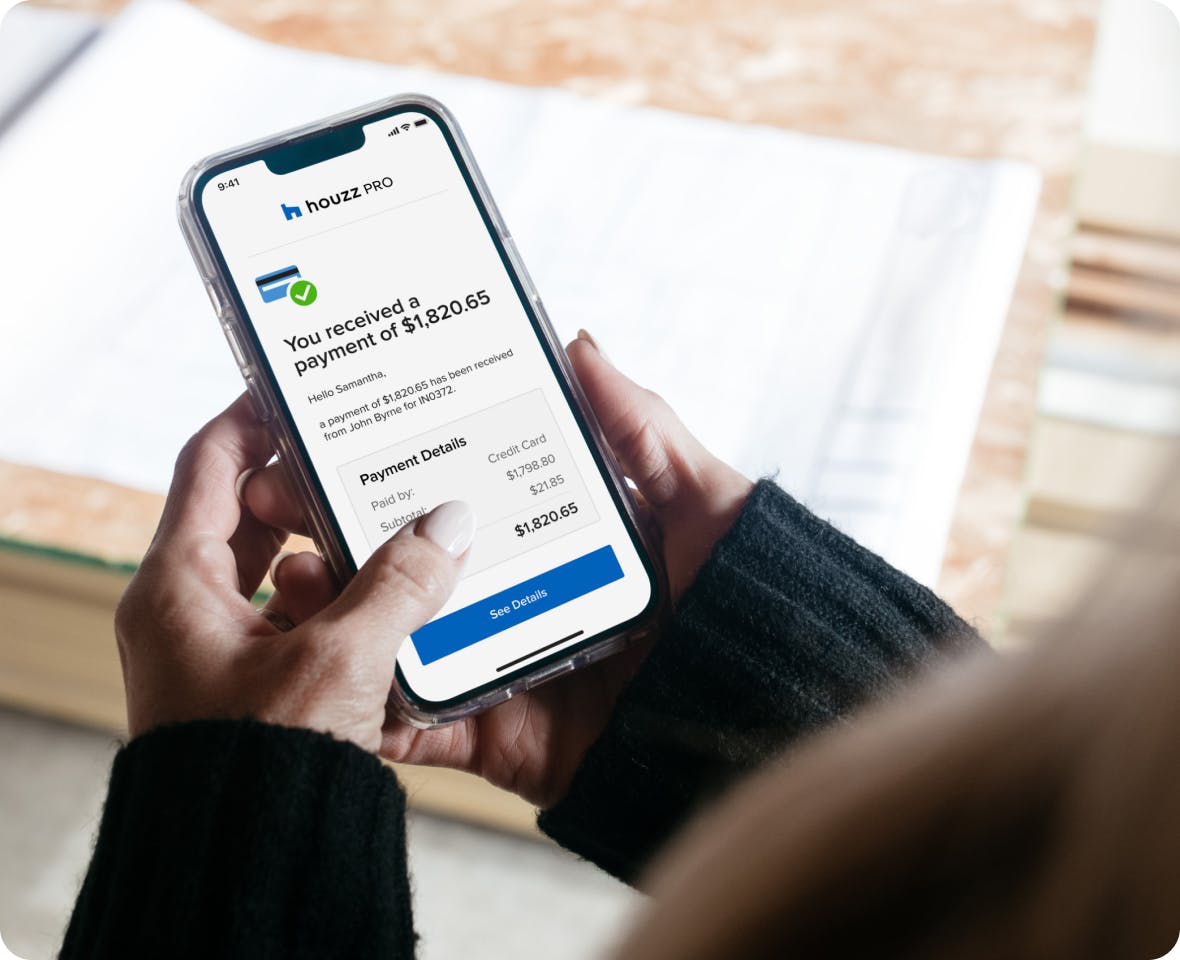
Houzz Pro Online Payments
Houzz Pro provides a convenient, secure way for your clients to pay you while automatically logging payments into your estimates, proposals, and invoices. It also syncs automatically with QuickBooks Online, avoiding the need for double entry.
Here's a comprehensive overview of how online payments work on Houzz Pro:
Payment Methods and Collection
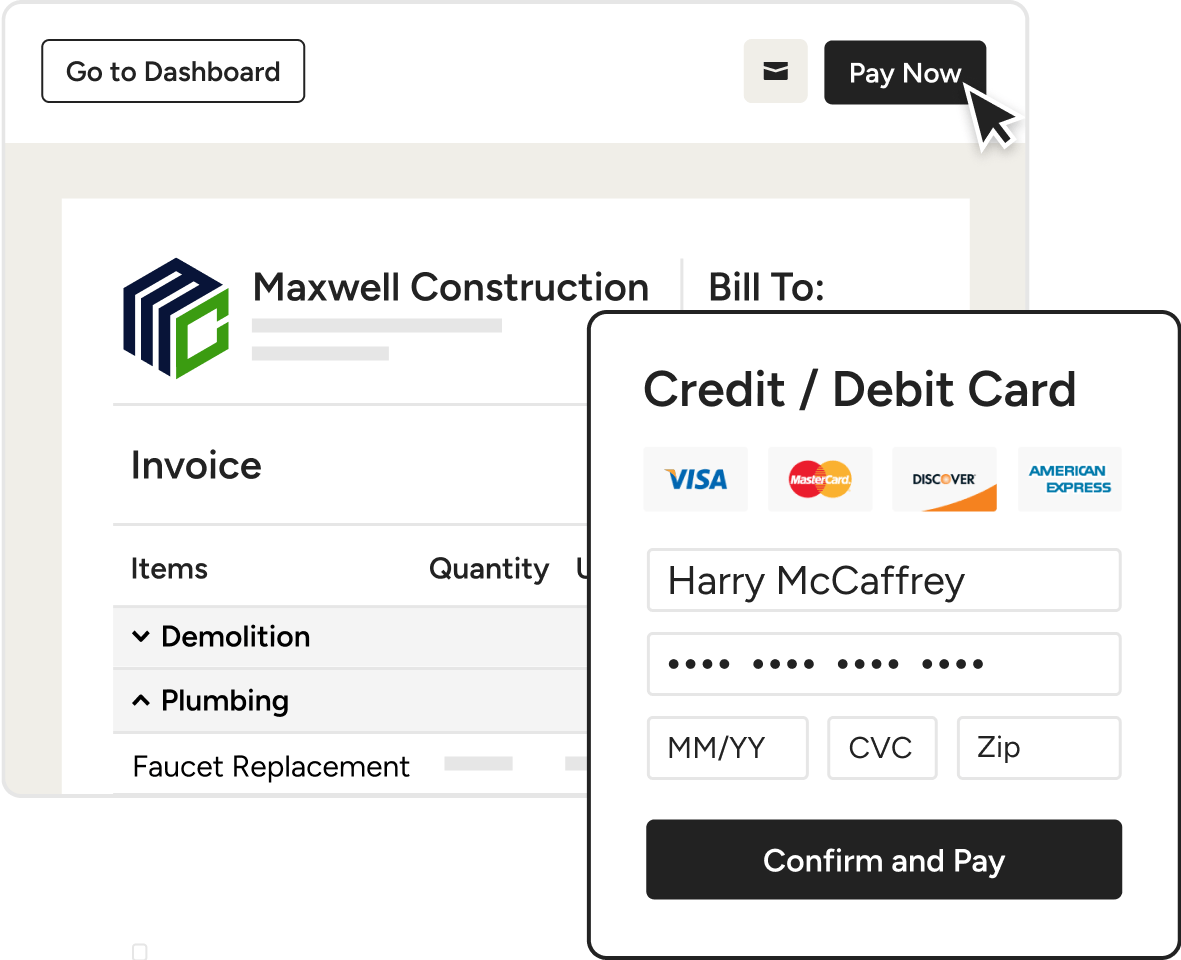
Your clients can pay you using a variety of methods, including credit card, ACH (bank transfer), Apple Pay, and Google Pay. You have several ways to collect these payments:
- Online documents: Clients can click the "Pay Now" button directly on the digital estimates, proposals, or invoices you send them.
- Printed PDFs: You can include a QR code on printed or downloaded PDF documents, which clients can scan with their mobile devices to access the payment screen.
- In-person (iPhone only): You can use the Houzz Pro iOS app to collect payments on the spot via a QR code or by using Tap to Pay (which accepts contactless credit/debit cards and digital wallets).
- Pay on behalf: If a client gives you their payment information over the phone or in person, you can manually input the payment yourself using the "Pay Online" option.
Payout Timelines
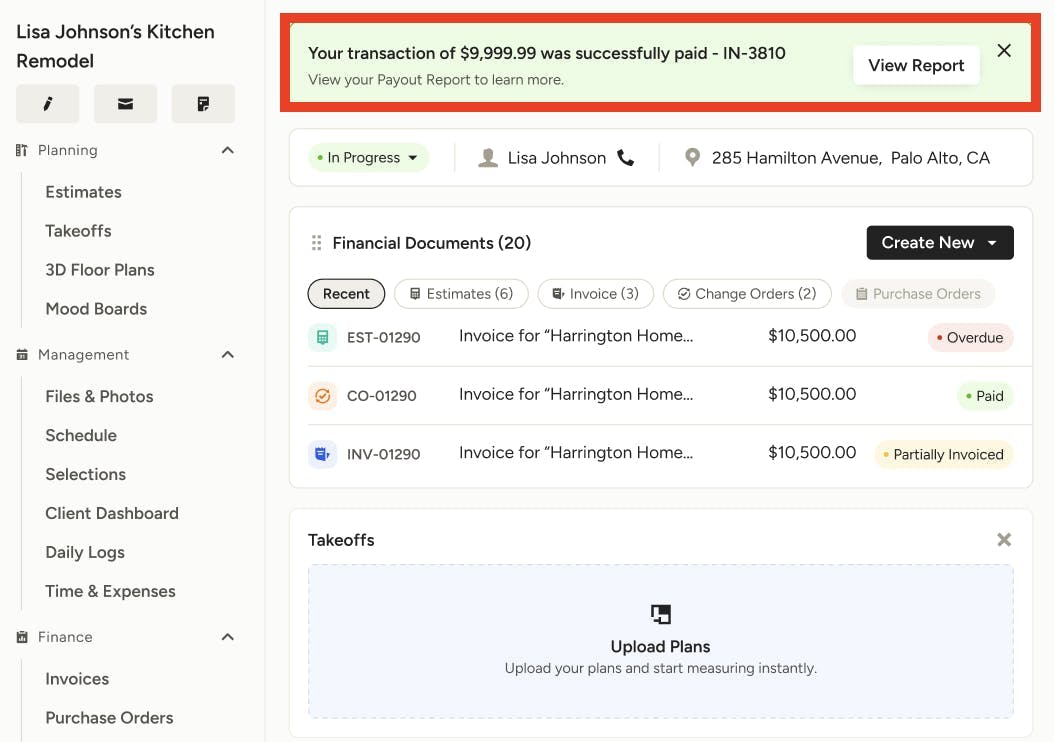
- Standard processing: Once a client pays, it typically takes 2 business days for ACH/bank transfers and 2-3 business days for credit card payments to reach your bank account.
- First payment: To protect against fraud, your very first payment may take a bit longer: 3-5 business days for credit cards and 4-6 business days for ACH transfers.
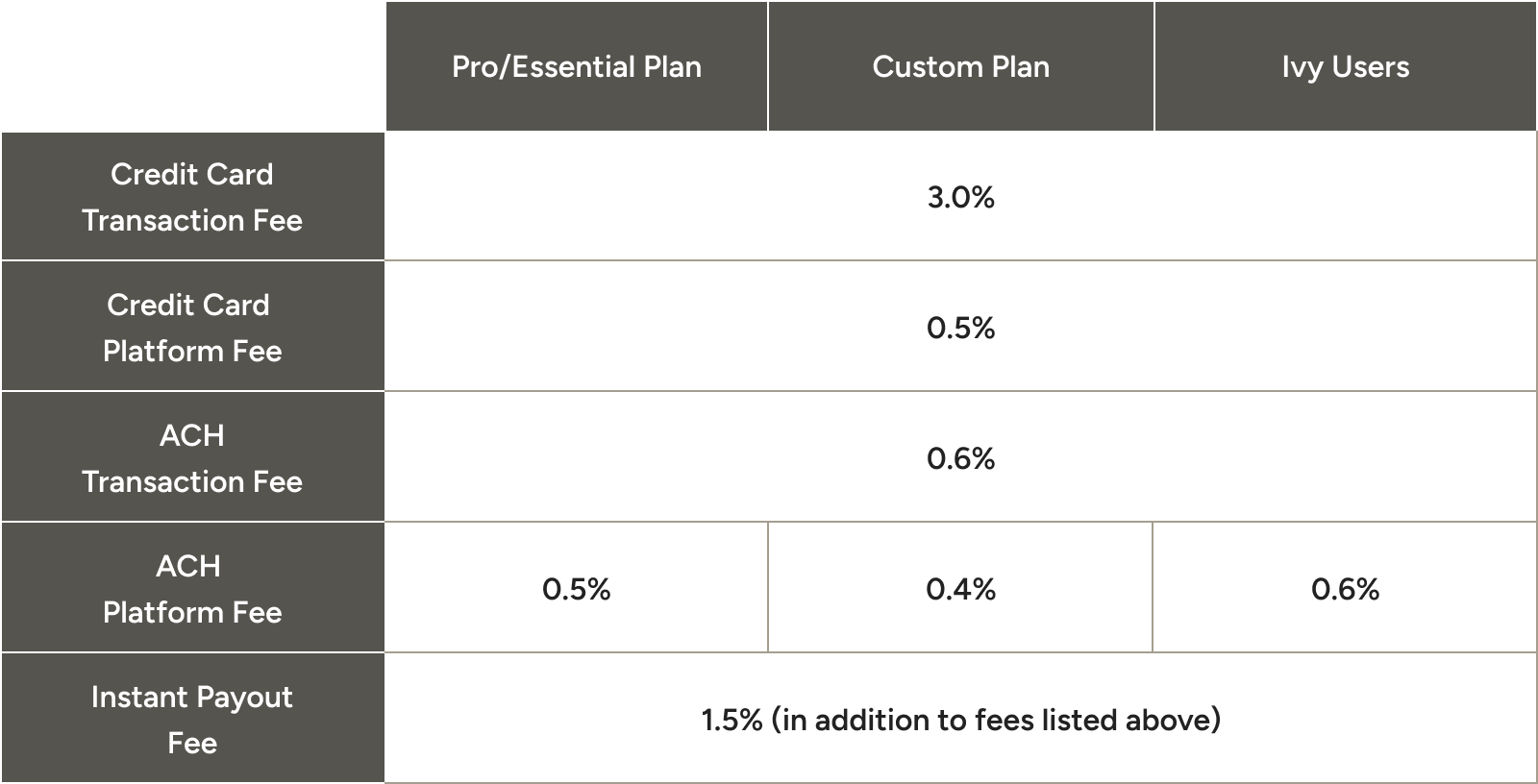
- Instant payouts: If you need funds immediately, you can opt into Instant Payouts. For an additional 1.5% fee, you can receive eligible payments in your bank account within 30 minutes.
Fees and Customization
Houzz Pro charges a competitive flat-rate transaction fee for online payments, with a minimum transaction fee of $5. Documents must be at least $10 to be eligible for online payments. You have full control over how these fees are handled:
- Add to markup (recommended): Houzz Pro automatically adds a markup percentage to your line items to discreetly cover the fee costs.
- Deduct from payment: You absorb the fee yourself, which is deducted from the final payout you receive.
- Offset to client: The client pays the processing fee during checkout.
- Set limits: You can disable certain payment methods (like credit cards) or set maximum dollar amounts for specific payment methods at both the company and project level.
Tracking and Reporting
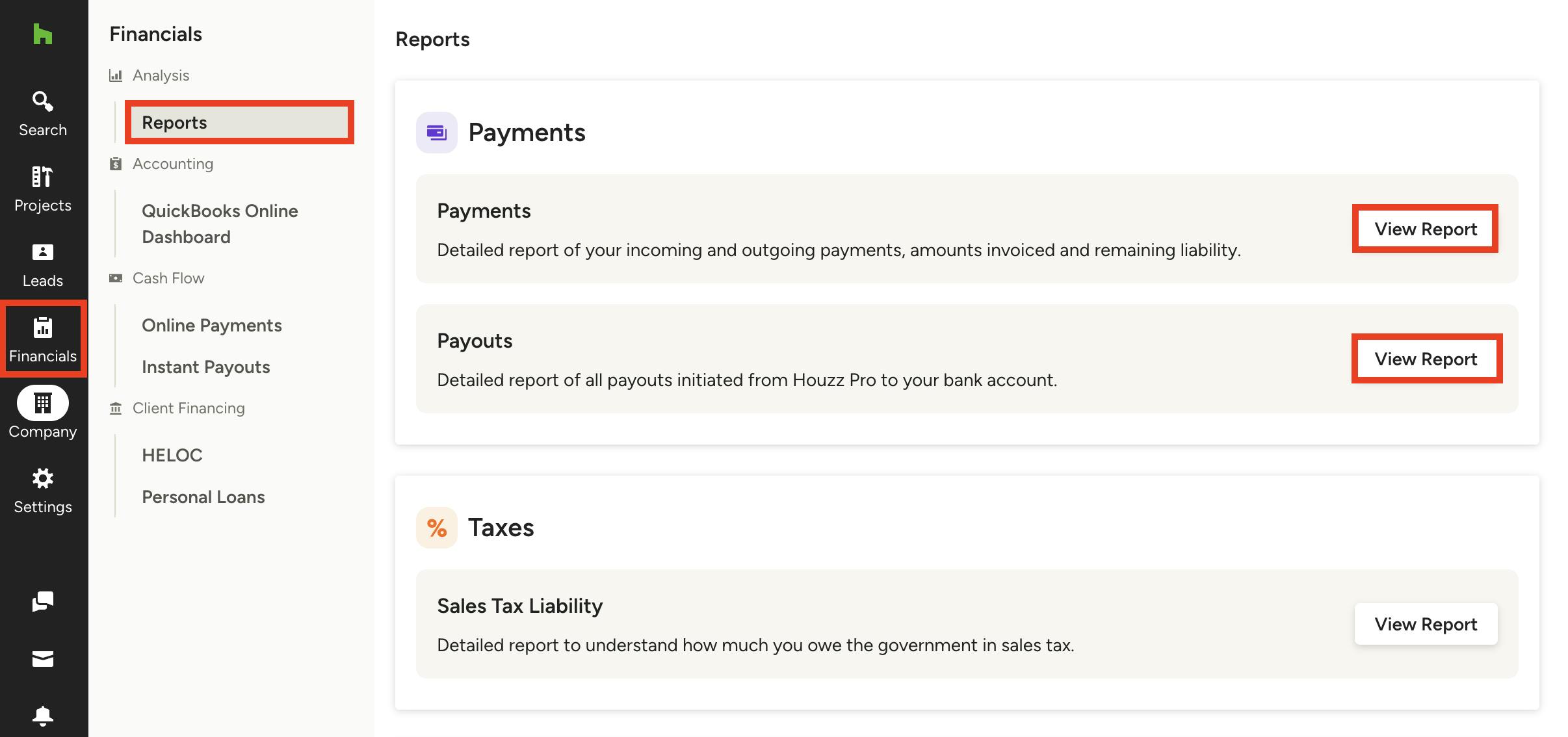
You can track all your transactions seamlessly using two specific reports in the Financials section:
- Payments report: Shows all individual payments coming in (including manually logged payments), the client's charged date, payment method, and liabilities.
- Payouts report: Shows the actual deposits that reach your connected bank account, consolidating multiple payments, refunds, and instant payouts into a single bank transfer view.
Maximize your cash flow. Get a demo of Houzz Pro today to make your financial management easier, faster, and safer.


Want advice delivered to your inbox?
Unlock industry insights and updates for contractors and design pros
By signing up, I agree to the Houzz Terms of Use and Privacy Policy and that Houzz may use my information to contact me about relevant content, products, and services.