CLIENT DASHBOARD
Earn Rave Reviews With the Client Dashboard
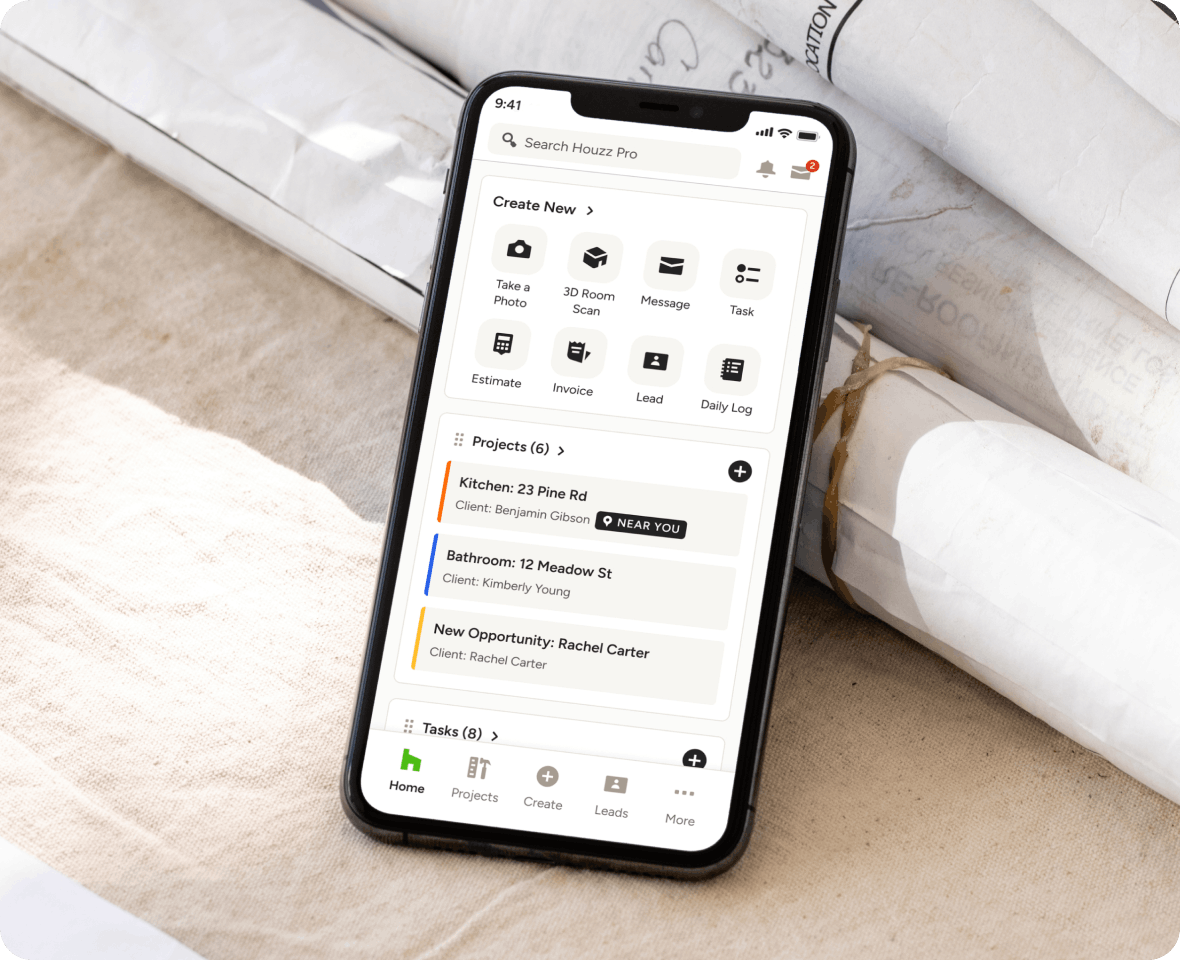
Engaging clients doesn’t have to be a tall task. Get them involved in one place with Houzz Pro’s Client Dashboard software for construction and design—their single source of truth for project files, payments, and communications.

Improve Visibility
Instantly present project updates, files, and financial info in one organized place.

Centralize Communication
Streamline the back-and-forth by tracking text and email conversations on one channel.

Accelerate Action
Get selections approved, invoices paid, and tasks taken on with fewer reminders.
Client Comms—Solved.

PROJECT DOCUMENTS
Plans, Progress, and More—It’s All Shared Here.
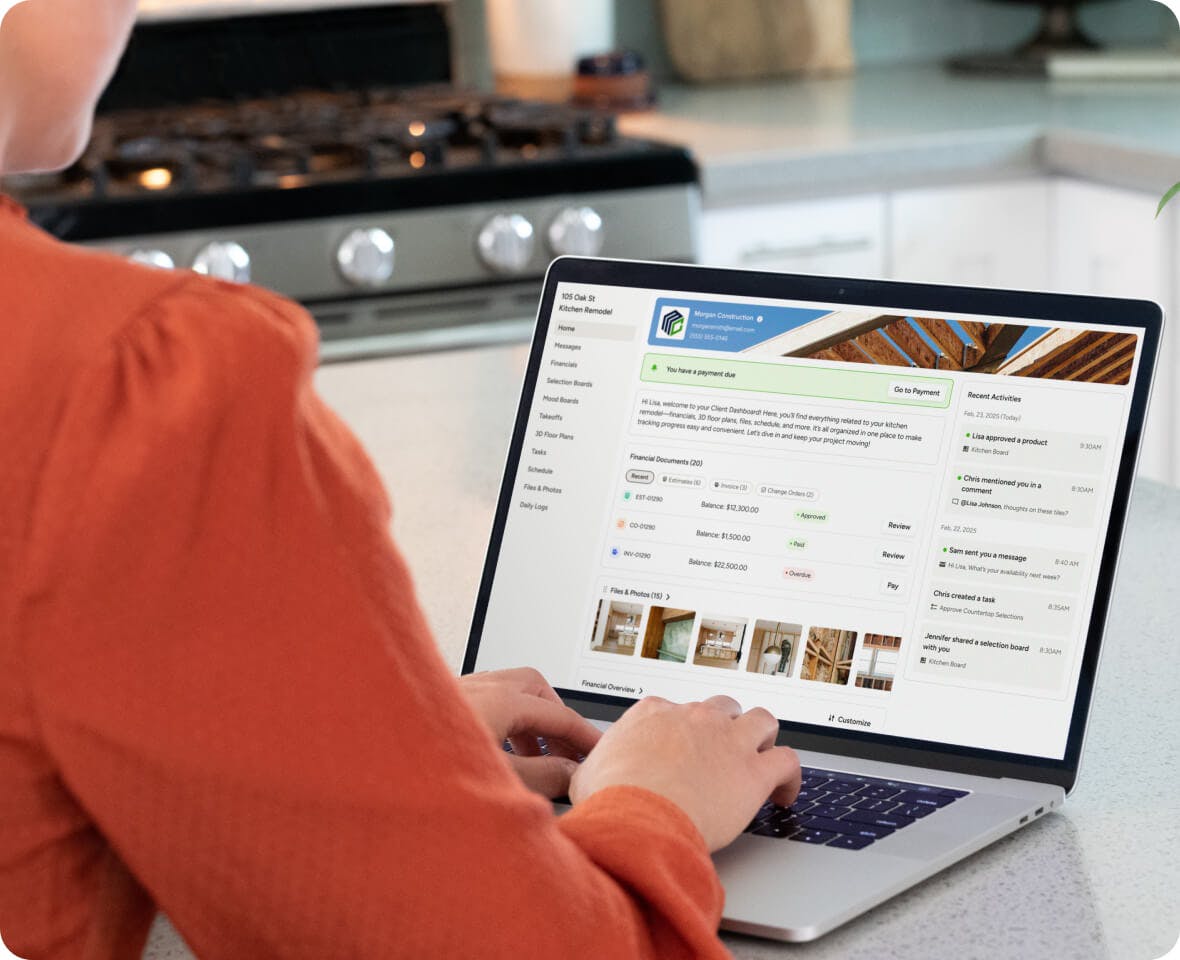
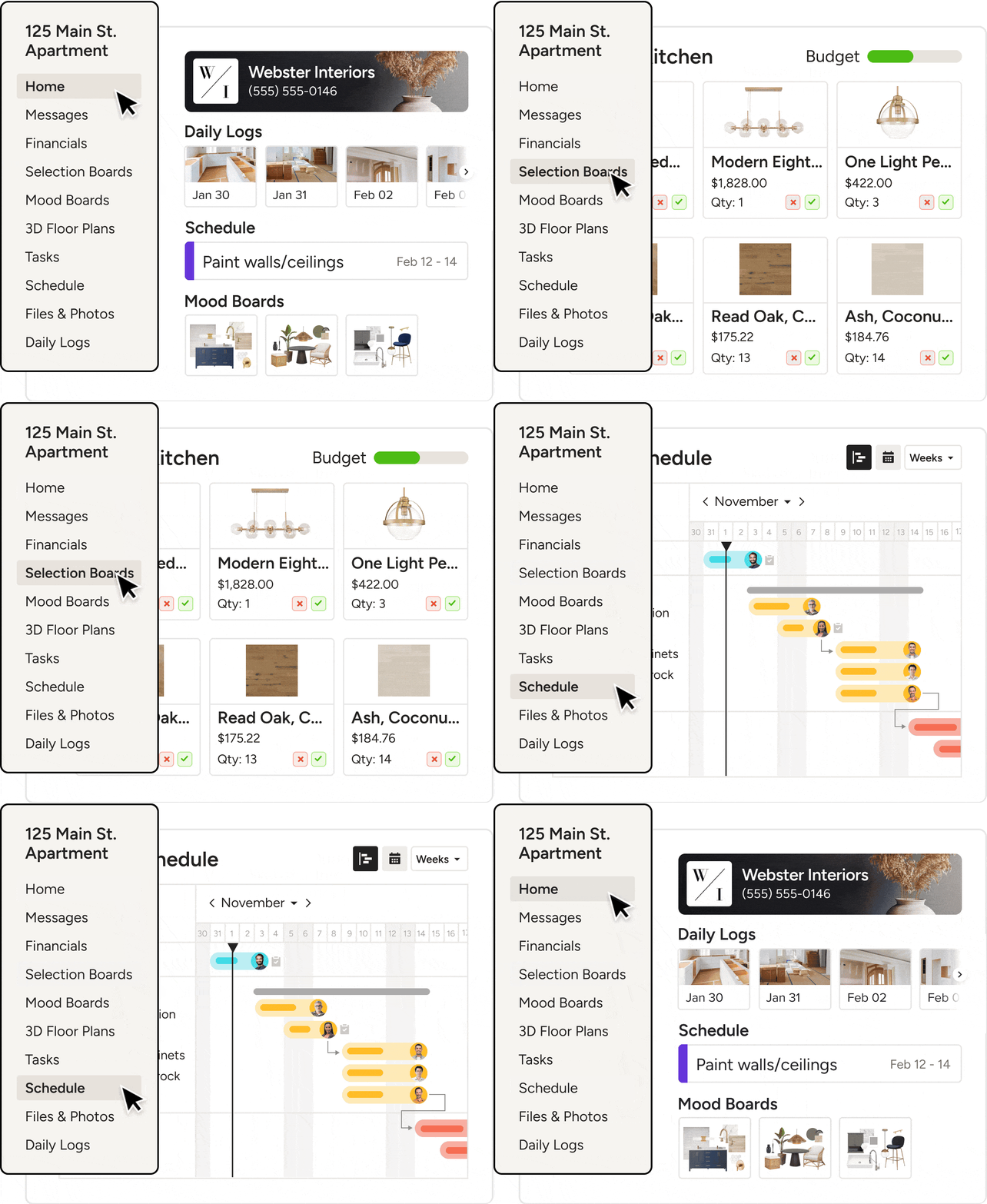
More than a place to stay in touch, our Client Dashboard is where they’ll find all your shared project essentials—from files needing feedback to updates throughout the process.
- Get project approvals big and small in one place
- Share timelines and day-to-day updates easily
- Let clients see and submit payments due, fast
- Give clients all-hours access to need-to-knows
FINANCIAL FILES
Put Their Financials Front and Center
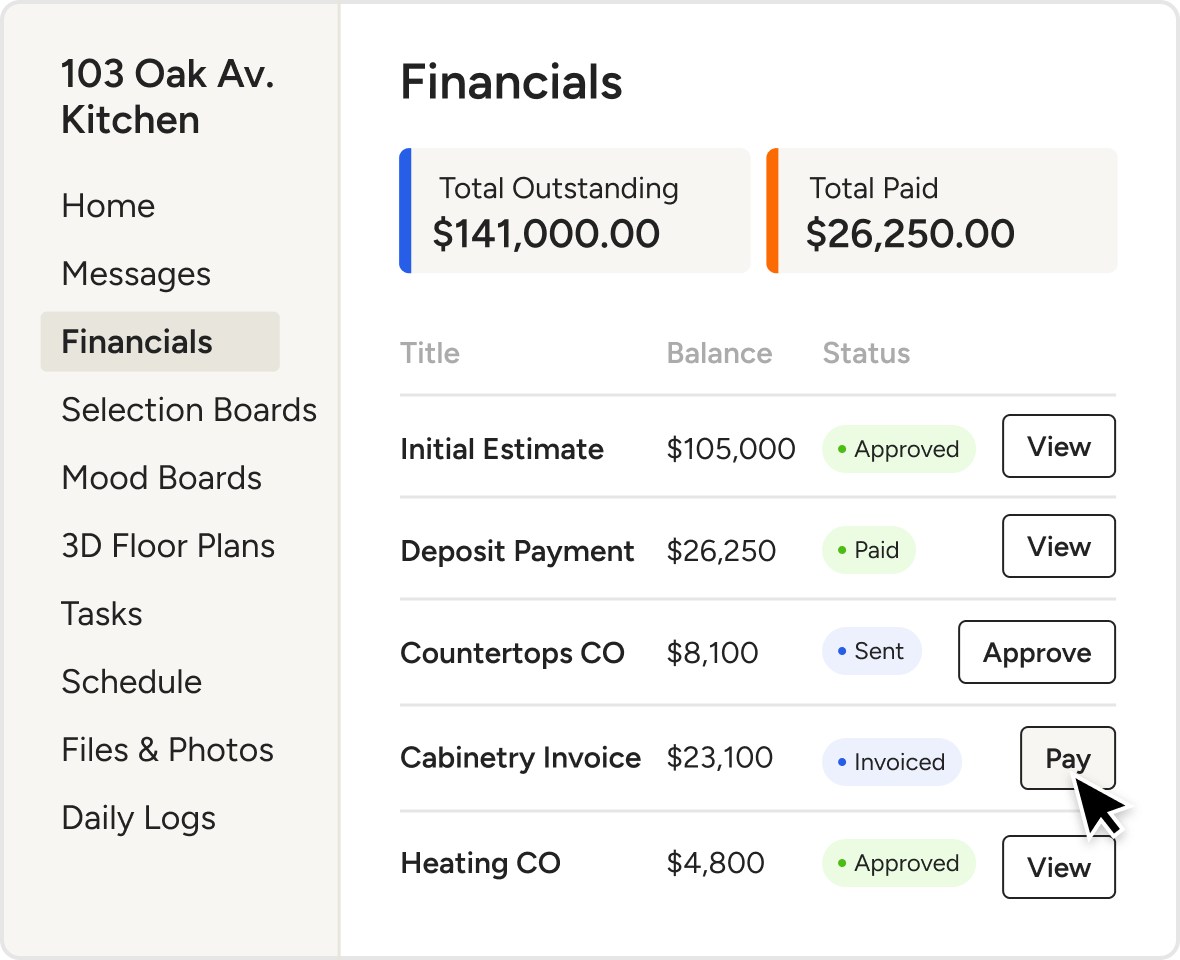
No more scattered PDFs, buried emails, or unpaid invoices. Keep updated on every dollar with a dedicated spot for financial docs and a live payments overview they'll love.
- Share Estimates or Proposals for fast approval
- Post Invoices clients can safely pay online
- Get Change Orders approved with less delay
- Show paid and outstanding totals at a glance
MESSAGES & TASKS
Collaborate in One Place
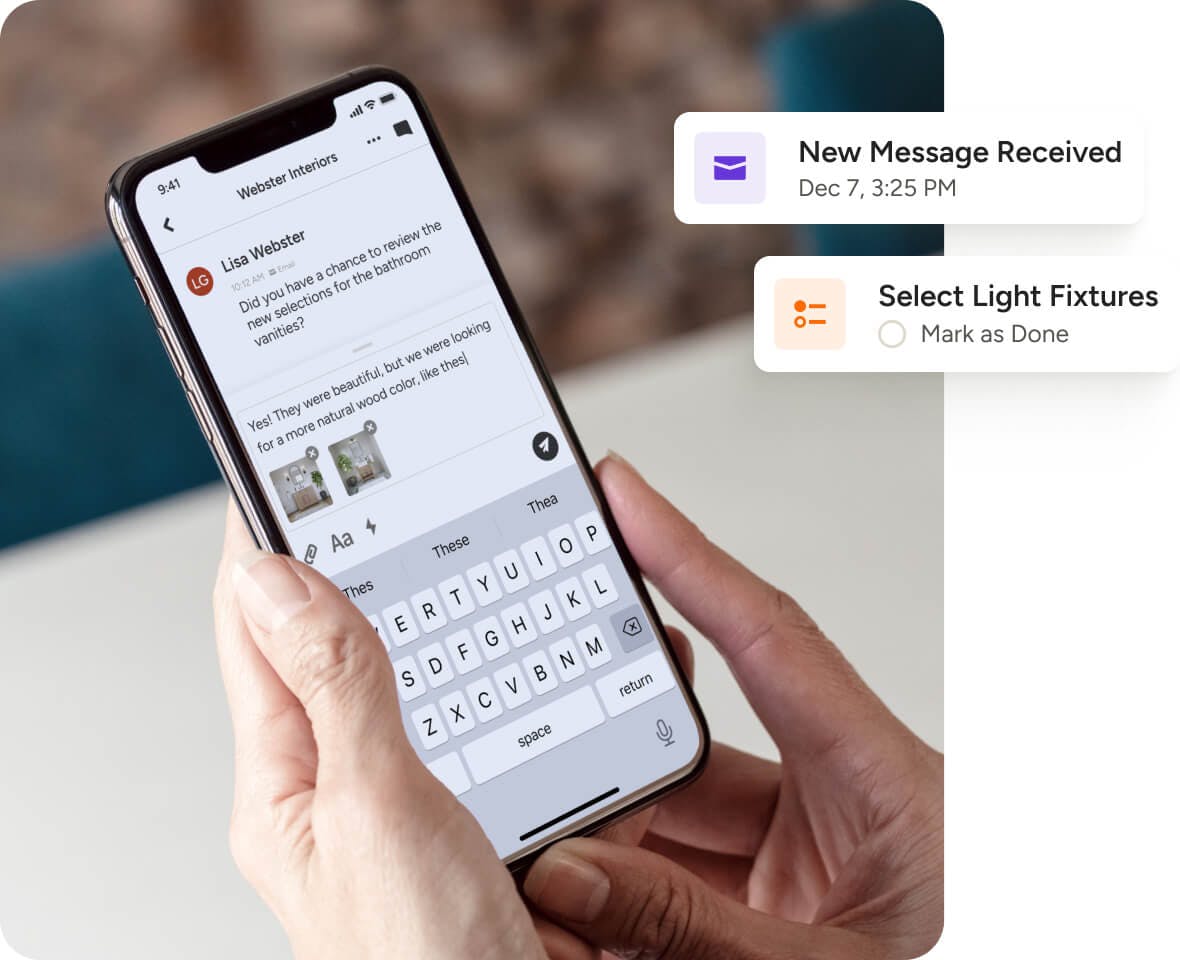
Engaged clients are happy clients. That’s why we also constructed our Client Dashboard to help you exchange messages and assign action items the easy way.
- Send and receive messages in realtime
- Include attachments like files and photos
- Assign Tasks to keep your clients involved
- Stay on track by setting Task reminders
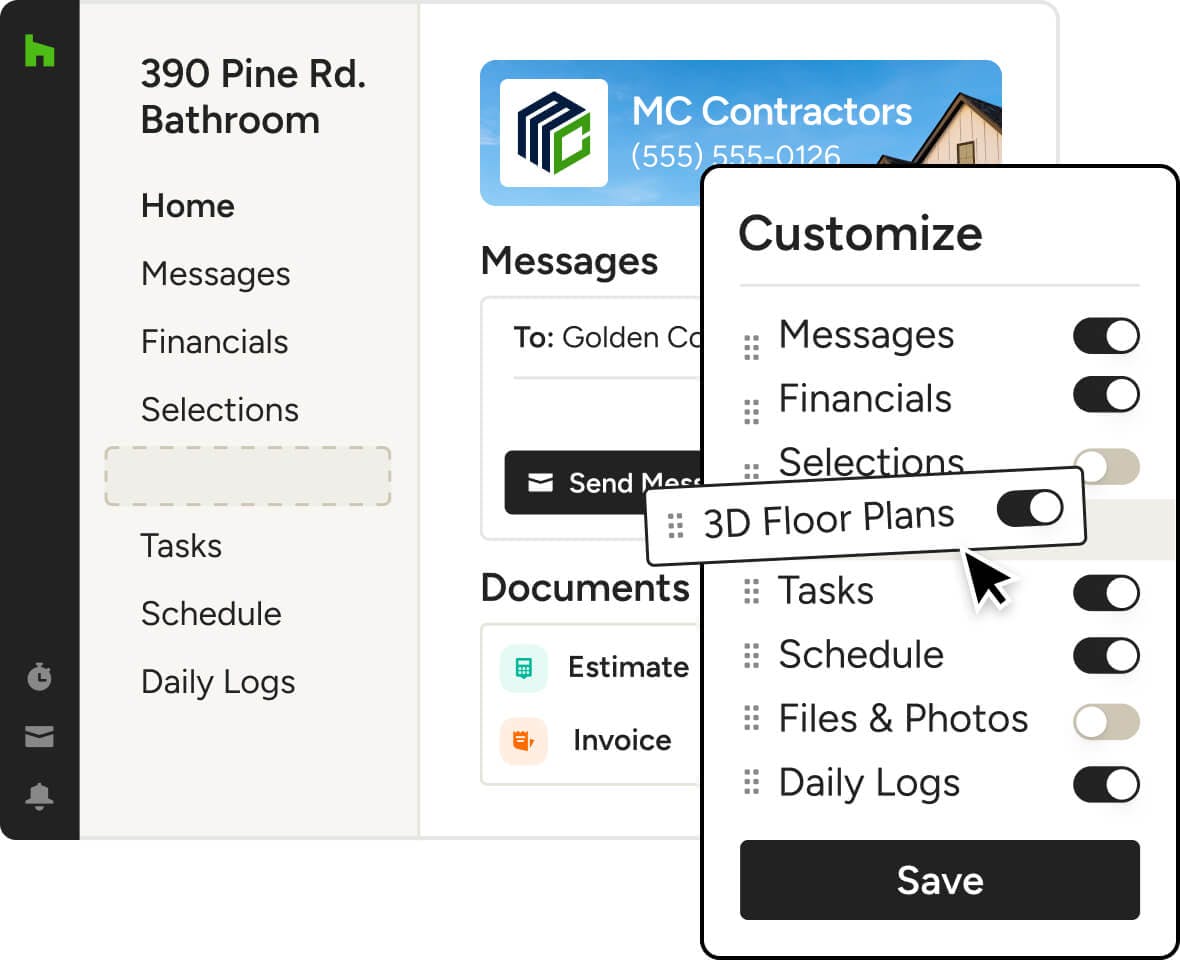
How to Customize Their Client Dashboard




INTEGRATIONS
Client Dashboard Software That Keeps You Connected
Our Client Dashboard works with tons of the tools you already use, cutting the double work. On top of the dozens of other integrations across Houzz Pro, you can autosync client payments with QuickBooks Online and upload files and photos directly from Google Drive to your client portal.
AWARD-WINNING SUPPORT
Here to Help—However You Need It.
Got questions? Our Client Dashboard experts have answers. For anything our self-guided resources can't solve, reach out for assistance and we'll take it from there.

Online Chat
The fastest way to find answers is at the bottom right of your browser.


Phone
We’re here from Monday to Friday, 6am to 5pm PT at (888) 372-2851.

Client Dashboard Features
See the main features of Houzz Pro Client Dashboard
| Feature | Description |
|---|---|
| Core Functionality | |
Centralized Client Dashboard | Provide clients with a single dashboard to access all project-related information in one place. |
| Communication | |
Client Messaging | Enable clients and pros to communicate directly within the dashboard. |
| Document Sharing | |
Financial Documents Sharing | Share estimates, invoices, proposals, and related documents. |
Files & Photos Sharing | Share project files, images, and documents with clients. |
| Project Management | |
Schedule Sharing | Share project schedules and timelines with clients. |
Task Visibility | Allow clients to view assigned tasks and project activities. |
Task Interaction | Allow clients to interact with tasks (e.g., updates, completion where applicable). |
Daily Logs Sharing | Share daily logs to keep clients informed on job site progress. |
| Design Collaboration | |
Selections Sharing | Share selections boards and allow clients to review and interact with items. |
Mood Boards Sharing | Share mood boards for design collaboration. |
3D Floor Plans Sharing | Share 3D floor plans for visualization and review. |
| Financial & Approvals | |
Online Payments | Allow clients to pay invoices and financial documents online. |
Payment Tracking Visibility | Allow clients to view payment-related information and status. |
Document Approvals | Allow clients to review and approve project documents (e.g., estimates, proposals). |
E-Signature Workflows | Enable digital signing of documents such as proposals or contracts (via Houzz Pro workflows). |
Budget Visibility | Share and display project budget information with clients. |
| Permissions & Access | |
Feature-Level Visibility Control | Control which dashboard sections are visible to clients. |
Document-Level Sharing Control | Publish or hide specific documents from client view. |
| Customization | |
Dashboard Menu Customization | Customize dashboard sections shown to clients. |
Widgets | Add elements such as text or media to enhance dashboard experience. |
Branding | Display company logo, contact details, and branded header background |
| Sharing & Access | |
Share via Link or Email | Provide access via shareable link or email invitation. |
Why Go With Houzz Pro?