SELECTIONS
Nail Down Products With Our Selections Software
Get the go-ahead on furniture, fixtures, and more with Selections from Houzz Pro. No more scattered replies and messy spreadsheets—just beautifully organized visuals and lightning-fast approvals.
Set Your Sights on Simpler Selections
From sourcing and presenting to approvals and tracking, see how our selection tools take the stress out of every step—for your team and your clients.
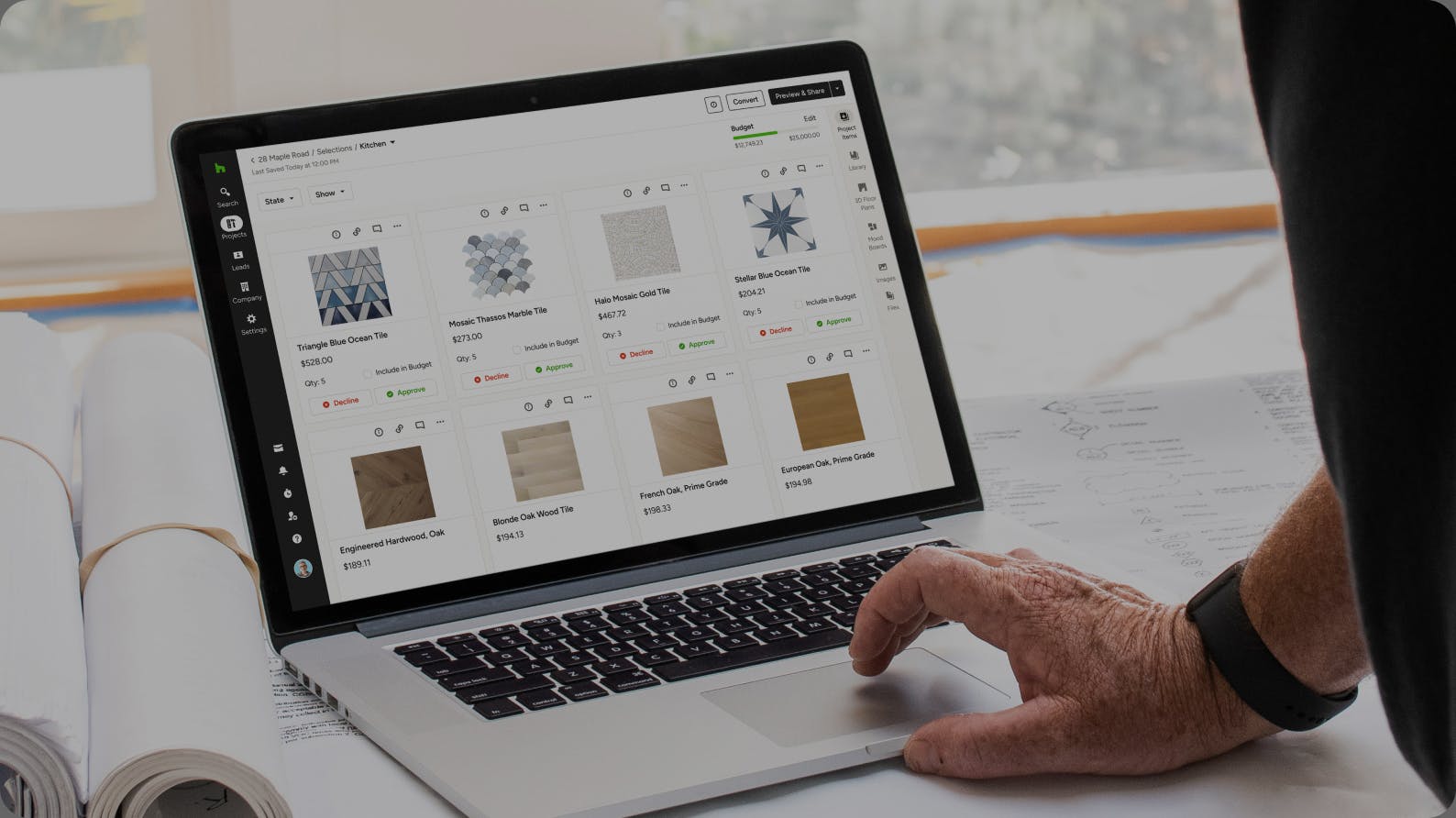

Showcase Products
Arrange items your way in high-impact, clutter-free Selection Boards.

Communicate Clearly
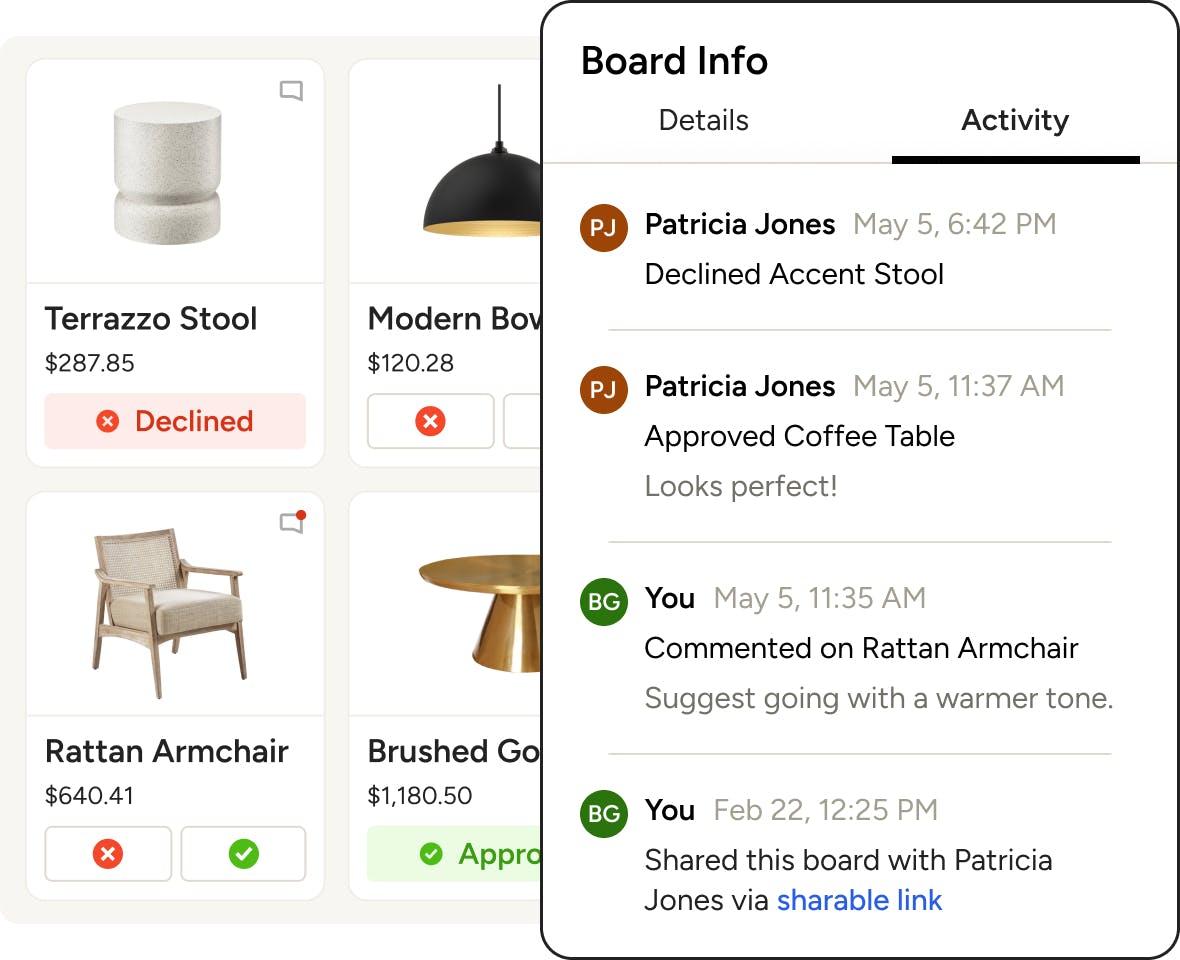
Elevate the client experience with easy commenting and one-click approvals.

Present Everything
Include files, photos, and drawings alongside products to help sell your concepts.
Take the Stress Out of Your Selections Process
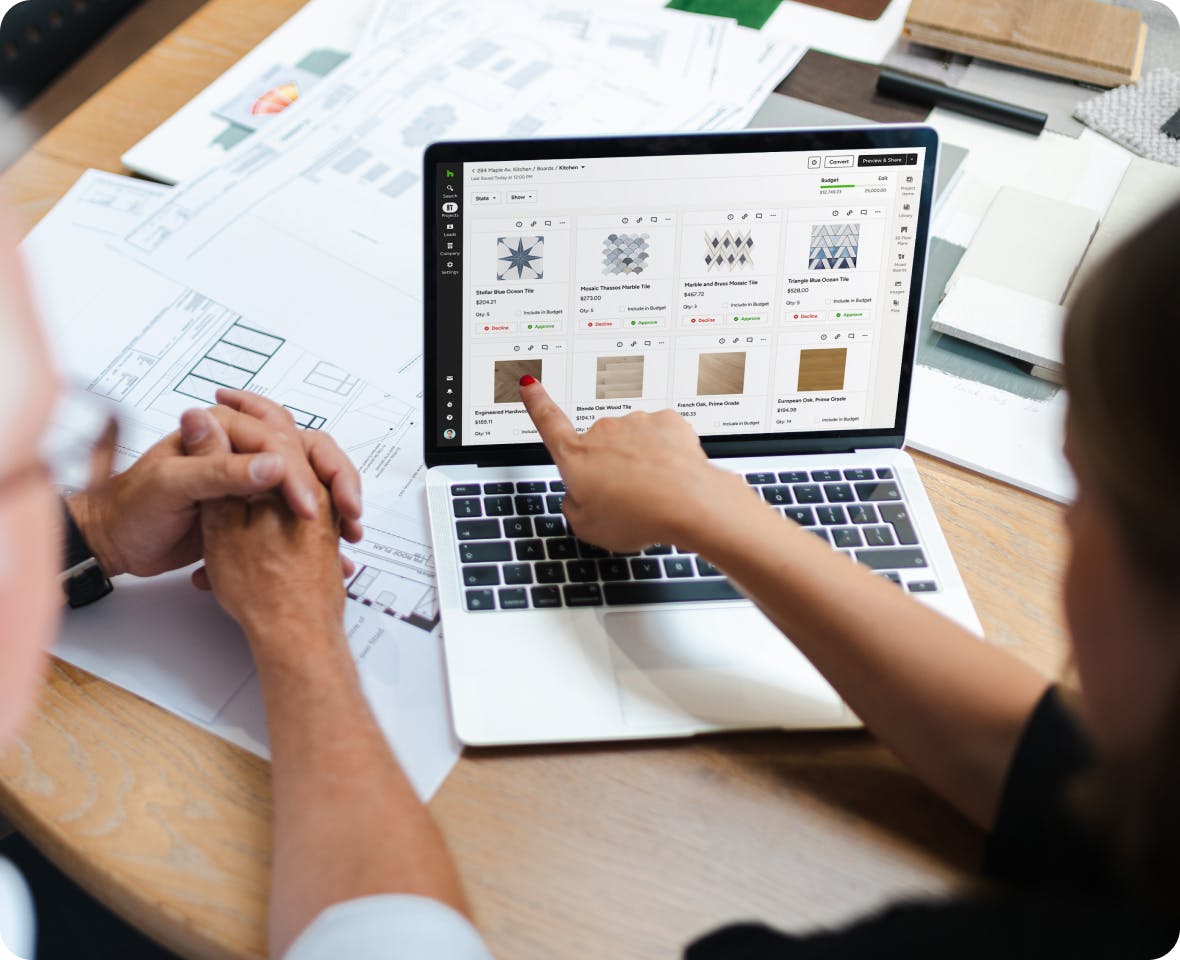
Take the Stress Out of Your Selections Process
Two Tools. One Solution.



HOW IT WORKS
Smoother Selections, Step by Step.
When it comes to selections, the steps before and after are just as crucial. See how our selections software simplifies the process with a suite of connected features.
SELECTION BOARDS
Easy on the Eyes, Easier to Use.
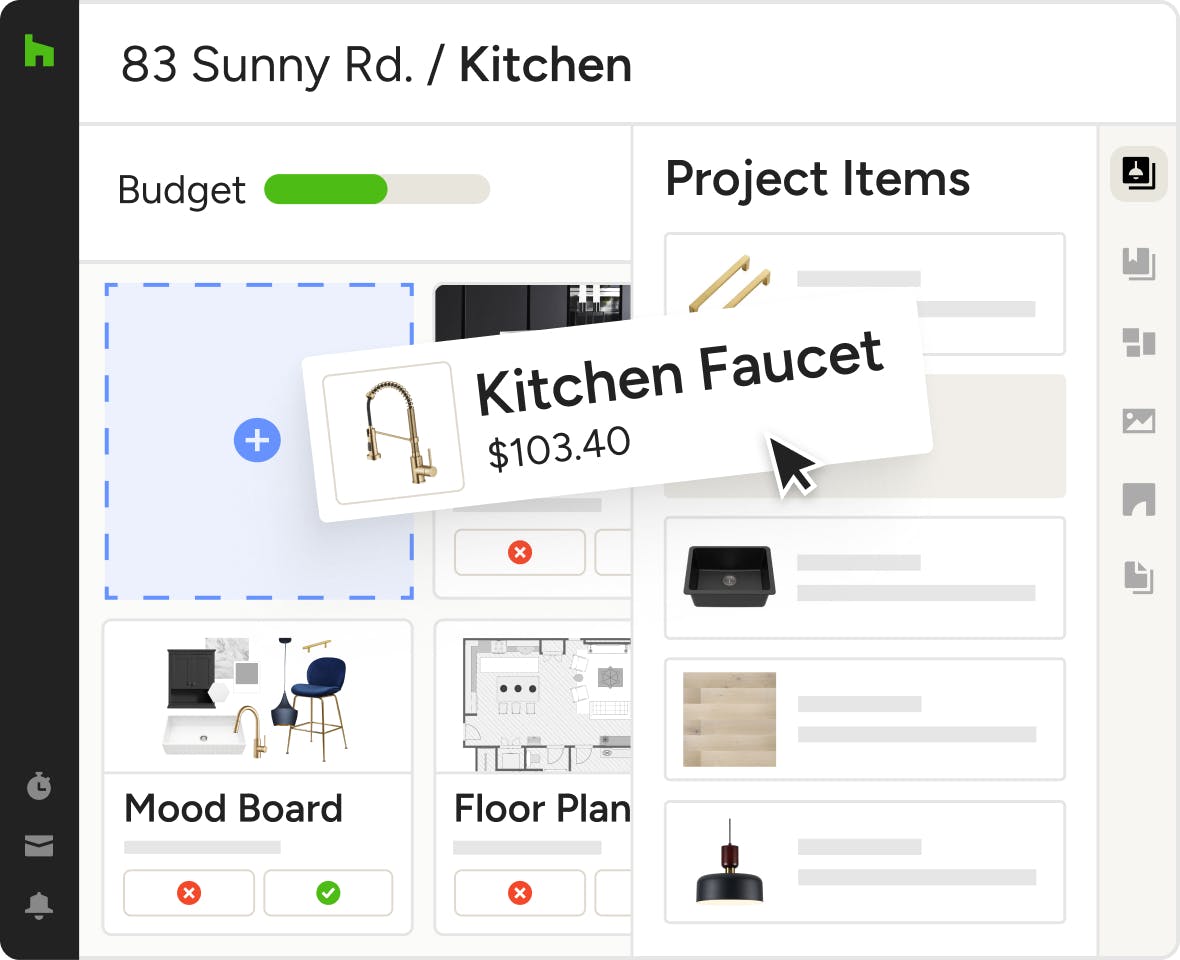
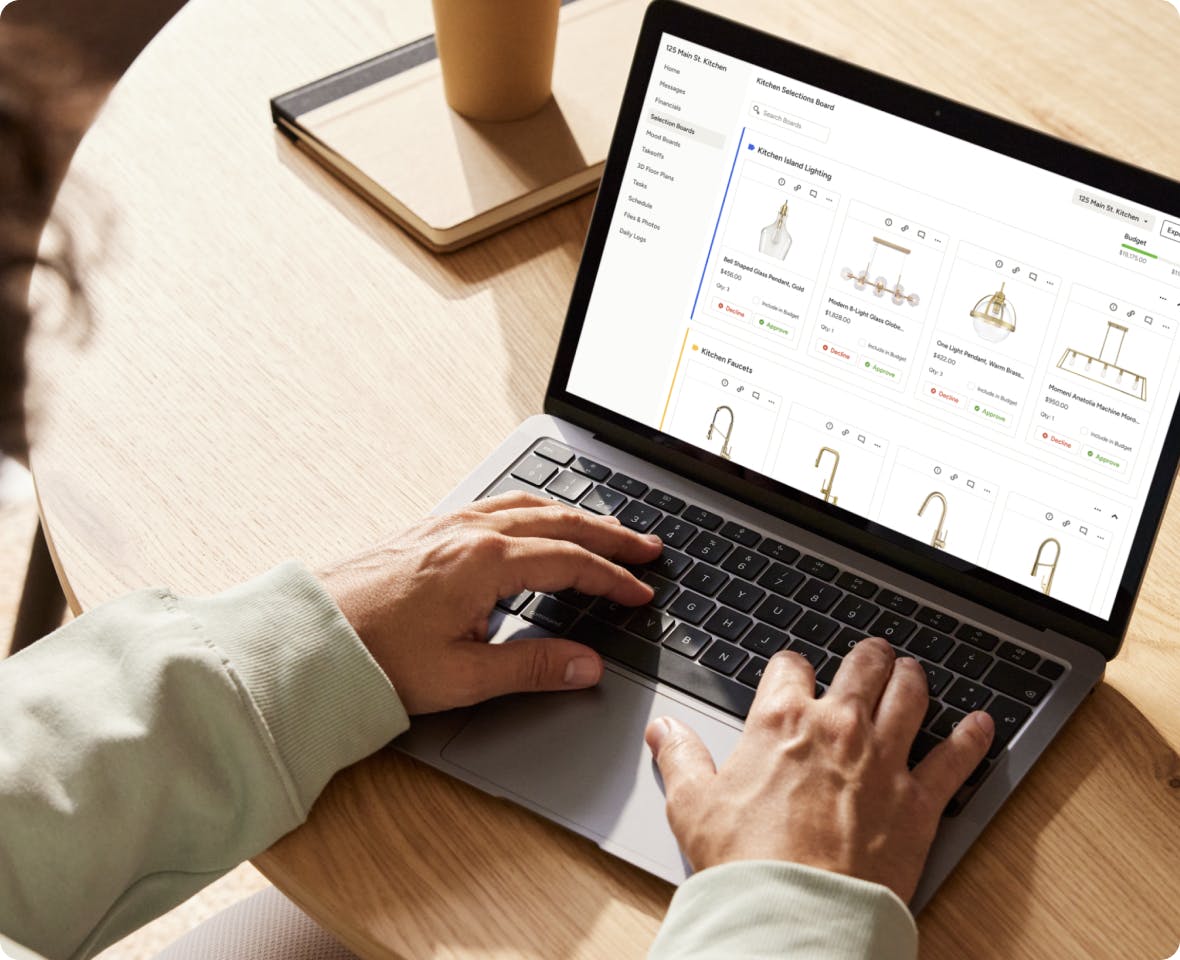
So long, spreadsheets. From fixtures to finishes, our selection software for design and construction organizes every item into one visually intuitive, client-friendly board.
- Source products online in seconds with the Clipper
- Export selections as FF&E schedules and tear sheets
- Resize items to highlight suggestions and focal points
- Add files, photos, drawings, and other references
CENTRALIZED COMMUNICATION
Feedback and Approvals in One Simple Place
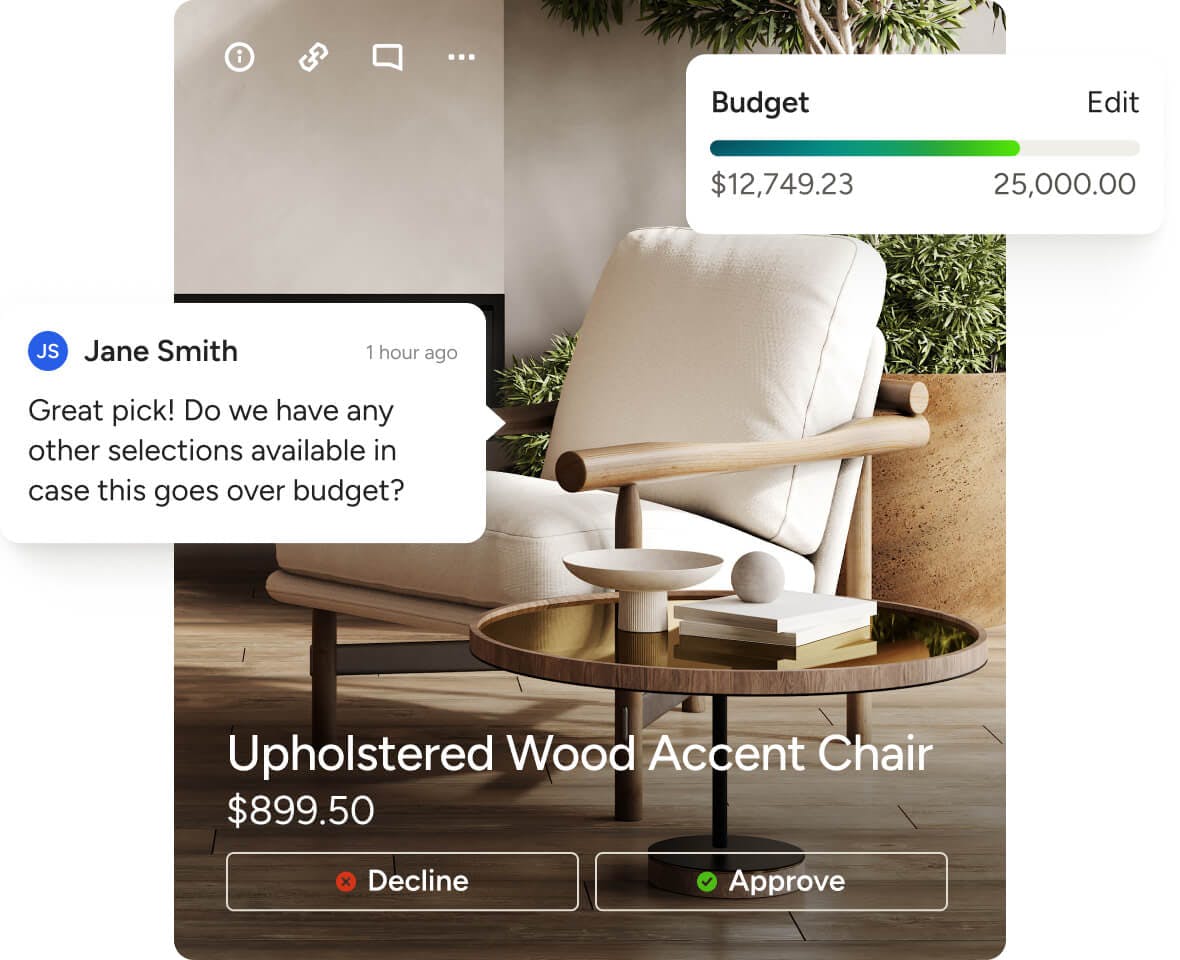
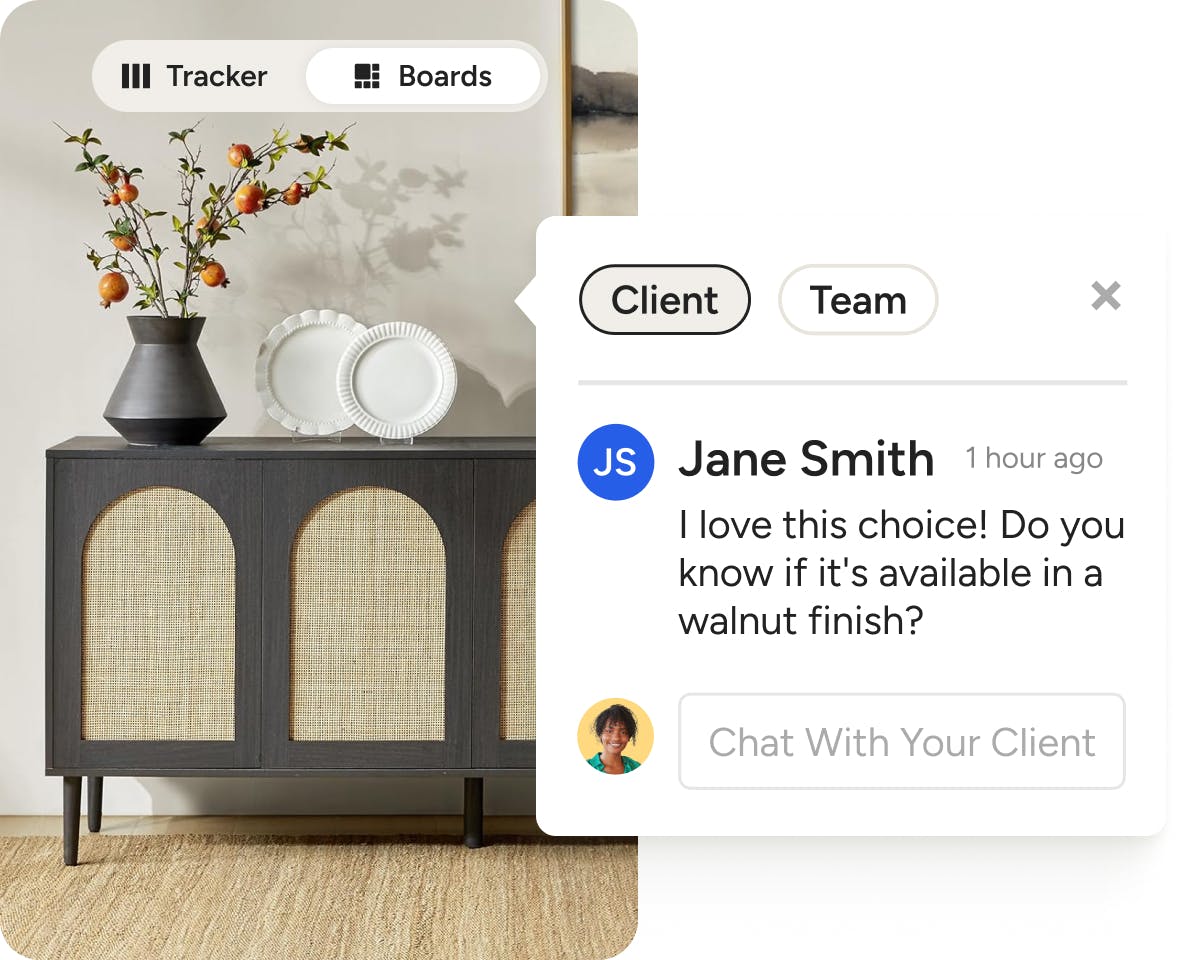
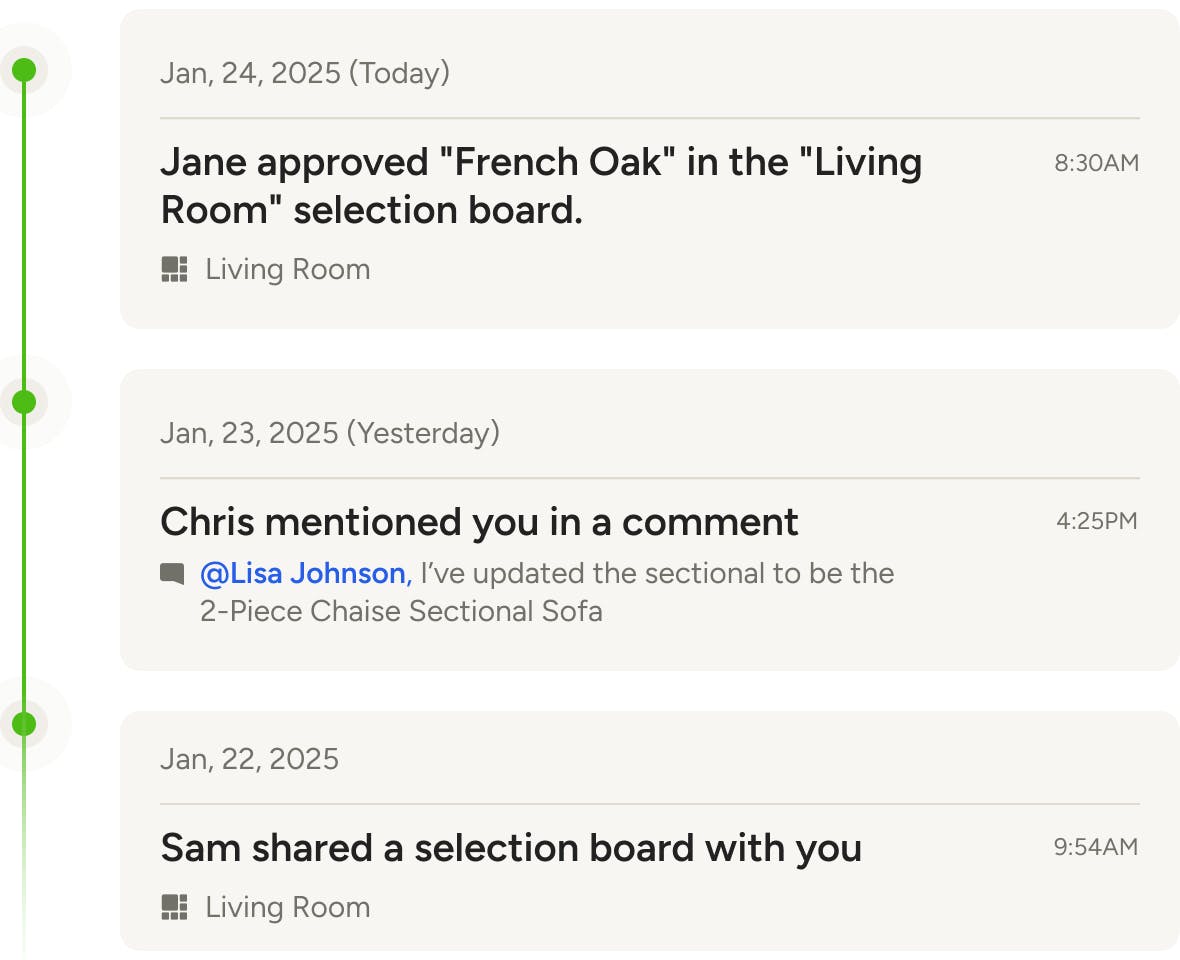
Ditch the emails, texts, and phone calls. Our selection software lets your team and clients comment directly on selections for easy collaboration and quick approvals.
- Each item has its own dedicated comment section
- Get notified instantly when your client comments
- Collab with your team in comments clients can’t see
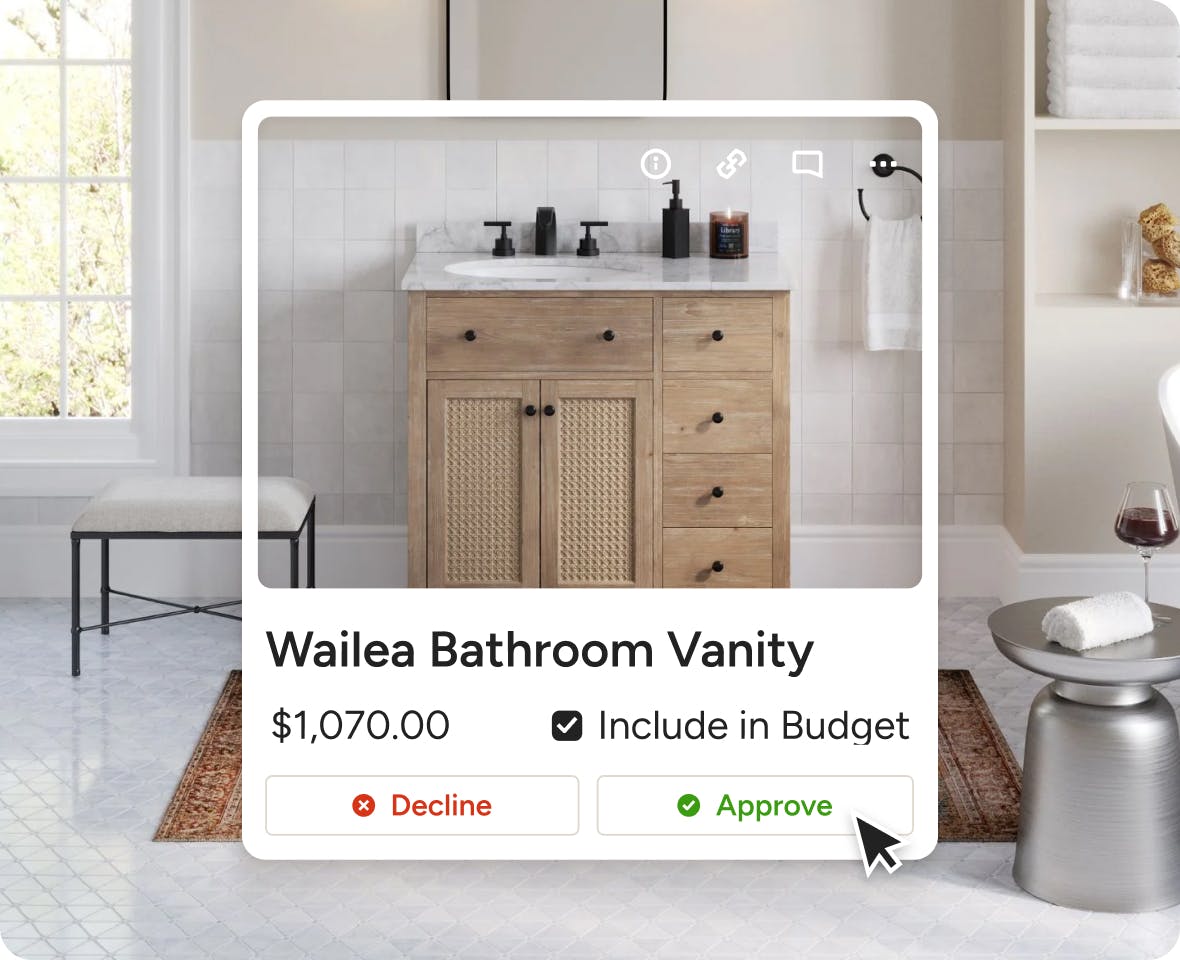
- Let clients approve (or decline) items with one click
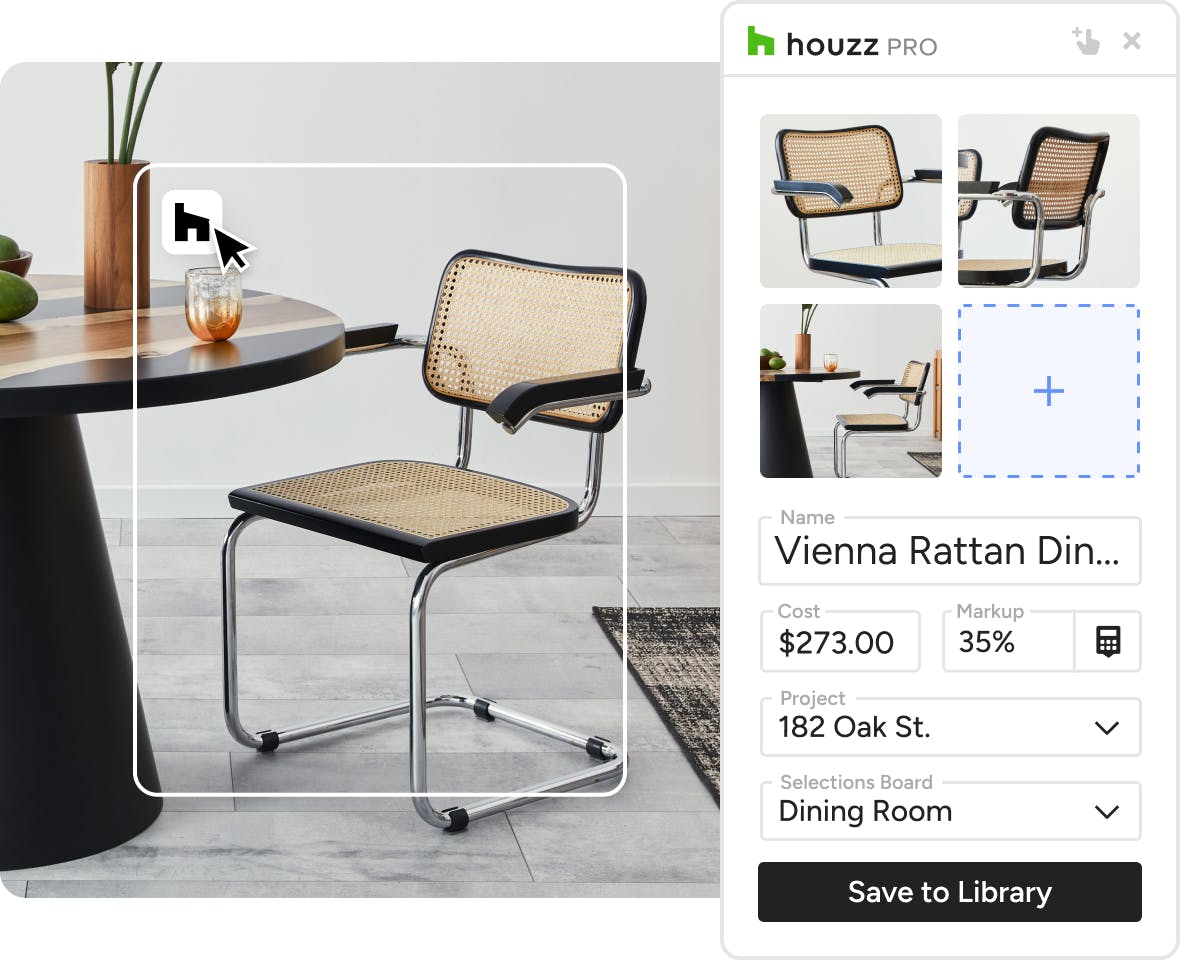
PRODUCT CLIPPER
Take a Sourcing Shortcut With the AI Clipper
Find your client’s perfect piece? Cue the Clipper—your sourcing sidekick that lets you save products from your preferred vendors to your Selection Boards in seconds.
- Detect and save product images and info with AI
- Save items to your Product Library for future use
- Manually enter product details and custom notes
- Send clipped products to Mood Boards and more
Available exclusively as a Google Chrome extension.
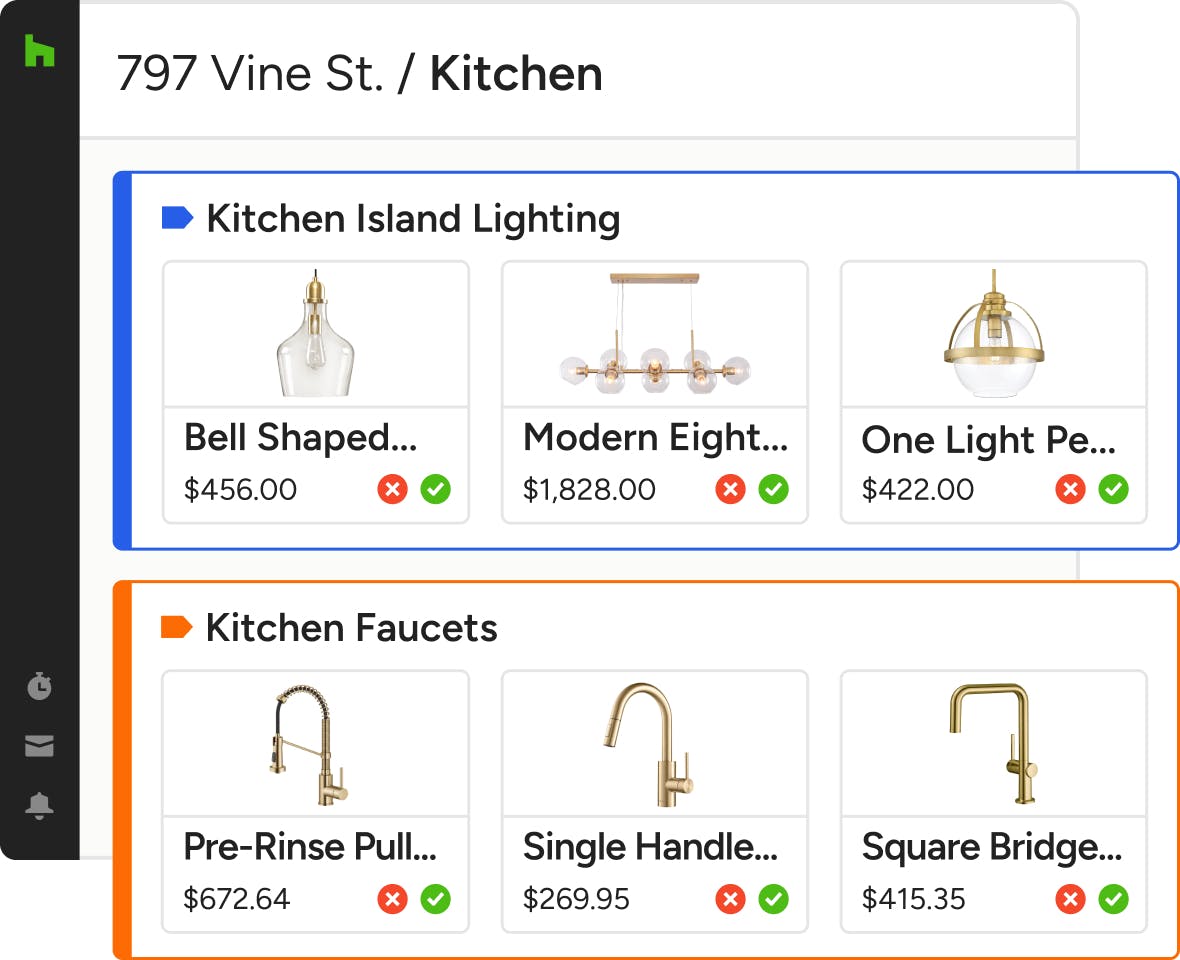
ORGANIZED SECTIONS
Group Like Items—Any Way You Like.
The more orderly your board, the faster their approvals. That’s why our selections software lets you sort items into sections by style, vendor, or any other custom category.
- Write client-friendly descriptions for each section
- Reorder and hide sections for a custom view
- Let clients approve all items in a section at once
- Add accent colors to sections for visual organization

SELECTIONS TRACKER
Keep Tabs on Selections After Approvals
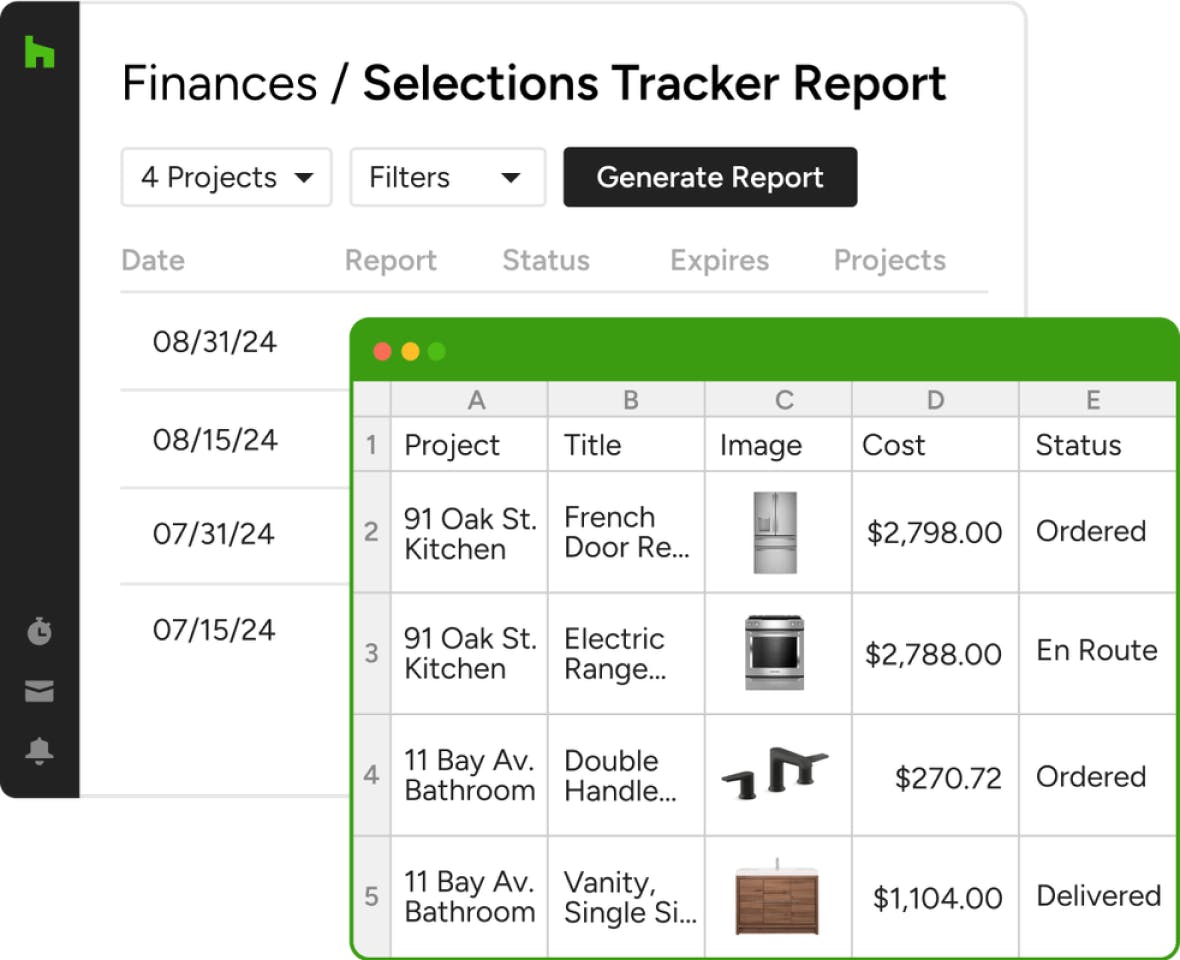
Moving on to Procurement? Stay close to every order status, product spec, plus vendor and financial details across your projects in the Selections Tracker.
- Product info carries over from your Selection Boards
- Export FF&E schedules, tear sheets, and Excel files
- Sort, filter, and group items to fine-tune your focus
- Create custom columns based on your specific needs
The Better Board With More Built In
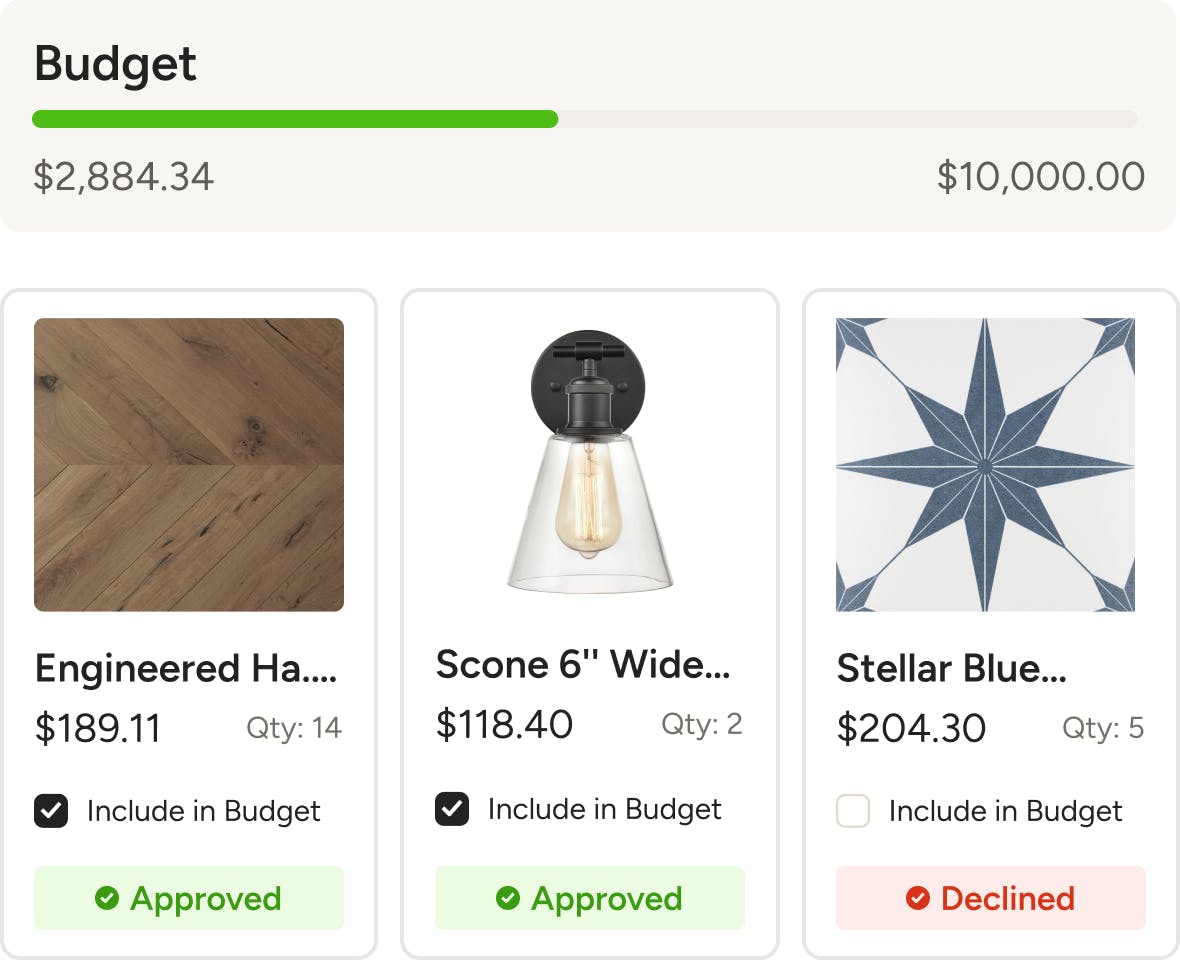
The Better Board With More Built In
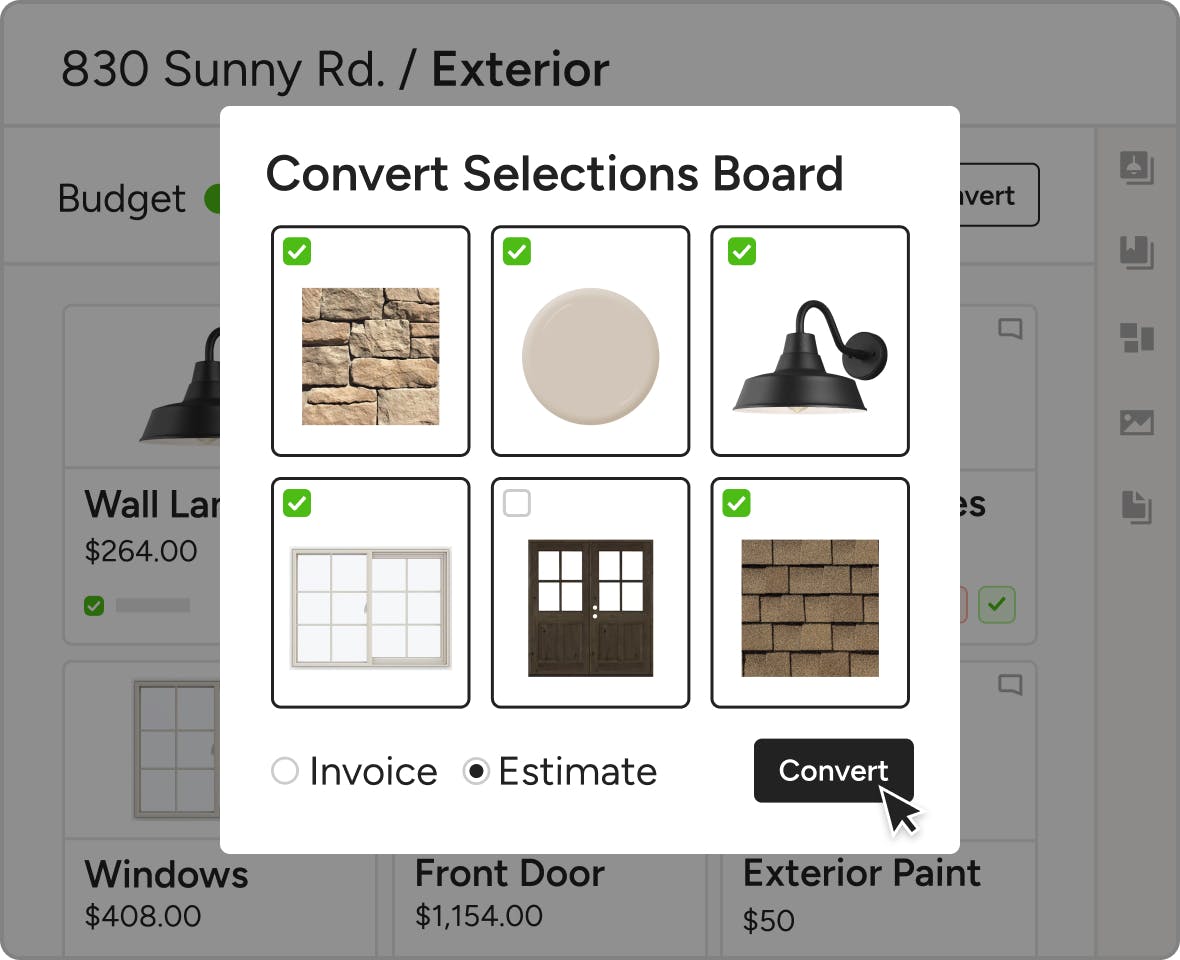
Keep an Eye on Budget




INTEGRATIONS
Selections Software That Keeps You Connected
Our material selection software for construction and design lets you easily add any Mood Boards and 3D Floor Plans you create in Houzz Pro alongside your selections. Our Selections Tracker also automatically syncs transaction data and purchase orders with QuickBooks Online.
AWARD-WINNING SUPPORT
Here to Help—However You Need It.
Got questions? Our selections software experts have answers. For anything our self-guided resources can't solve, reach out for assistance and we'll take it from there.

Online Chat
The fastest way to find answers is at the bottom right of your browser.


Phone
We’re here from Monday to Friday, 6am to 5pm PT at (888) 257-4020.

Why Go With Houzz Pro?
Why Go With Houzz Pro?
All-In-One AI Platform


Selections Software Features
See all features of our selection tool
Digital Selection Boards
Create organized selection boards to present products, materials, and finishes for client approval.
Multi-Section Selection Boards
Organize selections by room, category, or project phase using customizable sections.
Selection Board Templates
Save and reuse selection board layouts for faster project setup.
Duplicate Boards, Sections & Items
Duplicate existing selection boards, items, or sections to reuse them in other projects.
Selection Board Placeholders
Add placeholder items to represent selections that will be finalized later.
Custom Client View Settings
Control which product specs clients can see when reviewing Selections, and whether pricing is visible.
Client Approval Workflow
Share boards with clients and collect approvals directly on selected items.
Email Templates for Sharing Boards
Send selection boards using customizable email templates.
Mobile Selection Boards
View and manage selection boards using the Houzz Pro mobile app on iOs
Product Library
Store and organize products, materials, and services in a centralized library for reuse across projects.
Import Product Catalogs
Import your own catalog of products using spreadsheet uploads.
Import Product via link
Add items to a Selection Board by pasting a product URL directly, and let AI automatically pull in the item details.
Product Clipper & Web Sourcing
Save products from vendor websites directly into the Houzz Pro product library.
Vendor Catalog Integrations
Access integrated vendor catalogs such as Home Depot directly within Houzz Pro.
Average Price Catalog
Use catalog pricing data to estimate typical product costs.
Multiple Images per Item
Attach multiple product images to selection items for better visual presentation.
Product Categories Management
Organize products into categories to simplify sourcing and selection workflows.
Download Product Tear Sheets
Generate product tear sheets for client review and documentation.
Cost Codes
Assign cost codes to products and services to track costs and categorize project expenses.
Assemblies for Products & Services
Group multiple components such as materials and labor into reusable assemblies.
Selections Tracker
Track all approved selections, procurement status, and product details in a centralized tracker.
Global Selections Tracker Report
View and manage selections across multiple projects in a consolidated report.
Export Selections Data
Export selection tracker data to spreadsheets for reporting and procurement coordination.
Procurement Status Tracking
Track ordering and procurement progress for selected items across projects.
Selection-to-Proposal Workflow
Convert approved selections into proposals with pricing and payment structure.
Selection-to-Estimate Workflow
Turn selections into estimate line items without re-entering product details.
Connected Project Documents
Selection data carries across proposals, estimates, invoices, and procurement tracking.
Mood boards and 3D Floor plan integration
Include Mood Boards and 3D Floor Plans in Selection Boards to create a complete client presentation.
Bugdet Integration
As selections are approved, track how their cost affect the overall budget.
Selection-to-Purchase Order Workflow
Generate purchase orders from approved selections for procurement.