PROCUREMENT
Organize Orders With Our Procurement Software
Streamline your purchasing process with Houzz Pro’s procurement tracking software—a suite of integrated features from one-click POs to an in-depth Selections Tracker with product status, financials, and more.

Finalize Selections
Source, present, and get approvals on products in one place before ordering.

Track Orders
Send POs and see every product’s status, financial details, vendor info, and more.

Avoid Delays
Keep projects moving with one centralized source of truth for your team and clients.
Your Procurement Process—Perfected.

HOW IT WORKS
Manage Projects, From Sourcing to Install.
The procurement process starts long before your orders are in—and so does our procurement tracking software. See how our tools come together to simplify every step.

SELECTIONS TRACKER
Every Need-To-Know, Neatly in a Row.
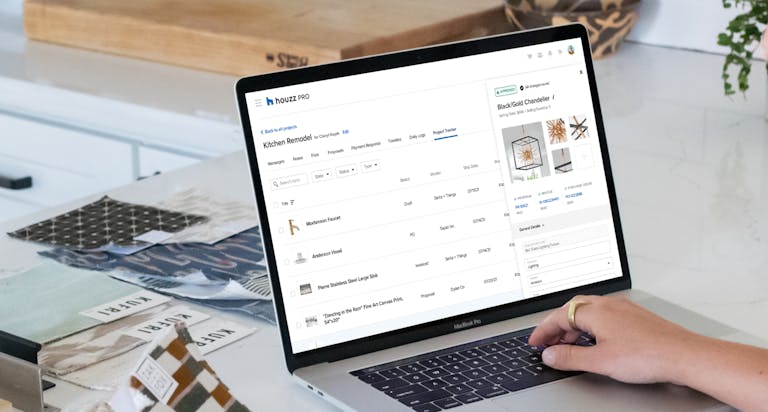
From fixtures to furniture, our Selections Tracker gives you a bird’s eye view of every product’s status, specs, vendor info, and financial details in one clean layout.
- Update order status and more with a couple clicks
- Sort, filter, and group items by a variety of categories
- Create custom columns based on your specific needs
- Reorder, resize, and hide columns to tailor your view
PURCHASE ORDERS
Professional POs at the Push of a Button
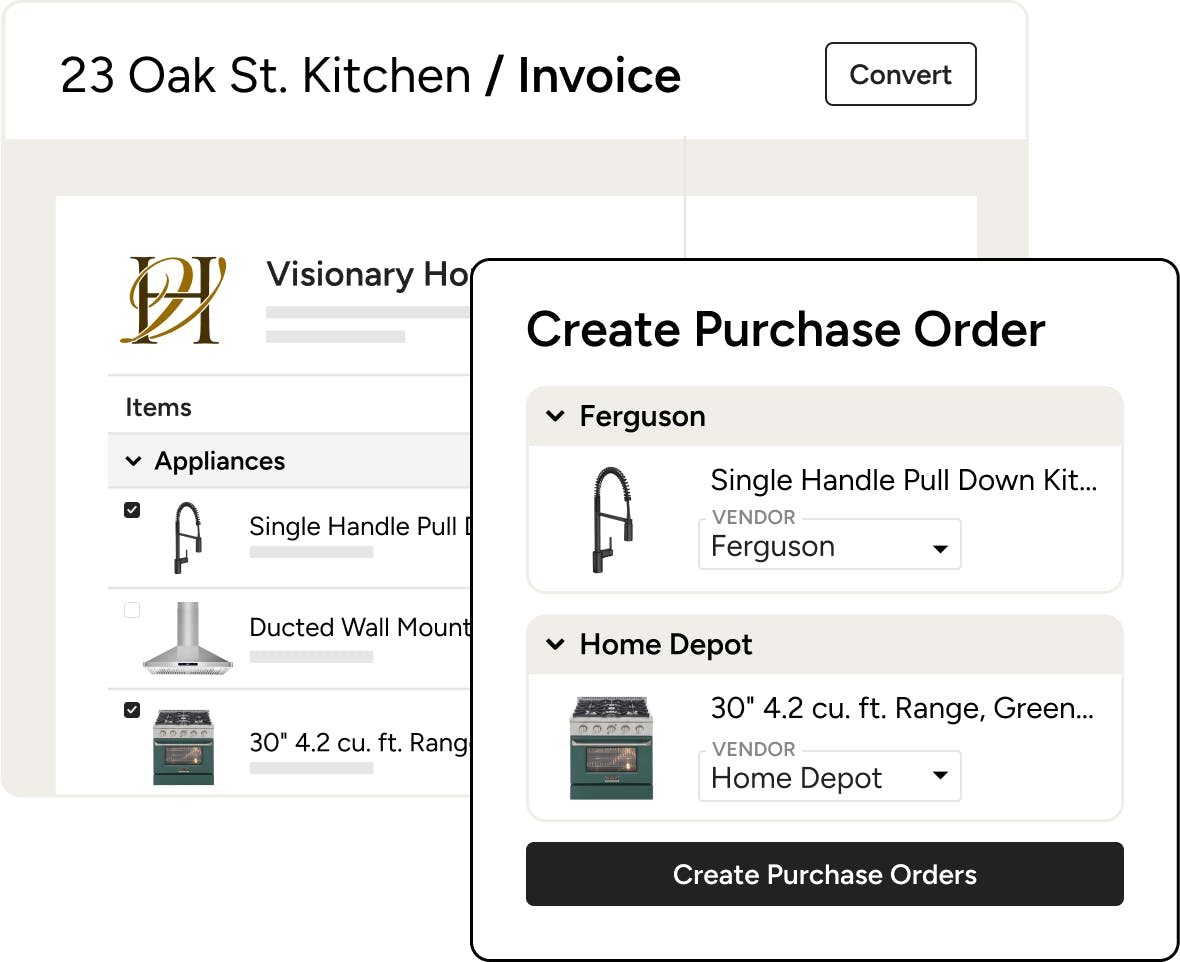
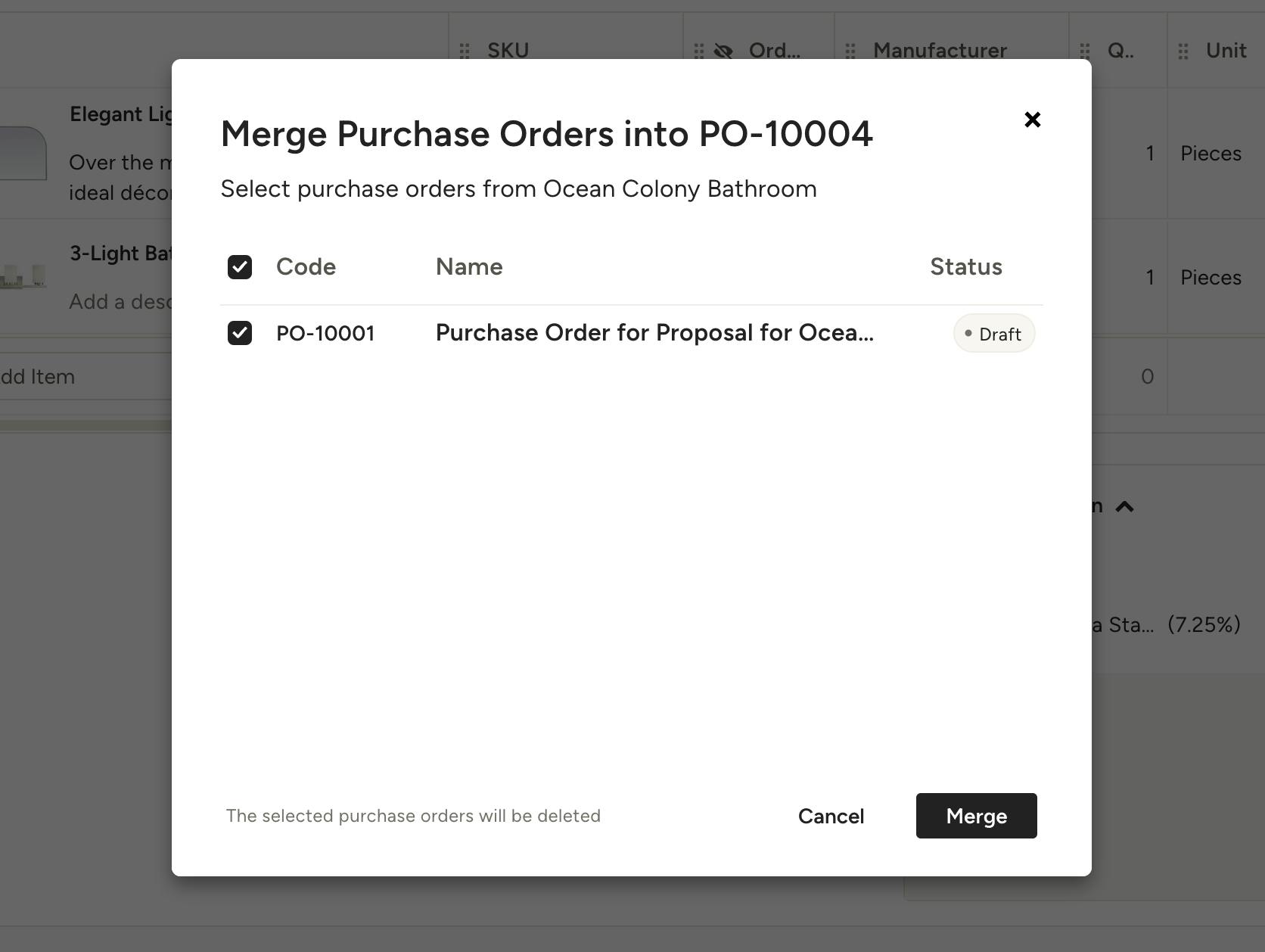
Invoice all paid up? Convert multiple line items into purchase orders in just a click—complete with product names, colorways, SKUs, and even more vendor essentials.
- Ready to send with every detail your vendors need
- Syncs with the Selections Tracker and Budgets
- Keep expenses documented to track profitability
- Export as PDF for easy printing and email attaching

PROJECT FINANCIALS
Get a Snapshot of Your Costs (and Profits)
With a dedicated financial view, our procurement tracking software gives you a quick look at your projects’ profitability by calculating every expense for you.
- Get high-level cost breakdowns for each project
- See MSRPs, markups, shipping costs, taxes, and more
- Instantly export financial tracking lists as Excel files
- Reorder, resize, and hide columns to tailor your view
Put the “Pro” in Your Procurement Process




INTEGRATIONS
Procurement Software That Keeps You Connected
Our procurement tracking software for construction and design automatically syncs transaction data and purchase orders with QuickBooks Online. That means no more tab jumping and double-duty data entry, helping you stay on top of your bottom line with less effort than ever.
AWARD-WINNING SUPPORT
Here to Help—However You Need It.
Got questions? Our procurement software experts have answers. For anything our self-guided resources can't solve, reach out for assistance and we'll take it from there.

Online Chat
The fastest way to find answers is at the bottom right of your browser.


Phone
We’re here from Monday to Friday, 6am to 5pm PT at (888) 257-4020.


Why Go With Houzz Pro?
Procurement Software Features
See all the main procurement features of Houzz Pro software
| Feature | Description |
|---|---|
| Product Sourcing & Organization | |
Selections Boards | Create boards and structure them into sections to organize all product selections by project. |
Board-Level Budgeting | Set and manage budgets at the board level for better cost control. |
Selections Library | Add and manage product options with specifications and quantities. |
Section Grouping | Group selections into sections by trade, product type, style, or others. |
Visual Organization | Use labels and color coding to visually organize selections. |
| Collaboration | |
Client Communication on Selections | Leave comments for your clients and communicate with them directly on specific product selections. |
Internal Team Communication | Keep internal team discussions separate from client-facing communication. |
| Procurement Tracking | |
Centralized Item Tracking | Track all items from selections, estimates, invoices, and POs in one place. |
Approval Status Tracking | Track whether items are approved, pending, or declined. |
Vendor Tracking | Track vendor details for each selected product. |
Room-Level Item Tracking | Associate each item with a specific room in the project. |
Document Linking | Link items to estimates, invoices, and purchase orders. |
Custom Fields | Create custom fields (e.g., responsible party) for advanced tracking. |
Custom Views | Create custom views to always have the set of information visible at a glance that you need. |
Filtering by Document Type | Filter items by estimates, invoices, or purchase orders. |
Filtering by Approval Status | Filter items based on approval status (approved/declined). |
Global Tracker Report | Download a customizable, consolidated report of all your projects' selections. |
Project Lifecycle Tracking | Track items from requested to ordered, shipped, and received. |
| Procurement Workflow | |
Vendor-Based Organization | Group and filter items by vendor for ordering. |
Order Creation Workflow | Identify items to order and organize purchasing by vendor. |
Order Details Tracking | Track order date, shipping cost, and tracking information. |
Delivery Tracking | Track delivery dates and monitor incoming items. |
Delivery Status Updates | Update status as items are shipped, delivered, or damaged. |
Bulk Editing | Update multiple items at once for efficiency. |
Delivery Forecasting | Sort items by delivery date to plan job site readiness. |
PO-Based Purchasing | Complete purchasing by generating and sending POs to vendors (no direct checkout integration). |
| Financial Integration | |
Purchase Order Creation | Convert items into purchase orders for vendors. |
Payment Tracking via Documents | Track financial progress through linked estimates, invoices, and POs. |
| Reporting & Field Use | |
FF&E Export (FFN PDF) | Export selections and procurement data for field teams and subcontractors. |
Room-Based Exporting | Export documents like tear sheets or FFE schedules for on-site use. |
| Procurement (Advanced / Bid Mgmt) | |
Supplier Price Comparison | Compare subcontractor bids side-by-side; product comparison possible manually via selections. |
Automated Vendor Quote Requests (RFQs) | Send bid requests to multiple vendors and collect quotes in one dashboard. |