Instant Payouts with Online Payments
Instant Payouts are an easy way to fast track the payment process and ensure you get paid as soon as you need to. If you opt-in, you will pay an additional 1.5% fee to receive your client’s payment within 30 minutes (timing can vary by bank).
With instant payouts, you have a lot of flexibility when it comes to how you get paid:
- You can manually opt for instant payment on just one specific payment.
- You can opt-in to automatically receive instant payments for all your client payments.
- You can use instant payments for a portion of the payment amount, or for all of the payment amount.
Note: Instant payouts are not associated with any specific payments or documents. They are advanced funding of your online payment(s), which means that we advance you the funds from a client’s payment so you receive the funds and can get to work right away. When your next standard payout comes through, you will see the previous instant payout listed as a negative value in the payout details, indicating that those funds have already been paid out to you and are deducted from the standard payout. For more information on how instant payouts are recorded in standard transfers, see this example.
Instant Payout Eligibility Details
Although many banks support instant payouts, not all banks do. If your bank does not support it (see the list here), the Pay Out Now option will not appear, and you will not be able to receive instant payments.
The payment timing and transaction type also impact instant payout eligibility. Funds from an ACH transaction will be available for instant payout only if:
- The payment was made between 12 AM and 2 PM EST. Because ACH funds take time to settle into your associated Stripe account, payments made during this time frame will be available at 6:30 PM EST.
- The payment was not created on the weekend (Saturday or Sunday).
A credit card transaction does not have these time restrictions and is eligible for instant payouts immediately after the charge is completed, regardless of when the payment is processed.
Why the difference? ACH processing follows the Federal Reserve's operating schedule, which has specific processing windows. In contrast, credit card networks operate 24/7.
Receive Instant Payout for One Payment
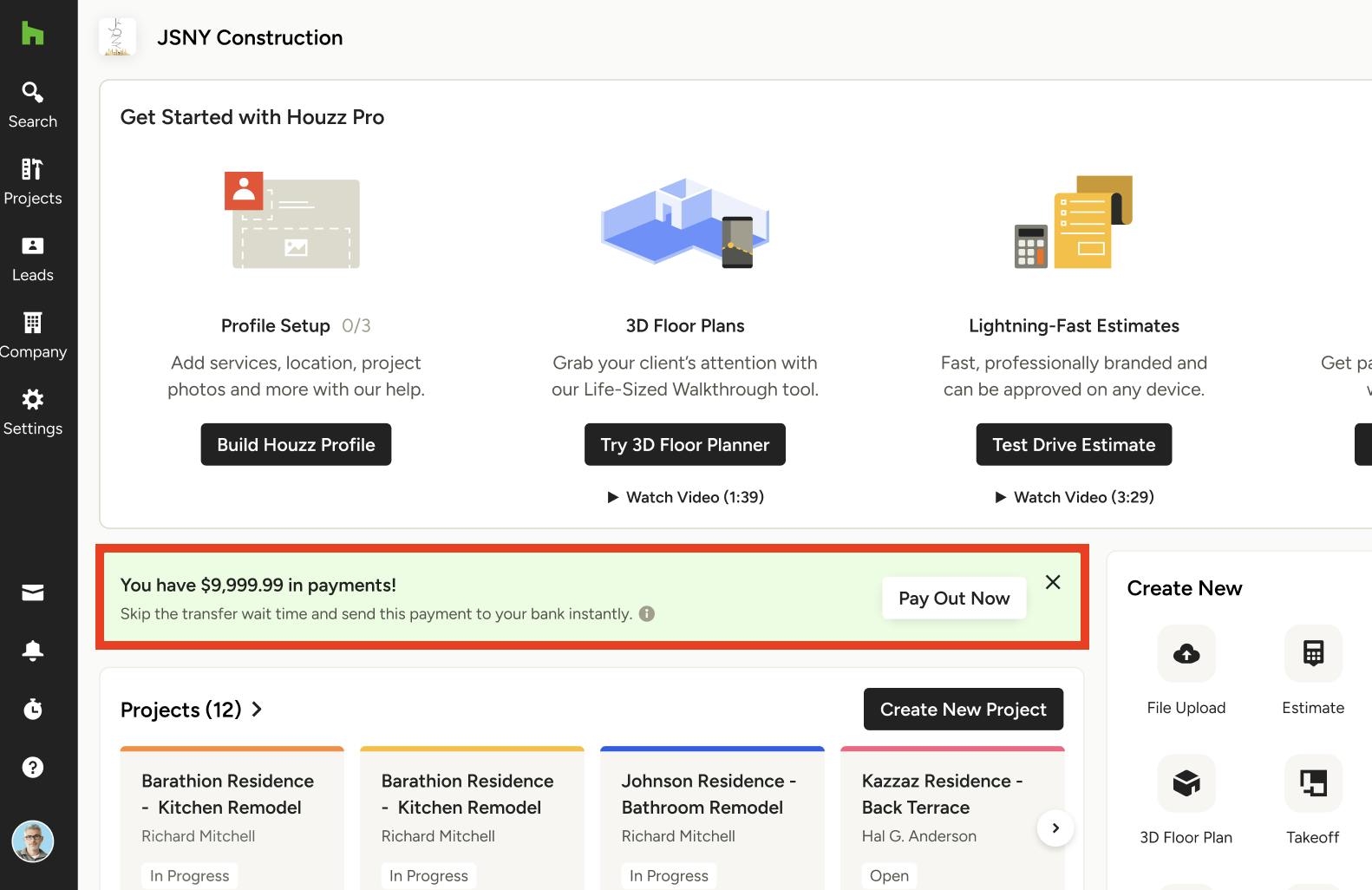
If you would like to receive an instant payout for only one specific payment, you can select the Pay Out Now option in either the email notification about the payment, or in the notification within the Houzz Pro software (as shown below).
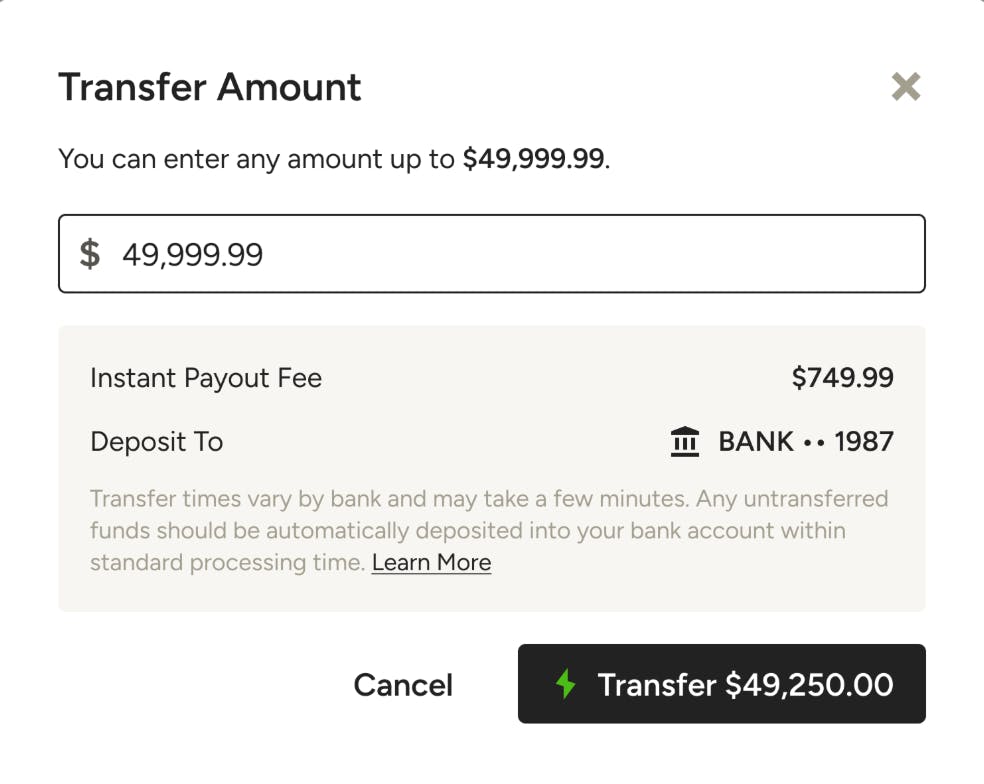
Once you select Pay Out Now, you can then determine the transfer amount for this one payment. You can decide to transfer all of the amount available, or just a portion. If you select a portion for instant payouts, the remainder of the payment will be deposited into your account within the standard processing time and with the standard fees.
The instant payout fee is 1.5% over and above the credit card or ACH processing fee, so you will notice that listed here. To continue, click Transfer.
Please Note: If you are a professional based in Canada, you will receive your instant payout through your debit card, and not through an ACH/bank transfer (more details below).
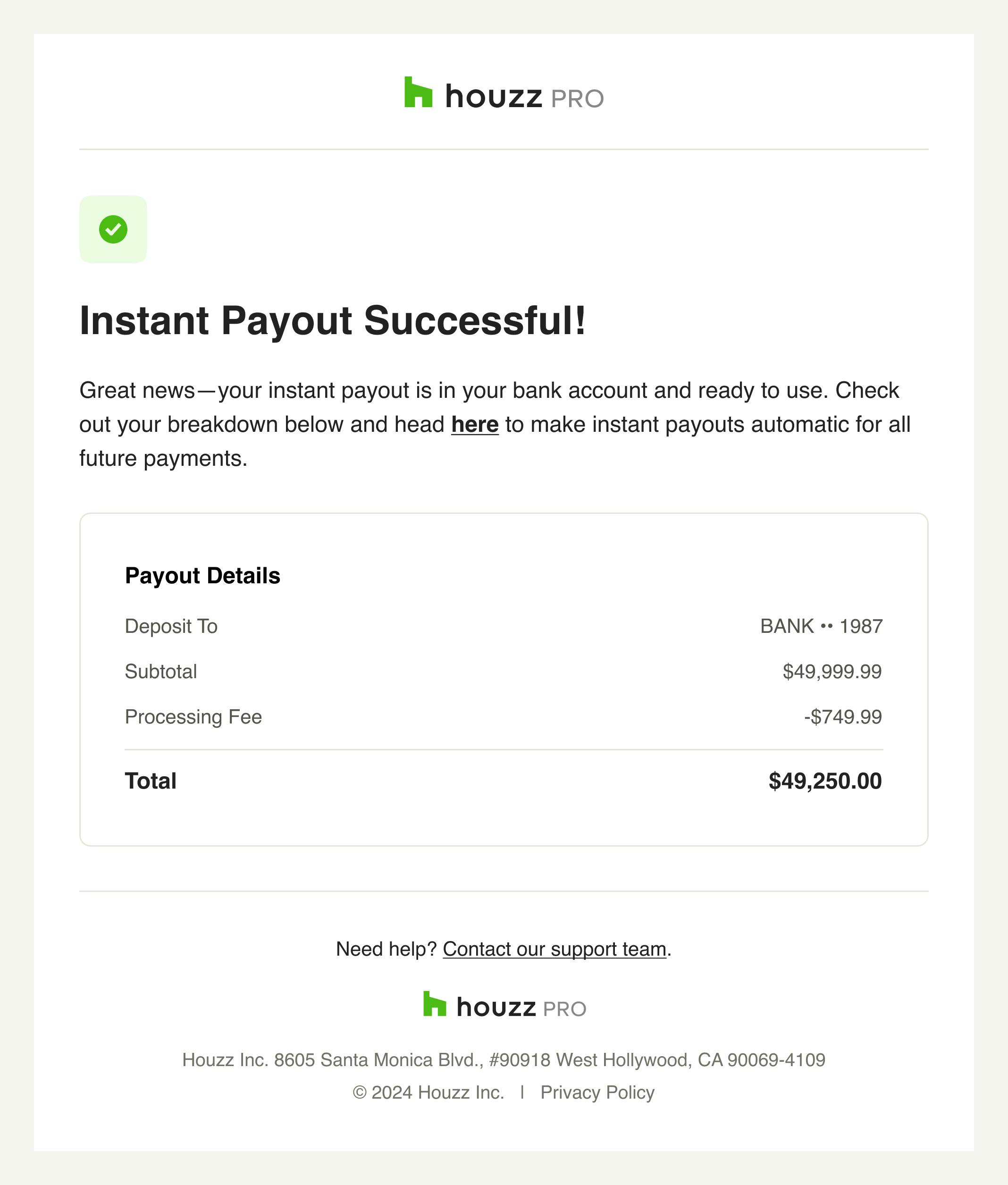
You will now receive a transfer confirmation in Houzz Pro, as well as an email confirmation, and your funds should arrive shortly.
If there was an issue with your transfer, you will receive an error notification and be asked to try again.
Receive Instant Payouts for All Payments
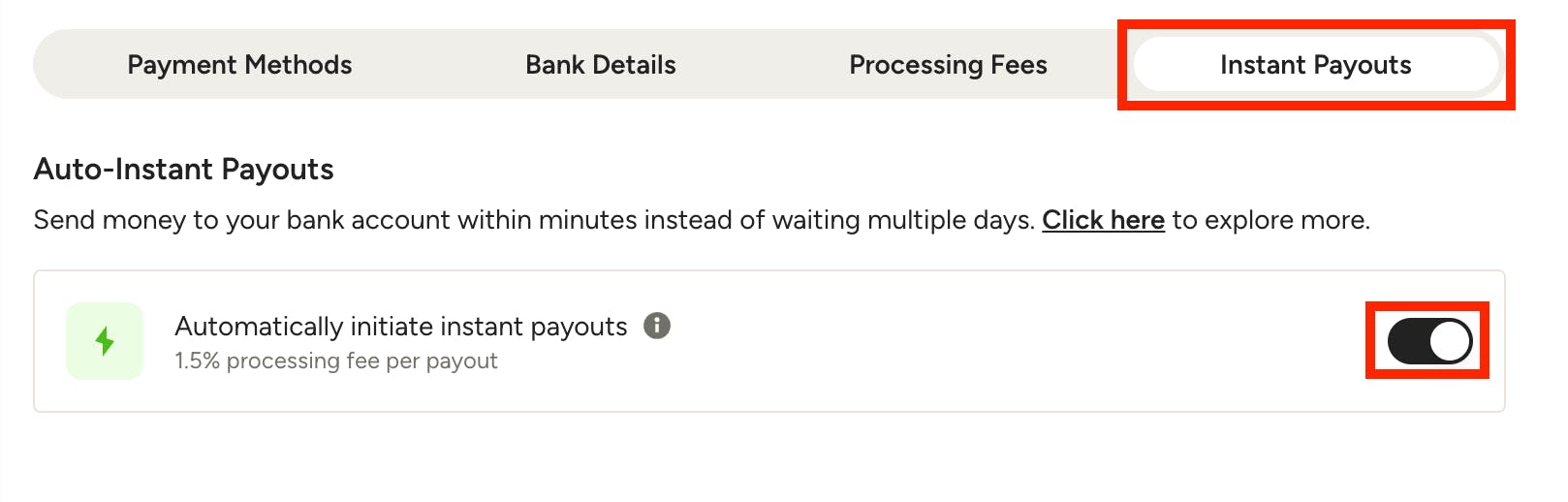
If you would like to automatically receive instant payouts for every payment you receive through Houzz Pro (up to $50,000 transaction volume per day), you can enable this in your Online Payment settings.
To start, click on the Financials icon in the left menu, then select Online Payments. Click on the Instant Payouts tab at the top of the page.
To enable instant payouts for every future payment, turn the toggle on. If you want to disable instant payouts, turn off the toggle.
Please Note: If enabled, the instant payouts payment will apply to all future online payments on both new and existing documents.
Opt-in on Payouts Report
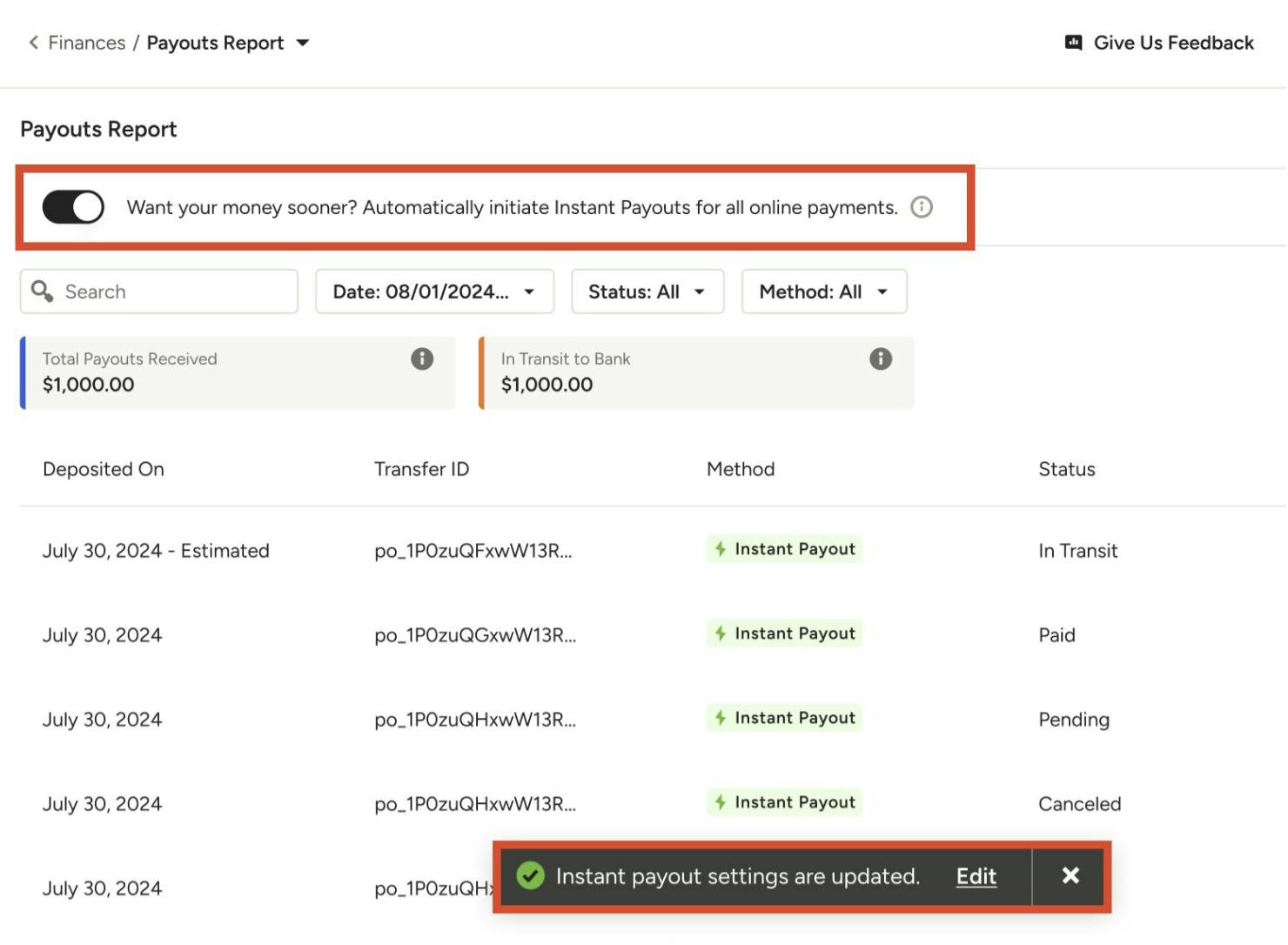
You can also opt-in for instant payouts by turning on the toggle at the top of your Payouts Report, as shown below. Any changes will automatically update your instant payout settings — click Edit to make more changes.
Instant Payouts in Payment Reports
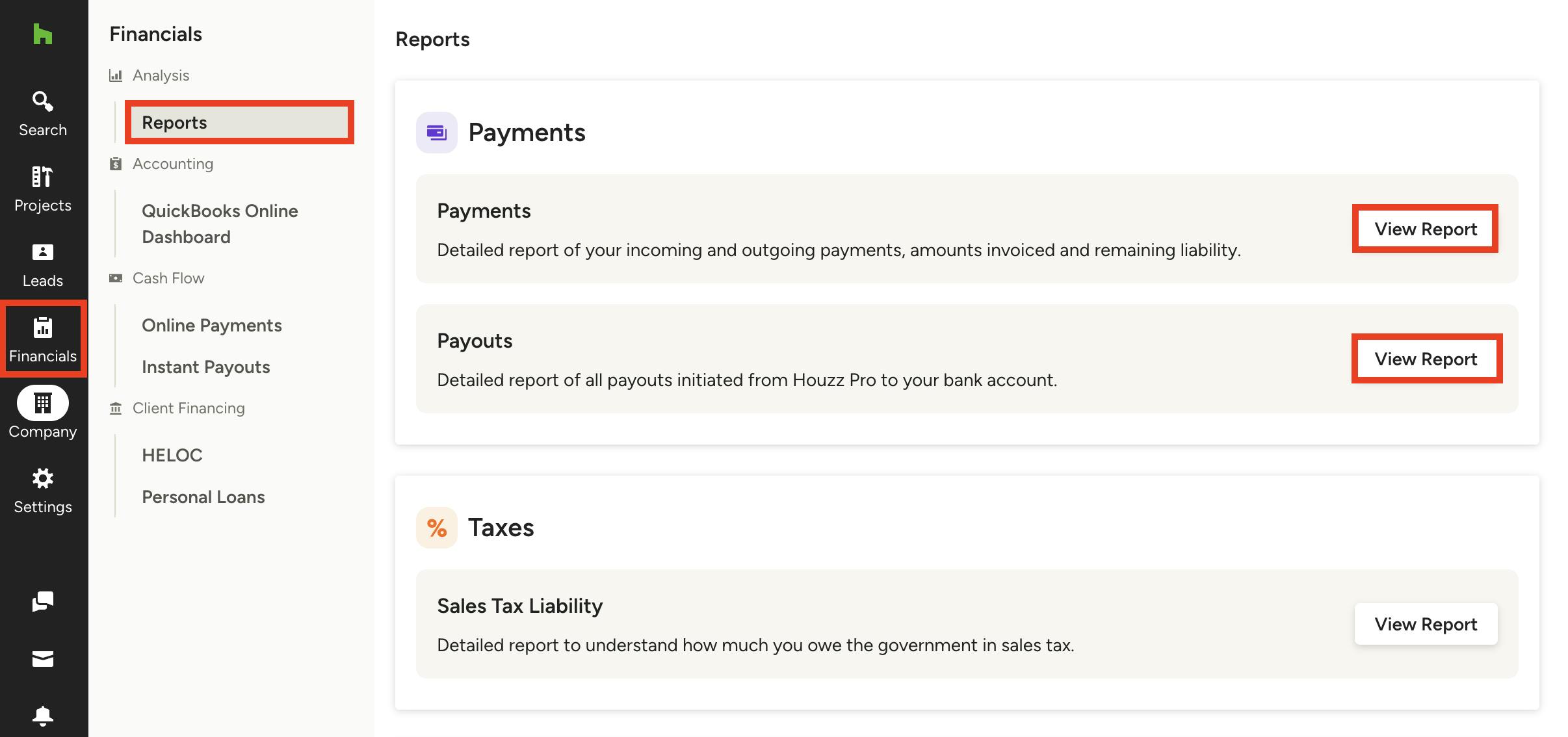
All your instant payouts will be documented in both the Payments Report and Payouts Report. To access these reports, select the Financials icon, then click on Reports in the left menu.
Select View Report under the Payments report you would like to view. Don't know the difference? Read Introduction to Financial Reports to learn more.
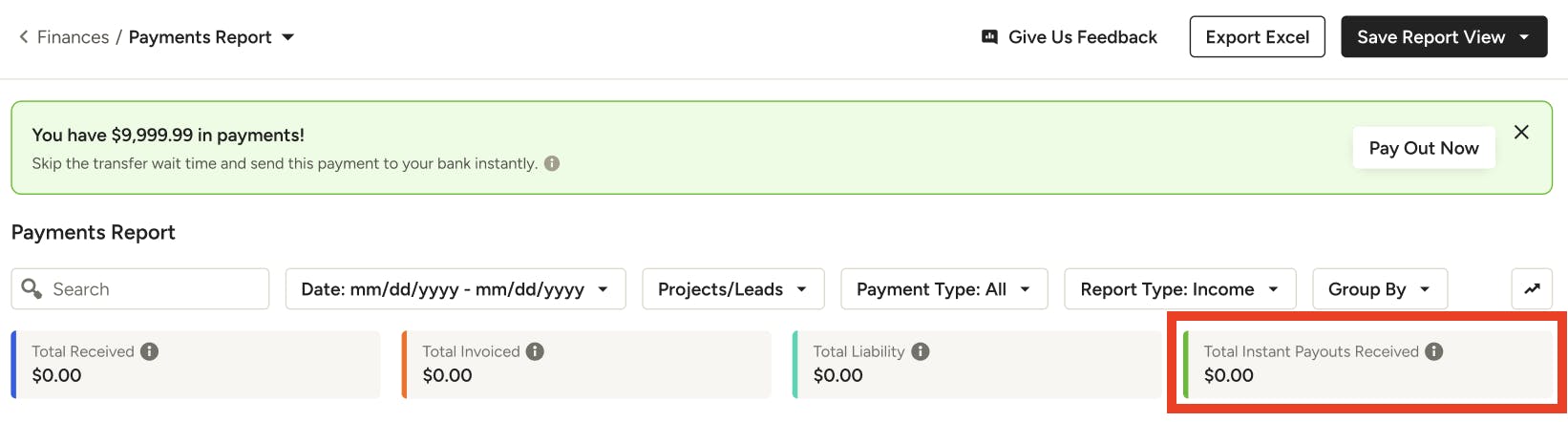
Your total instant payouts details will be displayed in the report, as shown here at the top of Payments Report.
Instant Payouts in Canada
If you are a professional based in Canada, instant payouts is also available for you, with a few differences.
You will receive your instant payout through your debit card, and not through an ACH/bank transfer. To start, you will need to provide your debit card details for the first instant payout. Once it's saved, you can seamlessly request an instant payout or enroll to auto-instant. Future instant payouts will be paid out to the debit card on file.
Also, Canadian professionals will have a $10,000 transaction volume per day, instead of the $50,000 daily transaction volume for US professionals.