Houzz Pro Guide for Architecture Students
Learning How to Use Architect Business and Client Management Software

Technology is woven into every industry today and the architect field is no different. Knowing how to adeptly navigate tech tools at the start of your career as an architect will give you an advantage as you establish your place in the industry and manage and grow a business.
Savvy architects, including those you admire today, likely already have business and client management software in their playbook. It is becoming the industry standard for creating fast and winning proposals, collaborating on design projects, efficiently handling the details of running a business and delivering an outstanding client experience.
In this guide, you will learn about one of these tech tools, Houzz Pro, an all-in-one business tool used by more than 3 million design and remodeling professionals. This guide focuses on the Houzz Pro business management software customized specifically for the needs of architects along every step of their workflow from finding clients to managing projects from start to finish. It is all-in-one and user-friendly software that is mobile-ready, so your work can be done anywhere.
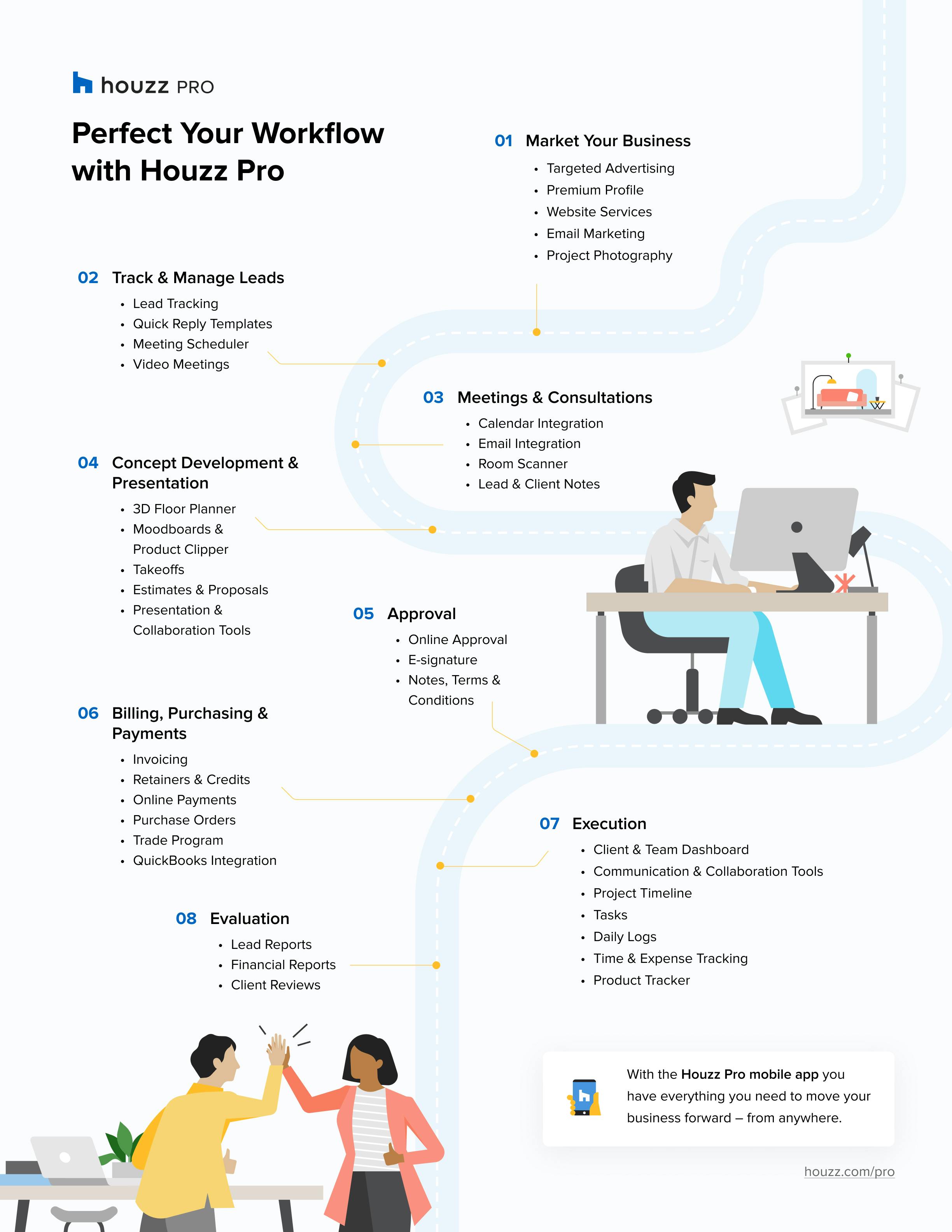
An 8-step architecture workflow & the Houzz Pro tools tailored to make each easier and more efficient
Establishing a seamless and effective workflow as an architect helps you make better decisions, build credibility with the clients seeking your expertise, and saves energy you can devote to work-life balance as you get busier growing your career. Here, we break down a typical workflow into eight steps and illustrate how tech tools simplify and speed up each one.

Step 1: Marketing & Attracting Clients
Spreading the word about what you do is the first step for architects who are starting out and for more seasoned architects growing their business. A premium profile on Houzz Pro helps take the guesswork out of modern-day marketing. When renovating homeowners and those seeking to build a new home search Houzz for architectural services in your local area, they will see at a glance examples of your successful work, with photographs of projects along with reviews from past clients. Pros make a great first impression on prospective customers with a custom highlight video showcasing the services they offer, past project photos and featured reviews from pleased clients. Houzz Pro website services can help you launch your own custom website which is SEO optimized to generate quality leads and land the type projects you really want. With the Houzz Pro email marketing tool, you can easily engage with leads, stay in touch with clients and get repeat business using professionally designed templates to send out newsletters, updates and other communications.

Step 2: Track & Manage Leads
Houzz Pro provides a lead management tool to centralize all client communications during the pre-sale process. Leads generated through an architect’s Houzz profile are automatically sent to their Houzz Pro CRM. Leads from other sources can also be easily added to Houzz Pro. The gmail extension makes it simple to create leads in Houzz Pro directly from email.

Step 3: That All-Important First Consultation
First impressions count, so it is worth ensuring that your first meeting or consultation with a prospective client is professional and easy to set up. Houzz Pro enables you to book meetings directly through the software, syncing your calendar and sharing availability with your client. Once your client picks a timeslot, both parties automatically receive meeting confirmation emails and a meeting invitation for their calendar. You can also generate a personalized booking link to share with clients, so they can view your availability and select a time to meet. When you meet, easily keep track of what was discussed by adding notes to any specific lead or client directly in Houzz Pro.

Step 4: Concept Development & Presentation
Selections
Conveying your architectural vision for a project is easier when you can organize all your ideas in one place using Houzz Pro Selection Boards. The tool gives you a highly-visual, collaborative workspace where you can create, discuss and share multiple design concepts internally with your team and externally with your clients. Houzz Pro Mood Boards let you and your soon-to-be client see and understand the overall goal of your project through images, text and other visual components. You can pull in the Mood Boards, and source products without leaving the Room Plan. Clients can provide instant feedback and signing off on your suggested products and plans. And because products you add to your Selection Boards are available in the Selections tracker, you can easily turn them into purchase orders and proposals when the time comes.
Measure Rooms & Create 2D and 3D Floor Plans
A virtual floor plan is an effective way to help clients envision how you imagine their project. The 3D (and 2D) Floor Planner lets you whip up floor plans in minutes, not hours. You can quickly measure any room with the Houzz Pro app to build the base of your floor plan or design the floor plan on your desktop. Then, use the Augmented Reality Life-Sized Walkthrough feature on your mobile device to see designs come to life against the backdrop of a client’s current space.
Create Proposals
Creating proposals is quick and easy with Houzz Pro’s proposal templates and tools. You can create beautiful proposals that look professional, feature your branding and can be sent digitally to clients to review and approve, including digital signature capabilities. When you use one of the proposal templates or customize your own, you can reuse them again and again, saving you time and the frustration of having to deal with spreadsheets or starting from scratch with every new proposal. Here’s how easy it is to create and send professionally branded proposals including product images in minutes. With the Clipper Tool, you can skip the copy and pasting when it comes to incorporating photos of products and the details. Pull products from anywhere on the web to add to your product library, then use them in proposals, Mood Boards, Selection Boards and more.
Step 5: Approval
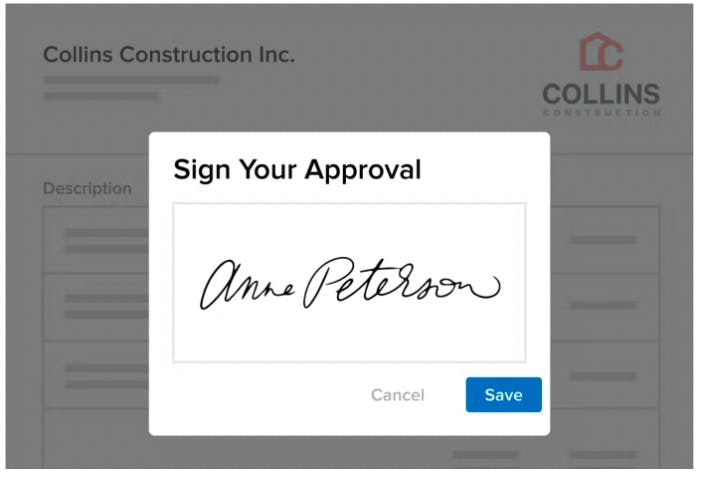
It is an exciting moment when a customer says “yes” to your proposal. Houzz Pro’s e-signature and approvals feature lets clients view, approve and sign proposals directly from their mobile devices. Designers can also customize the approval options and give clients the ability to approve each line item separately or approve the proposal as a whole. This saves time, cutting down on back and forths during the approval stage of your workflow.

Step 6: Payments & Purchasing
Getting paid equitably and on time for your architecture services is a key to running a profitable business, and Houzz Pro gives you tools to make invoicing, billing and collecting payments seamless.
Sending an invoice for payment is simple: You can take deposits as well as provide the convenience of paying online for every stage of the project. Build a payment schedule, and send automatic payment requests and invoices. Setting up the QuickBooks Integration makes accounting flow seamlessly.

Step 7: Execution
Project Tracker
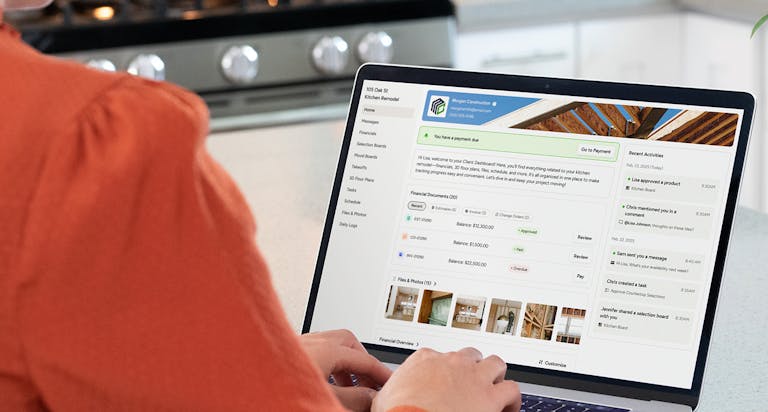
Once you convert a lead into a project, easily manage and track your entire project in Houzz Pro. This tool helps you stay organized with clients and your team and manage every moving piece of the project. All client communications are centralized, and there’s a digital paper trail for decisions that get made. Here are some of our pros’ favorite project management features:
- Create to-do lists for each project and assign tasks to relevant team members. Manage the progress and status of every action item on the Tasks Overview page.
- Create and share timelines that keep all your project phases and dates in chronological order.
- Share a branded custom dashboard with your clients, and create daily logs that track progress.
Time and Expense Tracking
Houzz Pro can help you log your time and expenses for each project. With features like the stopwatch tool, you can easily track time, even when you spend your day working across multiple projects, clients and activities. When you’re ready, you can generate a Time Billing Report where all of your time will be documented, organized and ready to convert into invoices that you can send your client for payment.

Step 8: Evaluation
With Houzz Pro you can generate clear, accurate reports in just a few clicks. Professionals can see exactly how much money is coming in and out of their business. Sort by date range, project, payment method or vendor, and easily export all billable hours logged per project or per team member.
Solicit Client Reviews
Positive client feedback can help boost a business’ credibility and lead to more clients and opportunities. Houzz Pro provides one-stop shopping for requesting, managing and promoting reviews. Using templates to streamline review requests means you don’t have to start from scratch every time you seek a review. Integration tools simplify sending those requests - and all those rave reviews you will soon be receiving - to contacts. Reviews automatically appear on your Houzz profile and your Houzz-built custom architecture website.
Many online buyers consider visual materials such as photographs to be one of the deciding factors when making web purchases, therefore professional-looking visuals of your completed projects are key for attracting future clients. The Houzz Pro Perfect Capture program connects designers to professional photographers in their area and helps them schedule photo shoots, so your amazing interior design work can shine and work on your behalf.
Yes. Houzz Pro is mobile. You can message clients and access your entire communication history wherever you are working. Good communication builds trust and will ultimately help you succeed in the architect business.
Practice Makes Perfect
Now it is time to practice what you’ve learned. Try Houzz Pro by registering for free one-year student access on the Houzz Pro for Students page. Also, learn more about features mentioned above by watching these training videos.
Case Studies
Review the following case studies to learn how these architects use technology in their business to amplify their success.

Dan Nelson, the principal architect at Designs Northwest Architects for over 25 years, discusses how technology has been key to his success. Read the case study here.

As the owner of AHD&Co, a successful full-service design firm, Anastasia Harrison says being open to new technology can help keep your company viable. Read the case study here.

Anders Lasater runs his architecture firm in Laguna Beach, California, but because he advertises in cities around the country, he knows the importance of having a tool that gives him the ability to curate his best work and target it to the appropriate audiences, depending on the region. Read the case study here.
Follow Industry Trends
To stay on top of the latest architectural trends, Houzz Pro developments, and case studies, follow Houzz Pro on Instagram, LinkedIn, Twitter and Facebook, and bookmark the Houzz Pro Learn Page.


Want advice delivered to your inbox?
Unlock industry insights and updates for contractors and design pros
By signing up, I agree to the Houzz Terms of Use and Privacy Policy and that Houzz may use my information to contact me about relevant content, products, and services.