TIME TRACKING
Log Hours With Ease in Our Time Tracking Software
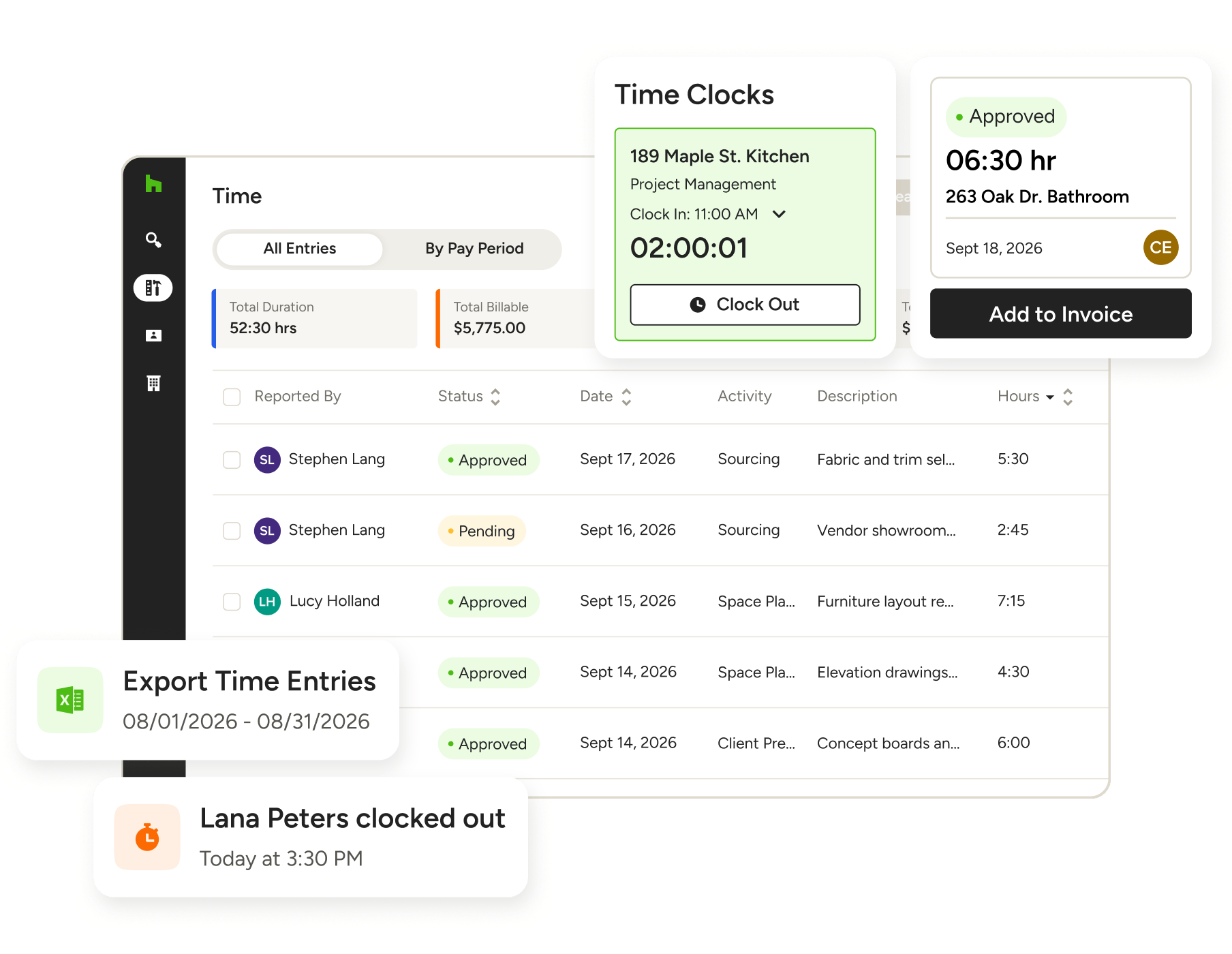
Lost time? Not on our watch. With Houzz Pro’s Time Tracking for contractors and designers, your team can capture hours effortlessly, run payroll quickly, and ensure every minute worked translates to profit earned.

Capture Hours
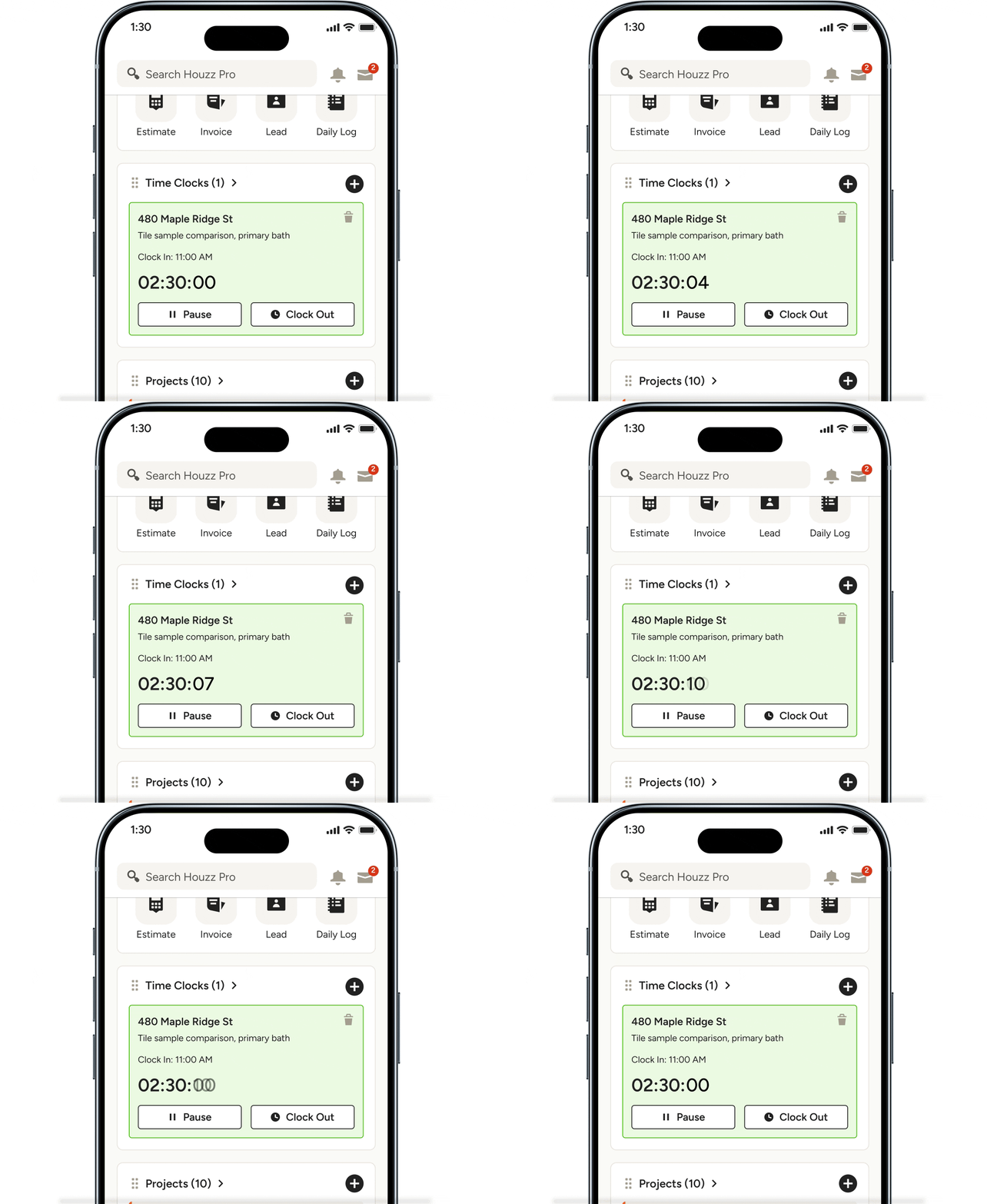
Let your team clock in and out from anywhere with a project-specific time clock.

Simplify Payroll
Turn approved time entries into direct deposits automatically through Gusto.

Maximize Margins
Track labor against your budgets automatically to stay ahead of overruns.
Logging Labor Should Never Be Hard Work

TIME CLOCK
A Smarter Way to Clock In
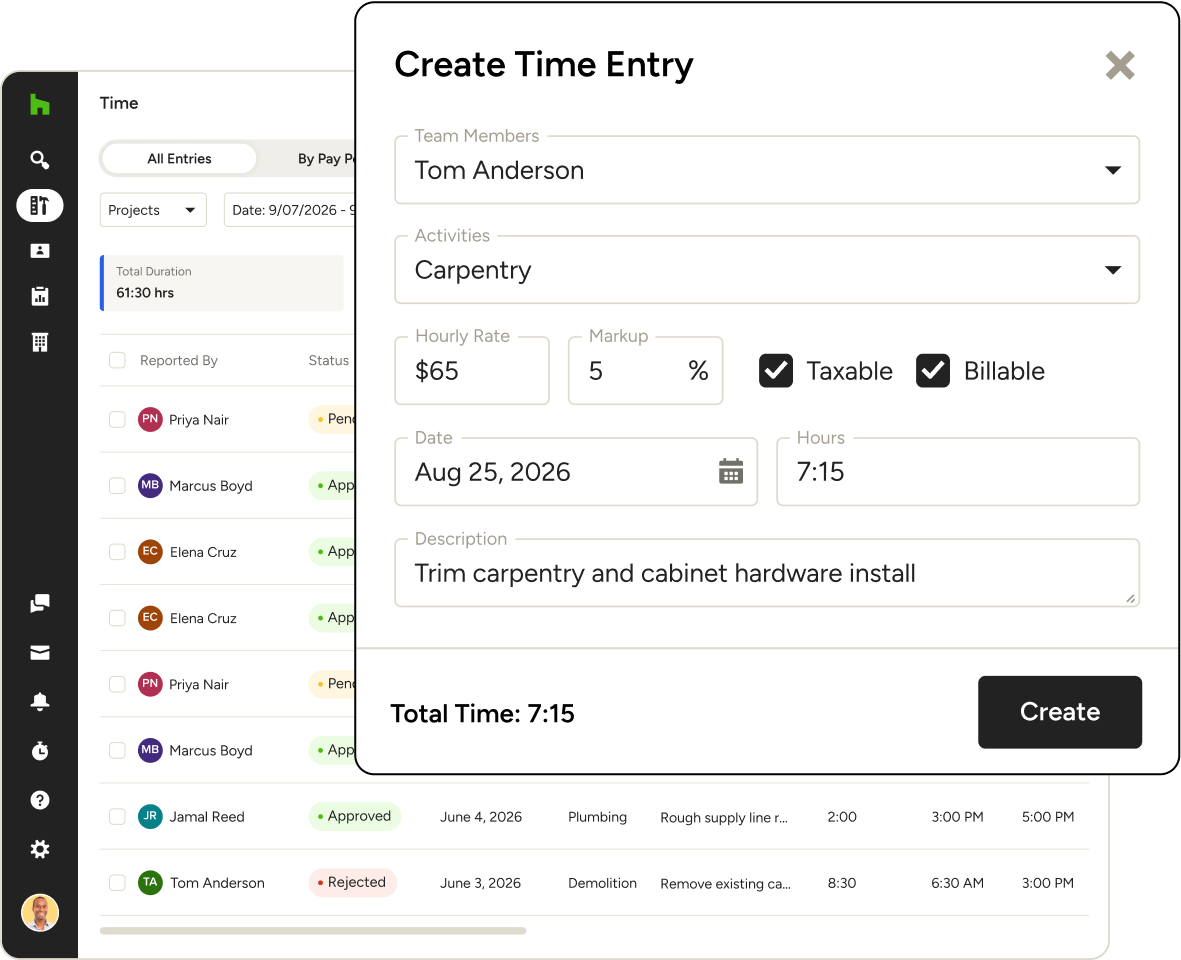
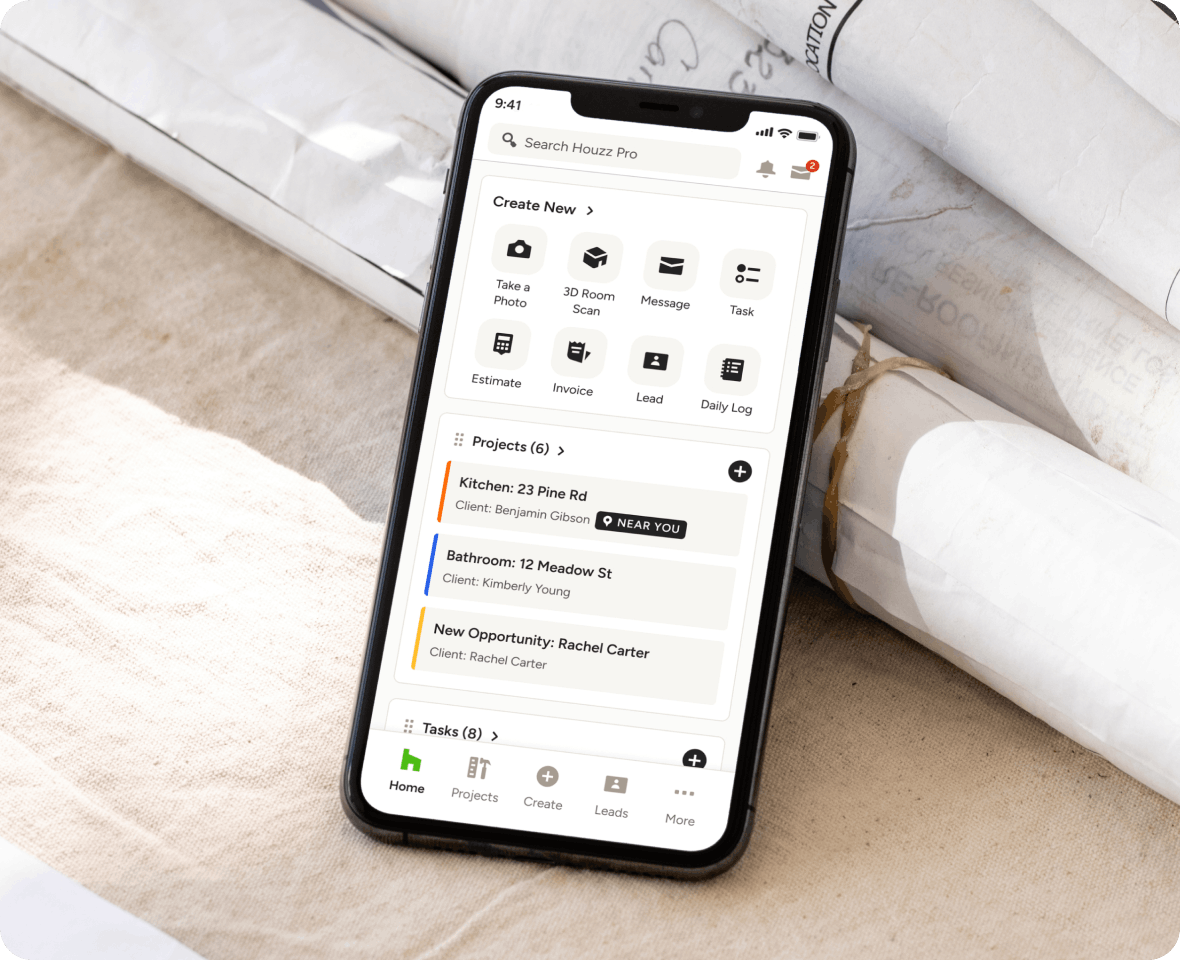
When starting the clock feels like an interruption, hours get lost. Empower your team to track time, every time, with the simplest time clock app they’ll ever use.
- Clock in and out from anywhere with our mobile app
- Assign hours to specific projects for seamless billing
- Set custom labor rates by person, activity, or project
- Manually add hours when you forget to start the clock

GUSTO INTEGRATION
Run Payroll in Record Time
Handling payroll by hand? With our Gusto Integration, you can turn your team’s time entries into direct deposits without the extra effort (and hours) on your end.
- Sync time tracked in Houzz Pro to Gusto automatically
- Get simple, full-service payroll across all 50 US states
- Save time by having your payroll taxes filed for you
- Get assistance with IRS notices and amendments
TIME DASHBOARD
See Every Hour in One Hub
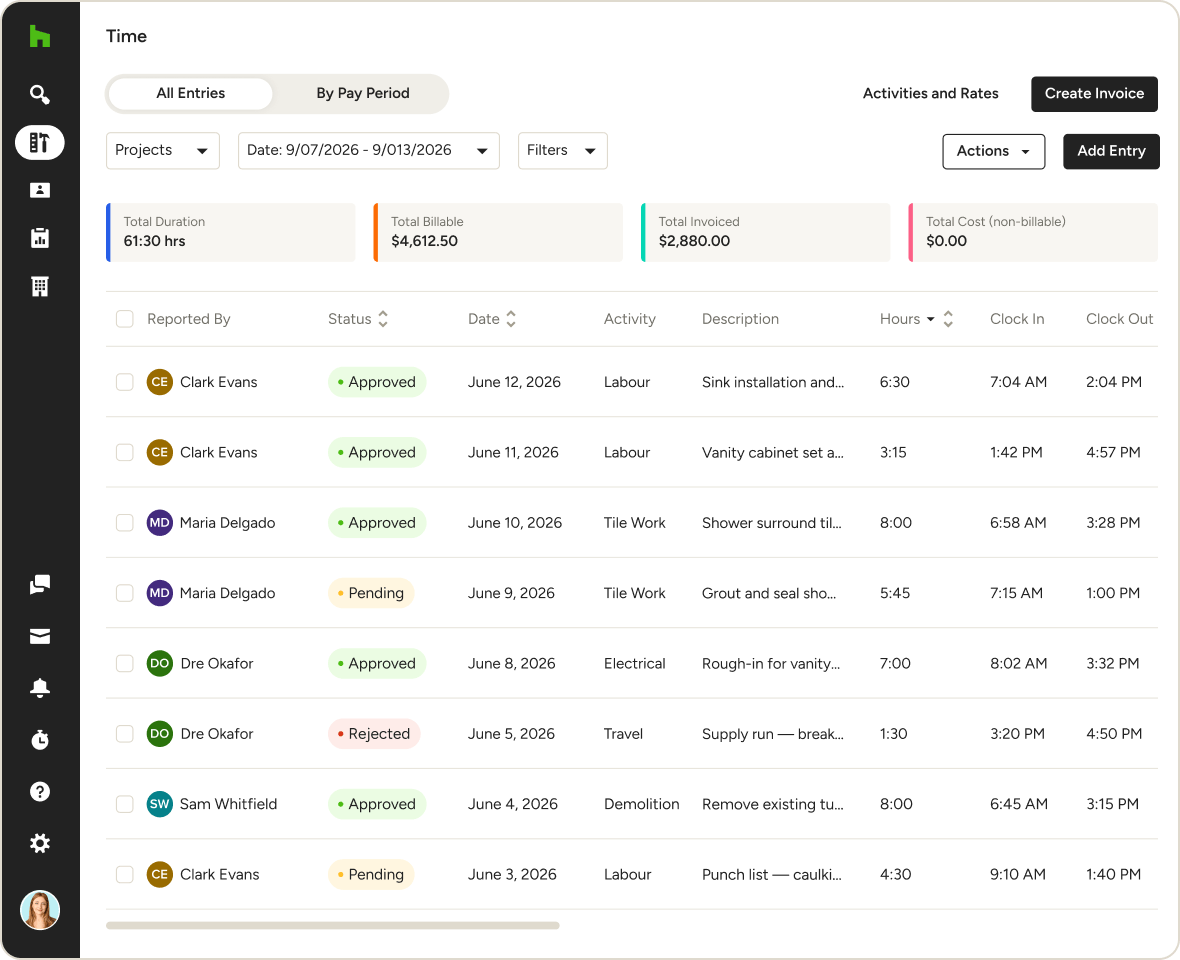
Stop hunting down time cards. Houzz Pro organizes all your team’s logs into one bird’s-eye view—making it dead-simple to sort, filter, approve, and lock in time in one place.
- See a high-level overview of all your team’s time entries
- Sort by project, team member, total time, and more
- Approve and lock time entries at the push of a button
- Keep sensitive data secure with role-based permissions
Even More Ways to Reclaim Your Time




INTEGRATIONS
Time-Tracking Software That Keeps You Connected
Houzz Pro works with Gusto to simplify payroll, but the integrations don’t stop there. You can also sync your finances with QuickBooks Online, access files on Google Docs and Dropbox, manage leads from Gmail and Zapier, and sync project Schedules to a slew of third-party calendars.
AWARD-WINNING SUPPORT
Here to Help—However You Need It.
Got questions? Our time-tracking app experts have answers. For anything our self-guided resources can't solve, reach out for assistance and we'll take it from there.

Online Chat
The fastest way to find answers is at the bottom right of your browser.


Phone
We’re here from Monday to Friday, 6am to 5pm PT at (888) 372-2851.


Why Go With Houzz Pro?
Time and Expense Tracking Software Features
See all the main tracking features for time and expense management
| Feature | Description |
|---|---|
| Time Tracking | |
Stopwatch Time Tracking | Track time in real-time using a stopwatch on desktop or mobile. |
Multiple Stopwatches | Run multiple timers simultaneously across projects or tasks. |
Manual Time Entry | Log time entries manually with project, rate, and service details. |
Cross-Device Sync | Access and manage time entries across desktop and mobile. |
Geo-Location Tracking | Enable location services to enhance mobile time tracking accuracy. |
Billable & Taxable Time | Mark entries as billable or taxable for invoicing. |
Attachments to Time Entries | Add notes, files, or supporting documents to time entries. |
| Expense Tracking | |
Expense Entry Logging | Add expenses per project with cost and details. |
Mobile Expense Tracking | Capture expenses from the field or office at any time. |
Batch Expense Entry | Add multiple expenses at once for efficiency. |
Receipt Attachments | Attach receipts or files to expense entries. |
| Financial Integration | |
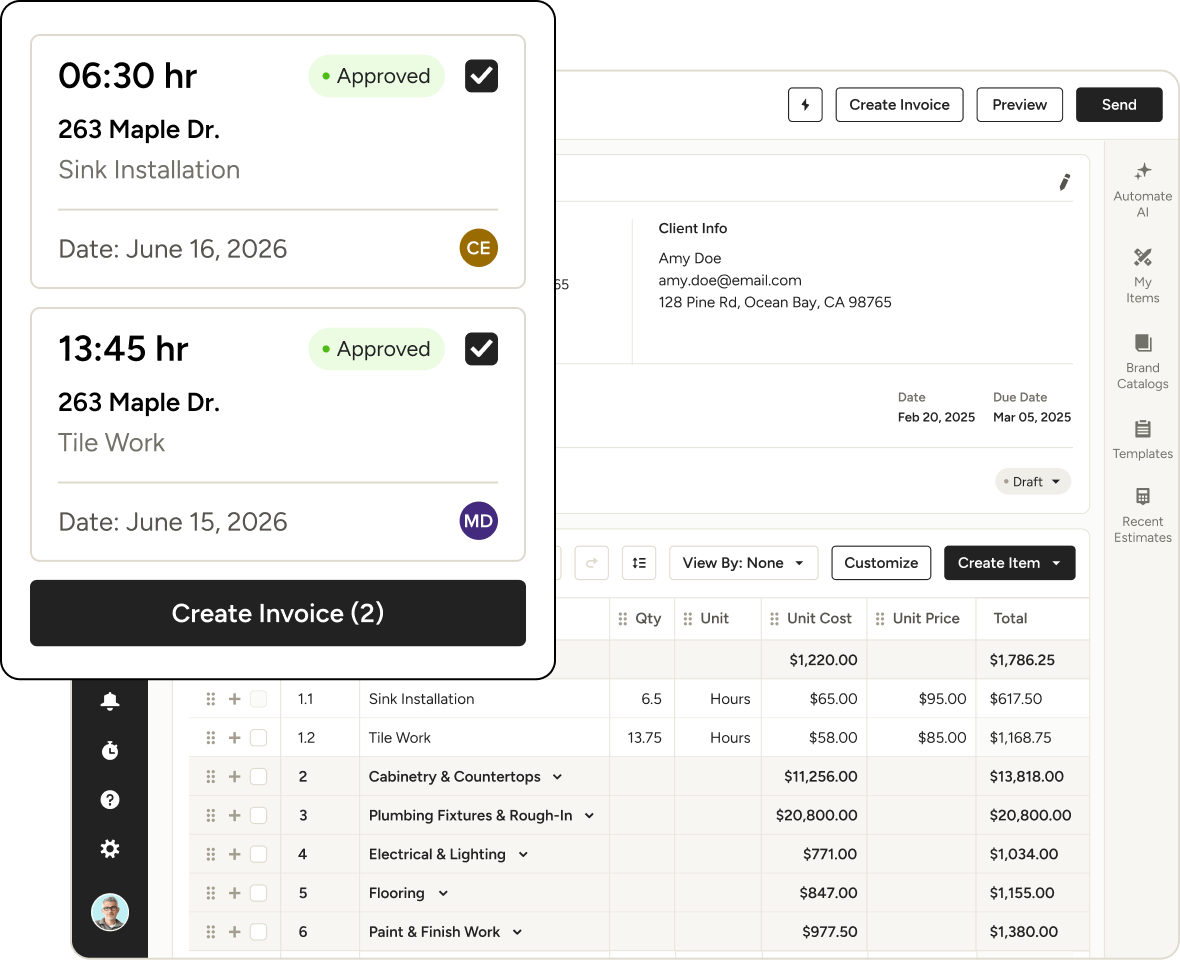
Convert Time to Invoice | Turn tracked time into invoices with one click. |
Add Expenses to Invoice | Include tracked expenses directly in invoices. |
Time Billing Accuracy | Ensure accurate billing by capturing all tracked hours and costs. |
| Reporting | |
Time Billing Reports | View logged time in reports for billing and analysis. |
Project Cost Visibility | View total time and cost per project for profitability insights. |
| Team Management | |
Team Time Tracking | Track time across multiple team members and activities. |
Custom Rates per Member | Assign different rates for different team members or services. |
| Workflow | |
Add Time Entries to Existing Invoices | Add additional time entries to invoices before billing |