Perfect Your Construction Workflow with Houzz Pro
Use our 8 step build process with tools tailored to make your workflow smoother & more efficient.
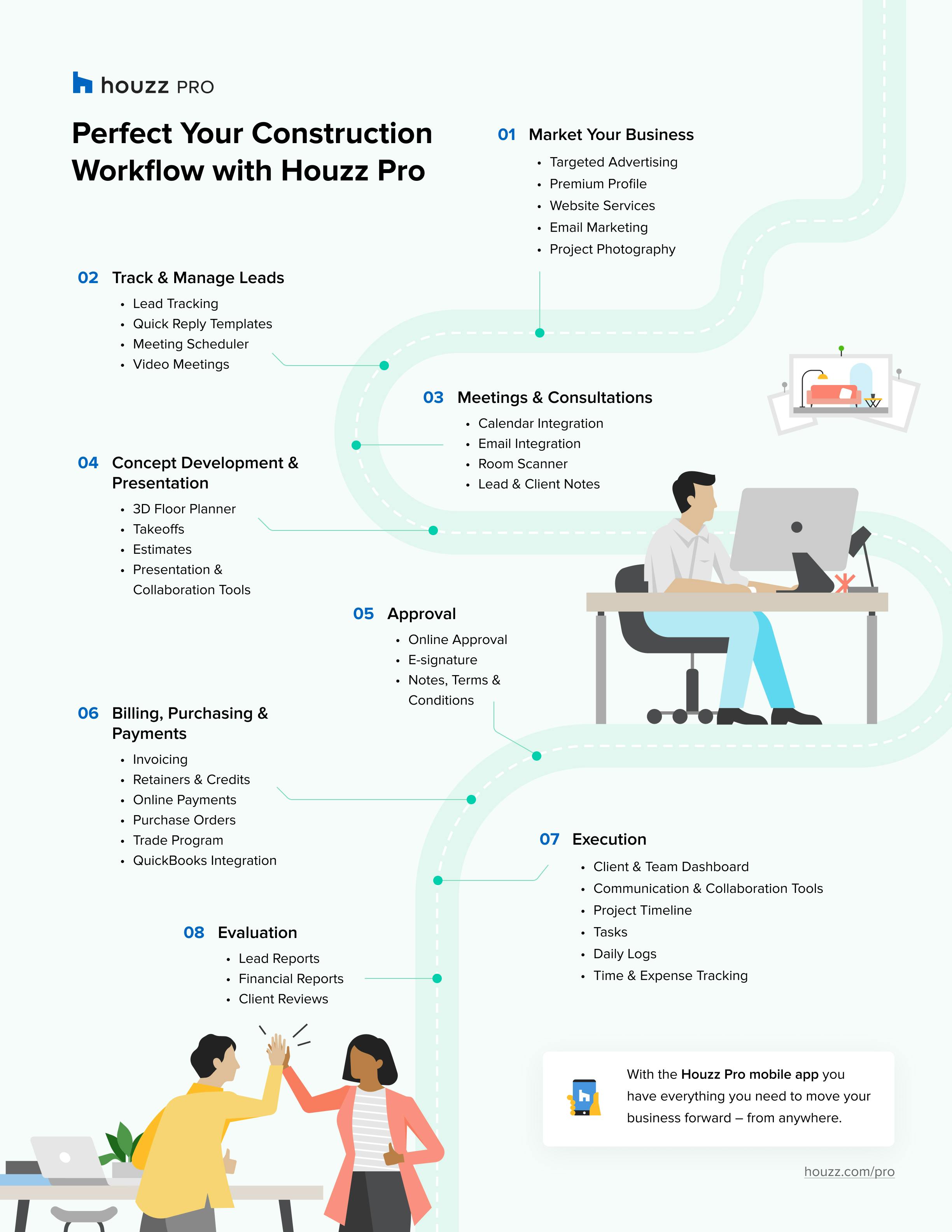
As a contractor, how can you ensure every task for your project is completed in the right order and on time? Developing an effective, efficient construction workflow is a key component that can help you stay organized, prioritize tasks, make faster decisions and create clear plans of action. Establishing your construction workflow not only helps you build credibility with your customers and team, but clarifies each stage of the process and saves you time to pursue opportunities for professional growth and better work-life balance.
With all the new challenges facing the construction industry, using outdated tools can slow you down and prevent you from seeing important project details as well as the big picture. An increasing number of today’s contractors are transitioning to new intuitive technology to streamline their workflow into one platform. The user-friendly tools Houzz Pro provides require almost no learning curve, and they evolve along with industry demands. From marketing your business to managing your clients and everything in between, having the right all-in-one tech toolbox to help is essential to business success. Keep reading to see how using Houzz Pro can aid every step of the construction workflow.

Step 1: Marketing Your Business
As a contractor, finding the best way to market your business may feel like a mystery. When you sign up for a premium profile, Houzz Pro takes all of the guesswork out of modern-day marketing for your business. Homeowners searching the Houzz website for contractor services in your local area, will see at a glance everything that makes your business stand out. Make a great first impression on prospective customers with a custom highlight video showcasing the services you offer and featured reviews from satisfied clients. And, because research shows that 93% of online buyers consider photographs to be the deciding factor when making purchases, including attractive visuals of completed projects is key to attracting future clients. The Houzz Pro Perfect Capture program connects contractors to professional photographers in their area and helps them schedule photo shoots that will wow prospective clients.
Take their interest to the next level with a stylish professional website that the Houzz team helps you launch. As you complete projects, you can upload photos and videos to display your complete portfolio. Your custom Houzz Pro website is SEO optimized to help you generate even more quality leads and land the jobs you really want. Plus, with the new email marketing tool, it is easy to engage with leads, stay in touch with clients and generate repeat business using professionally designed templates to send out newsletters, updates and other communications.

Step 2: Track & Manage Your Leads
Houzz Pro offers a lead management tool to centralize all client communications during the pre-sale process. For those who advertise with Houzz or have a website with us, the leads from those sources are automatically sent to their CRM. For all other leads, no matter where they came from, add them to Houzz Pro either manually, by uploading a spreadsheet, or import them from your email inbox. Using this tool helps pros decide whether to go forward with a lead or move on to one that is a better fit. Create quick-reply templates in Houzz Pro and use them directly from Gmail. Plus, with the ability to schedule video meetings from your Houzz profile, you can build relationships with prospective clients through quick and easy face to face meetings. And when you find a lead that’s a great fit, it’s time to move on to Step 3.

Step 3: Meetings & Consultations
The first meeting or consultation with a prospective client is an important step in the construction or remodeling project.
First impressions count, and so it is worth assuring that your first meeting with a prospective client is professional and easy to set up. Scheduling the first in-person or virtual meeting is as simple as picking a date and time when you use Houzz Pro. Connect your calendar in Houzz Pro to access several of our scheduling features guaranteed to make meetings easier. For those with gmail, try downloading the Gmail extension to create and add new or existing email conversations directly from Gmail to Houzz Pro. Both parties automatically receive meeting confirmation emails and a meeting event on both calendars. You can also get a personalized booking link to share with clients, so they can view your availability and select a time to meet. Easily keep track of what was discussed with the ability to add notes to any specific lead or client, using Houzz Pro. The Houzz Pro Room Scanner lets you get a head start on the work during the first meeting, allowing you to scan a room with your device, record its measurements and instantly create a base floor plan.

Step 4: Concept Development & Presentation
3D Floor Planner
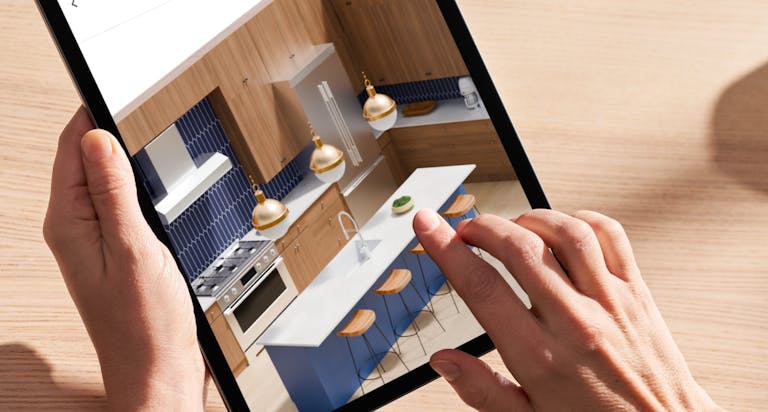
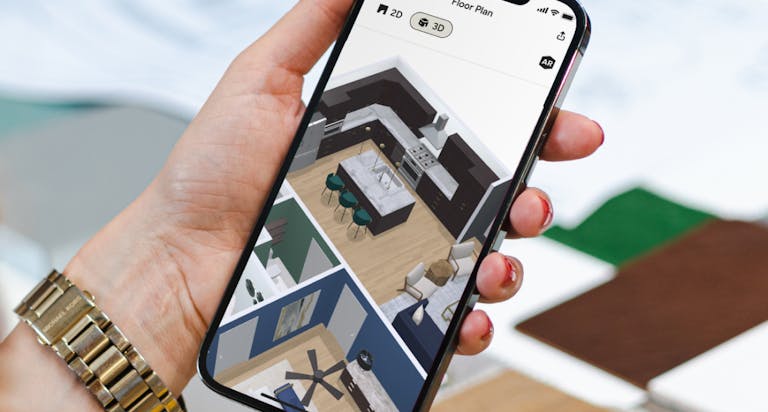
When trying to win a project, a virtual floor plan is an effective way to help clients envision their project. Our 3D (and 2D!) floor planner lets you whip up floor plans in minutes, not hours. You can quickly measure any room on the Houzz Pro app to build the base of the floor plan, or design the floor plan on the desktop, and use our AR Life-Sized Walkthrough feature on your mobile device to show clients what their design looks like. Clients get excited when they can see your vision for their home spring to life – and you can show it to them on any device, at any time!
Takeoffs
As any contractor will tell you, the faster you get your bid in, the better chance you have of winning the job. Using the Houzz Pro Takeoffs can greatly reduce time spent on tasks such as building estimates and proposals. With the ability to complete complex calculations in minutes and turn them into detailed professional estimates, the takeoffs tool helps pros bid on jobs up to 10 times faster. When the plan is uploaded, Houzz Pro Takeoffs calculates everything a contractor or subcontractor needs to estimate such as the total floor area or materials needed to finish the roof. The software auto-calculates the total and allows you to instantly turn your measurements and calculations into professionally branded quotes that provide all the information your clients need.
All great estimates begin with a winning takeoff. Once that is squared away, Houzz Pro’s project cost estimation software turns the materials and labor into dollars and cents. By using our professional templates (or creating your own), you can plug in your zip code and get access to our library of local labor and materials as well as easily add markups and local taxes. Houzz Pro streamlines calculations to help remove manual error, reduce change orders and eliminate billing mistakes. And with presentation and collaboration tools to keep you on the same page with clients and subs about what needs to be done and when, say goodbye to construction overruns and misunderstandings.
Step 5: Approval
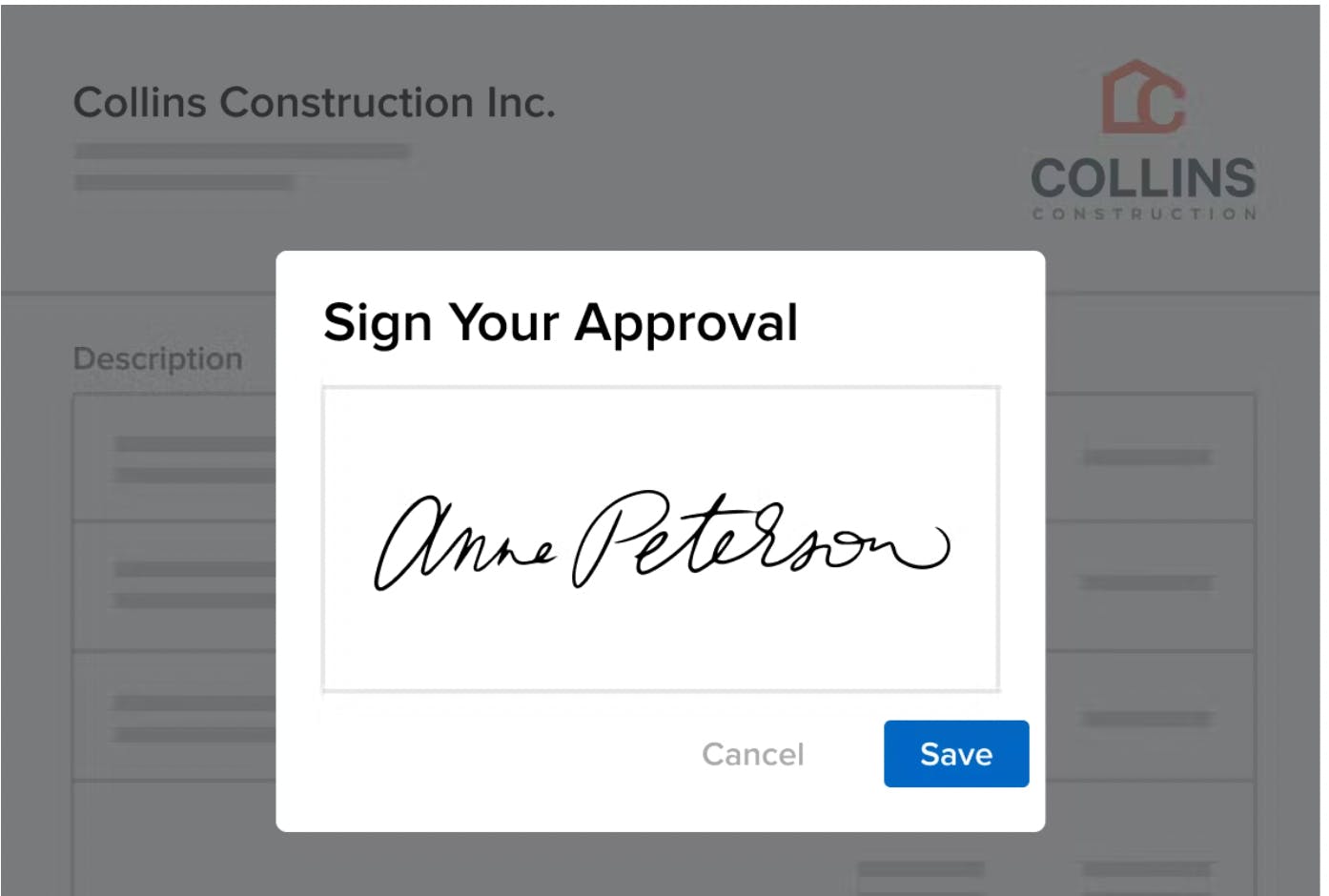
Houzz Pro’s e-signature and approvals feature makes it easier for clients to say yes and reduces the inevitable back and forth during the approval stage. clients can view, approve, and sign proposals directly from their mobile devices. You can also customize the approval options and give clients the ability to approve each line item separately or approve the proposal as a whole. Plus, it is easy to create terms & conditions templates that can be saved and used on all future project

Step 6: Billing, Purchasing & Payments
Encrypted invoicing and online payments are built into Houzz Pro software. You can build a payment schedule, take deposits and send automatic payment requests and invoices. And If you use QuickBooks, the QuickBooks Integration makes accounting flow seamlessly. With our easy invoicing system, you can review and update shipping costs, fees and sales tax all in one place. Sending an invoice for payment is simple: You can take deposits as well as give clients the convenience of paying online for every stage of the project.
Retainers & Credits
With Houzz Pro tools you also have the option to send a request for a retainer payment with your proposal. We highly recommend requesting a retainer because you can access funds prior to purchasing any products and avoid cash flow issues later on in the project. Many contractors love the ability to request payment on a proposal because it adds some clarifying context – it’s a way to communicate directly with the client and helps to encourage approval and on-time payment.
Purchase Orders
Many contractors will create purchase orders to request materials or services for a project from vendors, suppliers, or subcontractors. By using the Houzz Pro purchase order system, they can close out POs or fill in payment information on them. Purchase orders are vital for your reporting, and many of your product expense reports can be pulled through the PO system. This lets you see how much was spent per project, vendor, time frame, etc. Purchase orders can also be sent to vendors and subcontractors and paid directly if necessary. It is also easy to request a list of vendors to pay through our system.
Getting a good price can help pros stand out, especially when buying products for clients. Construction professionals who enroll in the Houzz pro Trade program, access trade only discounts up to 50% on a long list of products. Plus, they can earn money on products their clients buy through their recommendations. Just save any product to an ideabook and add a client as a collaborator, when they purchase it, you earn 10 percent. That’s not the end of what you can earn using the Houzz trade Program. By enrolling for free, you receive a discount code to share with clients, saving them 5 percent and allowing you to earn 5 percent in return. The savings and earnings can be tracked both in a dashboard and you can then redeem your earnings in the Houzz shop.
Step 7: Execution
Once you’ve converted a lead into a project, start managing your projects like the professional you are in Houzz Pro. This tool helps you stay organized with clients and teams and manage every moving piece of your project. Client communications are centralized, and there’s a digital paper trail for every decision that gets made to avoid misunderstandings.
Here are some of our pros’ favorite project management features:
- Clients & Team Dashboard: share a branded custom dashboard with your clients and team to keep everyone in the loop
- Communication & Collaboration Tools: invite subcontractors to your project where they can view the items you share with them such as files and daily logs, as well as let you know how they’re progressing in their work.
- Project Timeline: create and share timelines that keep all your project phases and dates in chronological order.
- Tasks: create to-do lists for each project and assign tasks to relevant team members. Manage the progress and status of every action item on the Tasks Overview page.
- Daily Logs: create daily logs that track your progress and use your mobile device to add updates right from the jobsite anytime.
Time and Expense Tracking
When you’re ready to start working, Houzz Pro can help you seamlessly log your time and expenses for each project. The stopwatch tool lets you easily track time even when you spend your day working across multiple projects, clients and activities. When you’re ready, you can generate a Time Billing Report where all of your time will be documented, organized and ready to convert into invoices to send to for payment.

Step 8: Evaluation
Lead Reports
Understanding where clients are coming from is key to taking a business to the next level. Houzz Pro includes a full report that shows all leads and their sources. These insights make it easy to identify areas that can be improved and which source channels to enhance.
With Houzz Pro you can generate clear, accurate reports in just a few clicks – no more late nights spent updating spreadsheets. You will be able to see exactly how much money is coming in and out of your business. Easily sort by date range, project, payment method or subcontractors, and totals will update automatically. This saves time on admin work and simplifies exporting all billable hours logged per project or per team member.
Solicit Client Reviews
Client feedback can help boost your business credibility and lead to more clients and business opportunities. With Houzz Pro you can easily manage your review requests and overall reputation. Reviews will automatically appear on your Houzz profile, your Houzz-built website and in our widget – which is great for blogging and more. Streamline review requests with our templates and use our integration tools to easily send review requests to your contacts.
Yes. Houzz Pro is mobile. With its mobile app, you have everything you need to move your business forward – from almost anywhere. You can message clients and access your entire communication history wherever you are working, at any time. When something unforeseen happens on the jobsite, for example, keep your clients and subcontractors in the loop, in real time. Reliable communication builds the kind of trust and credibility that brings client referrals and helps businesses grow and thrive.

Get Started with Houzz Pro Today
Houzz Pro is an all-in-one business software for contractors. When you use our platform to establish or improve your construction workflow, you can attract and win better clients, run lucrative projects and deliver a standout experience for you and your customers. Our features can help you save time, increase profit and continue to grow as a respected professional in the construction industry.
Which Houzz Pro features are you most excited about trying out? Tell us in the comments below!


Want advice delivered to your inbox?
Unlock industry insights and updates for contractors and design pros
By signing up, I agree to the Houzz Terms of Use and Privacy Policy and that Houzz may use my information to contact me about relevant content, products, and services.