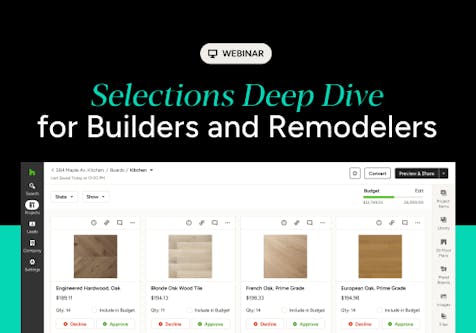
Houzz Pro Selections Guide: Streamline Construction From Presentation to Jobsite
This webinar demonstrates how home builders, remodelers and contractors can streamline the product selections process from initial presentation to final jobsite installation.

Connecting item catalogs, selection board templates, allowance tracking, web sourcing, and real-time client collaboration into a single cloud-based workflow enables design and build professionals to maintain strict financial control, minimize client decision delays, and automatically generate field-ready schedules for contractors.
This Houzz Pro webinar demonstrates how home builders, remodelers and contractors can streamline the product selections process from initial presentation to final jobsite installation.
Some key insights and takeaways include:
- Structured catalog foundation: Establishing a clean item library organized by cost codes or categories serves as the core building block for tracking selections, managing job costing, and preventing downstream data entry errors.
- Reusable templates and placeholders: Pros can build standardized selection board templates (organized by room or trade) pre-populated with AI-generated or custom placeholder items representing decisions clients still need to make.
- Allowance-linked estimates: Estimate line items can be converted into allowances linked directly to selection boards, enabling real-time tracking against budget allowances, due dates, and variance calculations.
- AI web-sourcing (clipper tool and mobile app): The Houzz Pro Clipper Chrome extension and mobile app automatically scrape vendor websites using AI to pull product specs, images, pricing, and SKUs into projects within seconds.
- Smart item replacement and fail-safes: Dragging real products onto placeholder tiles preserves original quantities and alerts the team if a selected item exceeds the original cost target.
- Customizable client dashboards: Professionals can control client visibility—such as showing or hiding markups, unit costs, or product links—and communicate directly through item-level comment feeds to avoid decision delays.
- Seamless change order generation: Once selections are finalized, any budget overages can be converted into a new change order or merged directly back into the original estimate with a single click.
- Centralized selections tracker: The Selections Tracker serves as a master spreadsheet for managing planning, financials, and procurement, offering flexible views (Stacked vs. Flat) and bulk status editing (e.g., Backordered, Delivered).
- Jobsite-ready exports with QR codes: Selections can be exported as professional FF&E schedules (PDF or Excel) and Allowance Reports featuring scannable QR codes that link field teams directly to manufacturer installation guides and spec sheets.
Watch the video here


Want advice delivered to your inbox?
Unlock industry insights and updates for contractors and design pros
By signing up, I agree to the Houzz Terms of Use and Privacy Policy and that Houzz may use my information to contact me about relevant content, products, and services.