CONSTRUCTION SCHEDULING SOFTWARE & APP
Construction Scheduling Software to Effortlessly Manage Teams & Resources
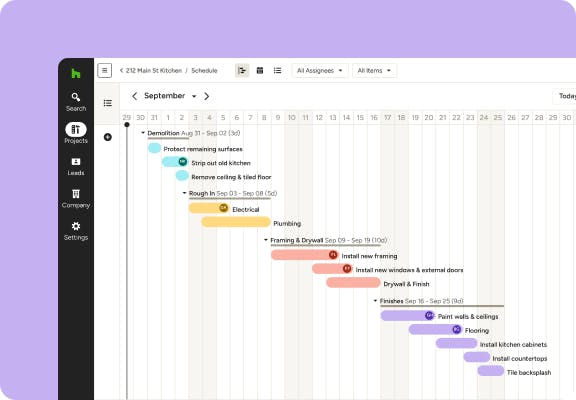
Houzz Pro's construction scheduling software helps contractors and design teams map, track, and tackle every step of the most complex jobs on your calendar. Get a visual overview of all your to-dos and deadlines that keeps everyone in the loop. Complete with easy-to-edit Gantt charts, assignable tasks for your team, and a 24/7 client view for easy sharing.




Get to Know the Houzz Pro Schedule Tool
Planning out project timelines and assigning tasks to team members, subcontractors, and clients couldn't be easier—see how right here.

45% Faster With AI*
Use our built-in AI to create detailed project Schedules in almost half the time.

Assign To-Dos
Keep projects moving by delegating action items to your team, subs, and clients.

Maximize Progress
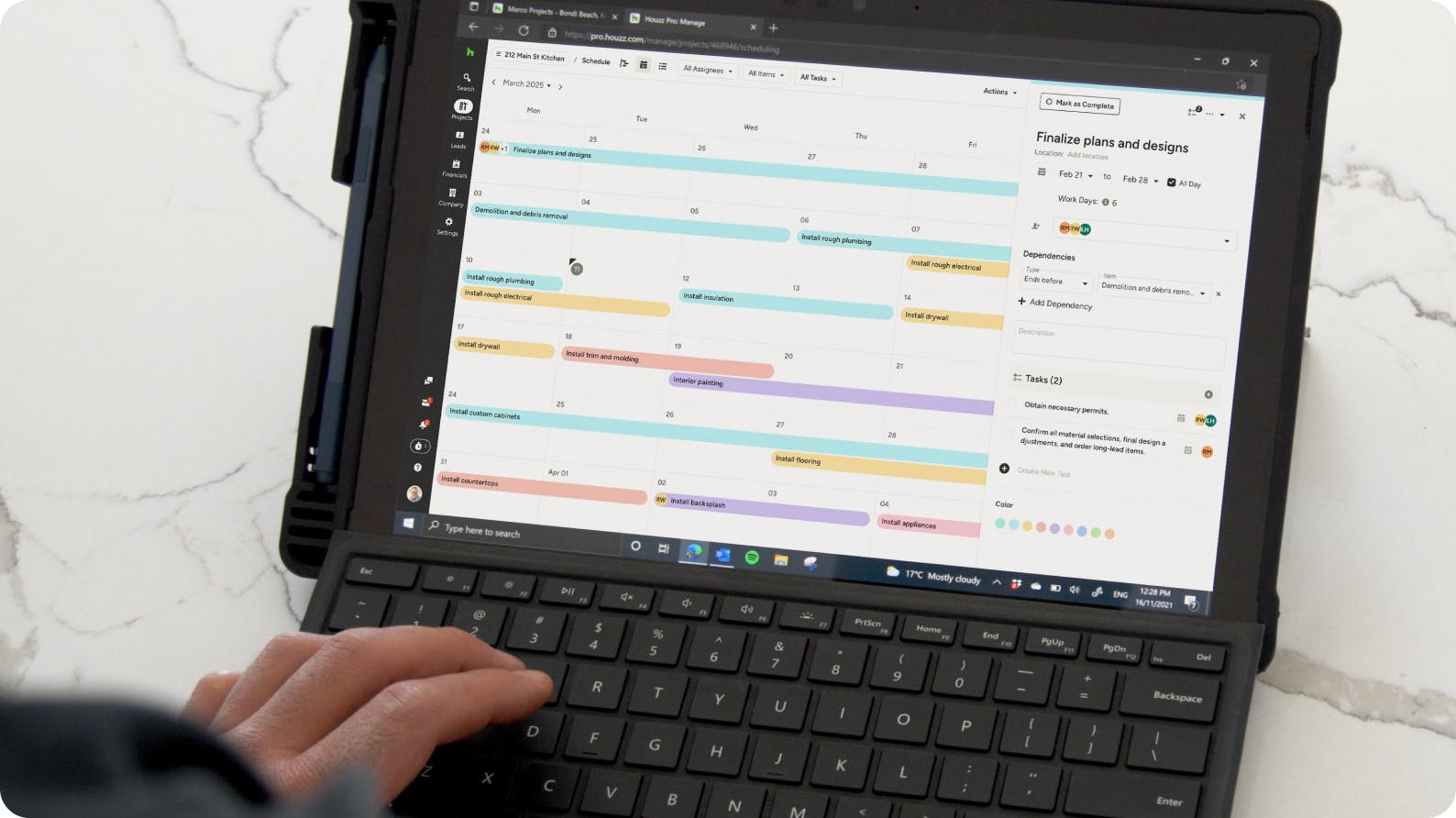
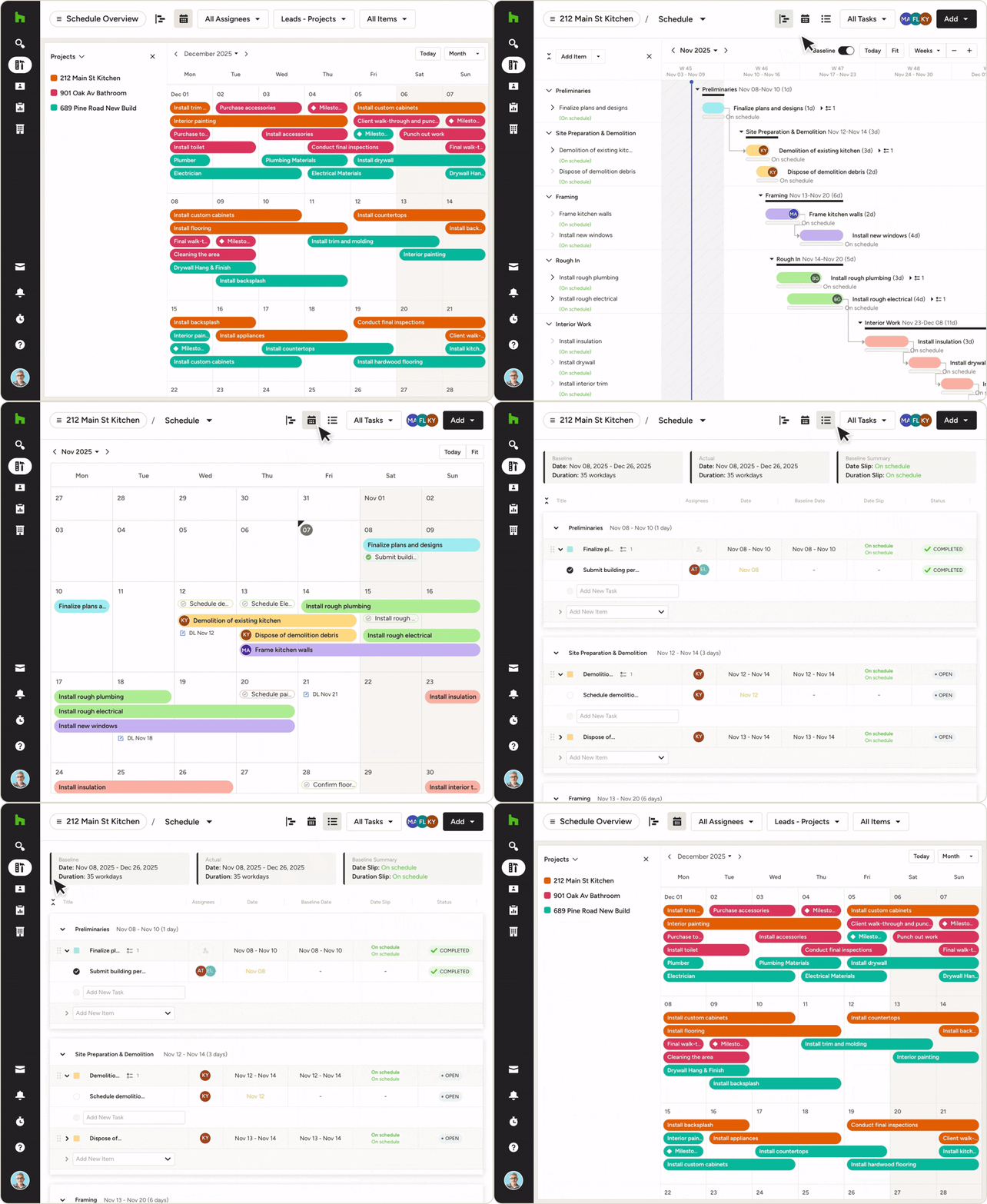
Get a clear look at project status with combined Gantt, calendar, and list views.
*Typical Houzz Pro users create client-ready Schedules 45% faster when using Houzz Pro's's AI compared to manual creation.
AI CONSTRUCTION PLANNING SOFTWARE
Build Your Framework Faster With AI
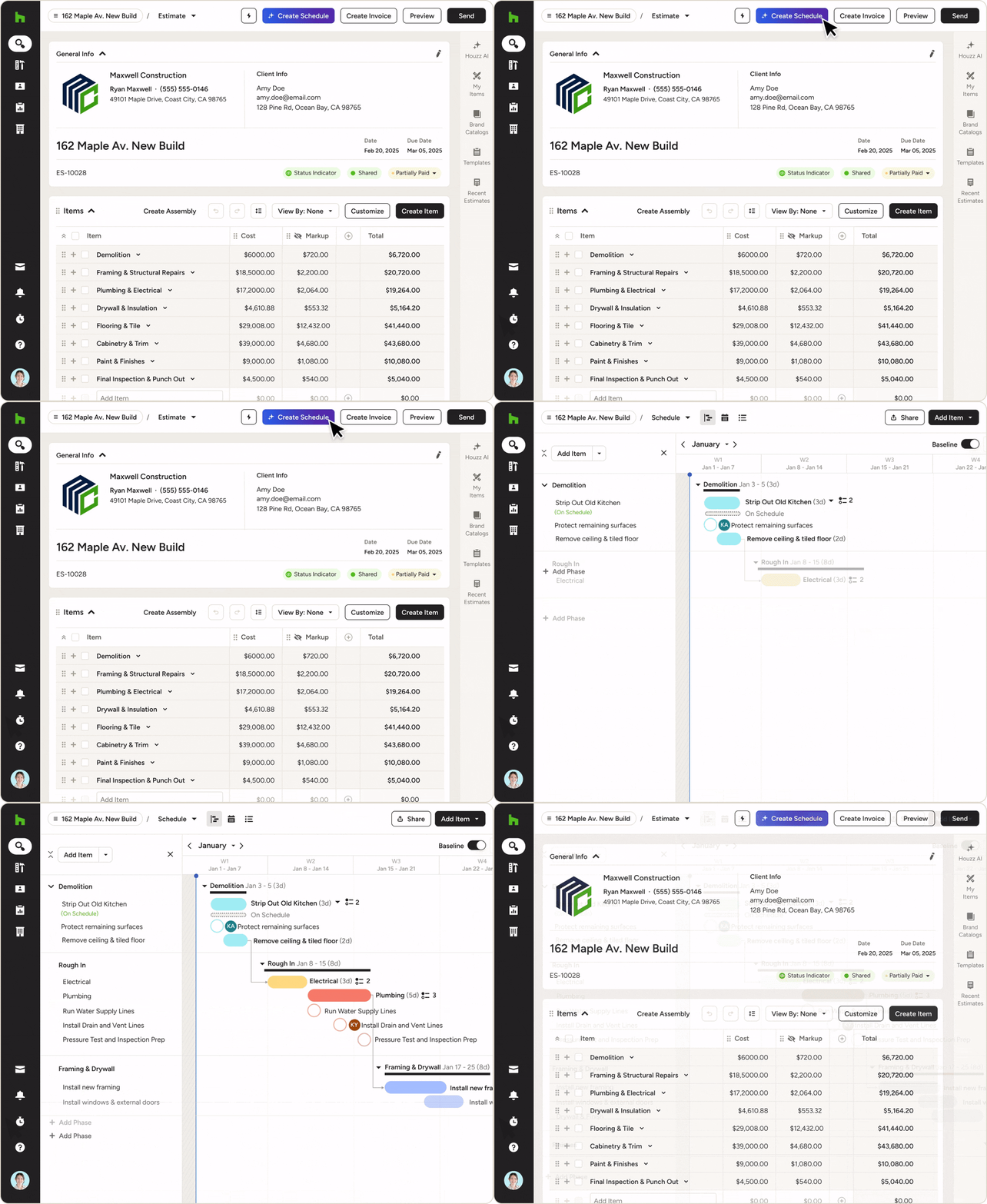
You don’t need to block off days to lock down your timeline. Our construction scheduling software lays the foundation for a smooth, predictable, and repeatable process early on.
- Convert Estimates into Schedules with our built-in AI
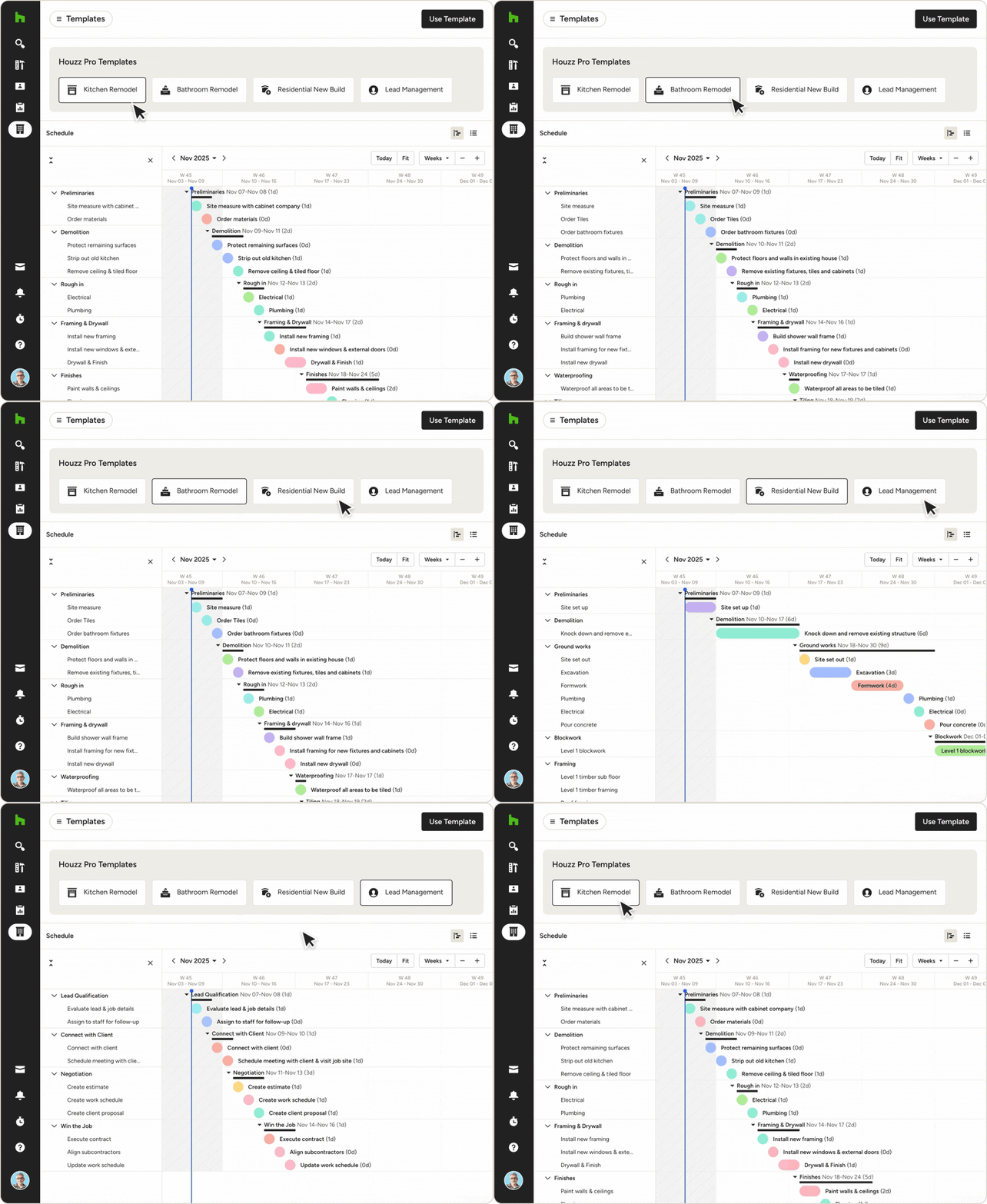
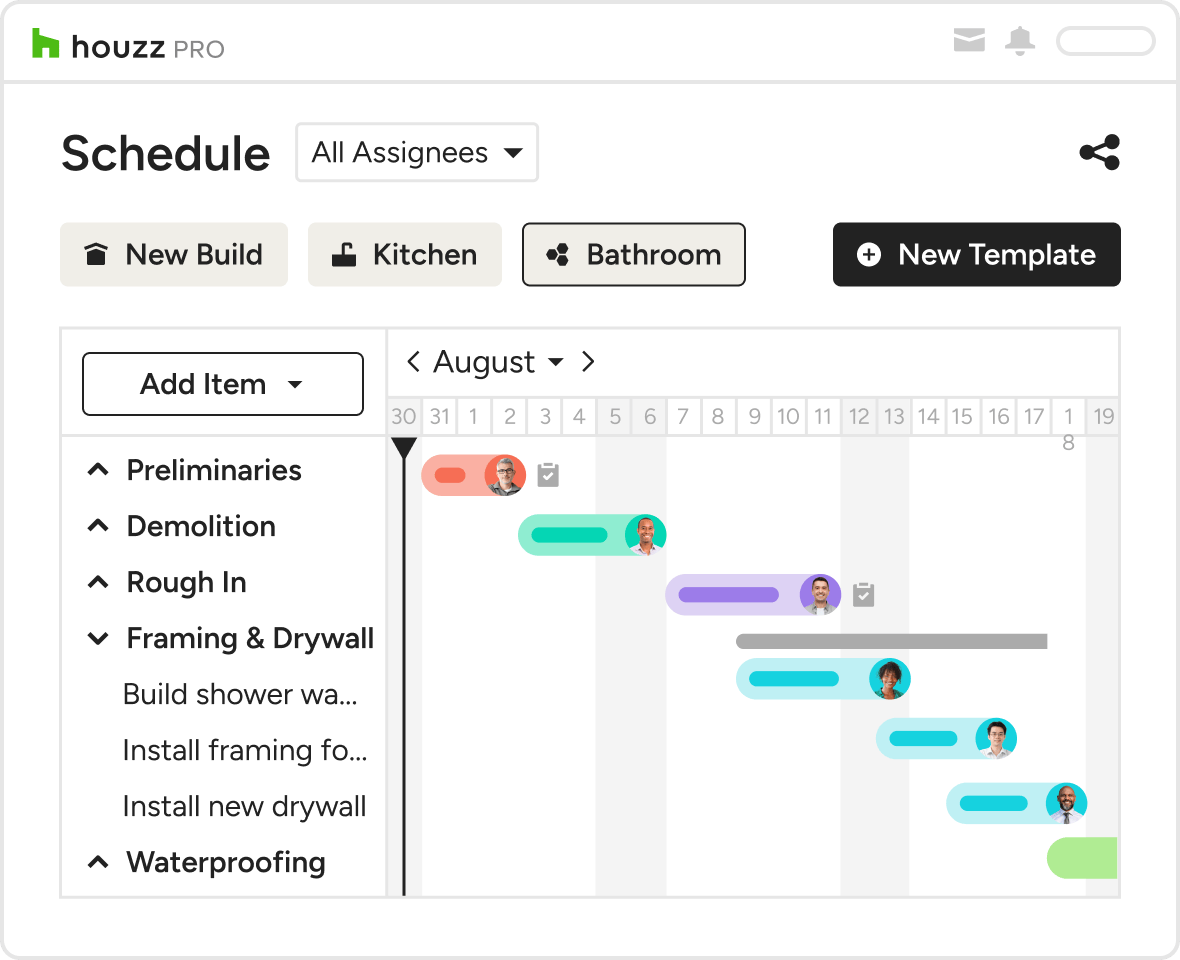
- Start with a pre-built, project-specific template
- Save Schedules as custom templates for future jobs
- Add descriptions, photos, and files to every step
Why You Need a State-Of-The-Art Scheduling Program
How Houzz Pro’s Construction Scheduling App Works

Enter Stages & Dates
Start and end dates calculate the total duration of a task automatically.

Drag & Drop Timelines
Drag connected phases simultaneously to keep project order while adjusting dates.

Zoom in or Out
View today's schedule, peek at individual projects, or zoom all the way out.

Get the Full Picture
Calendar integration makes it easy to see spot dependencies, track progress, and more.
Project Progress That’s Right on Schedule
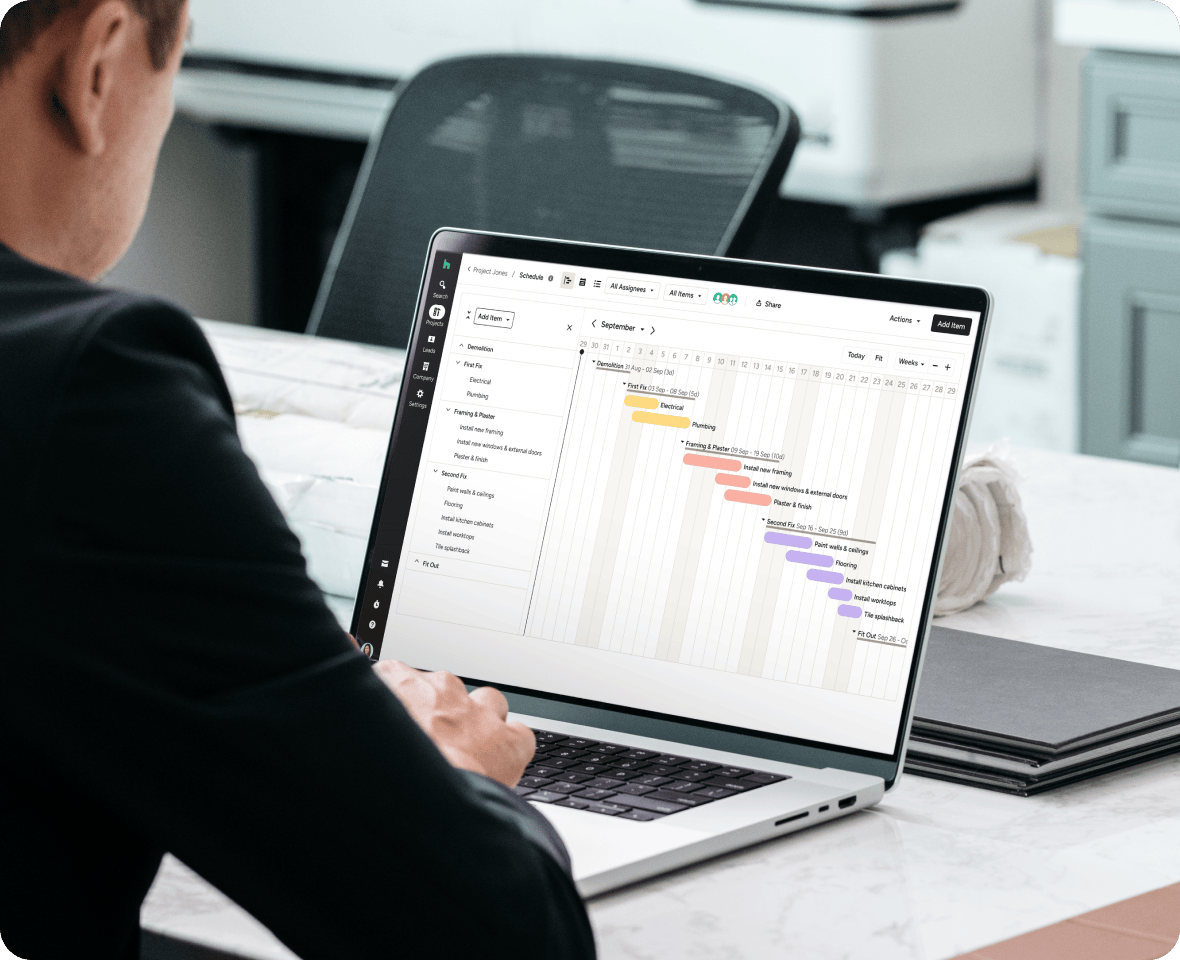
CONSTRUCTION SCHEDULING APP
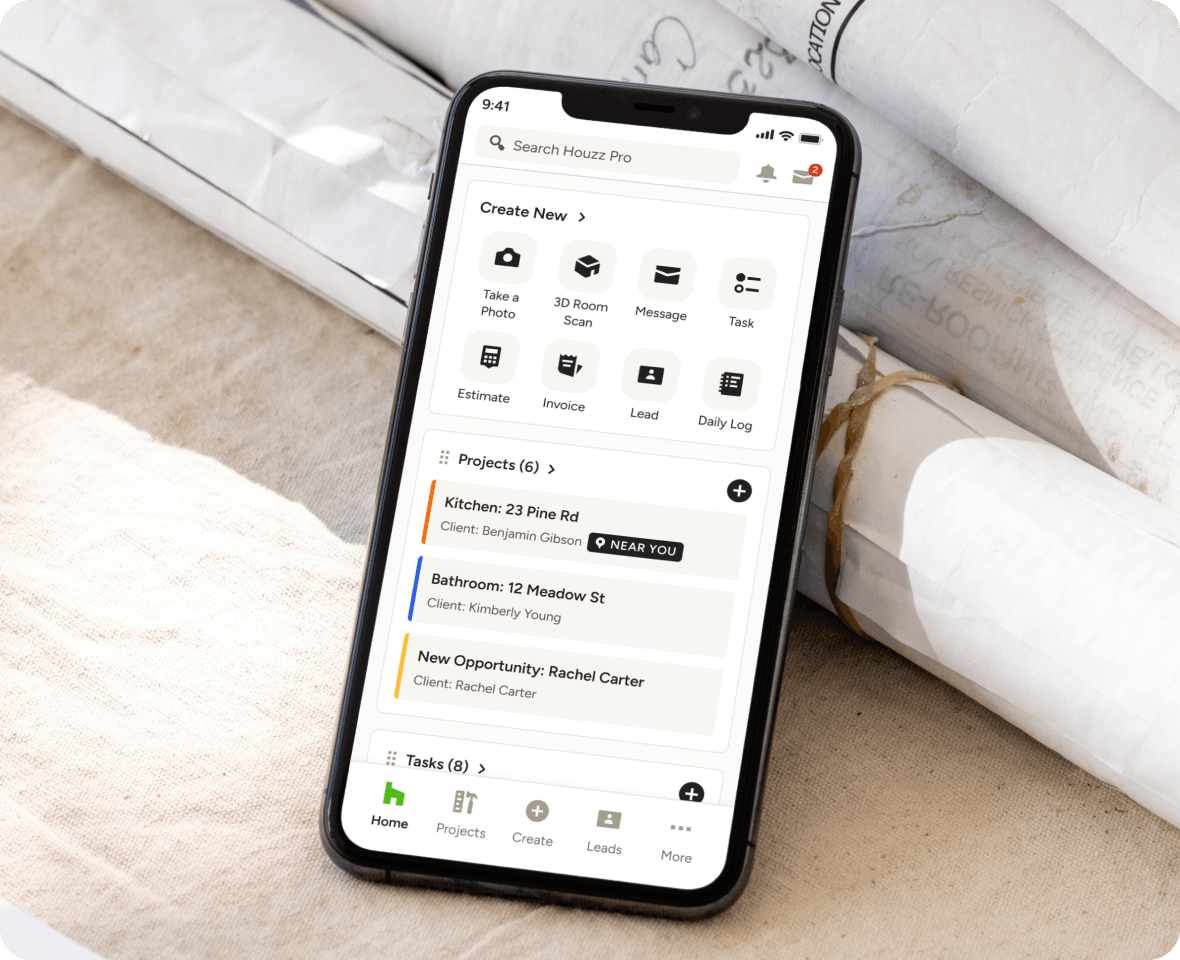
Mobilize Your Schedule Management
Don't wait until you're at your desk to schedule changes and delays. Houzz Pro's construction planning app allows you to update schedules from anywhere with our easy-to-use app.
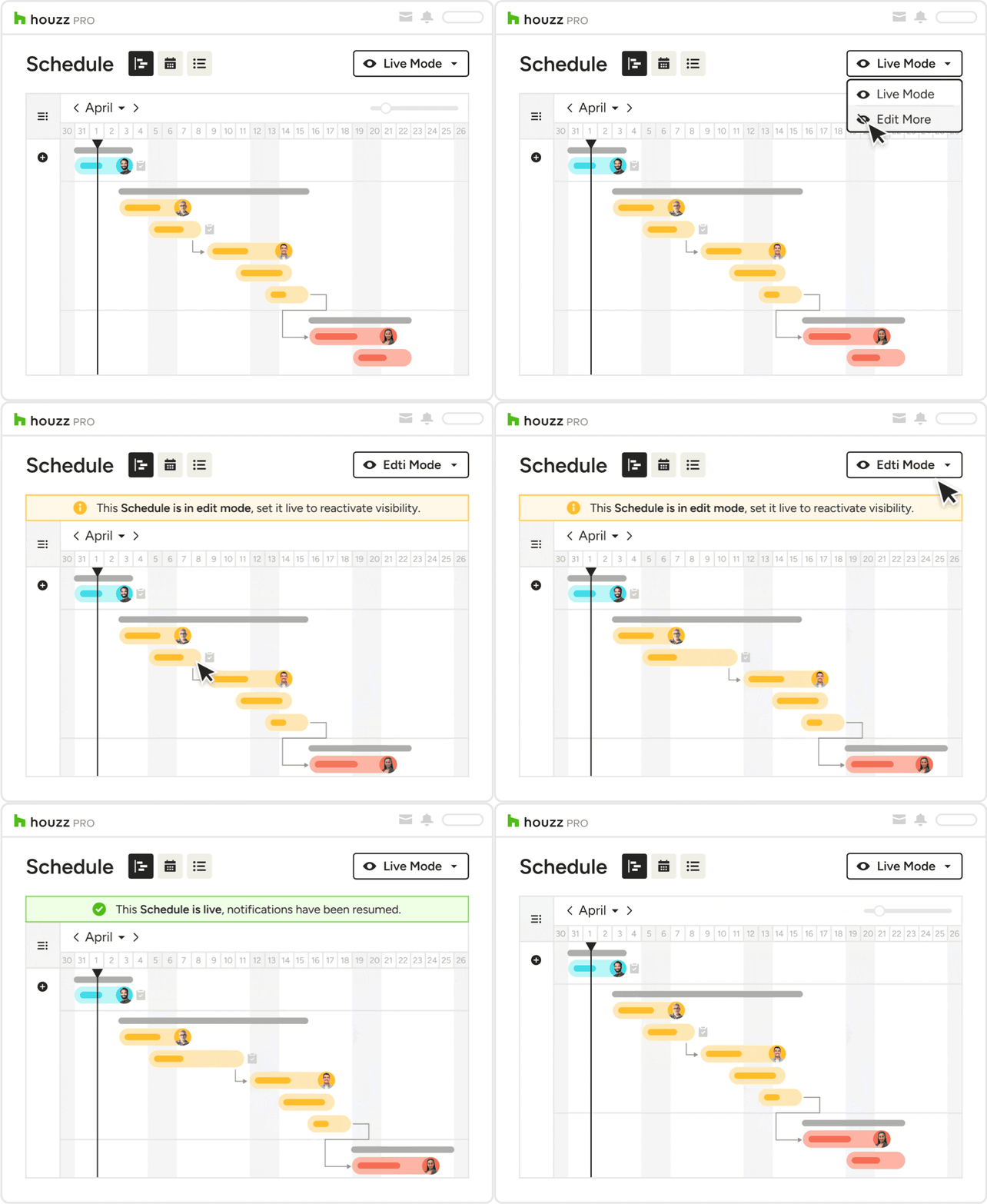
GANTT & CALENDAR VIEWS
Visualize Your Construction Crew Schedules
When you can visualize your project schedule, you'll catch potential delays you couldn't see before. Houzz Pro's scheduling software for construction projects keeps you on the right course.
- Use the Gantt view to spot dependencies
- Switch to the calendar view to see schedules by month, week, or day.
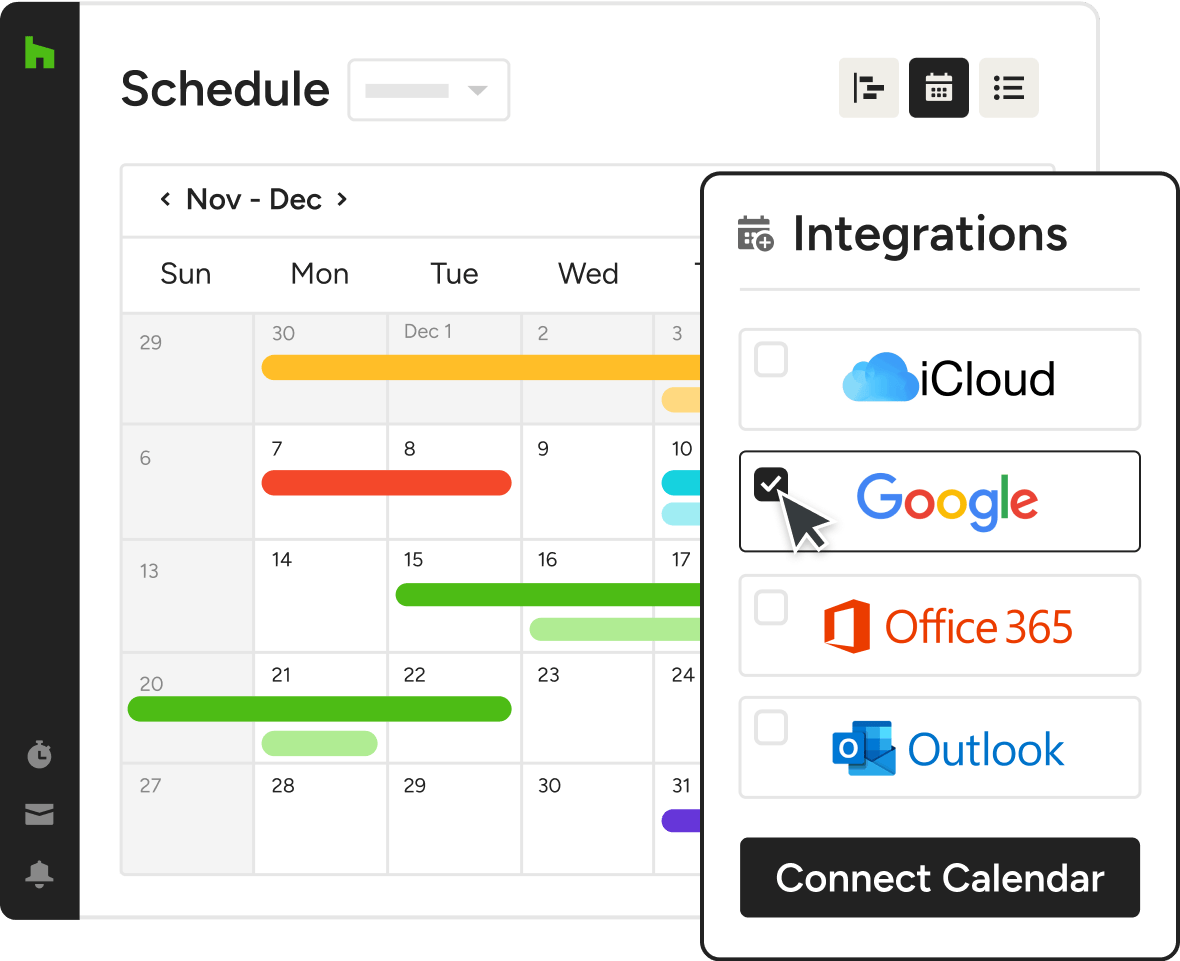
- Integrate with your calendar to see stages appear there, too.
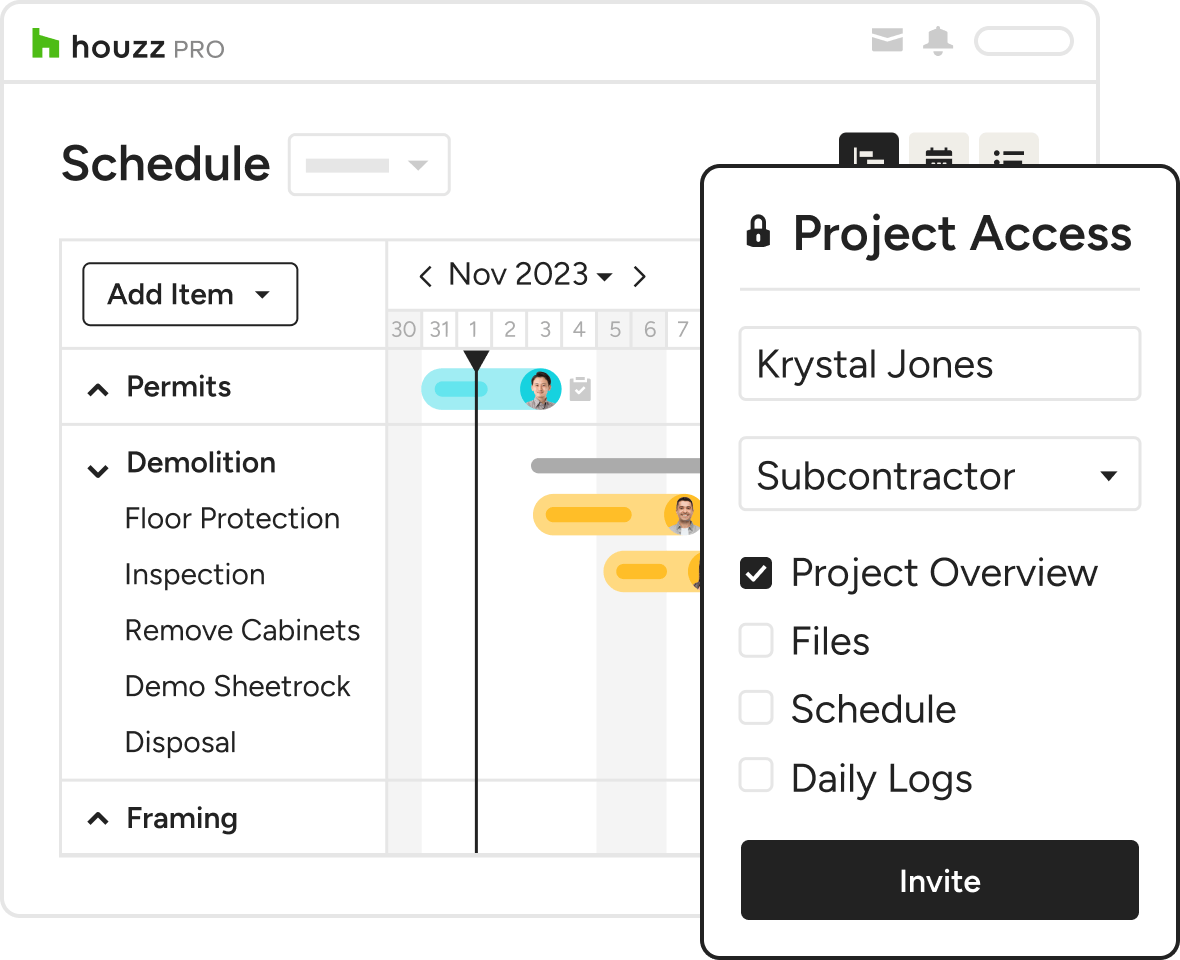
TASK INTEGRATION
A Construction Scheduling Software for Strategizing Subs & Vendors
Ensuring things get done on time, and by the right person, can be a job in itself. That’s where Houzz Pro's simple construction project scheduling software comes in handy.
- Teams and subs can be invited to your project.
- Duties and tasks are automatically added to the schedule.
- Schedules are updated in real-time.
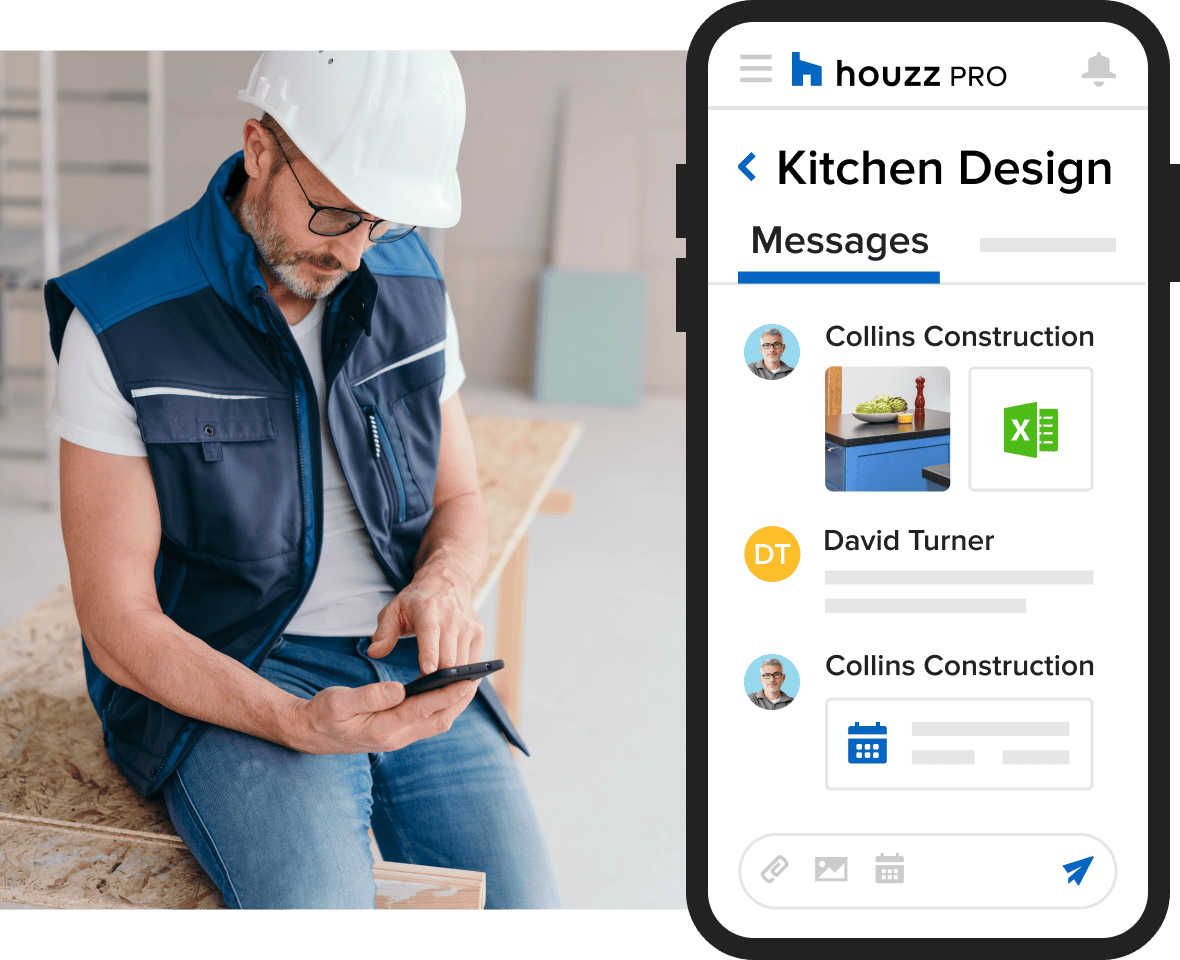
- Teams can send messages or files to update you on progress.
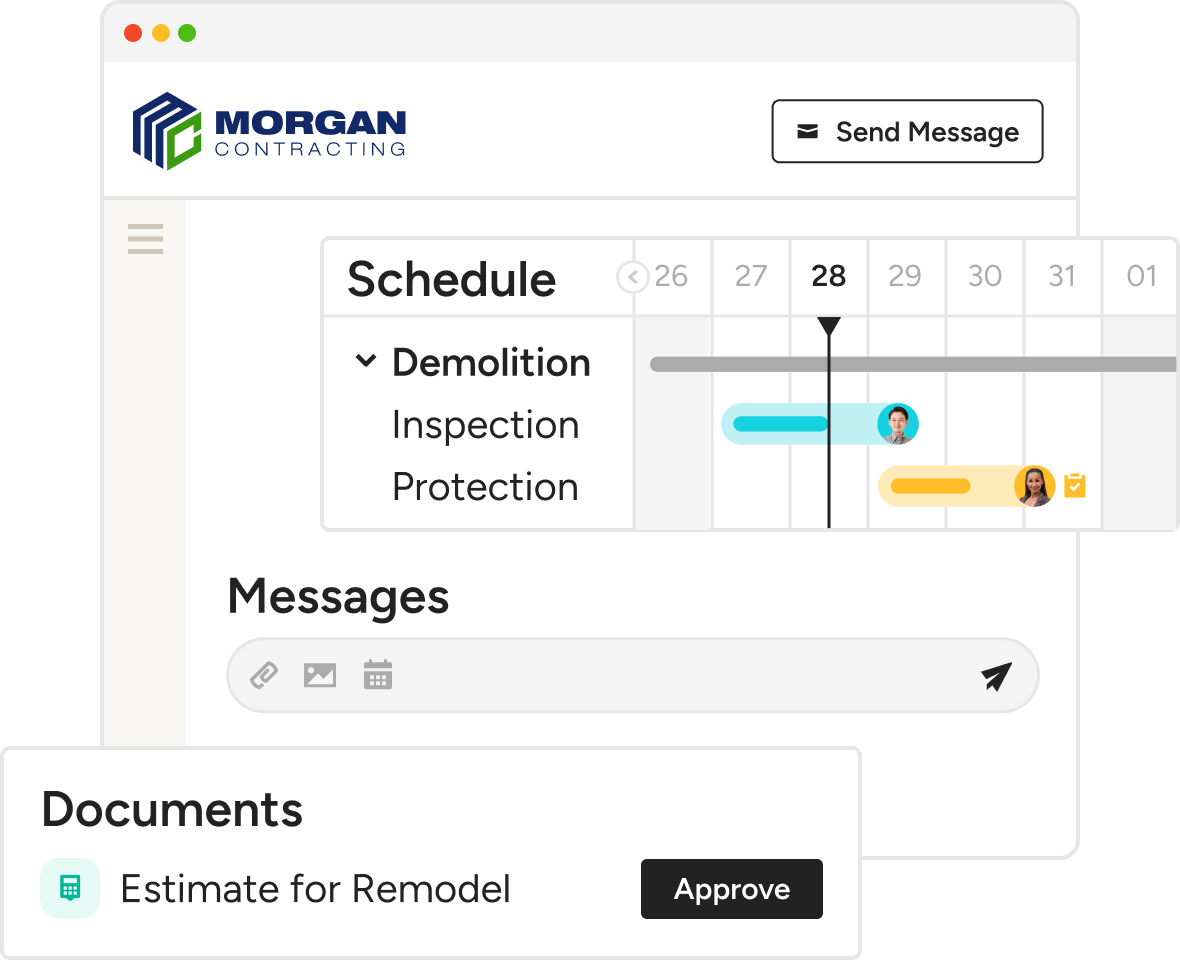
COLLABORATION
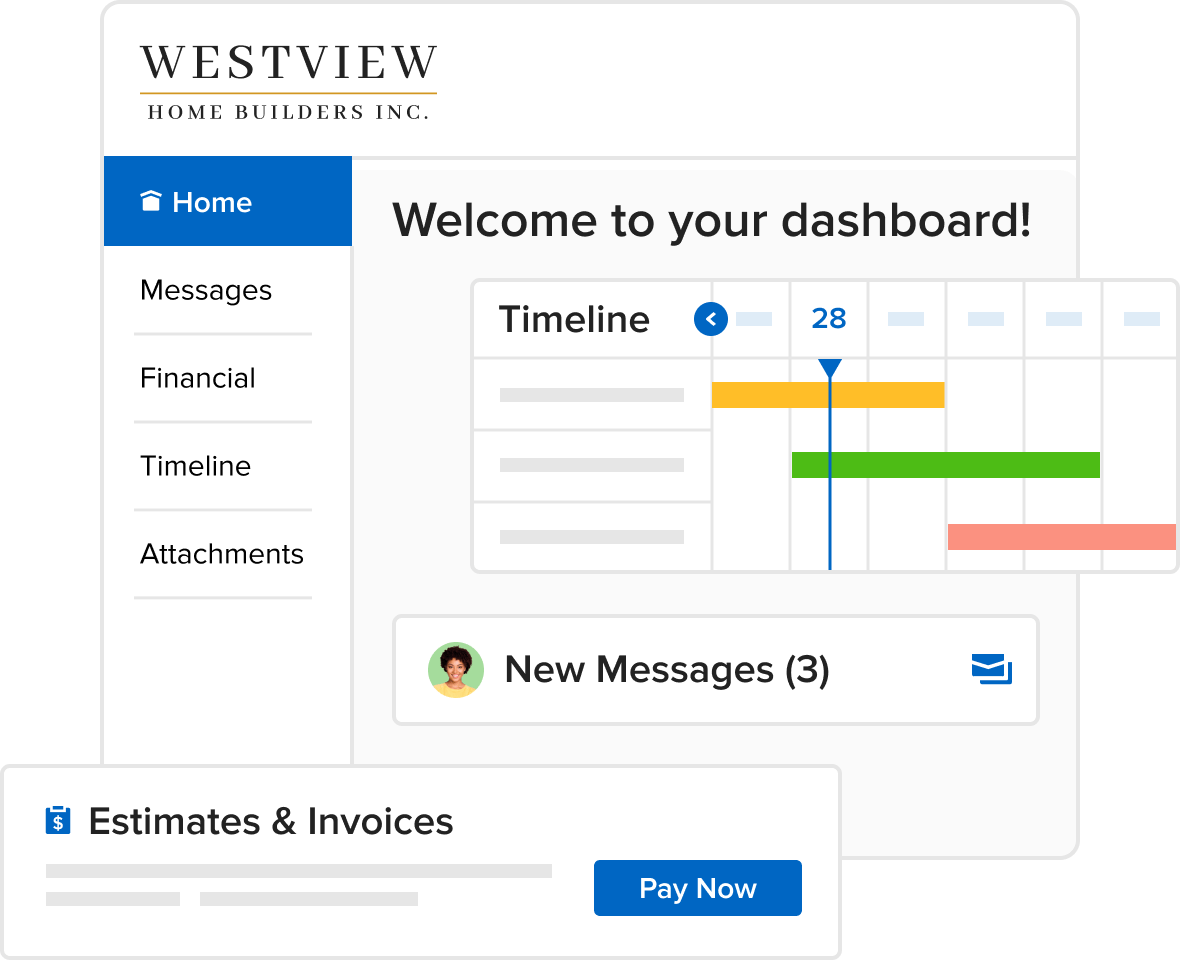
Centralize Client Questions
Houzz Pro's construction scheduling app empowers you to give clients all the information they need, and nothing they don't.
- Clients can view schedules on their client dashboard
- You adjust what they can see and what they can't
- Schedules update everywhere instantly

SIMPLE ASSIGNING
Get Everyone Involved, From Clients to Subs.
Teamwork comes standard in our AI project scheduling tool. Whether you’re assigning Tasks to your team, subs, or clients, you can work assured that everyone’s in the loop.
- Assign detailed action items to set clear expectations
- Show clients select milestones or the entire Schedule
- Give subs access to their Tasks alone or every step
- Automate work reminders and progress updates
ORGANIZED TRACKING
Keep Due Dates in View and Milestones Met
From big-picture outlook to tracking the smallest task, our design and construction scheduling software gives you and your team the visibility you need to minimize delays.
- Toggle between Gantt, calendar, and list views
- See all projects at once to spot potential conflicts
- Use the search function to find action items
- Filter by assignee, project status, or timeframe
Take Our Word for It (And Theirs)
Hear from real home construction and design professionals who've used Houzz Pro to better their business.

How Legacy Builders Successfully Scaled Up Their Construction Business

How Hendrickson Construction Inc. Streamlines Project Management with Houzz Pro

How Tech Put Guthrie Construction on a Growth Path
HOUZZ PRO INTEGRATIONS
Scheduling Software That Keeps You Connected
Collaboration isn't just for pros and clients. Our construction project scheduling software works with tons of the tools you already use, cutting the double work. Autosave financial details in QuickBooks Online, manage leads directly from Gmail, and sync your calendars (iCloud, Gmail, Exchange, Office 365, Outlook) — it's just another way Houzz Pro makes your progress our top priority.
AWARD-WINNING SUPPORT
Here to Help—However You Need It.
Got questions? Our construction Schedule experts have answers. For anything our self-guided resources can't solve, reach out for assistance and we'll take it from there.

Online Chat
The fastest, most convenient way to get your questions answered.

Troubleshooting and other assistance are just a help ticket away.

Phone
Our support team is standing by Monday to Friday, 6am to 5pm PT.

Help Center
Articles, video tutorials, webinars, and more—all accessible 24/7.
Why Go With Houzz Pro?
Construction Pros Get Ahead With These Top Four Tools From Houzz Pro
Scheduling Software Features
See all features included in our construction scheduling software
| Feature | Description |
|---|---|
| Scheduling Setup | |
AI Schedule Creation from Estimates | Automatically convert approved estimates into a project schedule using AI, saving setup time and reducing manual entry. |
Schedule Templates | Create schedules from preset or custom templates and reuse them across projects and leads. |
| Views & Visualization | |
Gantt, Calendar & List Views | Switch between Gantt, calendar (day/week/month), and list views to visualize timelines, dependencies, and workloads. |
| Task & Phase Structure | |
Phases, Items, Tasks & Milestones | Organize schedules into phases, items, tasks, milestones, and document-linked dates to reflect real construction workflows. |
| Dependencies & Logic | |
Task Dependencies & Lag Time | Create finish-to-start or start-to-finish dependencies with adjustable lag time between construction activities. |
| Assignments | |
Team, Subcontractor & Client Assignments | Assign schedule items and tasks to internal teams, subcontractors, or clients with automatic notifications. |
| Workday Controls | |
Workday Settings & Exceptions | Define working days, hours, holidays, and company closures so schedules reflect real availability. |
| Schedule Control | |
Edit Mode & Live Mode (Advanced) | Work privately in edit mode, then publish changes live to clients and subs when ready. |
| Baseline Tracking | |
Schedule Baseline Comparison (Advanced) | Capture a baseline snapshot and compare planned vs actual timelines to track delays and changes. |
| Collaboration | |
Client & Subcontractor Schedule Access | Share full or limited schedule visibility via the client dashboard and role-based subcontractor access. |
| Mobility & Sync | |
Mobile App & Calendar Sync | View and manage schedules on mobile and sync tasks and deadlines to personal or business calendars. |
| Export & Reporting | |
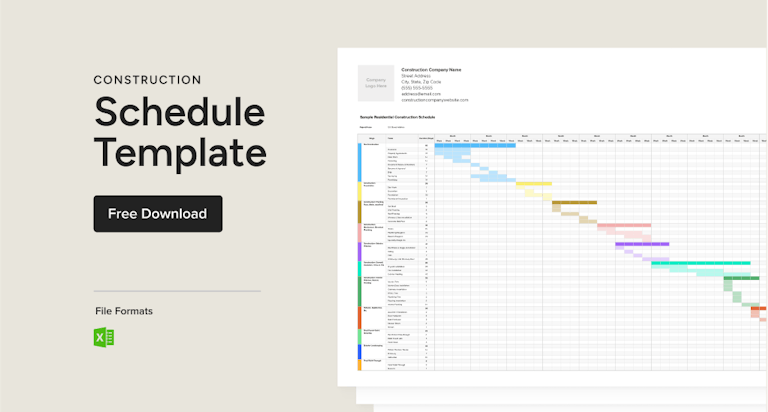
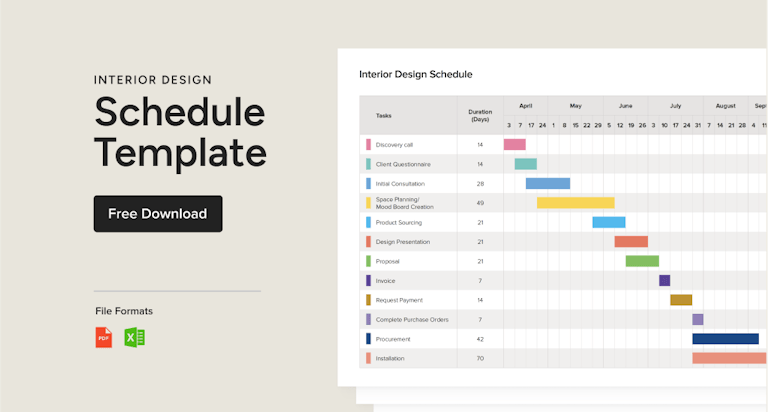
Exportable Schedules | Export schedules as PDF or PNG in Gantt, calendar, or list view for sharing or printing. |
Construction Scheduling Software FAQs
Explore More Features for New Construction
A Schedule Tailored for Every Trade
Last updated: October 2026 · Reviewed by the Houzz Pro product team