Free Template: Construction Timesheet and How-to Guide
Learn the ins and outs of tracking employee time during construction projects, then download our free construction timesheet template to get started today.

This content was originally published May 11, 2023, but was reviewed May 20, 2026, and is up to date.
Anyone managing a construction site will know that keeping track of contractors’ hours can be complicated and time-consuming. Thank goodness, then, for construction timesheets that allow project managers to log how many hours each employee has worked, so they are paid the right amount.
In this article, we look at the benefits of construction timesheet templates and how to complete them with detail and accuracy, ensuring you always know who was where and when. We also offer up a free construction timesheet template to download, as well as advice on how to streamline your workload by adopting digital time tracking software.
Click on a link below to jump straight to the section you’re most interested in:
- What is a construction timesheet template?
- What is a construction time and materials contract template?
- Why use a construction timesheet template?
- Types of construction time and material templates
- What to include in a time and material template for construction
- Downsides of using a construction timesheet template
- Why use construction time tracking software?
Download Our Free Construction Timesheet Template
Make tracking workers hours simple by downloading our free construction daily timesheet template for Excel.

Get Started With This Free Construction Timesheet Template
Use this Construction Timesheet Template to track minutes and seconds spent.
While manual timesheets will get the job done, innovative software programs can now do this often time-consuming job for you, ensuring ultimate accuracy and consistency. Read on and learn why digital timesheets are a more efficient option for established construction businesses who are looking to propel their productivity.
What Is a Construction Timesheet Template?
Construction sites can be chaotic environments with an array of subcontractors coming and going throughout the day. Construction timesheets are a way for employers and project managers to track the hours their employees and subcontractors work, and pay them accordingly. The information collected from a construction timesheet can also help keep an eye on the project’s budget and progress, ensuring everything is on schedule.
As well as tracking the hours of employees who are on site all day, construction timesheets can help record the start and end time of individual activities undertaken by subcontractors, which is ideal for construction employees who have a flexible work schedule.
While most construction timesheets will log the date, day, time worked, and activity description, they can also help to collect additional information such as fuel and mileage costs.

What Is a Construction Time and Materials Contract Template?
A construction time and materials contract template allows contractors to work on a time and materials basis by getting paid for actual hours worked and materials used. This unit-based contract is often beneficial when the project’s scope hasn’t been determined, and a fixed-price or deadline is difficult to establish, making it more flexible for contractors and employers.
To unravel the jargon on construction contracts, read our articles on How to Write a Construction Contract as well as How to Write a Construction Invoice.

Why Use a Construction Timesheet Template?
Tracking time on construction projects can greatly impact a construction pro’s bottom line, and here’s why:
- You’ll manage the payroll easily and efficiently - Maintain morale within your team by using construction timesheet templates to ensure everyone is paid accurately and on time, while also preventing any costly mistakes by processing incorrect labor hours.
- You’ll maintain your legal compliance - In the U.S., the Fair Labor Standards Act requires all construction sites to maintain payroll timesheets and ensure labor laws are adhered to, such as breaks and overtime pay. By using tracking timesheets, you can show your company is meeting regulatory requirements.
- You’ll improve project forecasting - A construction timesheet template will provide details about the activity around the site, giving you accurate data on the progress and performance of your labor force, and a better idea of the cost of the job. Having this information can help target areas that are slowing down the project and where you need to redistribute labor to improve progress. It can also help you give more precise estimates in the future.
- You’ll secure documentation in case of a legal dispute - Historical timesheets will become extremely handy as evidence if you are ever investigated for an insurance claim. For example, if a worker injures themselves on site, construction timesheets can offer information as to who was on site and identify any witnesses to the accident.

Types of Construction Time and Material Templates
There are multiple ways to structure a timesheet template, so before you start inputting workers hours, it’s important to identify which timesheet timeframe works best for your labor force and project. For example, for workers on an hourly wage, a general daily timesheet will be the most appropriate, logging each individual’s hours and documenting their activity day-to-day.
Read on for more information on different types of timesheet templates and how they differ from one another:
- Daily - A daily construction timesheet template logs an individual’s hours and a detailed breakdown of the activities they have performed that day. You would use this type of timesheet for paying employees by the hour.
- Weekly - For construction companies that would prefer to record shifts or tasks, rather than start and end times of a worker’s day, then perhaps a construction weekly timesheet template is better suited to your setup. This type of timesheet allows you to pay per each shift or task, particularly if you have varying rates for different tasks.
- Bi-weekly - If you are a company that prefers your contractors to record their total weekly hours and pay them every two weeks, then a bi-weekly timesheet is for you.
- Monthly - Monthly timesheets are for construction companies that prefer to pay workers monthly wages.
- By project - Project timesheets are for construction companies that focus on the hours logged on a specific project or job and pay their workers for that task.

What to Include in a Time and Material Template for Construction
Ensure you are creating efficient and accurate timesheets with this list of elements that should be included:
- Employee name - Keeps each timesheet clear and precise.
- Date - Logs the day that worker was on site.
- Project description - A clear description or name of each project will ensure timesheets aren’t confused with other projects that are on the go at the same time.
- Start time - Logs the time the employee either arrived on site or started the task, depending on how they are being billed.
- Finish time - Logs the time the employee left the site or finished the task allocated.
- Total hours - Logs the total hours worked by the employee that day, week, or month, which is crucial for accurately calculating their pay.
- Signature (employee) and date - This is to confirm the employee agrees that all the information logged is correct.
- Signature (supervisor) and date - This is to confirm the personal responsible for signing off the timesheets agrees with the information logged and submits it to payroll.
Optional elements to include on a timesheet could be:
- Standard pay rate - A reminder to employees and supervisors signing off the timesheet as to how much the hourly, daily, or project rate is, so that everyone is on the same page.
- Overtime rate - This is to ensure employees are aware of the overtime rate, so they can calculate accurately how much they have earned, and there are no discrepancies.
- Breaks taken - Project managers need to keep track of their teams' productivity, but they must also comply with the Fair Labour Standards Act that insists employees have sufficient breaks.
- Cost codes - An employee's hours can be logged against a specific element of the project, such as electrical or finishes, by using a cost code that applies to the aspect. This helps with budget management and estimating for future jobs. For a deeper dive into cost codes, read our Guide to Construction Cost Codes.

Downsides of Using a Construction Timesheet Template
As well as pointing out the benefits of using a construction template, you need to know the downsides and how to alleviate these issues:
- Time-consuming - A lot of extra time is needed to manually input data into timesheets, something that pros who are strapped for time could do without. That’s why digital software is a must for busy construction firms, saving valuable time when it comes to tracking employee hours.
- Data inaccuracies - Filling out a construction timesheet template requires manual data entry, which can often result in human error, inaccurate data, and employees not being paid correctly. Digital software can help track and record employees time accurately, capturing every minute spent and dollar owed.
- Lack of adequate metrics - Manual timesheets are laborious ways to assess productivity of a project, or forecasting of budgets for future jobs. Digital software allows you to easily create reports by exporting data collected into spreadsheets for clear and concise analysis.
- Difficulty sourcing historical data - Whether you need historical employee data for a legal matter, or to reference for an upcoming job, manually sieving through years of paperwork to find relevant information is inefficient and time-consuming. Automated software, however, safely and securely stores your data, so you can retrieve it easily and quickly when needed.

Why Use Construction Time Tracking Software?
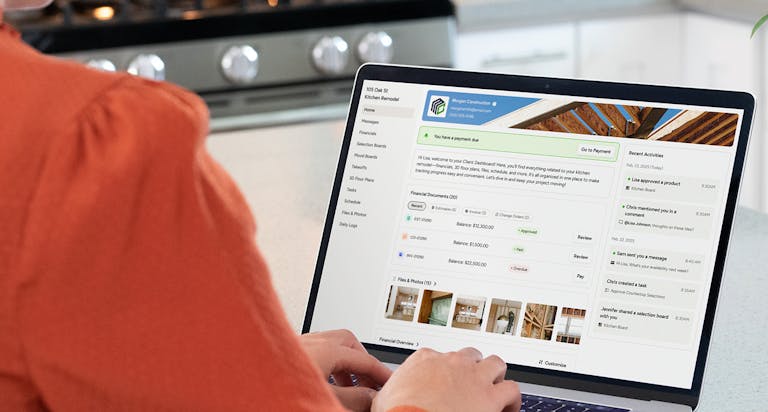
By ditching manual timesheets in favor of digital timesheets such as Houzz Pro, you’ll not only claim back valuable hours as a business owner, you’ll also reap these key benefits:
- Easier payroll management - Organized, detailed, and standardized timesheets will make it easier for your accountant to manage your payroll efficiently as well as your books.
- Improved accuracy on project costings - With reliable data gathered from timesheet software, you can accurately budget for your project as well as any future jobs.
- Closer eye on productivity and profitability - Time-tracking software will help you analyze employee performance at a glance to identify which areas of the project need more manpower or improved productivity. Digital timesheets can also help determine which aspects of the project offer bigger profit margins.
- A legal backup - The data from digital timesheets are stored in the cloud, ensuring you have easy access to historical data for legal issues, as well as evidence that your company adheres to the local laws and regulations regarding employees.
Conclusion
As the owner of a successful construction company, your time is precious; therefore, any processes that can make your life easier, more productive, and more profitable is going to be the key to flying higher as a firm. Keep learning about how to take your project documentation to the next level with our Guide to Construction Daily Logs.
Houzz Pro’s construction time and expense tracking makes it super simple for you and your team to log their time and expenses anytime, anywhere. Take a look at the Stopwatch tool, how to log expenses on the go, and how to generate reports that identify your most profitable people and projects.
Sign up for a free 30-day trial of Houzz Pro to explore all these features and much more.


Want advice delivered to your inbox?
Unlock industry insights and updates for contractors and design pros
By signing up, I agree to the Houzz Terms of Use and Privacy Policy and that Houzz may use my information to contact me about relevant content, products, and services.