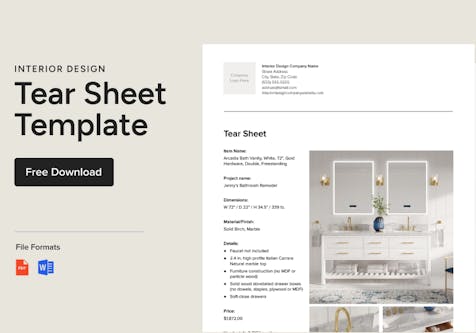
Free Template: Interior Design Purchase Order & Guide
Good purchase orders are key to ensuring your interior design project runs smoothly. Use a free purchase order template from Houzz Pro to get started.
This content was originally published May 9, 2022, but was reviewed April 10, 2026, and is up to date.
Knowing how to make and use an interior design purchase order is a necessity for any successful and well-operated design business. In this Houzz Pro Learn guide, we’ll share about the function of interior design purchase orders, what to include, steps for how to make one, and more.
We’ll even provide you with a free interior design purchase order template you can download to start ordering products today. Click a link below to jump straight to the section you're most interested in:
Download Our Free Interior Design Purchase Order Template

Get Started With This Free Interior Design Purchase Order Template
Use this Interior Design Purchase Order Template to keep tabs on purchase orders.
If you’re just starting out in your business, download our free interior design purchase order template to make placing product orders a breeze.
If you’re an established designer or are curious to learn about more advanced tools, this article will also cover how software programs are the more efficient route to go long-term with creating purchase orders because of the additional benefits and flexibility they can provide versus static templates. Read on to learn more!
What Is an Interior Design Purchase Order?
An interior design purchase order, otherwise known as a PO, is a contractual written document between a buyer and a vendor outlining the requested product specifications, price, quantity, and other details regarding the product order you need to place with the seller.
How Are Interior Design Purchase Orders Used?
A purchase order for interior design is used to place orders for materials, furniture, decor, and other items for your design projects and to fulfill the vision for your clients. POs take the place of making an order by phone, so that everything is written down, helping to eliminate errors and contractually binding you and the seller on all the product details.
When Do You Create an Interior Design Purchase Order?
Interior design purchase orders are typically placed after your client has approved your proposal, and you’re ready to begin implementing the fulfillment phase of your project. Orders will vary in terms of when they’ll be completed and shipped, so it’s best to place orders right away after the client has signed off on your design.

What to Include in an Interior Design Purchase Order
The section below provides a great interior design purchase order example of what you should include in your template.
Company information
Add your company name, address, email, phone number, and website to identify your business as the party making the purchase order.
Vendor information
Also include your vendor’s name, address, email, and phone number, which will contractually identify them as the vendor or seller in the PO.
Purchase order number
Each purchase order will have a unique number that you can create for your own ordering system.
Purchase order date
Include the order date in your interior design purchase order template for better organization and filing.
Purchase delivery date
The purchase delivery date is very important to note, so that your items can be delivered on time, and you can keep your interior design project on track for your client.
Shipping method
Note your preferred shipping provider (USPS, FedEx, UPS, etc.) and method (air, ground, etc.).
Shipping information
It’s important to indicate the shipping address for your order and whether it should be delivered to your business address or to your client’s location. Also make sure to add a contact person for shipping and a phone number.
Item name and number
Add the exact name and product number from your vendor’s website or catalog for the item(s) you need to order in your PO.
Description
Also adding a description of the item will help you more easily be able to recall what it is versus simply using the product name (which could be more general). Note details such as the color, print, size, or style here as well.
Quantity
Make sure to include the number of each item you wish to order.
Price
The price is an important detail to include in your interior design purchase order, so that you can lock in pricing and not have to pay more than what’s noted.
Total item cost
The total for an item will depend on the quantity you’re ordering, so make sure to note this cost total in its own column.
Notes
The notes section is important to include for any special instructions relating to the product you’re ordering or for shipping and delivery.
Tax rate
You’ll need to add the tax rate for the state you’re located in for the sales tax to include in your final order total.
Shipping costs
Make sure to add a line item for the total shipping costs once confirmed with your shipping provider of choice.
Grand total
Create a section where you can total the cost of the items you’re ordering, the sales tax, and shipping costs.
Payment method
Include the method of payment you’ll be using for the order along with all the essential payment information details (name, address, credit card number, CVV number, etc.).
Interior designer signature
To make your purchase order official, incorporate a section where you’ll be able to add your signature.
Vendor signature
Also include a section for your vendor to sign off on the purchase order.
Save yourself some time and download our free interior design purchase order template!

How Do You Make an Interior Design Purchase Order?
1. Start with the proposal
Your proposal is a great starting point to creating your purchase order. There, you’ll be easily able to view the product price and details you’ve already researched to add to your PO. Keep in mind that the price you provided in your proposal was an estimate, so the final price may differ in your purchase order, and this is OK. The proposal is a flexible document while the purchase order is not. In the proposal phase, a good tip is to collect as much money as possible from your client upfront, so you’re better protected when placing the final POs.
2. Gather vendor contact information
If you regularly use certain vendors for your business, make sure to keep their contact information and addresses on hand in your vendor database. Mark them as your favorites or set aside your top vendors for easier accessibility and to save you time. Refer back to the previous section for all the vendor information to include.
3. Provide as many details as possible
Being descriptive and detailed in your interior design purchase orders benefits both you and your vendor, providing better communication to make everything as clear as possible and for keeping thorough records for your project.
4. Add additional notes for your vendor
In the notes section of your PO, include any other memos to your vendor such as making sure fragile items are shipped accordingly, no weekend delivery, etc.
5. Ensure it’s professional
As with all your communications materials, make sure that your purchase order looks professional and reflects your business with proper branding and design.
6. Send via email
When your PO is ready, save it as a PDF so that it’s uneditable, then send it to your vendor via email with a cordial note.
7. Make a payment to the vendor
Just like with your clients, it’s important to keep your vendors happy, too! This includes paying them as quickly as possible after your PO is issued to ensure they’ll start on your order right away.
8. Close your purchase order
When you decide to close a PO is up to you. Some designers choose to close the purchase order once the item or items have been confirmed while others close the PO after shipping or installation. Do whatever you feel is best for your process and business.
Additional Tips
- Monitor purchase orders you’ve sent to vendors
- Monitor invoices you’ve sent to your client
- Consider merging purchase orders
- Organize your purchase orders
- Track money in and money out

Alternatives to Interior Design Purchase Order Templates
While purchase order templates are a great starting point, there are other online tools and software available that can help save you time in completing your POs, expediting the overall timeline for your design projects and freeing up your schedule for important aspects of your business.
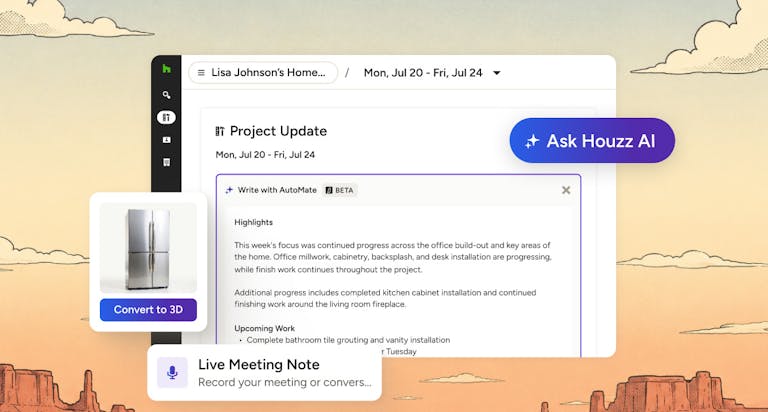
Houzz Pro’s purchase order software enables you to create fast, professional POs for interior design in no time. Best of all, our interior design purchase order software is integrated with our all-inclusive business program, allowing you to easily convert proposals to purchase orders, populate addresses from vendors, track the status of items ordered, and more.
Conclusion
Now that you know how to create and use an interior design purchase order, you’re ready to start placing orders for your clients! Keep reading to learn how to build an interior design invoice for your business.
Check out our professional software for interior designers to explore our proposal, sourcing and clipper tools—all of which can help you secure materials for a design project and get paid on time.


Want advice delivered to your inbox?
Unlock industry insights and updates for contractors and design pros
By signing up, I agree to the Houzz Terms of Use and Privacy Policy and that Houzz may use my information to contact me about relevant content, products, and services.