How to Set Up a Domain and Publish Your Houzz Website
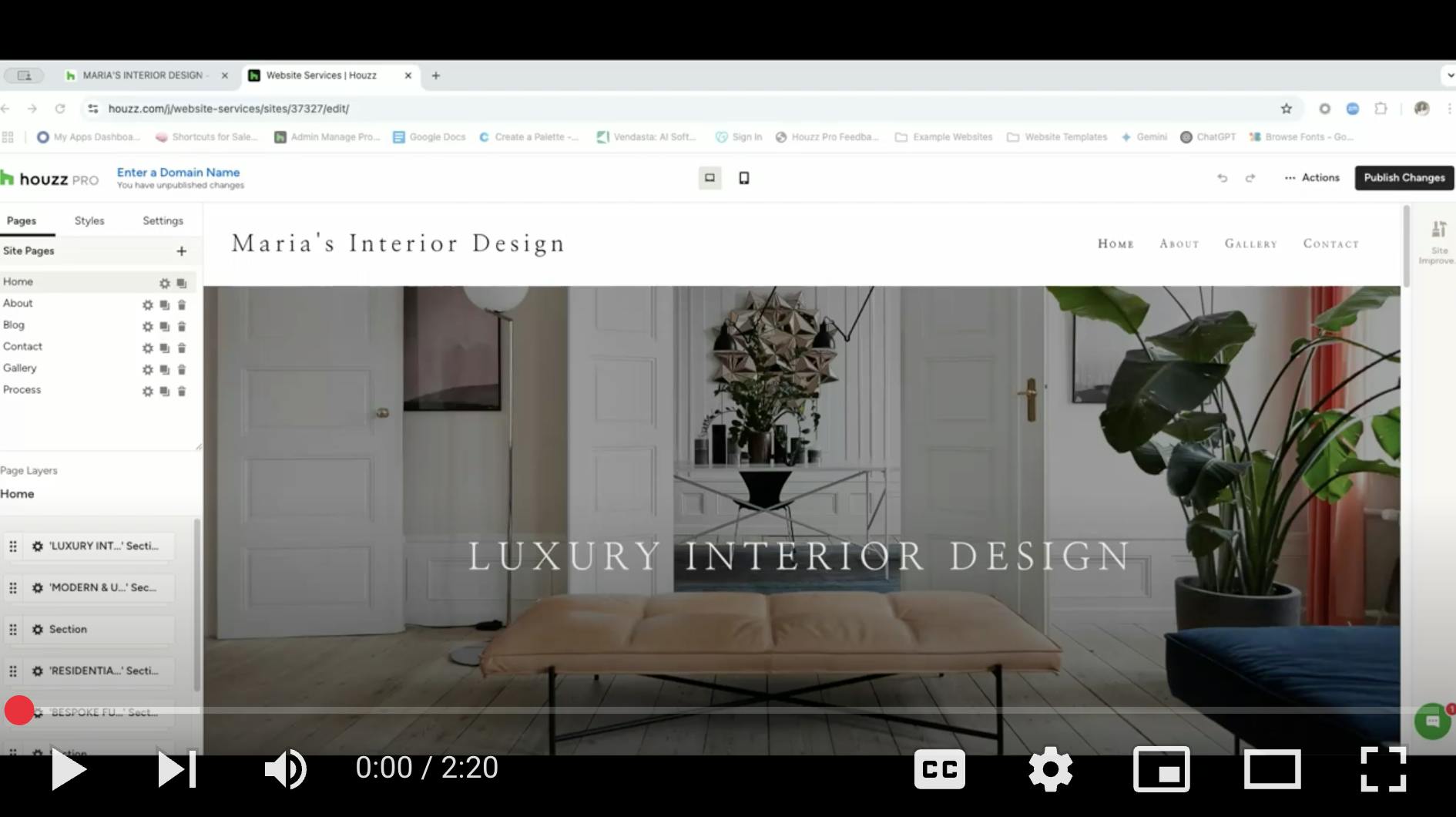
Before you publish your website, you will need to set up a domain, also known as a website address or URL. Houzz provides several options for your website domain. You can choose to:
- Use a domain that Houzz provides
- Use a third party domain that you already own
- Customize and purchase a new domain
Setting up your domain is a one-time action required before you publish your website — once it's set up, you will not need to do it again.
Watch the video below or read step-by-step instructions to learn more about each option.
Publish Website with Houzz Domain
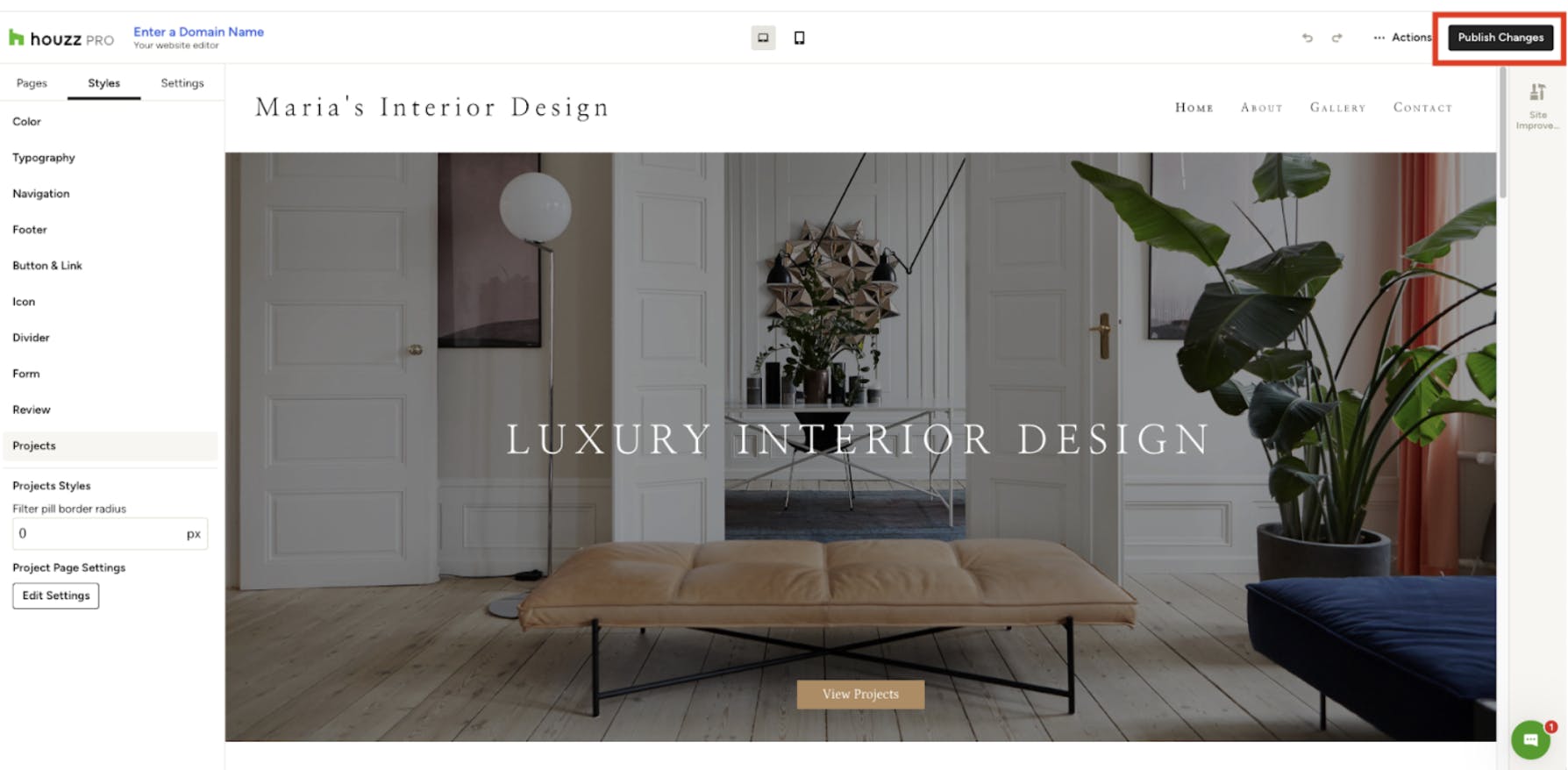
The quickest way to get your site live is to use the default Houzz-provided website address. To do this, click Publish Changes at the top right of your website editor.
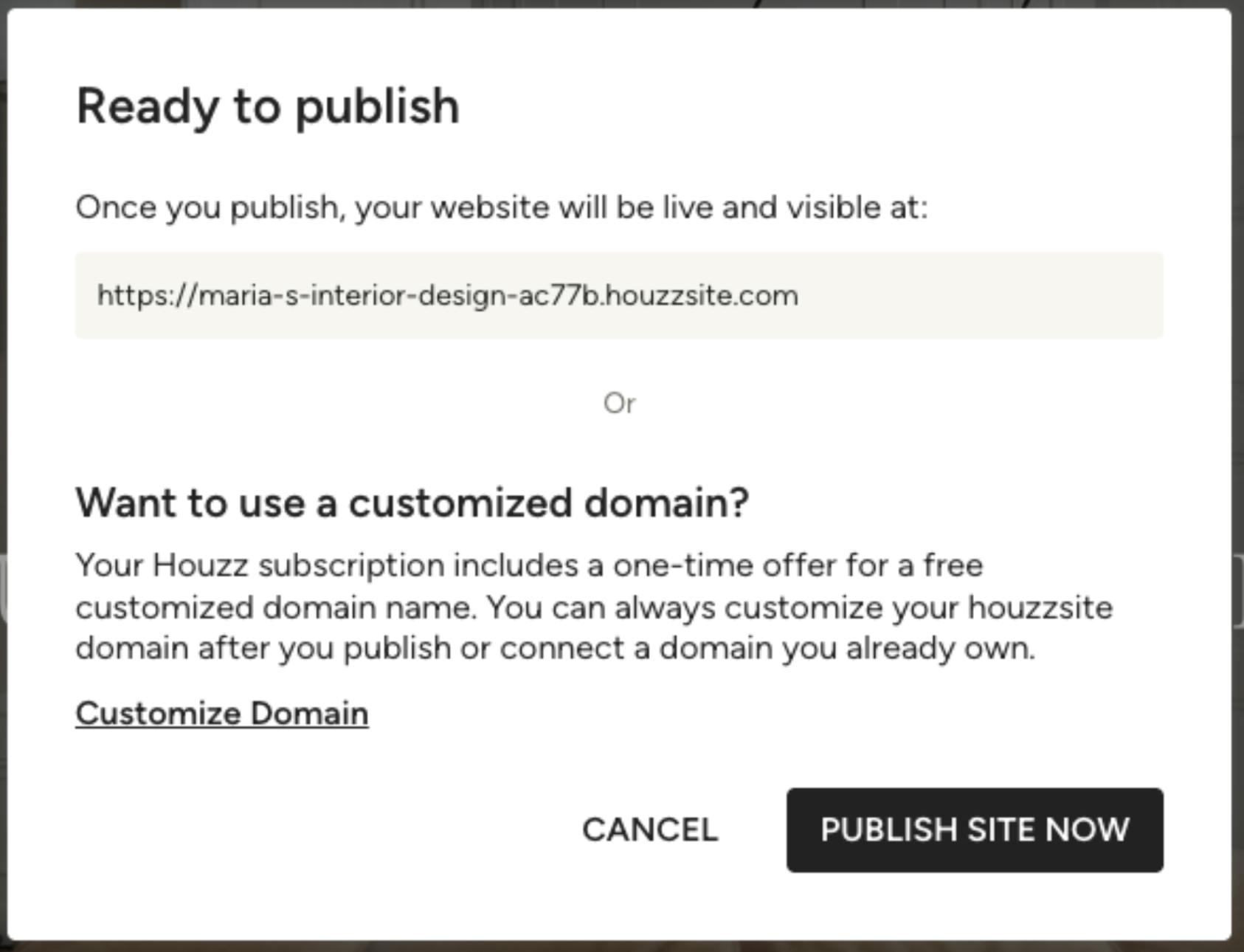
A screen will appear displaying the default domain ending in “houzzsite.com”. If you wish to use this address, select Publish Site Now.
Congratulations! Your site is now live. A confirmation screen will display your new website domain, and you can click to visit your live website.
Publish Website with Existing Domain
If you own a domain that you use for your company website already, you can connect your existing domain to your Houzz website.
Please Note: Switching your website's hosting provider can temporarily affect your Google search ranking for several weeks while Google re-indexes your site. This process is outside of our control. While we offer no guarantees on where your website will rank in search results, sites generally recover to their previous ranking or higher.
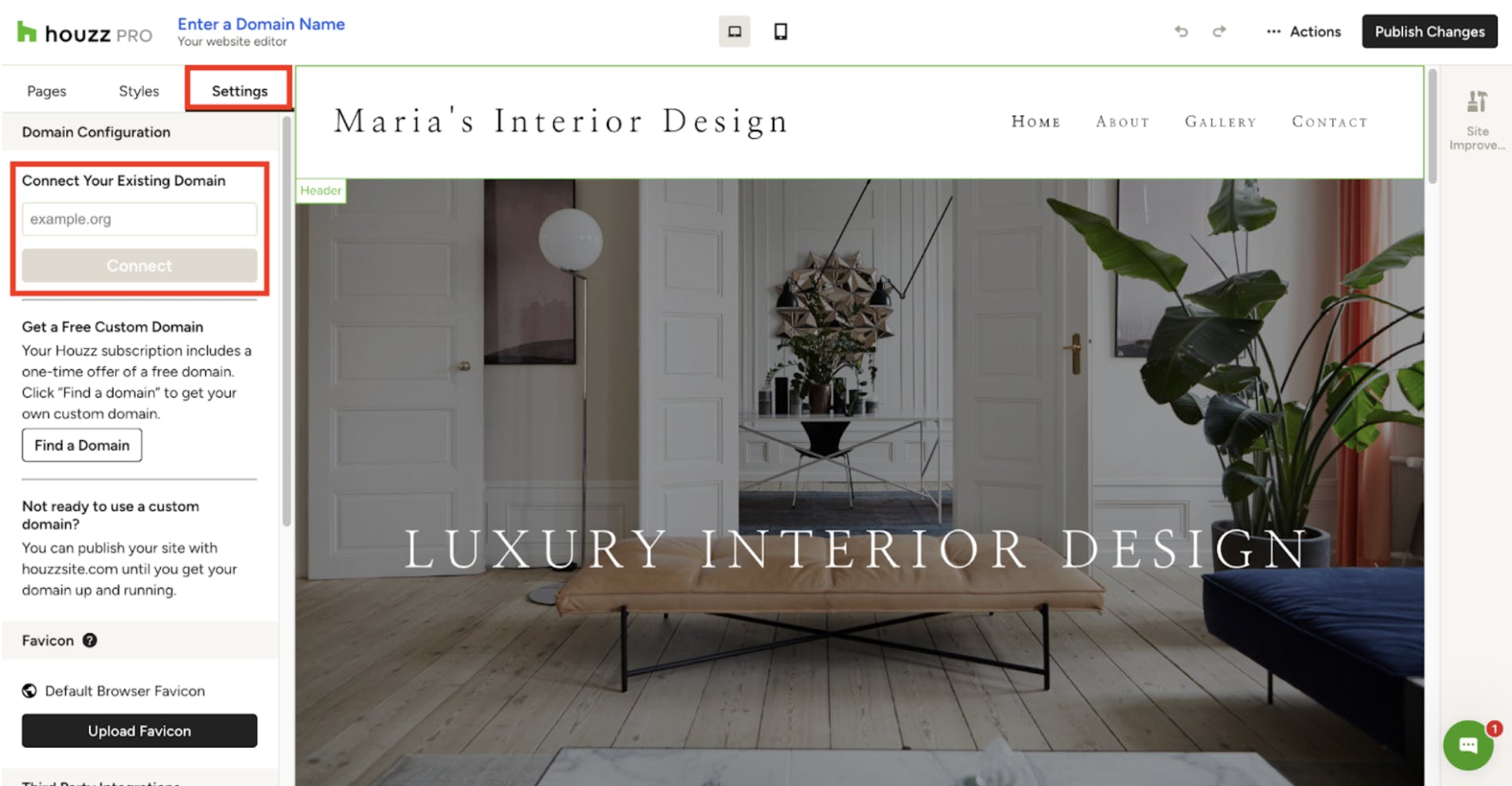
To start the connection process, go to the Settings section of your website editor. Under Connect Your Existing Domain, input your existing domain, and select Connect.
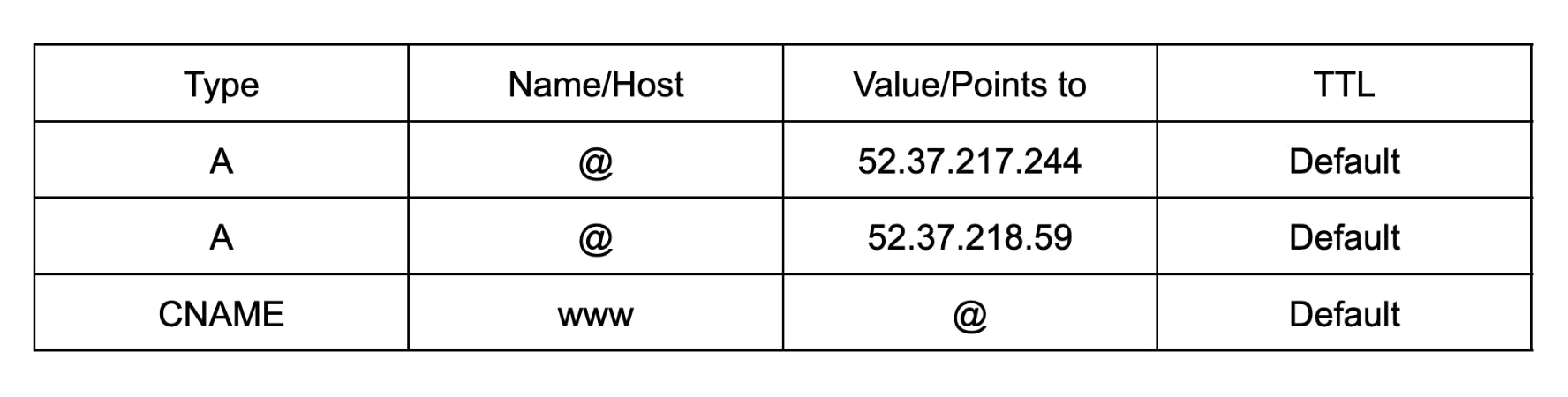
Next, you will need to update your domain's DNS settings through your domain registrar, where you purchased your domain.
The website requires two “A” Records and one “CNAME” record to function properly. These two types of DNS records each require four data points:
- “Type” — defines the type of DNS record (A-type and CNAME-type).
- “Name” or “Host” — which part of your domain will direct to the “Value” below.
- “Value” or “Points to” — where the “Host” above will send internet traffic.
- “TTL” or “Timeout” — this can safely be left on the default for your registrar.
The DNS records required for Website Services usage are as follows:
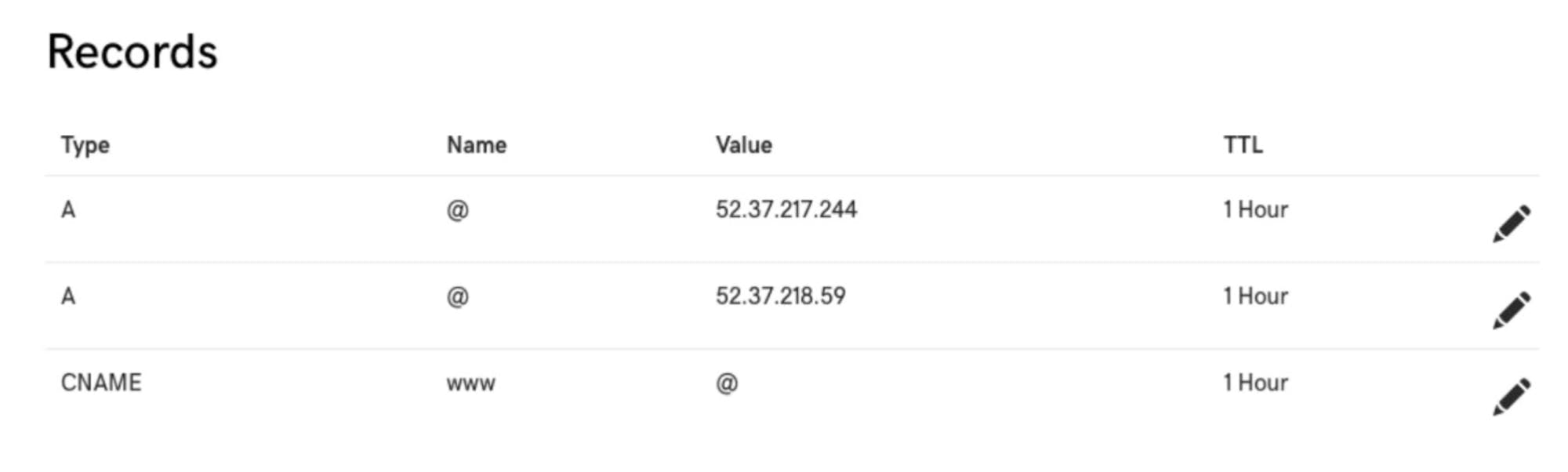
Please Note: The @ symbol is a variable used by many registrars to denote the root domain. For example, if your domain is wilsonkandb.com, the @ symbol above acts as a stand-in for wilsonkandb.com. If your registrar does not allow you to use the @ symbol in this way, you should substitute your full root domain.
Important: If there are any other DNS records of type A or AAAA that use the root domain or www as their Host or Name, please remove them to avoid conflicts.
Here’s an example of how the settings look in GoDaddy’s DNS Management page:
Publish Website with New Domain
Your Houzz Pro account may include a free domain purchase for your website. You are only able to customize your domain one time; currently, only .com, .info, .biz, and .net domains are available through Houzz.
You can purchase your custom domain either by contacting the support team for personalized assistance, or by using our self-service option within the website editor.
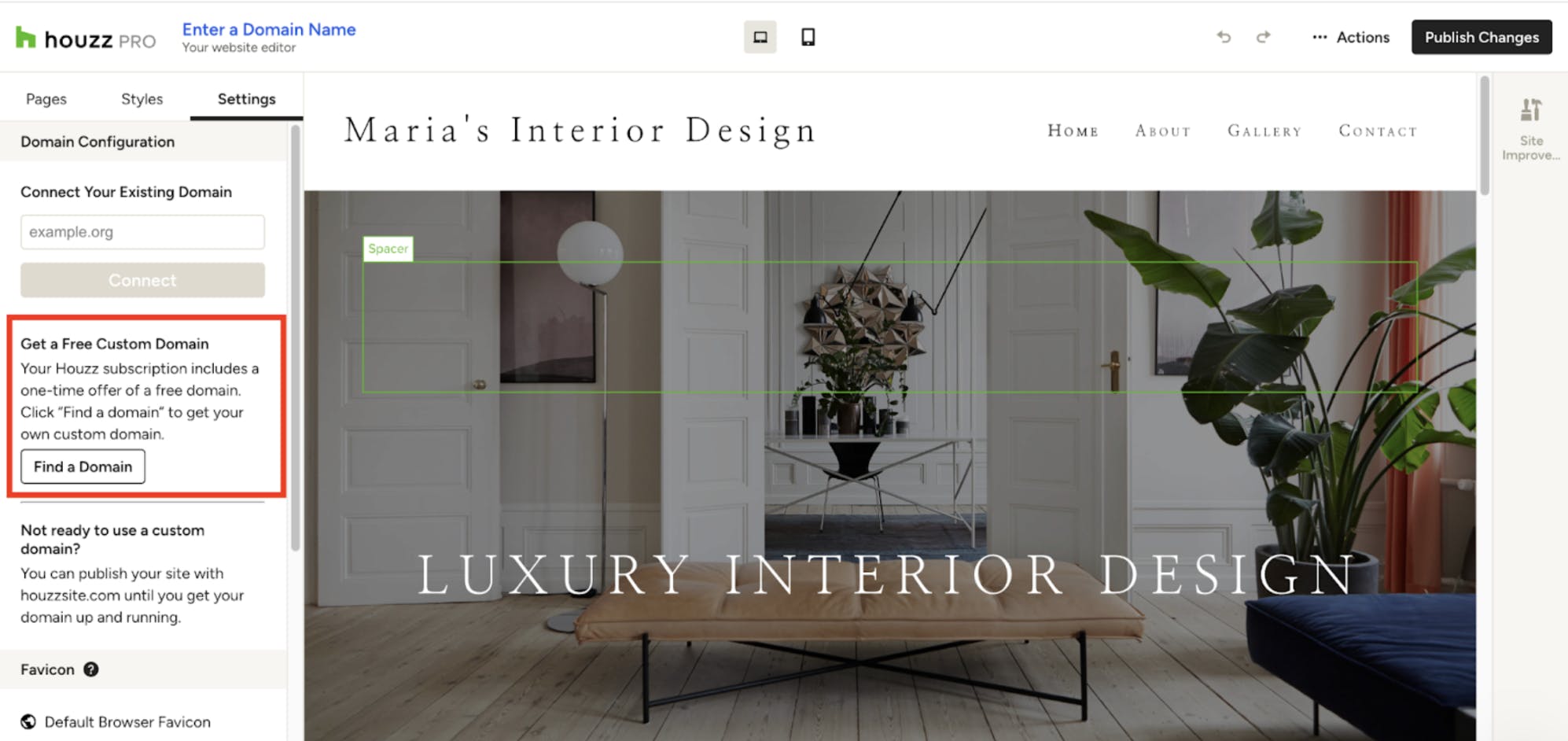
To purchase the domain yourself, go to the Settings section of your website editor. Under the Get a Free Custom Domain area, select Find a Domain.
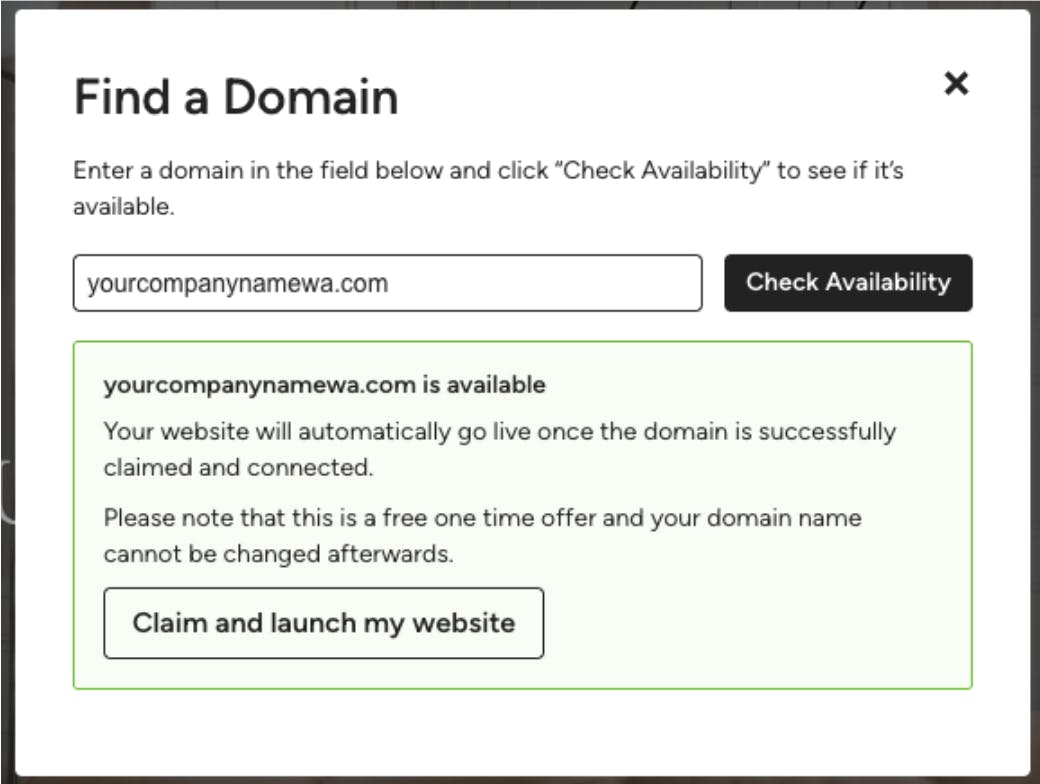
On the next screen, enter the domain you would like to use for your company website, then click Check Availability.
If the domain is available: You will see an option to claim it. Select Claim and Launch My Website. Once successful, you'll receive a confirmation screen stating the domain has been claimed. Your website will typically be live within 48 hours. You don't need to do anything further. You will receive an email confirmation once the website is live and secured.
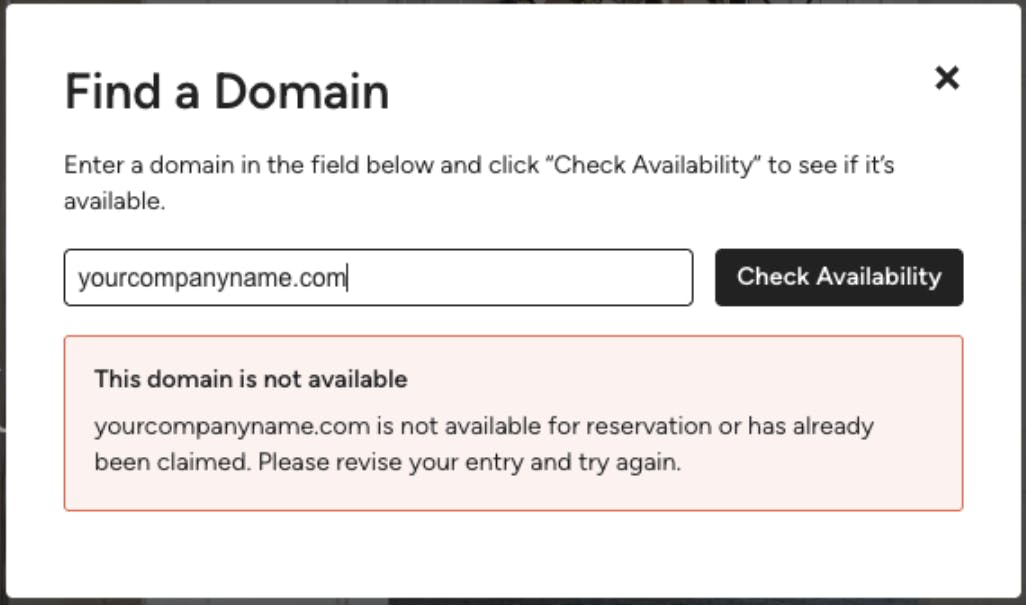
If the domain is not available: You will receive an error message, so you will need to try an alternative domain name.
Unpublish Website and Disconnect Domain
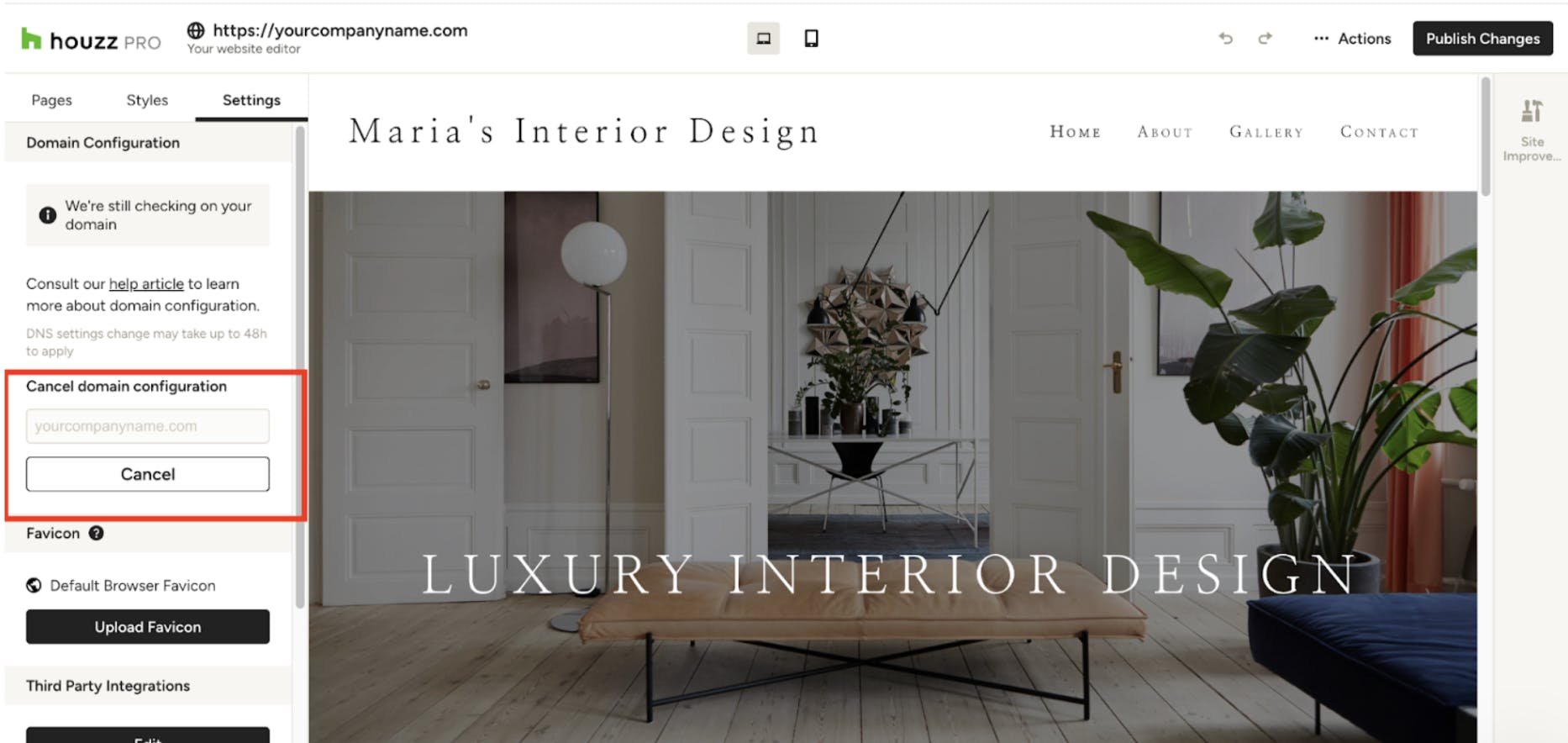
If you need to take your website offline or disconnect your custom domain from Houzz for any reason, you can also do that in the website editor. Under Settings, find Domain Configuration, then click Cancel.
More Website Services Resources
How to Add Content to Your Houzz Website
How to Use the Settings Tab For Your Houzz Website
How to Use the Styles Tab For Your Houzz Website
How to Use the Pages Tab For Your Houzz Website
How to Edit the Projects Page on Your Houzz Website
How to Edit the Header and Footer on Your Houzz Website
How to Edit the Contact Form on Your Houzz Website