Tracking Sales Tax Paid to Your Vendor
You can track vendor paid tax easily through Houzz Pro and QuickBooks Online. If you’ve purchased items from your vendor or a retail store and have been charged sales tax, and now you need to mark up those items and resell them to your client, we'll show you the best way to handle this.
Houzz Pro allows you to mark items on a purchase order as taxable. However, taxable items on a purchase order syncing from Houzz Pro to QuickBooks Online do not appear taxed on the purchase order/vendor bill in QuickBooks Online, and that tax is not registered on the QuickBooks Online reports.
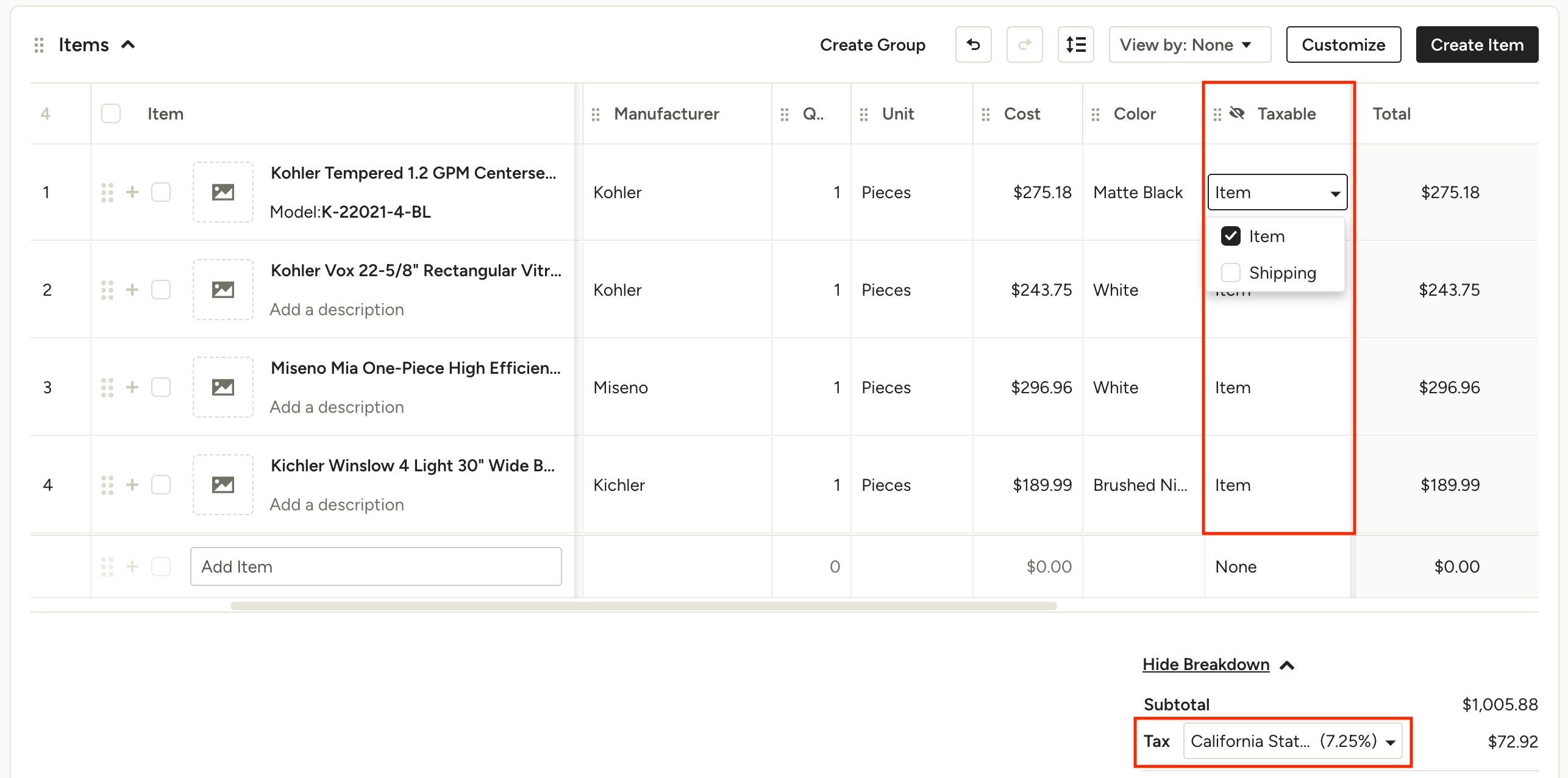
How do I track sales tax that was paid to the vendor at purchase?
When creating your purchase order in Houzz Pro simply mark the appropriate items taxable in the Taxable column (if you don’t see this column, click the Customize button to enable it). Please verify the tax rate charged and adjust this rate if needed at the bottom of your purchase order, under the subtotal. The purchase order in QuickBooks Online will have synced with a line item for Sales Tax that will show the total tax amount from the purchase order.
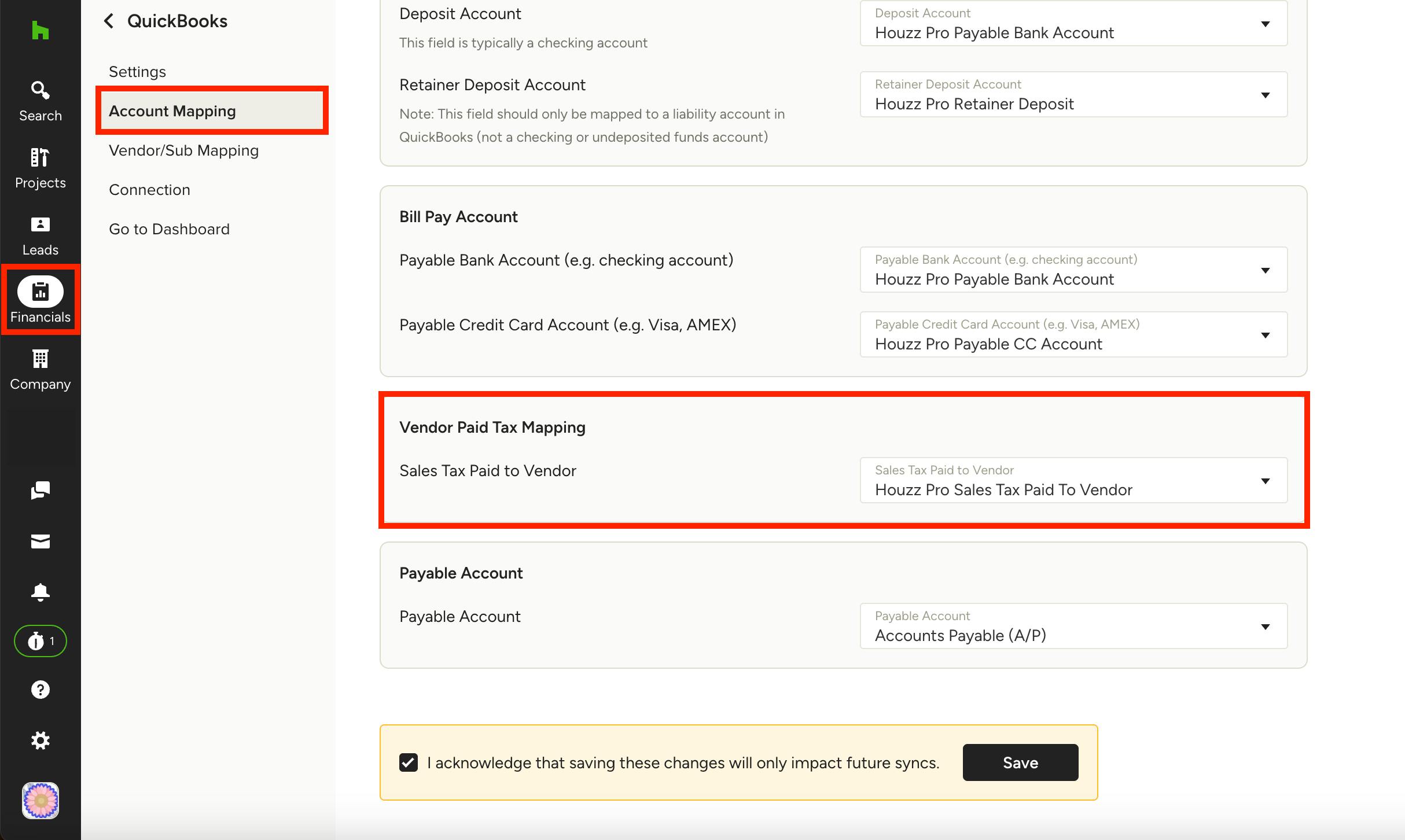
When your purchase order is marked as “billed” or marked billed and paid, the vendor bill in QuickBooks Online will also show the vendor tax line item. That amount will appear in its own cost of goods sold account, visible on your profit and loss statement. By default this will go to the cost of goods sold account “Houzz Pro Sales Tax Paid to Vendor.” You can find your tax mappings in your Houzz Pro QuickBooks Online Account Settings under Vendor Paid Tax Mapping — read this article to learn more.
How do I handle invoicing my client and charging sales tax when I’ve already paid tax to my vendor?
We recommend reaching out to your accountant or state tax agency to find out how to handle prepaid tax when you are invoicing your clients. Some states allow you to take a deduction when filing sales tax returns. Running a report from the Tax Paid to Vendor account in QuickBooks Online will provide you with the data you need to calculate the deduction. Other states, however, do not allow deductions such as this so it is best to find out what your state requirements are.
More Resources:
How to Sync Houzz Pro With QuickBooks Online
How To Set Up Your Tax Agency And Filing Frequency In QuickBooks Online
How to Map Vendors in Houzz Pro to QuickBooks Online
How to Turn on Purchase Orders in Your QuickBooks Online Settings