Offline Mode on the Houzz Pro App
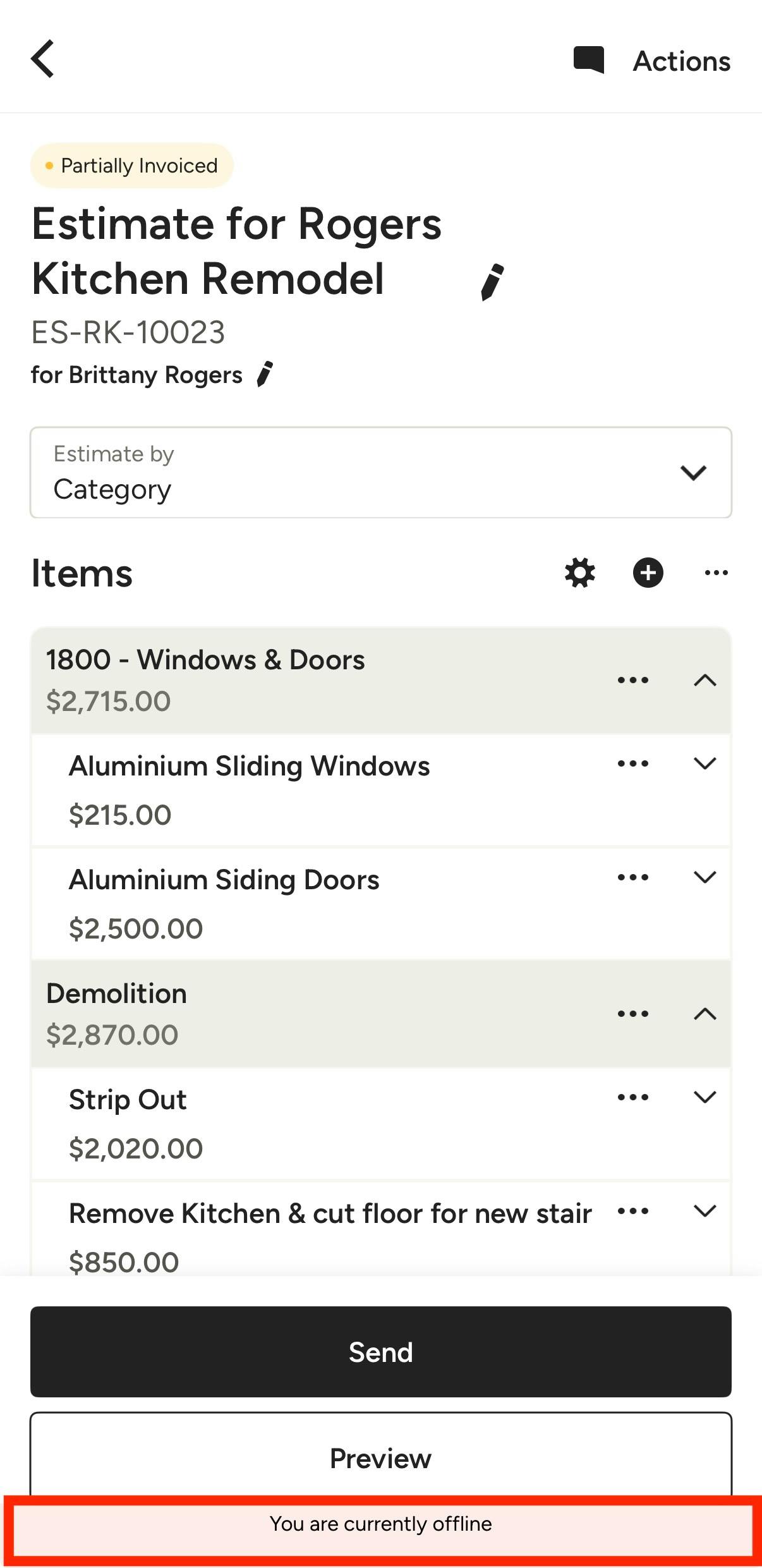
Whether you’re in a basement with no service or at a remote jobsite, Offline Mode ensures your workflow never hits a standstill. Even when an internet connection is unavailable, you can continue to have access to essential project data in the Houzz Pro mobile app.
When you have no connection, You are Currently Offline will appear at the bottom of your screen to inform you of the change.
Offline Mode is primarily designed as a "view-only" experience to keep your project details accessible. If you attempt to edit existing records or create new items (like estimates or schedules) while disconnected, you will receive an error notification. The current exceptions to this are Notes and Time Clock.
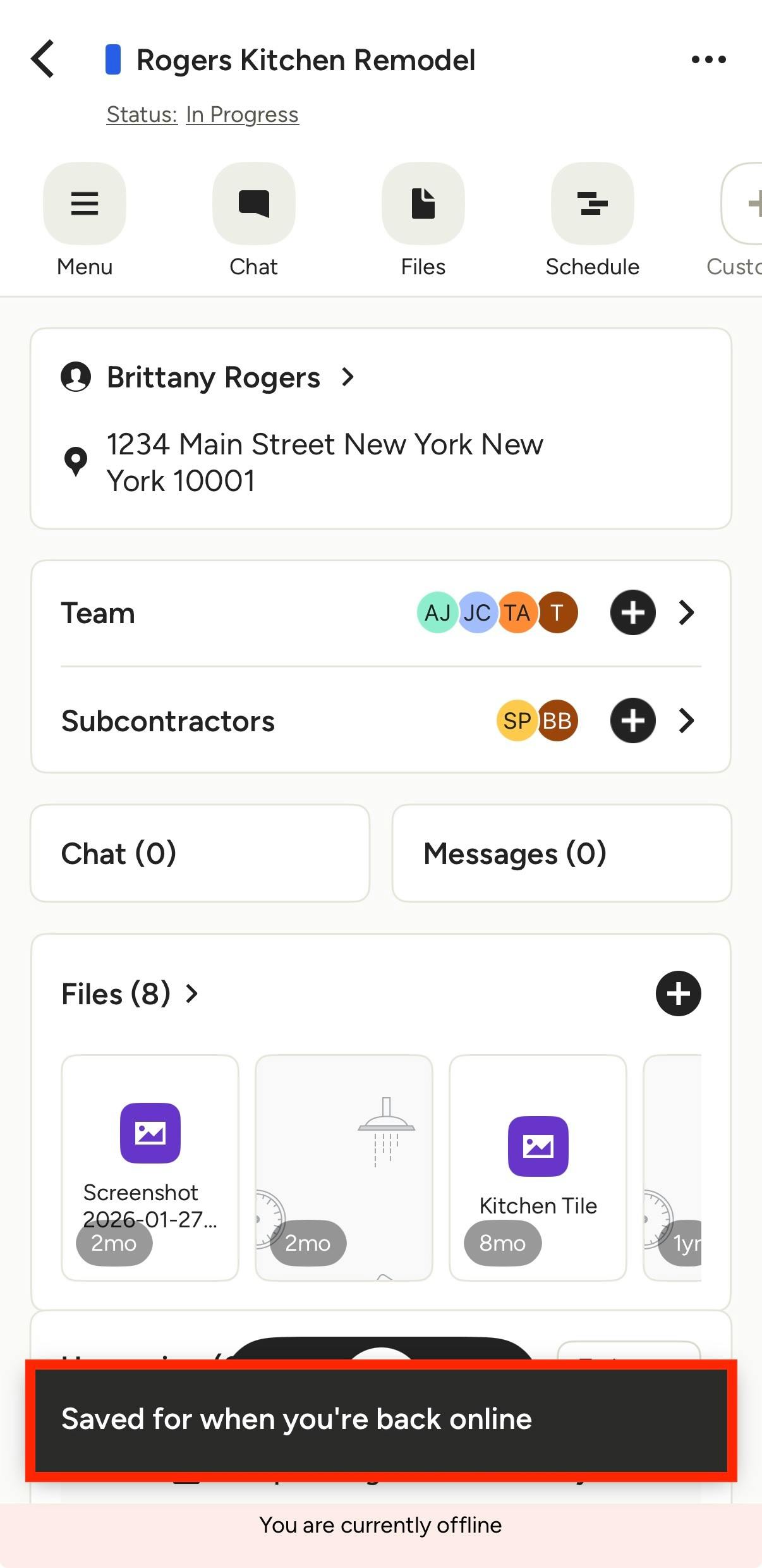
Create Notes in Offline Mode
All devices have the ability to create an offline note, which allows you to continue to capture critical site details on the fly. The note will stay stored securely on your device until internet connection is restored.
To create an offline note, open your project and add your comments or recordings in the Notes section. After you tap Create, a message will appear at the bottom of your screen confirming that your note is saved and will upload once you’re back online.
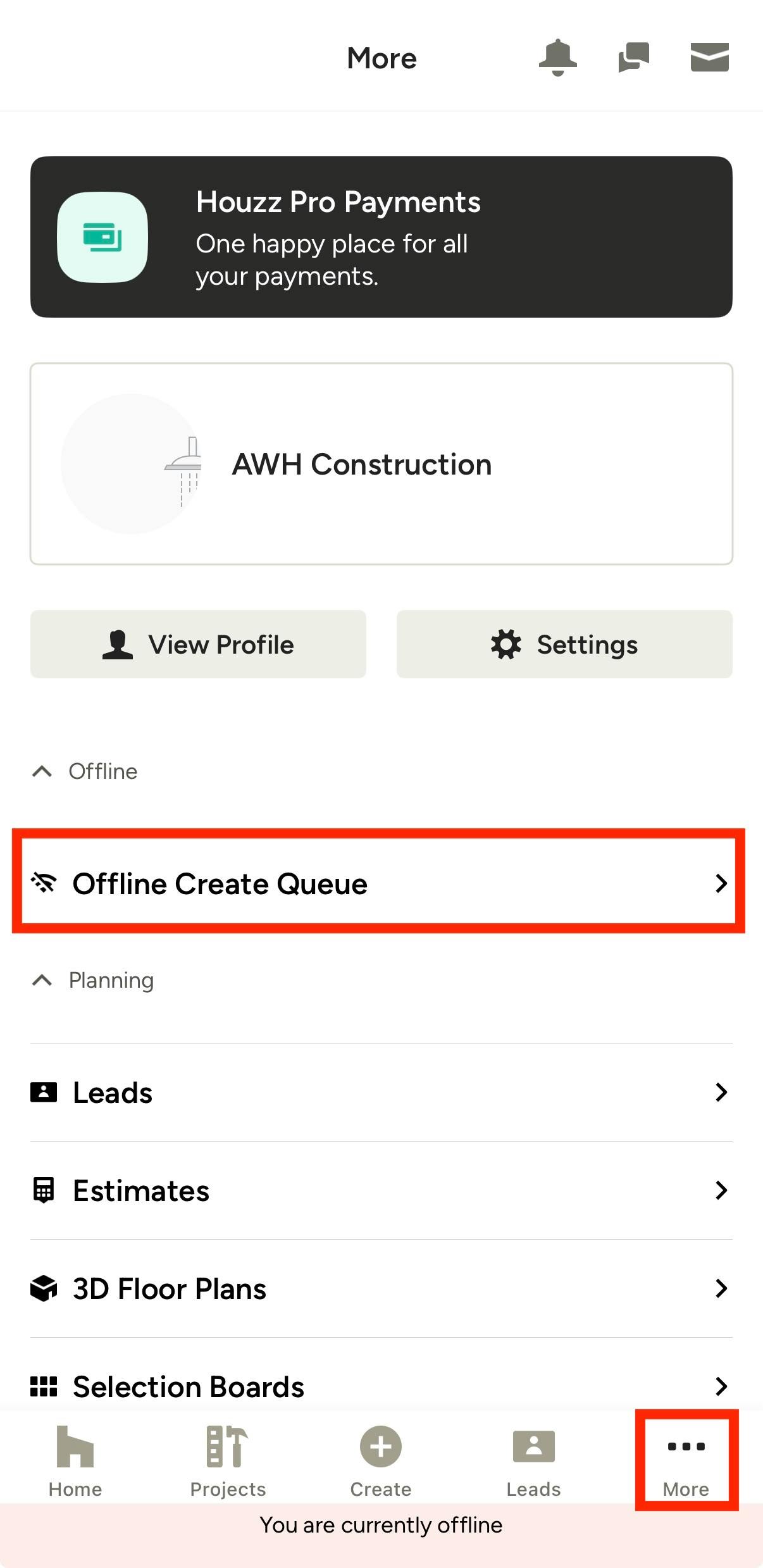
All your pending notes will appear in an Offline Create Queue. You can access this by tapping the More three dots icon from the bottom menu.
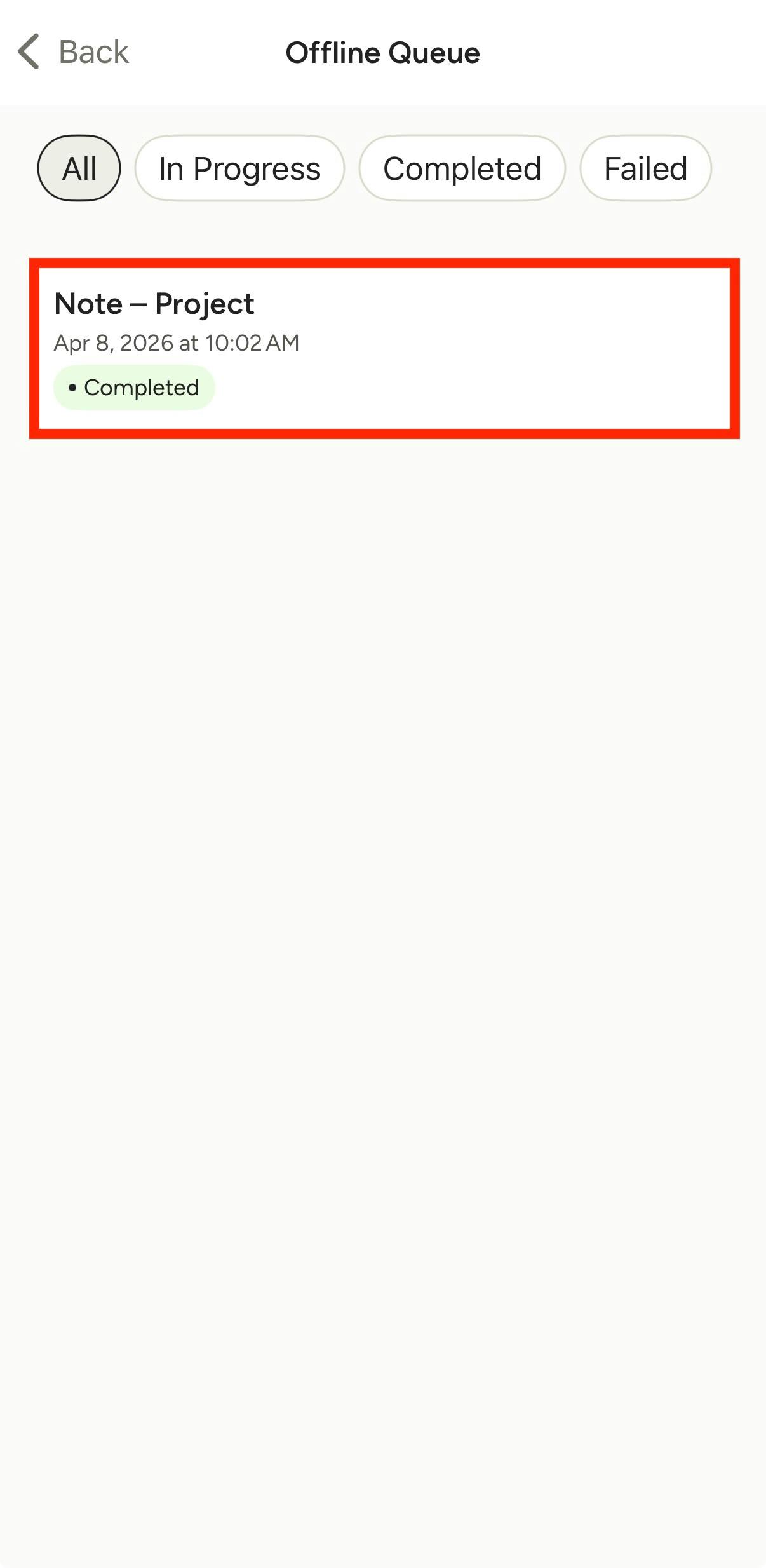
In the queue, the note will show as In Progress while internet connection is disrupted. Once internet is available, the note will be created and/or the recording will be converted into notes. It will show as Completed in the offline queue (as shown below).
You can then directly access and edit the saved note within your project.
Time Clock in Offline Mode
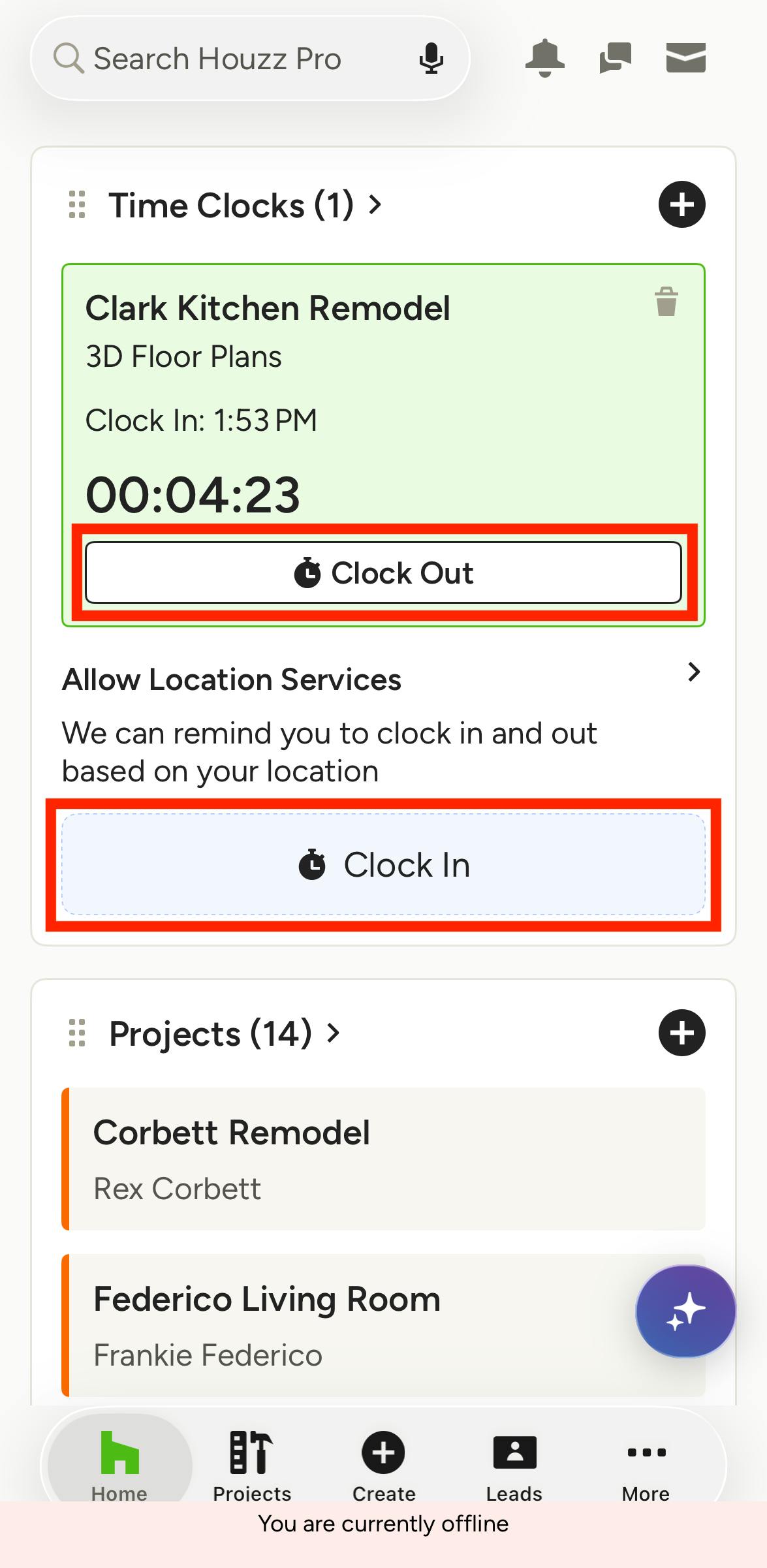
You can use the Time Clock (aka Stopwatch) without an internet connection on the mobile app, so you can keep tracking time at a jobsite, even if you lose service. Your tracked time is stored securely on your device until internet connection is restored. Offline Clock in/out is currently available on iOS only.
To clock in or out while offline, use the Time Clock feature as you normally would from the app's homepage. If you started a time clock while connected to internet, it will continue to track your time while you're offline. Note pause/resume functionality is not available while in offline mode.
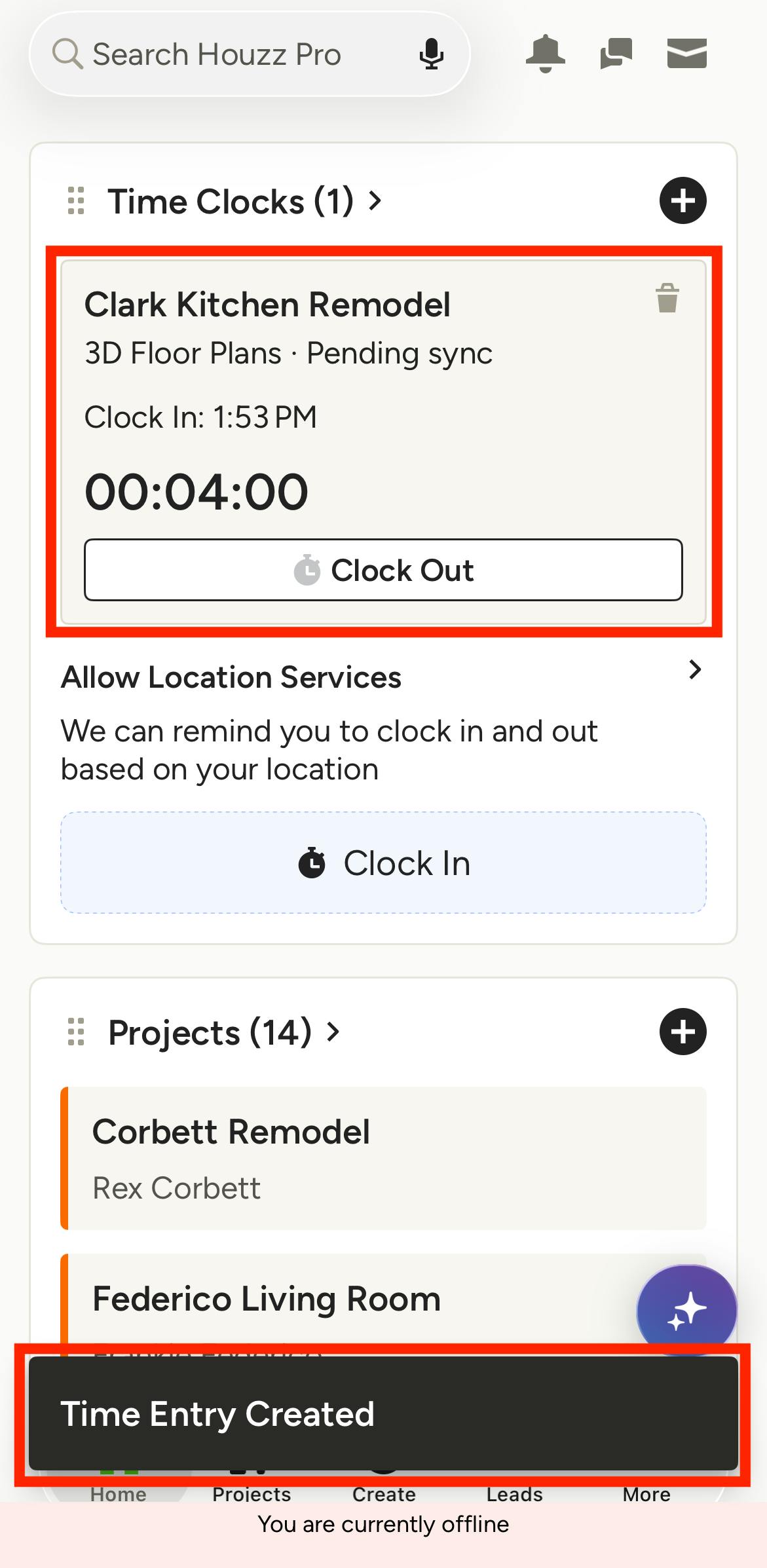
If you clock out while in offline mode, you will see Time Entry Created and the respective time clock will show Pending Sync. The time entry is added to the offline queue on your device but will not appear in your list of time entries yet.
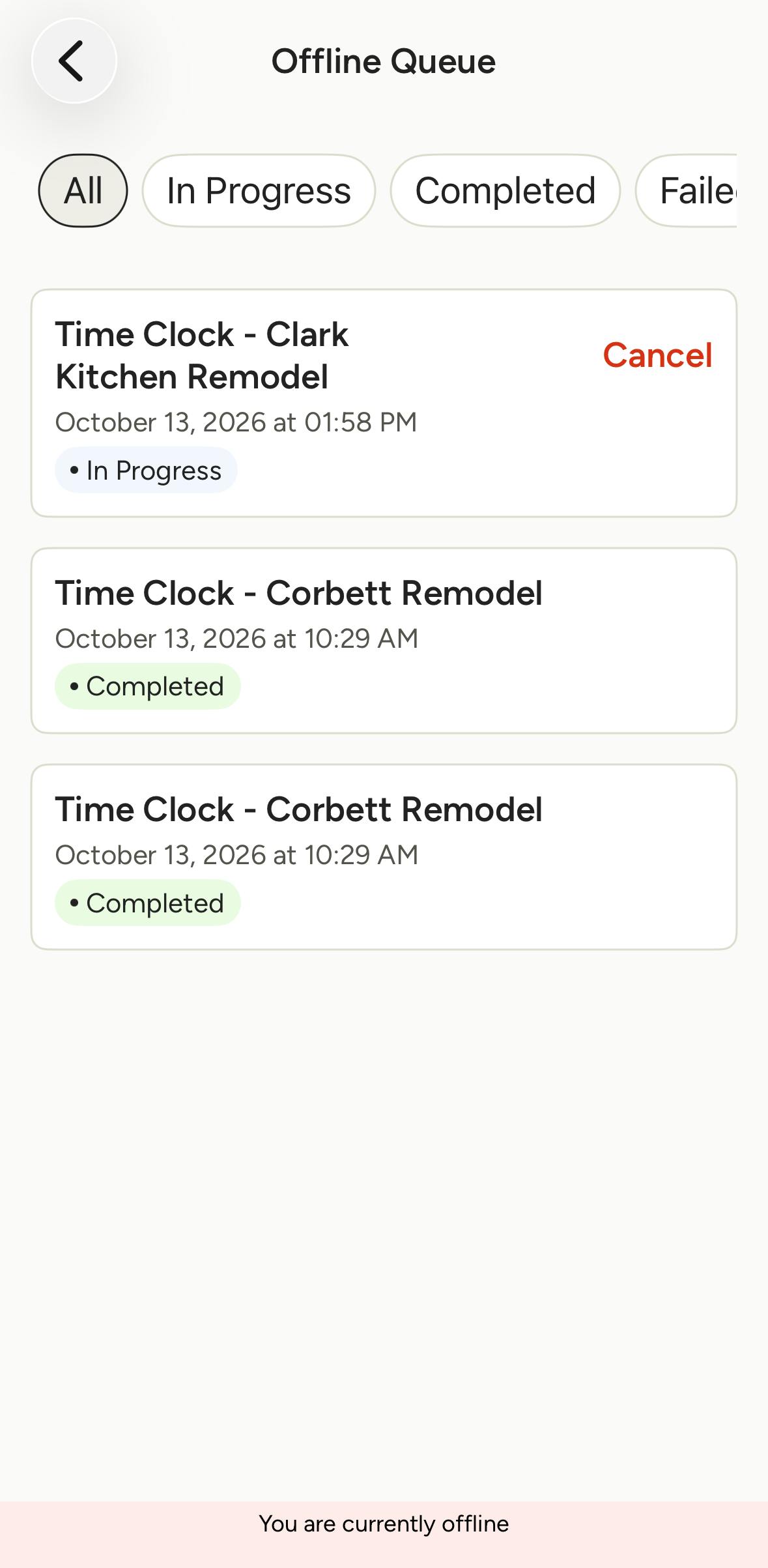
Once internet is available, the entry will sync automatically and be added to your list of time entries — no additional action is needed on your part.
You can check the status of the sync in the Offline Create Queue, located in the More menu. Entries will show as In Progress while internet connection is disrupted and as Completed once they are synced.