How to Use the Site Improvement Panel For Your Houzz Website
While site accessibility and search engine optimization (SEO) are complex topics, Houzz Website Services provides tools to help you identify and fix a few common issues on your website. The following article will show you how to access the Site Improvement Panel and address some frequent problems.
While following the suggestions in the Site Improvement Panel is recommended, they are not strict requirements. You can still publish your site without following the suggestions in this panel.
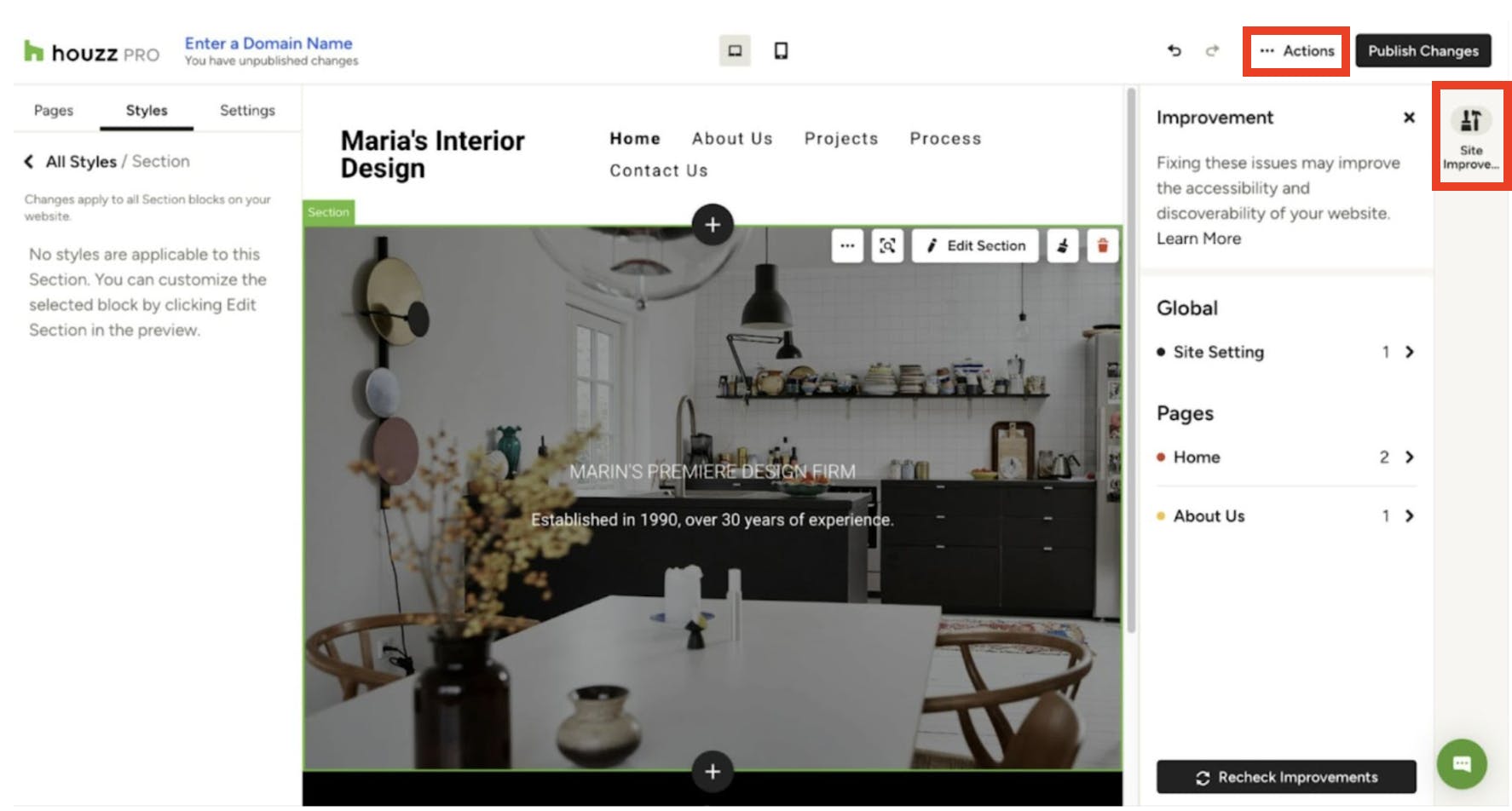
You can access the improvement panel anytime from the Actions menu, under Site Improvement or in the right toolbar. The Site Improvement Panel will notify you of any problems on your website.
Common Issues and How to Fix Them
Here's a list of common issues reported through the Site Improvement Panel of your site editor:
Missing Title (H1)
This issue appears when a page on your site lacks a Level 1 Title (H1). An H1 title is the most important heading on a page. It tells users and search engines what the page is about. Missing an H1 can make it difficult for users to understand your page's topic, especially if they arrive from a link. H1 titles also help search engines understand your page, which can improve its ranking for related keywords.
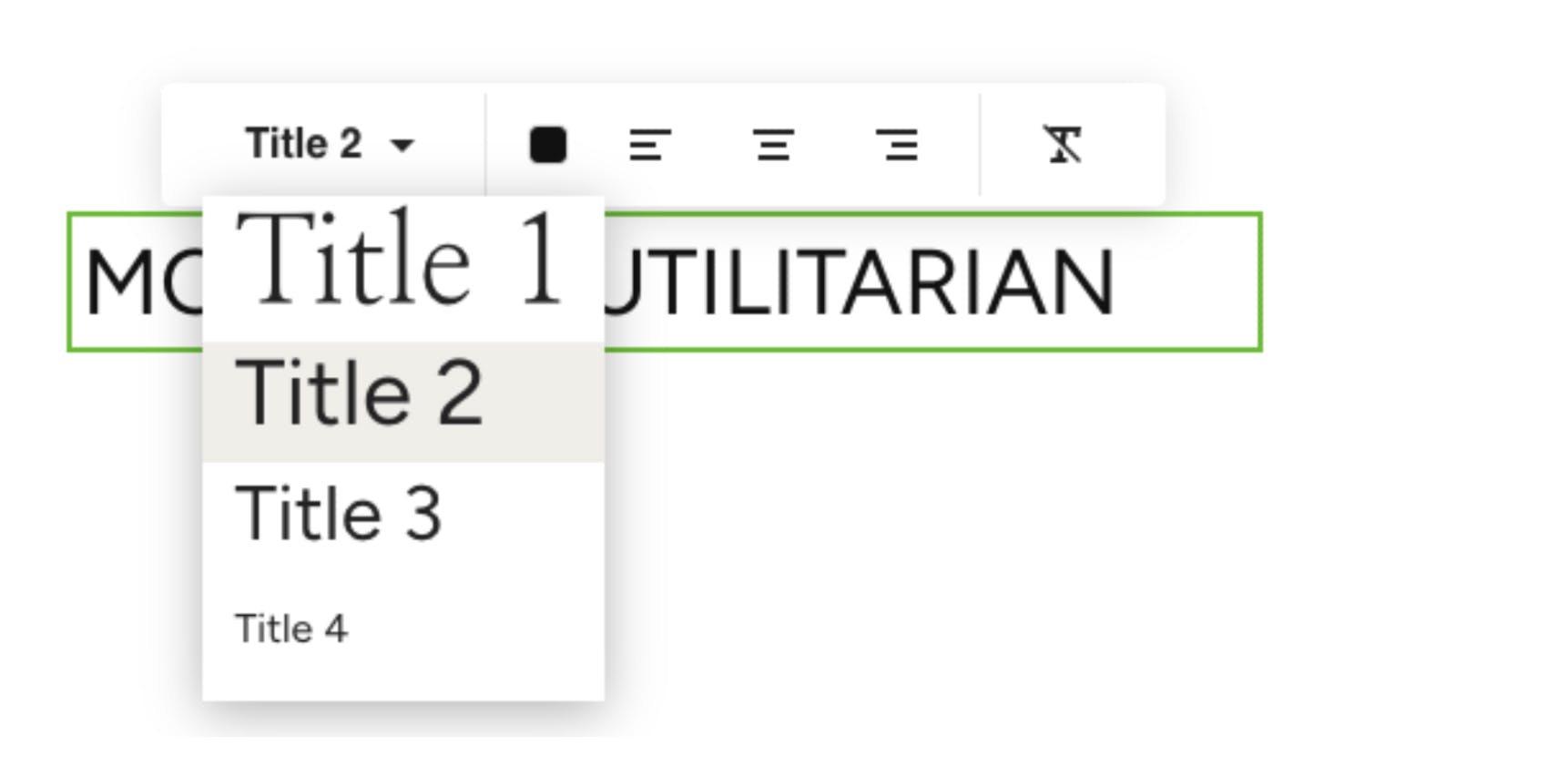
How to Fix It: Consider adding a Title block near the top of your page. Make sure to select Title 1 in the Heading Level dropdown on the left side of the toolbar.
Incorrect Heading Level
This issue is reported when your page skips heading levels (e.g., a Title 2 is followed by a Title 4). Heading levels help structure your page, making your content easier to understand for search engines and visually-impaired visitors who use screen-readers. It's best to use consistent heading levels and avoid skipping them.
How to Fix It: Ensure your titles follow a logical order, separating content of the same importance with appropriate heading levels.
Missing Favicon
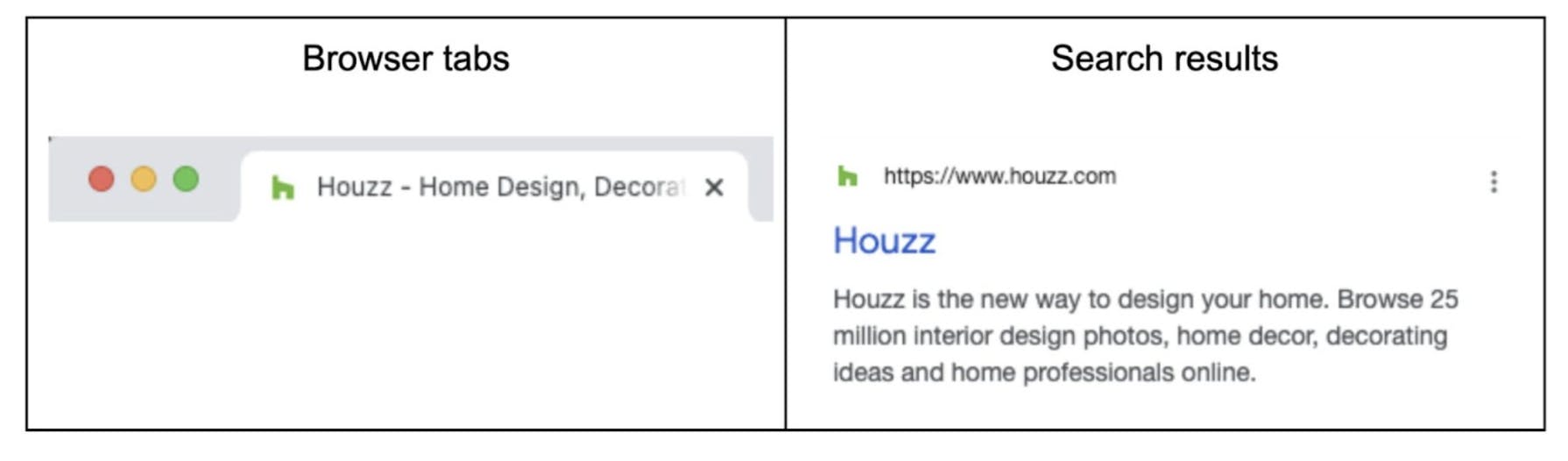
This issue is reported when your website's favicon isn't configured. A favicon is a small icon that adds personality to your website and helps users recognize it. They're visible in your browser tab, search results, and other places (like the Houzz favicon shown below).
How to Fix It: Add a favicon to your website. You can learn how to do that here.
Broken Page Link
This issue is reported when there is a broken link on your site. It’s best to fix this issue right away to avoid confusing site visitors.
How to Fix It: Identify the broken link and replace it with a new link or delete it.
Avoid Project Popover
This issue comes up when you have project content on a page, but the setting is Popover rather than separated pages. Separate pages are preferred because search engines can index them, and users can share direct links to them, which is better for SEO.
How to Fix It: Adjust your project display settings to use separate pages instead of popovers. You can learn how to do that here.
More Website Services Resources
How to Improve SEO and Accessibility For Your Houzz Website
How to Use Third Party Integrations with Your Houzz Website
How to Set Up a Domain and Publish Your Houzz Website
How to Add Content to Your Houzz Website
How to Use the Settings Tab For Your Houzz Website
How to Use the Styles Tab For Your Houzz Website