How to Structure Estimates for Real Tracking — Best Practices
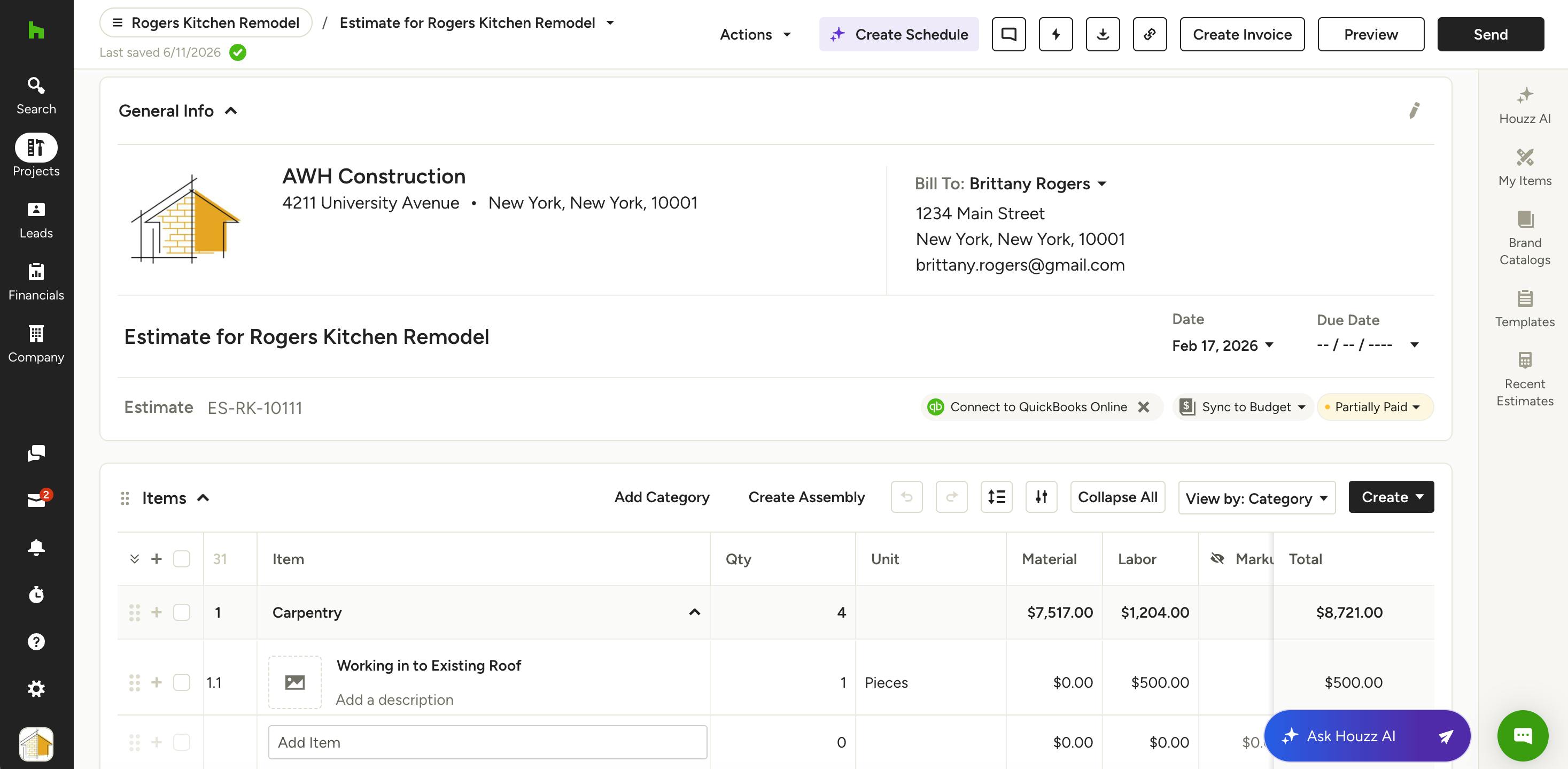
Your estimate isn't just a price for your client — it's the foundation for your budget, your cost tracking, and your profitability. A well-structured estimate makes everything else easier. A poorly structured one creates admin work, unreliable data, and blind spots in your business. Let's go through best practices on how to build out your estimate.
Start With Your Business
Before building your estimate, ask yourself:
- How do I track costs today?
- How do I get billed — materials and labor combined, turnkey, or separately?
- What do I actually want visibility into?
Your estimate structure should reflect how your business already operates — not force you into a new system.
The #1 Mistake to Avoid
The most common estimating mistake is creating high-dollar line items with all the detail buried in the description.
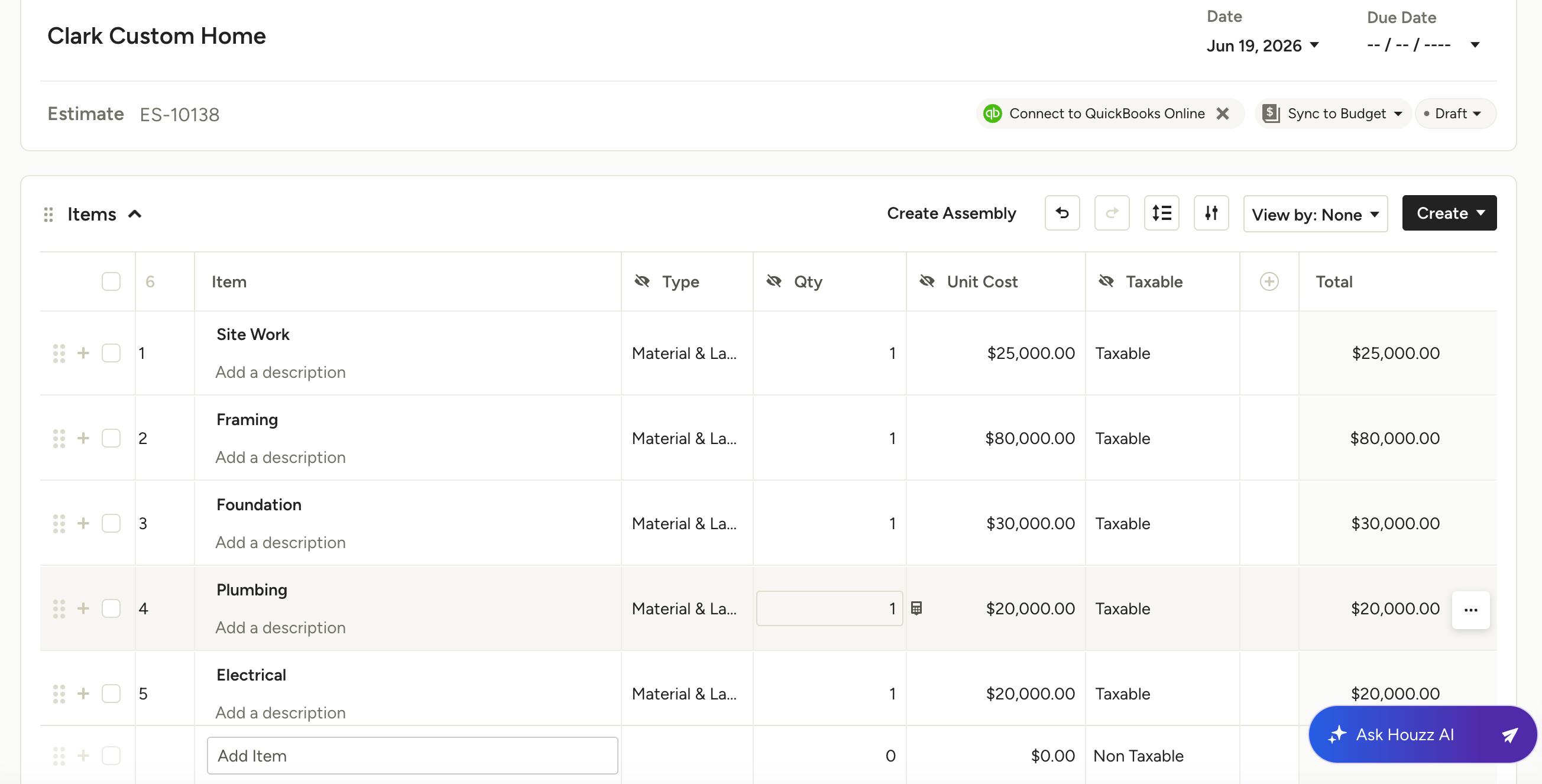
Example: Site Work — $25,000 (includes clearing, grading, permits, and engineering)
This looks organized, but it breaks down fast. You can't track actual costs against those buried items, see where you went over budget, or use that data to improve future estimates.
Please Note: If it's in the description, you can't track it. If you want to track it, it must be its own line item.
The fix is simple — either keep it high-level and accept that level of visibility, or break it into real, trackable line items. Just don't sit in the middle.
Build Your Estimate: Two Key Decisions
When building an estimate, you're making two separate decisions:
- Granularity: How detailed should each line item be?
- Structure: How should the estimate be organized overall?
These are independent choices, and both matter. Let's go over each in detail.
Granularity: How Detailed Should You Get?
There's no single right answer — it depends on what you want to track.
High-Level (Common in New Construction)
One line item per phase or trade:
- Site Work — $25,000
- Framing — $80,000
Best when you subcontract work out, receive combined bids for labor and materials, and track profitability by phase.
Detailed (Common in Renovation and Design-Build)
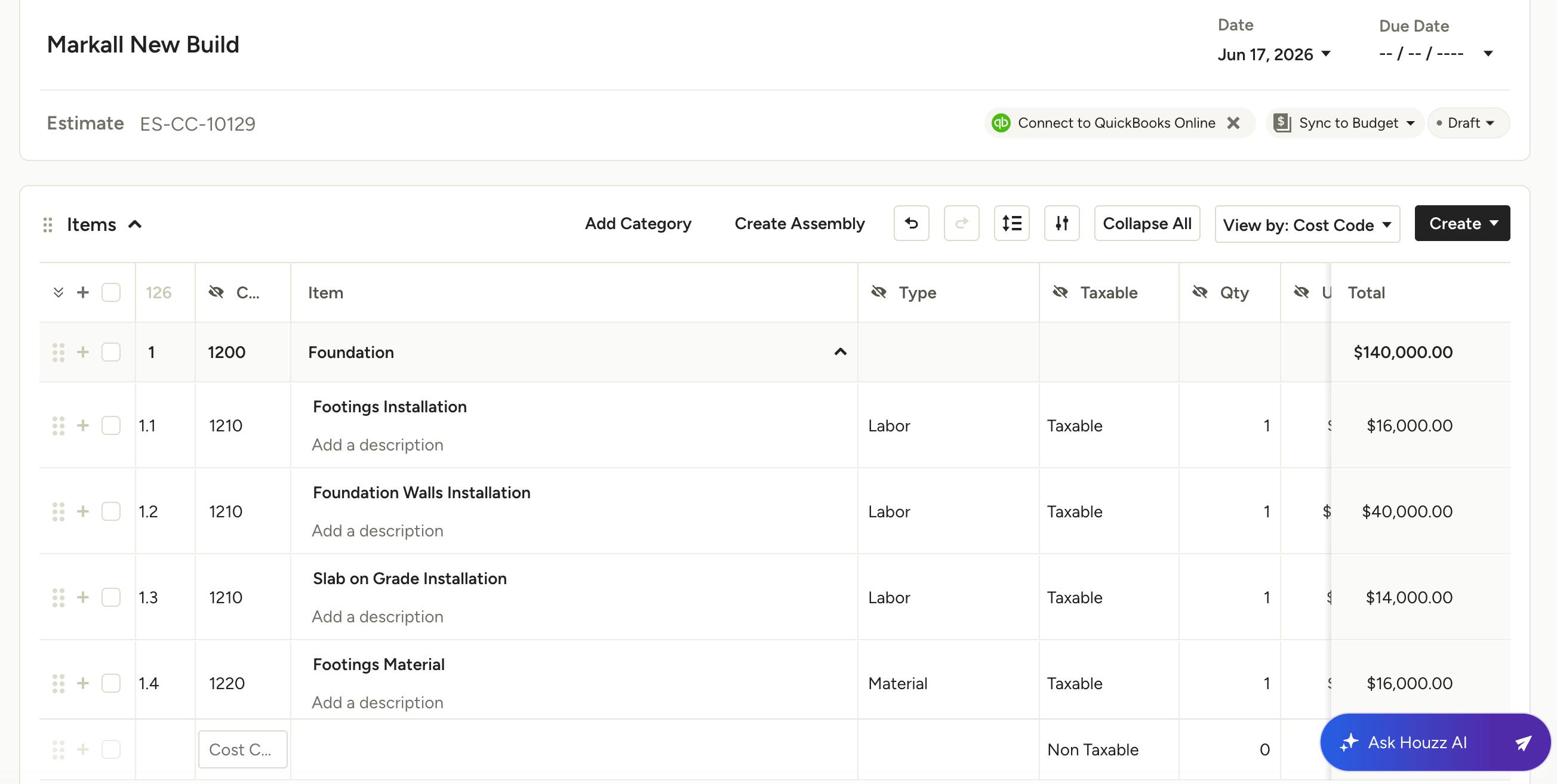
Multiple line items per phase:
- Framing Labor
- Framing Materials
- Equipment
Best when you track labor and materials separately and want deeper cost visibility over time.
Pro Tip: Only break things down as far as you actually track and manage them. Ask yourself: "Do I want to know if this specific part of the job made or lost money?" If yes, make it a line item. If no, keep it grouped.
Structure: Align Your Estimate to How You're Billed
Your estimate structure should match how money actually flows through your business.
- If you're billed in combined amounts: Your framer sends one invoice covering both labor and materials. A single Framing line item may be all you need.
- If you're billed separately: Labor is billed by your framer and materials come from the lumber yard. Break it into Framing Labor and Framing Materials so you can track each independently.
Please Note: Don't create more detail than your real-world data can support. Extra structure that doesn't match how costs come in just creates more work.
How to Organize Your Estimate
Beyond granularity, you need to decide how to organize the estimate as a whole. There are three common approaches.
Option 1: Phase-Based
Organized by trade or construction phase:
- Site Work
- Framing
- Electrical
- Plumbing
Best for new construction and trade-driven workflows where you're tracking costs at a high level by phase.
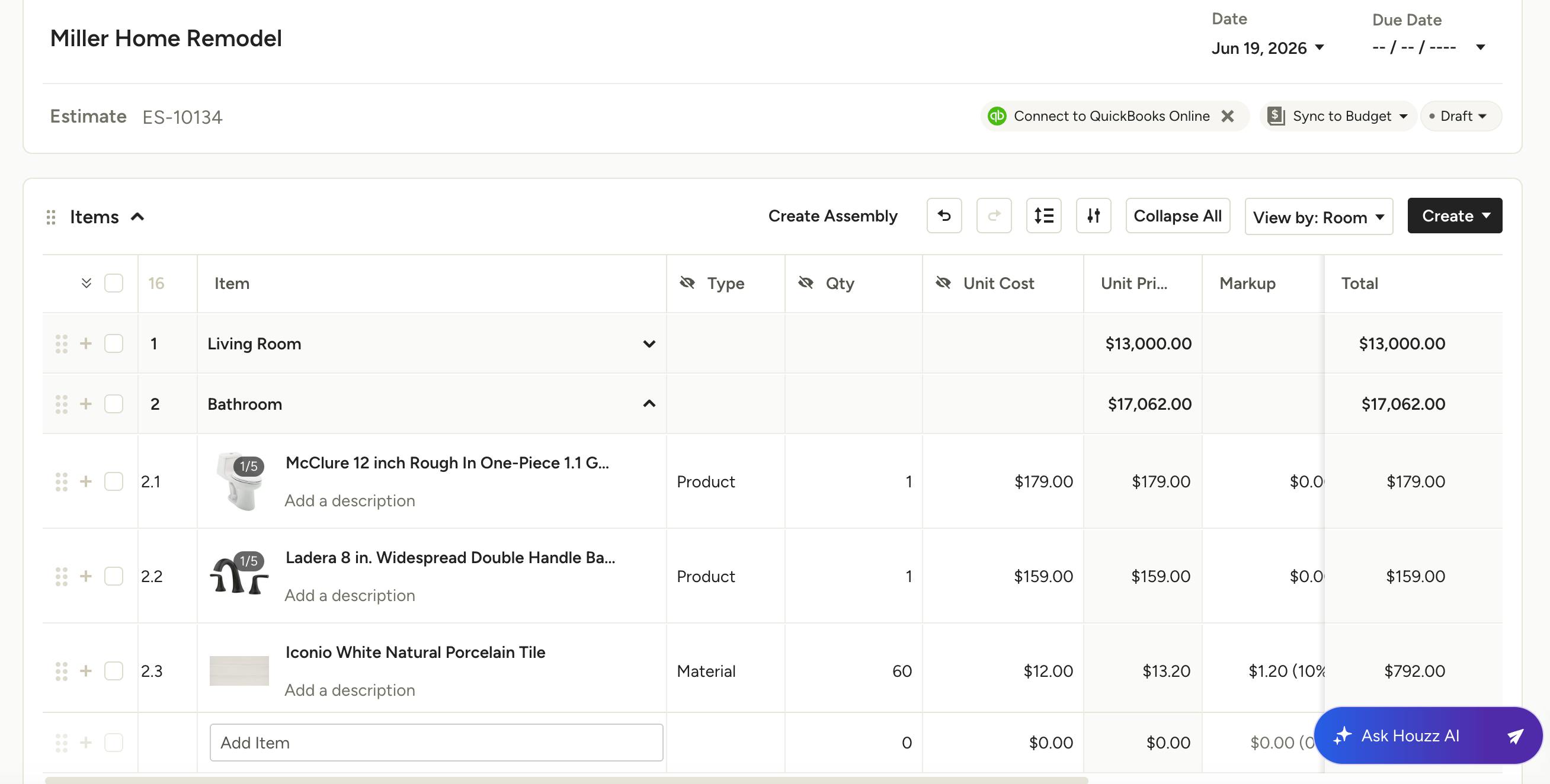
Option 2: Room-Based
Organized by space or area:
- Living Room
- Primary Bathroom
- Kitchen
Best for renovations where clients are making decisions by room and scope can shift by space.
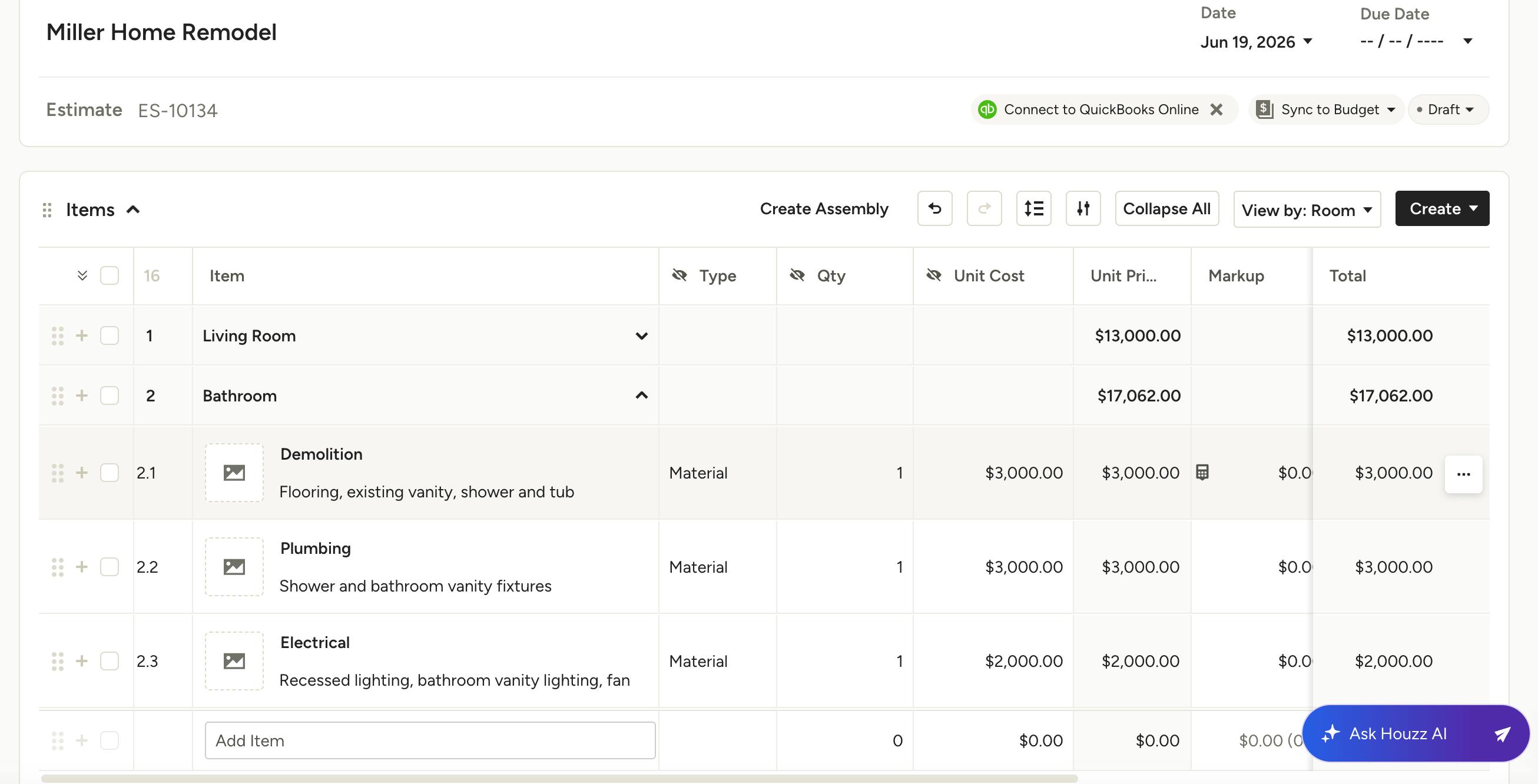
Option 3: Hybrid (Room + Phase)
Organized by room, with phases broken out within each:
- Kitchen → Demo, Cabinets, Plumbing, Electrical
- Powder Bath → Demo, Tile, Electrical
This gives you the best of both — clients can see cost by room, and you can still understand cost by type of work.
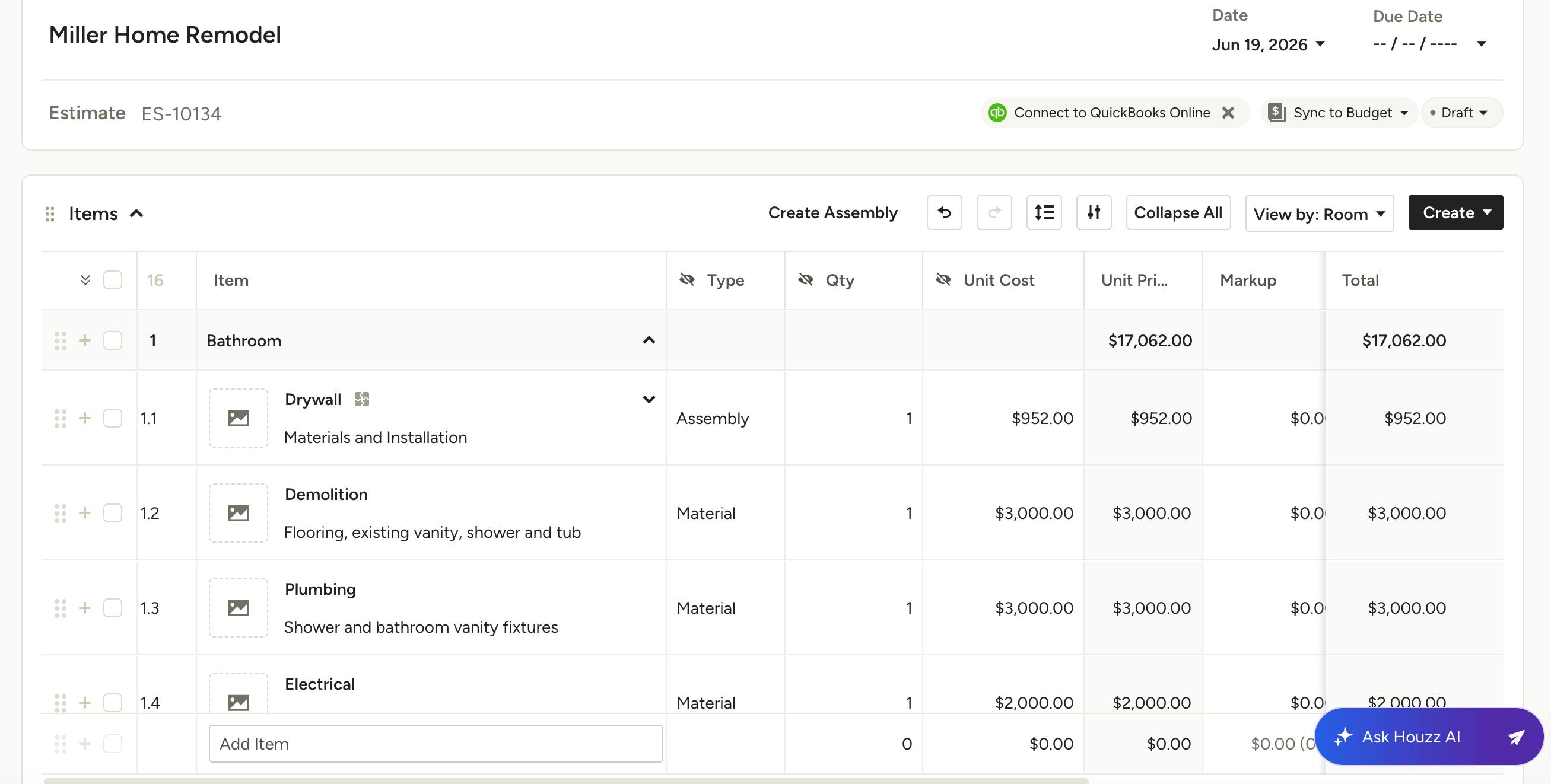
Advanced: Assembly-Level Detail
For highly detailed estimating — especially when you're purchasing all materials directly — you can use Assemblies to group related items together:
- Drywall Assembly → Drywall sheets, joint compound, drywall screws, joint tape, hang and finish labor
Pro Tip: Organize your estimate the way your client understands the job and the way your business needs to track it. For new construction, that's usually phase-based. For renovation, room-based or hybrid tends to work better.
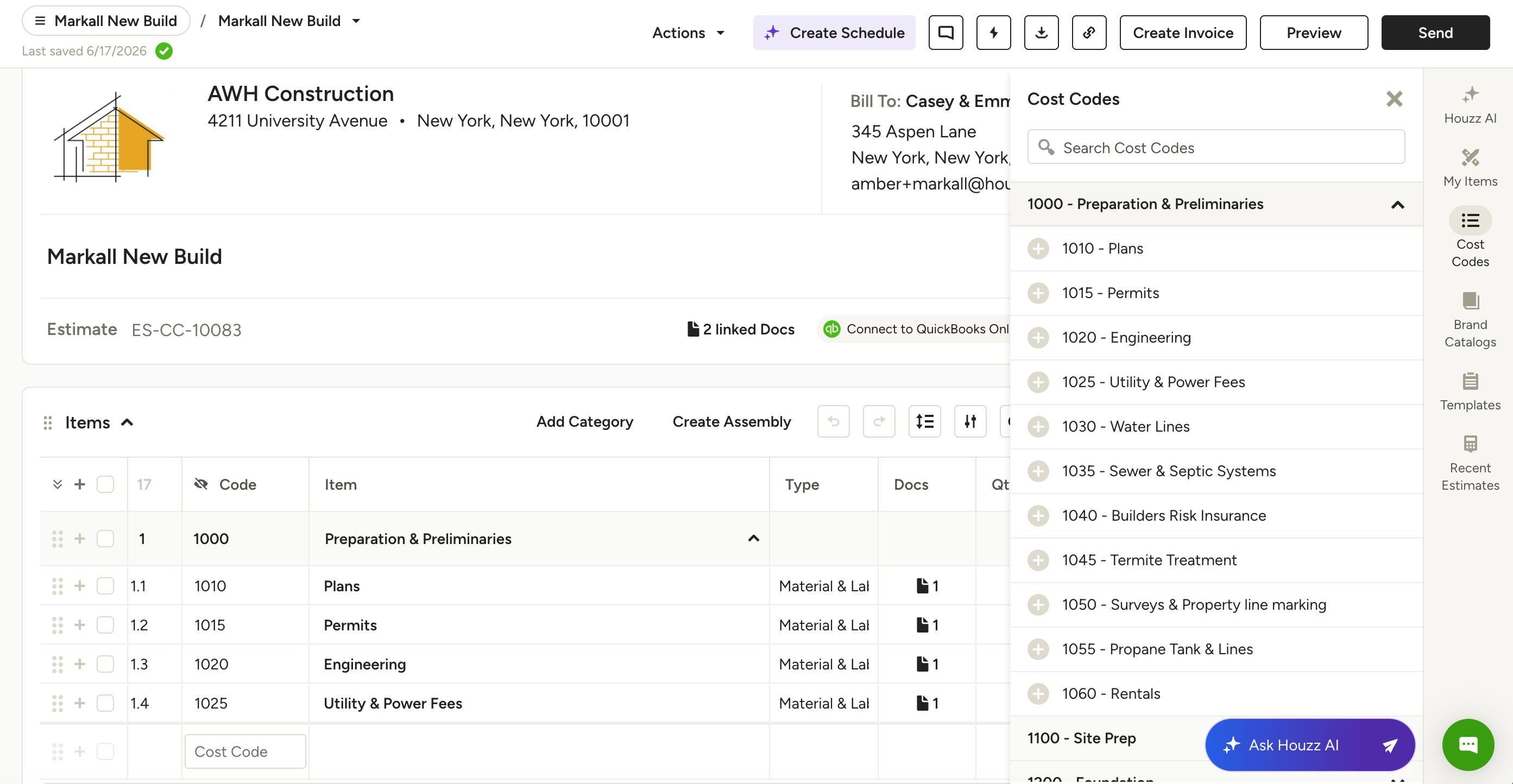
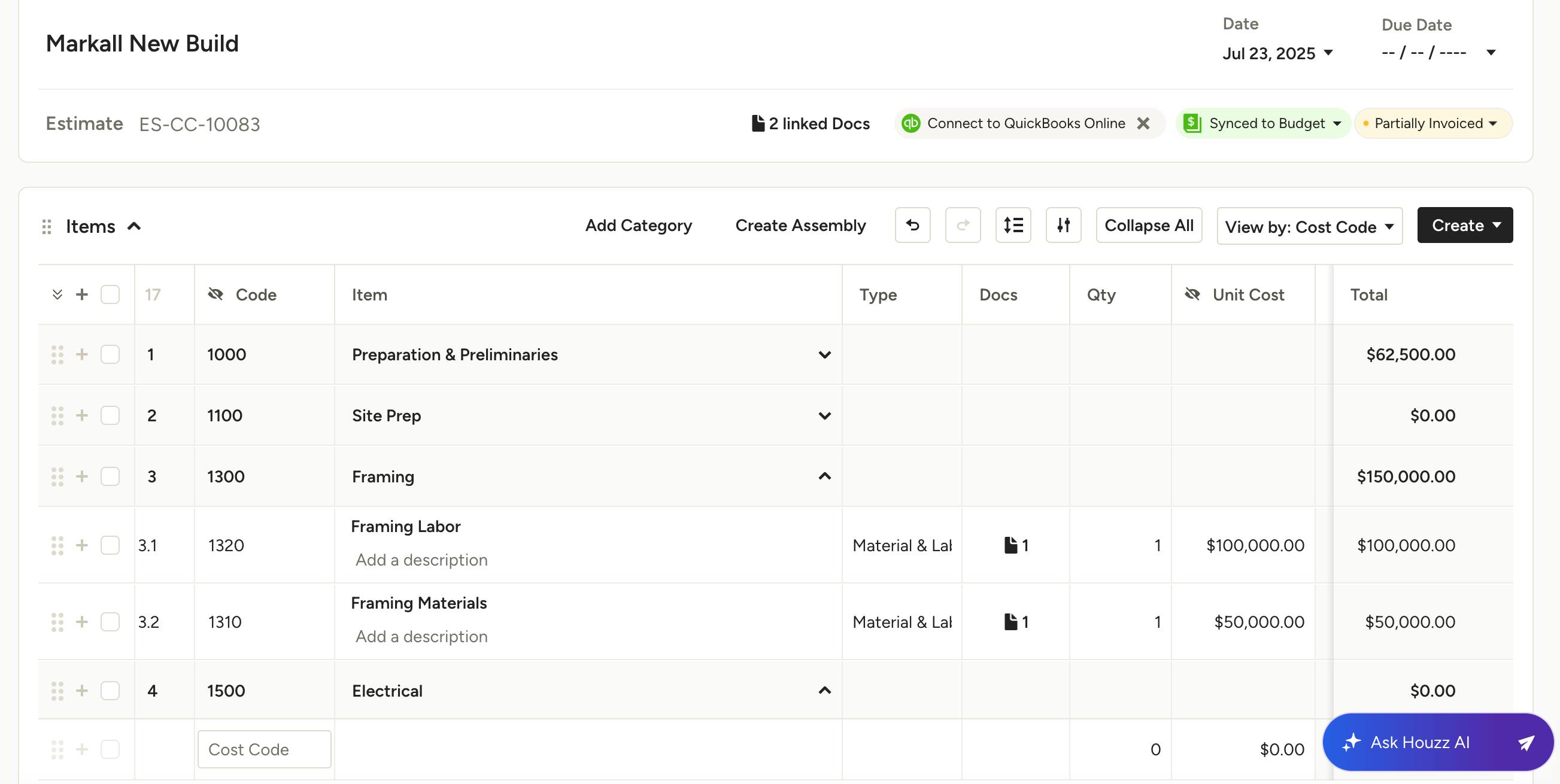
Categories vs. Cost Codes
Both systems depend on a well-structured estimate to work effectively.
With Categories:
- Flexible and fast to set up
- Expenses are linked to categories or line items manually
- Works well for simpler or high-level tracking
With Cost Codes:
- More structured and consistent
- Automatically connects your estimate, budget, and actual costs
- Requires consistent setup and use across your team
Please Note: Cost codes don't fix a poorly structured estimate — they amplify a well-structured one.
For a deeper look at choosing between the two, read Categories vs. Cost Codes in Houzz Pro.
Estimate Best Practices
- Build Templates to Save Time: Creating estimate templates helps you start new projects off faster. Build your templates with more detail than you think you'll need, then remove what doesn't apply and adjust quantities from there. This prevents missed scope, acts as a built-in checklist, and helps you move faster on every new project.
- Show Clients What They Need — Track What You Need: You don't have to choose between client clarity and internal detail. In Houzz Pro, you can show clients high-level totals while maintaining a detailed internal structure. This keeps clients from getting overwhelmed while giving you the financial visibility to run your business well.
- Avoid Over-Structuring: More structure isn't always better. If your team can't consistently maintain the system — logging time and expenses to the right codes, every time — it won't work. Signs you've gone too far include: inconsistent expense logging, a setup process that takes longer than the job itself, and reporting you don't trust.