Choosing the Right Financial Structure: Categories vs Cost Codes
Winning the job is only half the battle — understanding where your money goes is what keeps your business profitable. The way you structure your estimates in Houzz Pro directly impacts your ability to track costs, measure profitability, and run a predictable business.
That's where Categories and Cost Codes come in. Houzz Pro gives you these two ways to organize your financials — knowing which one to use gives you the financial clarity to work smarter on every project. Let's go over the differences.
Please Note: Before setting up your financial structure in Houzz Pro, consult your bookkeeper or accountant. They're best positioned to help you decide how to track your finances, and this decision should align with your accounting system — not just your software setup.
Your bookkeeper can help you determine:
- How your financials are tracked today
- Whether you already use cost codes in QuickBooks or elsewhere
- How detailed your reporting needs to be
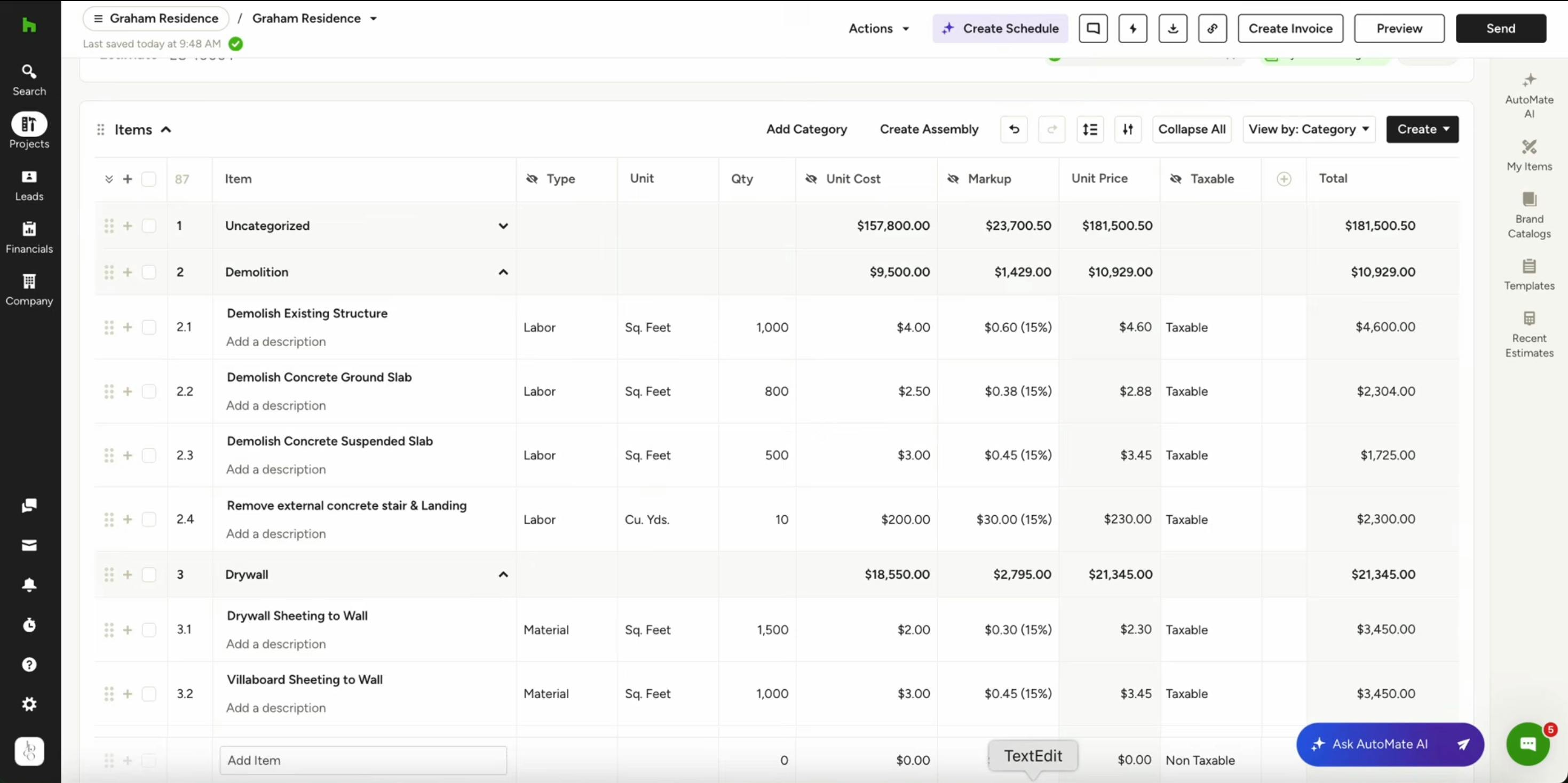
Categories: Best for Simplicity and Speed
Categories are a flexible way to group line items by trade or phase — think Plumbing, Electrical, or Finishes. It is a more simple, single-level tracking option.
Here is a video example showing how categories appear within Houzz Pro.
How it works:
- You organize your estimate using broad categories
- Expenses and time entries are linked manually to the appropriate category or line item in the budget
- Budget tracking is less automated
Best for:
- Pros just getting started with job costing
- Smaller teams who don't need a standardized list across multiple people
- Businesses that don't require a strict accounting structure
Benefits:
- Fast to set up
- Easy to understand
- Flexible and adaptable
Limitations:
- Expenses must be manually linked in the budget
- Less visibility into detailed performance (labor vs. materials, phase by phase)
- Harder to scale into true job costing
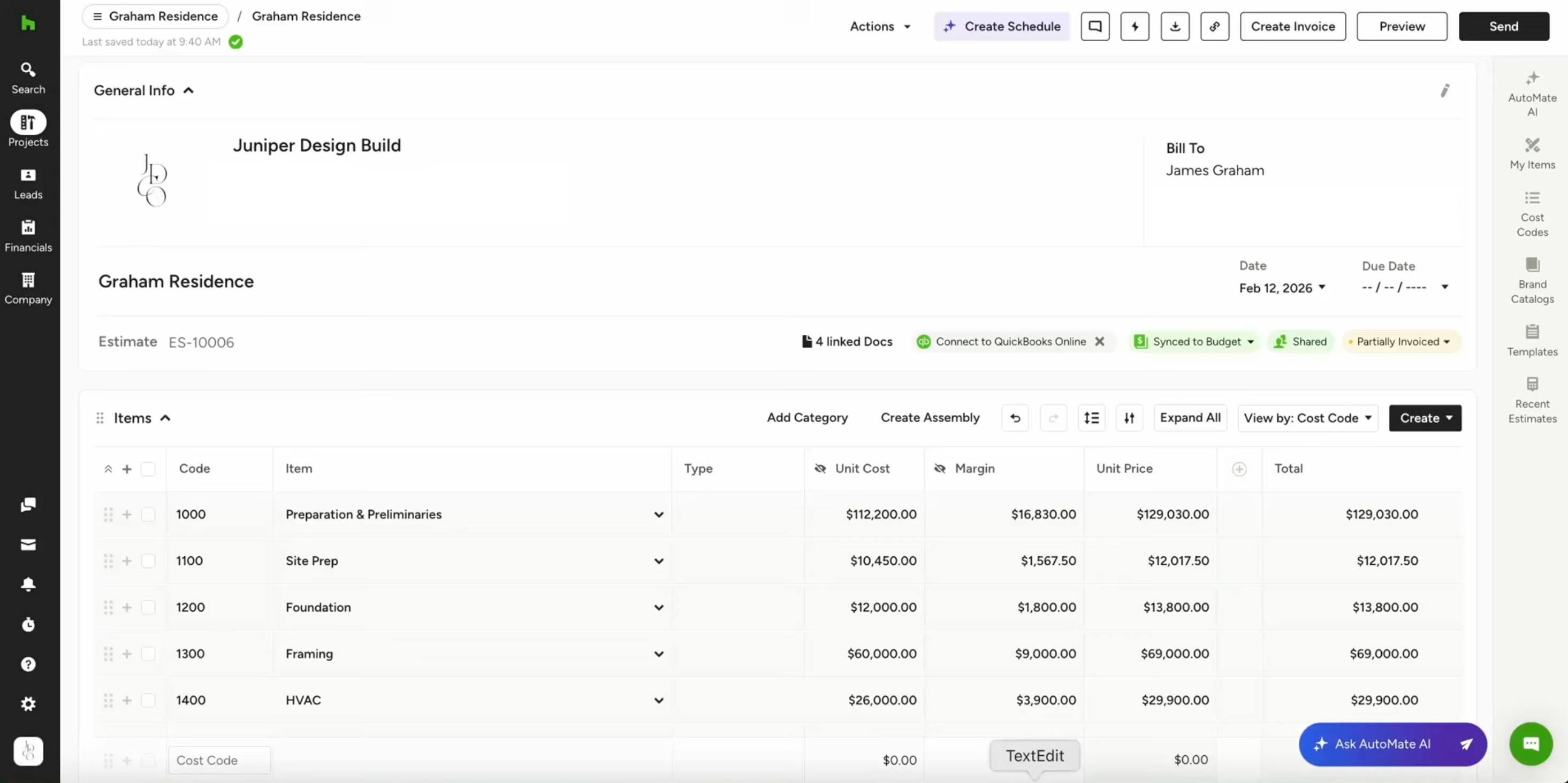
Cost Codes: Built for Job Costing and Financial Clarity
Cost codes are a structured system that organizes your project by phase, trade, and cost type — such as labor or materials. It is a more detailed, two-level tracking option.
Most pros don't adopt cost codes just to organize their estimates. They adopt them because they want to understand where their money is going, track profitability project by project, and build a more predictable business.
Here is a video example showing how cost codes appear within Houzz Pro.
How it works:
- Every line item is assigned a cost code
- Time and expenses are assigned to those same codes
- The budget updates automatically when costs are logged
You're essentially defining the buckets up front that you want to track — and those buckets become the foundation for job costing as the project progresses.
Please Note: Cost codes only work if your estimate is structured correctly. If your estimate is built with lump-sum line items and details buried in the description, you won't be able to properly track costs or job cost your projects.
Best for:
- Builders doing detailed job costing
- Teams tracking actual vs. estimated costs
- Pros who want phase-level visibility (e.g., framing labor vs. framing materials)
- Anyone sharing detailed financial breakdowns with clients
Benefits:
- Automatic Budget Tracking — No manual linking required. Actual costs flow directly into the right bucket.
- Better Financial Insights — See exactly where money is going by phase (site prep, framing, finishes) and by type (labor vs. materials).
- Scales With Your Business — Supports more complex projects and larger teams.
- Cleaner Client Communication — Organized by construction phase, cost codes help align what was estimated with what's actually happening on the job.
- Team Alignment and Consistency — Cost codes create a standardized structure across every project, so every PM and estimator organizes their work the same way. This keeps reporting clean and simplifies bookkeeping.
Limitations:
- Requires consistent use across your team — everyone must assign the right codes
- Mistakes in coding can reduce the accuracy of your reporting
- Works best when your workflows are already standardized
Category vs. Cost Code Details
One of the biggest differences between Categories and Cost Codes is the level of financial detail you can access.
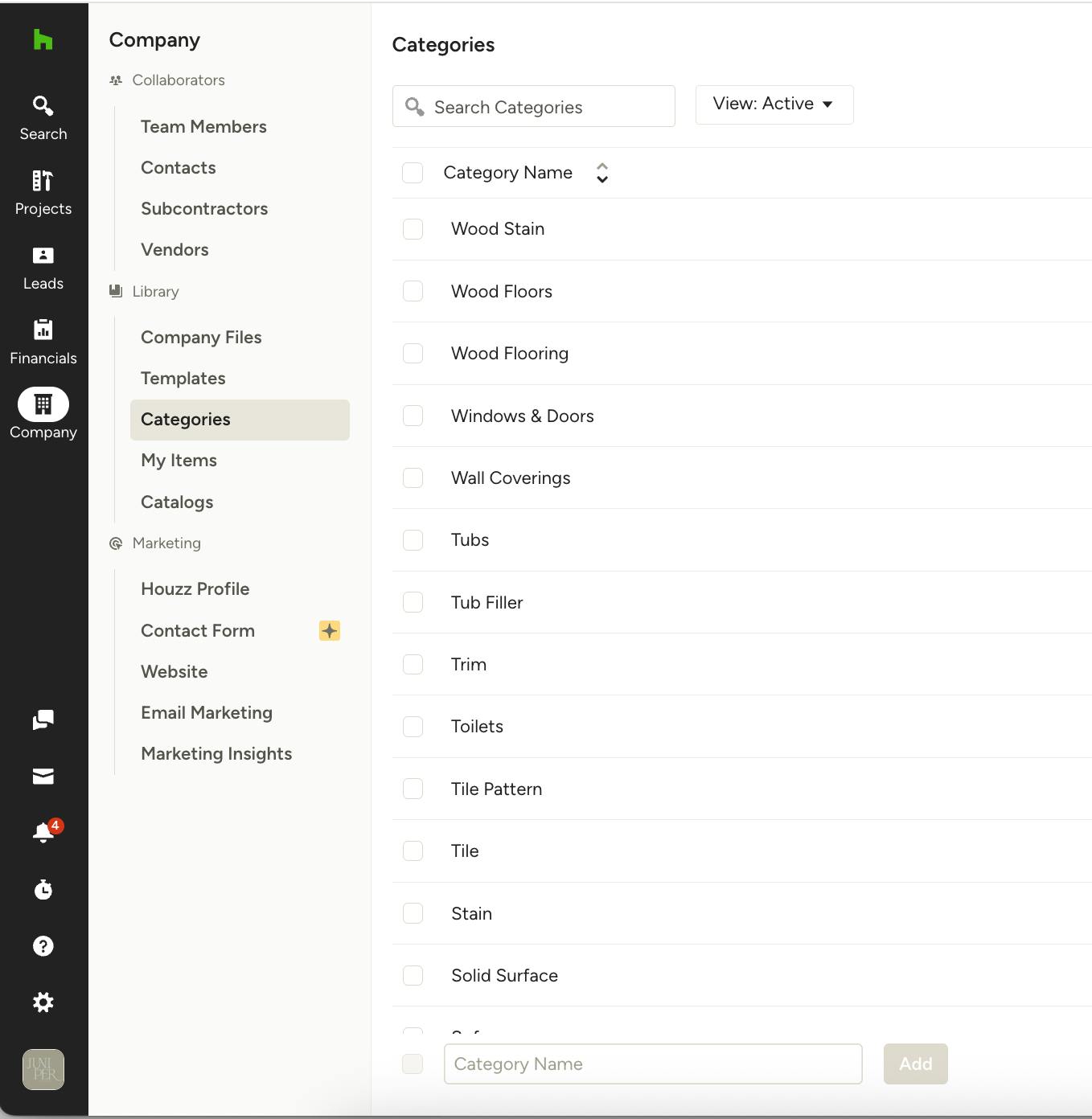
Categories = Single-Level Tracking
Everything rolls up into one bucket. You see total spend per category, but not what makes it up.
Category Examples: Wood Floors, Windows & Doors, Trim
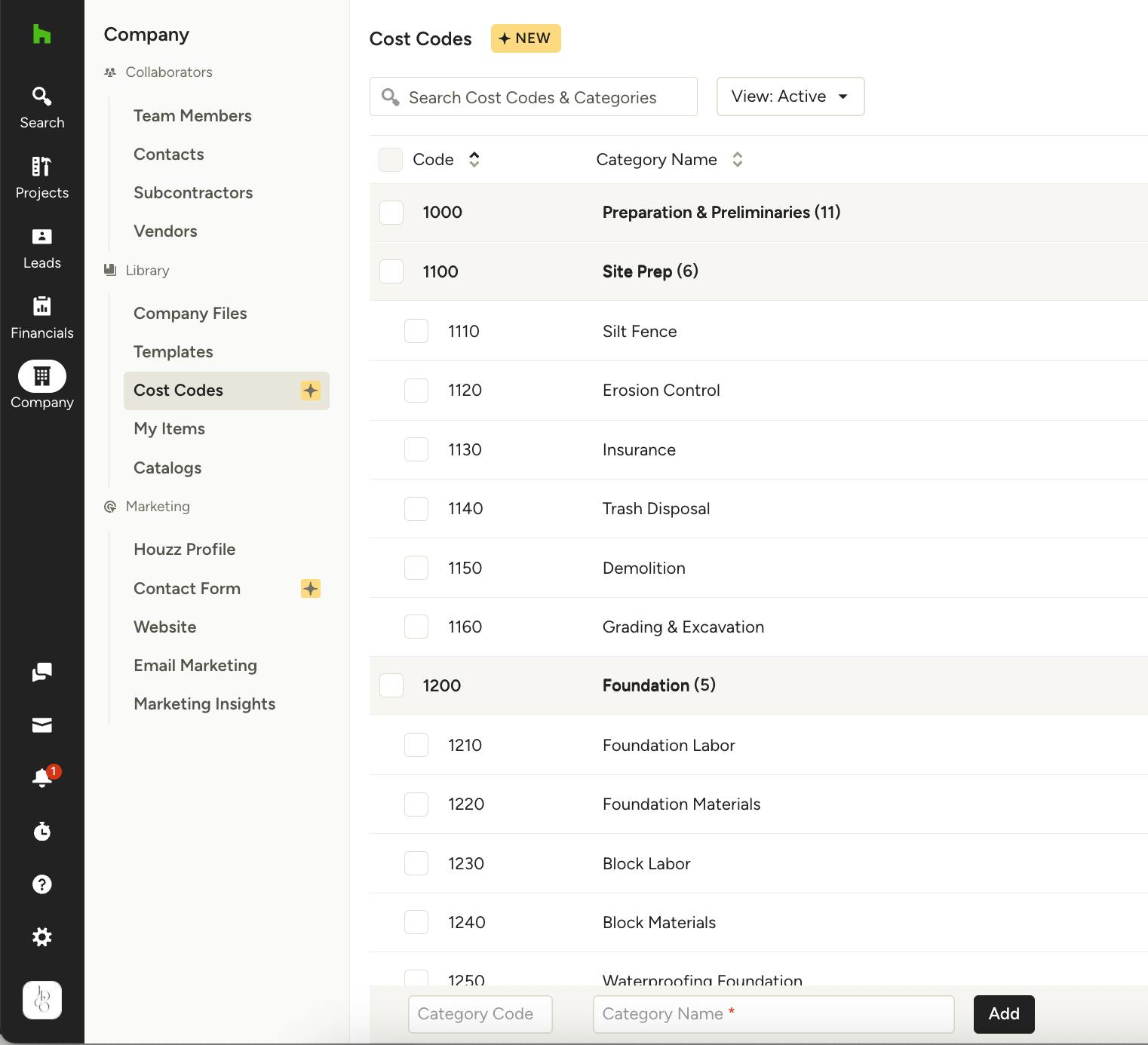
Cost Codes = Multi-Level Tracking
Cost codes let you break work down further.
Cost Code Examples: Cost category is Foundation; cost codes are Foundation Labor, Foundation Materials
With that structure, you can answer questions like: Did labor run over? Were material costs higher than estimated?
Pro Tip: More detail isn't always better. If you're not going to use the detail, it becomes noise. Match your structure to how you actually run your business.
How to Decide
The way you structure your estimate should reflect how costs actually show up on the job.
Ask yourself:
- How do costs come in when the job is running?
- Do I receive one total number, or are costs broken out?
- What level of detail do I actually want to track?
If costs come in as lump sums: A subcontractor sends one invoice for $25,000 covering all work and materials. In this case, one line item — Framing, $25,000 — is appropriate. You're tracking profitability at the trade level.
If costs are broken out: Labor and materials are billed separately. Break them out accordingly — Framing Labor and Framing Materials — so you can track where the money is going and improve future estimates.
If your costs vary by trade (very common): Some trades may be lump sum while others are split. That's completely fine. Your estimate and your cost codes can and should reflect that mix.
A Simple Framework to Apply
Use Categories if:
- You need to create estimates and invoices without detailed cost tracking
- You don't track actual costs closely
- You want something quick and easy to set up
- You think about your jobs in high-level phases only
Use Cost Codes if:
- You want to track actual vs. estimated costs
- You need visibility into where you're making or losing money
- You want a more automated, scalable financial system
- You have a team that needs a standardized structure across projects