How to Set the Correct Scale on Takeoffs
Before you can begin accurately measuring your project, you must ensure your takeoff is set to the correct scale. Houzz Pro offers two primary ways to do this — Standard Scale Detection or a Manual Calibration.
Standard Scale Detection is best when the architectural scale is clearly printed on the plans (example: 1:50 or 1/8"=1' 0"). Houzz Pro will use AI to automatically locate the scale written on the drawing and apply it.
Manual Calibration is the most accurate method for scanned documents or PDF files where the original scale might have been distorted. It is also helpful when the scale is unknown or the original plan doesn't mention scale.
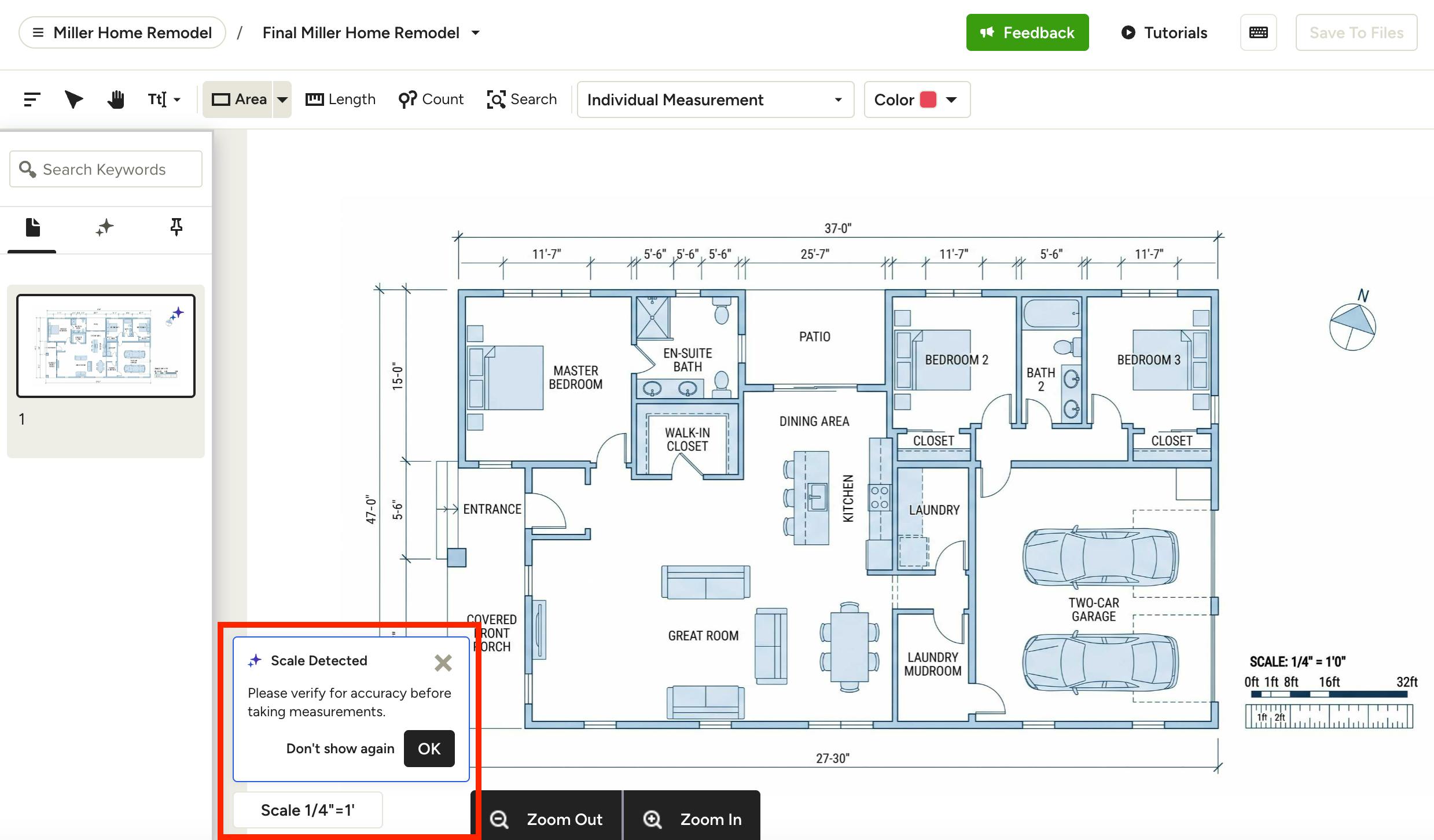
Standard Scale Detection
If your plan includes a pre-defined scale, Houzz Pro uses AI to detect it directly from your drawings and apply it automatically.
When you upload your takeoff file, a popup will appear at the bottom of the screen letting you know a scale was detected. This only happens when measurements are clearly labeled on the plan.
It's important to review the scale to make sure it is accurate, since an incorrect scale will throw off every measurement that follows. If it's correct, click OK.
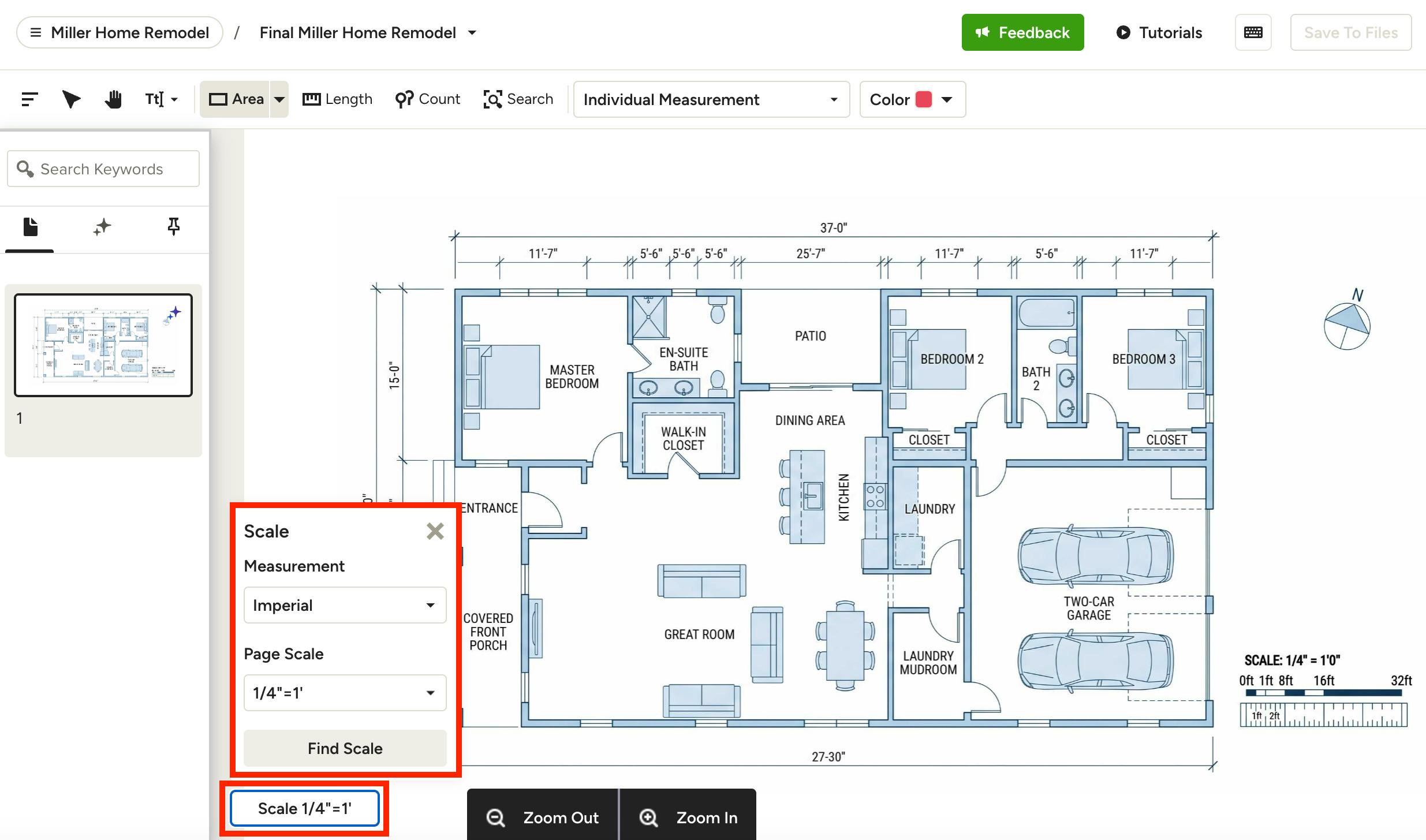
If you need to adjust the scale, click on the scale in the bottom of your takeoff to open up the Scale menu.
Here, you can adjust the Measurement option to either Imperial or Metric. Under Page Scale, select the specific scale that matches your plan, such as 1/4 inch equals 1 foot (the most common scale).
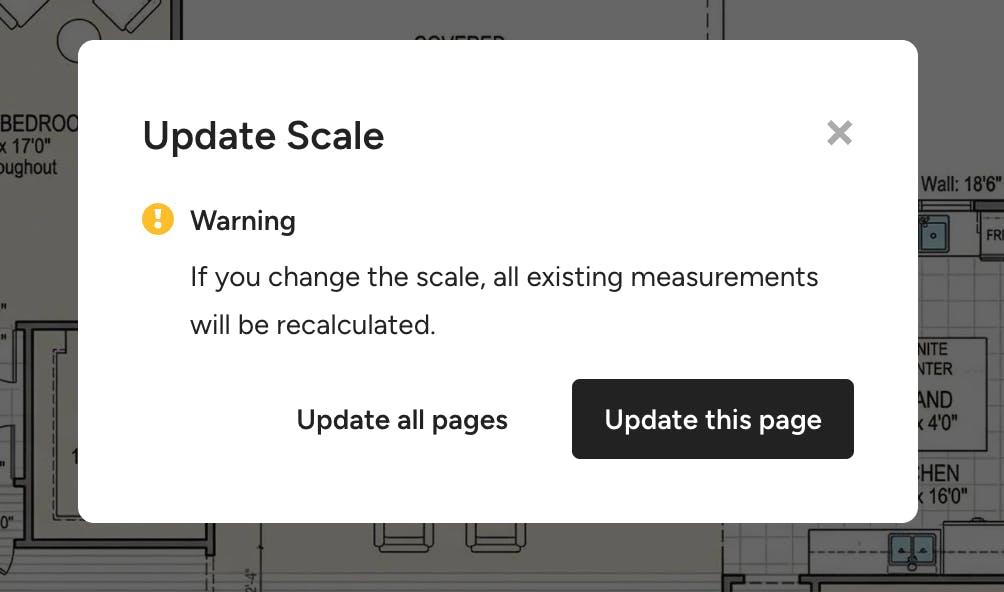
If you are making changes to an already set scale, a screen will appear asking to confirm the change.
Select Update This Page if you only want to change the scale for the selected page.
Select Update All Pages if you want to change the scale for all pages.
Houzz Pro will now adjust the scale for your takeoff.
Please Note: Keep the following in mind when using AI scale detection:
- If a page contains more than one scale, AI will not be able to auto-detect the scale. In these cases, the scale will default to the standard scale (1/4"=1' 0"), and a banner will display on the page to alert you.
- If the detected plan scale is in Metric but your takeoff settings are in Imperial (or vice versa), AI will automatically convert the detected scale to match your takeoff settings.
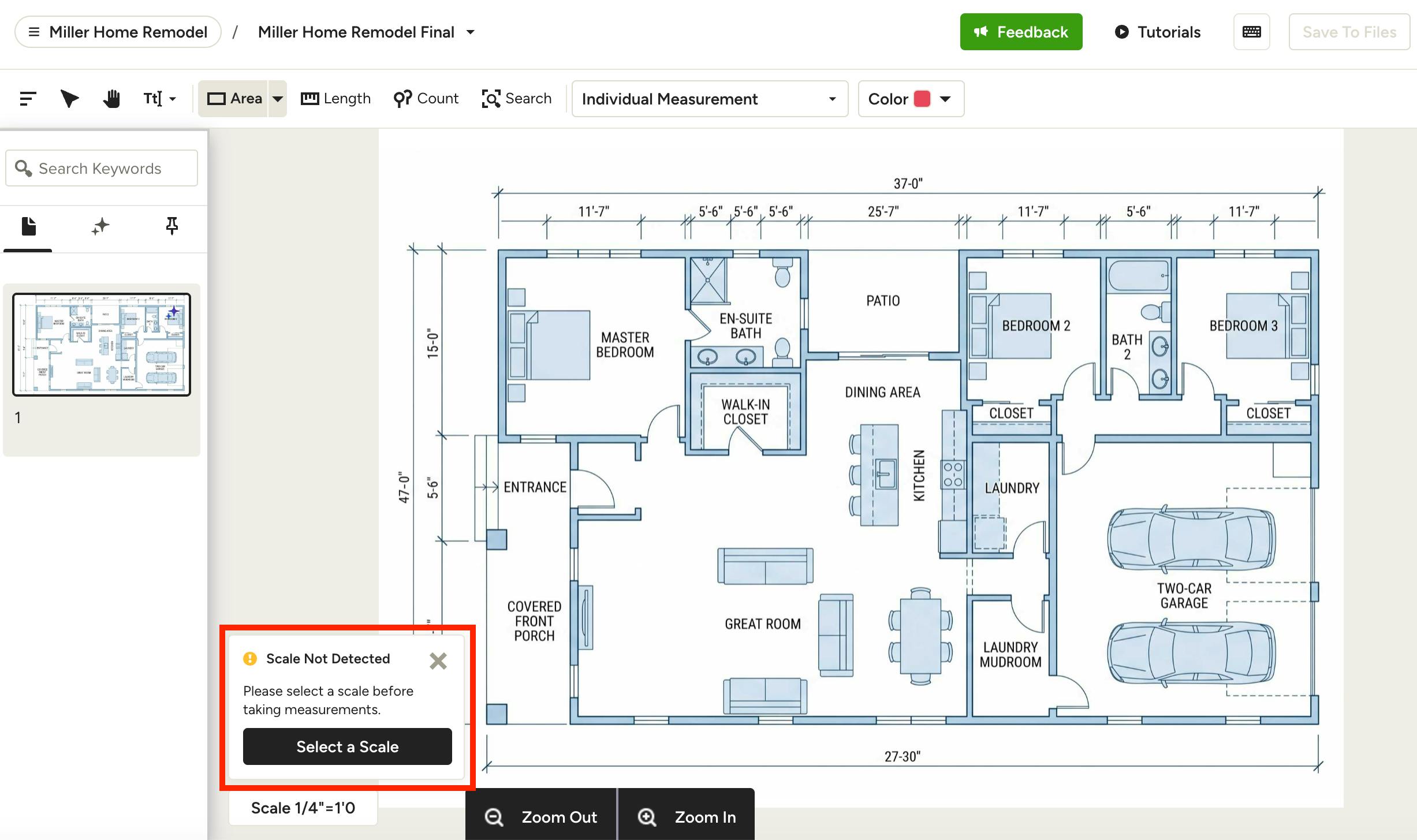
Manual Calibration
If your plan doesn't list a scale, or if the file has been resized and the standard scale is no longer accurate, a popup will appear at the bottom of your takeoff to inform you a scale was not detected. Click Select a Scale to open the Scale menu.
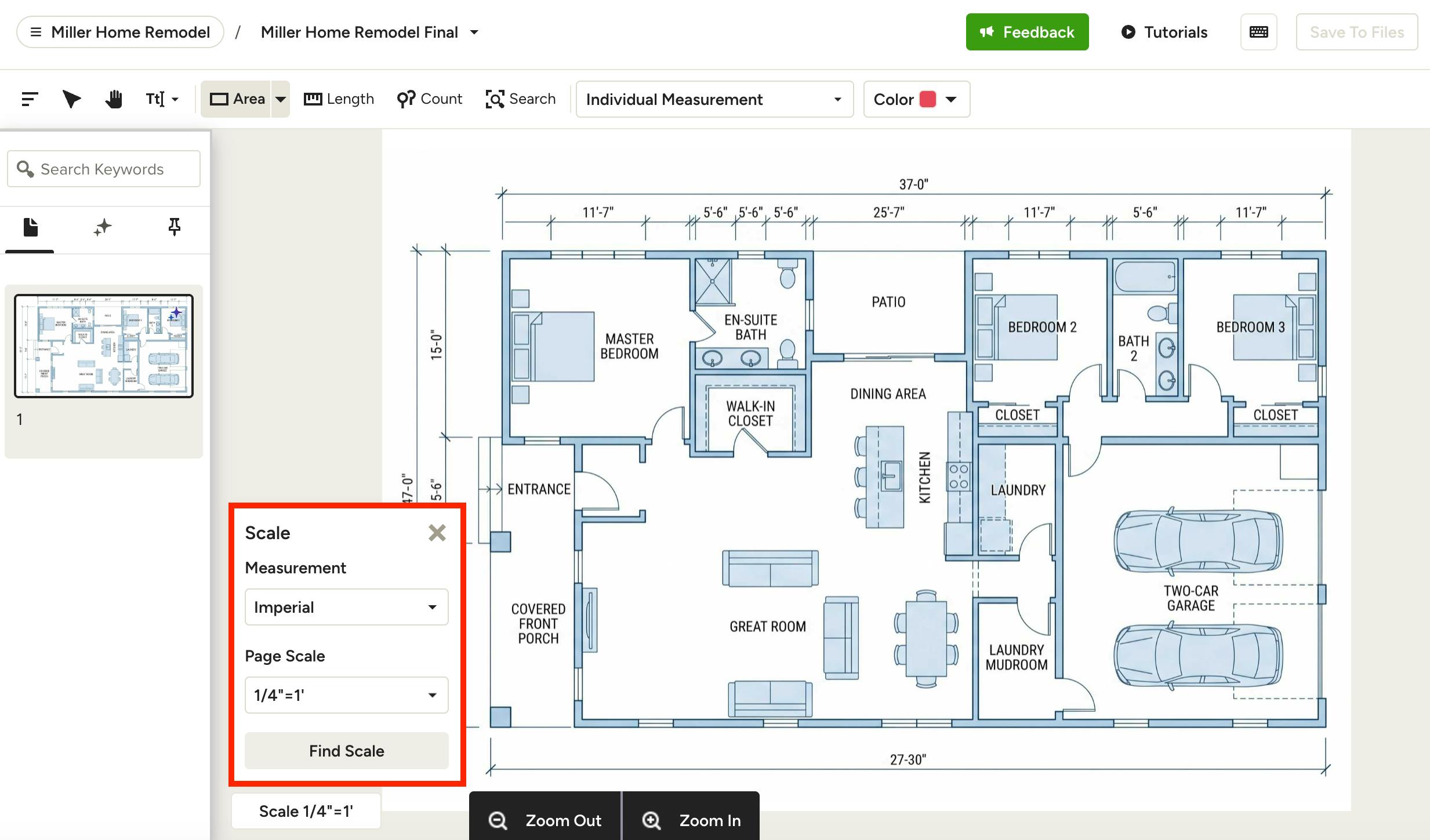
To ensure accuracy, you will need to manually calibrate scale by using a known measurement, like a doorway or a wall length. Click Find Scale to get started.
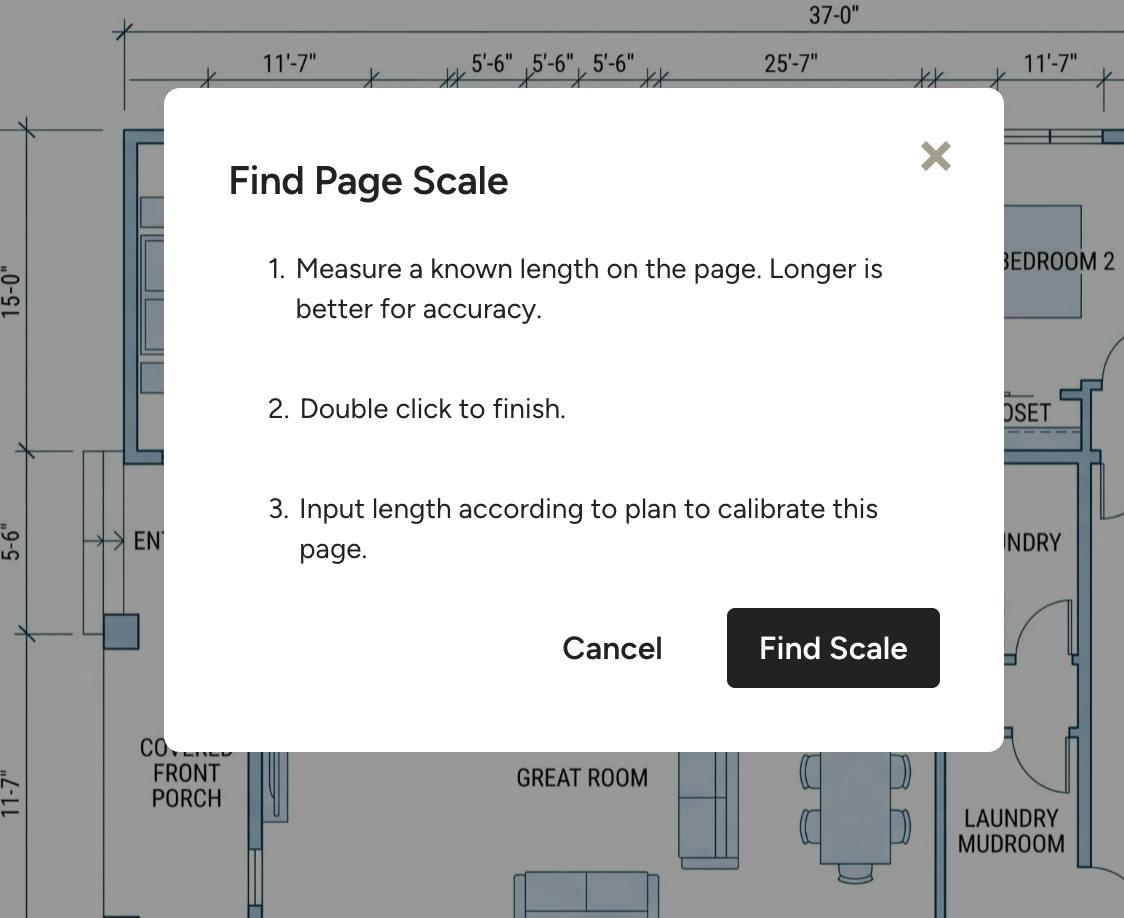
A screen will appear with instructions. Click Find Scale.
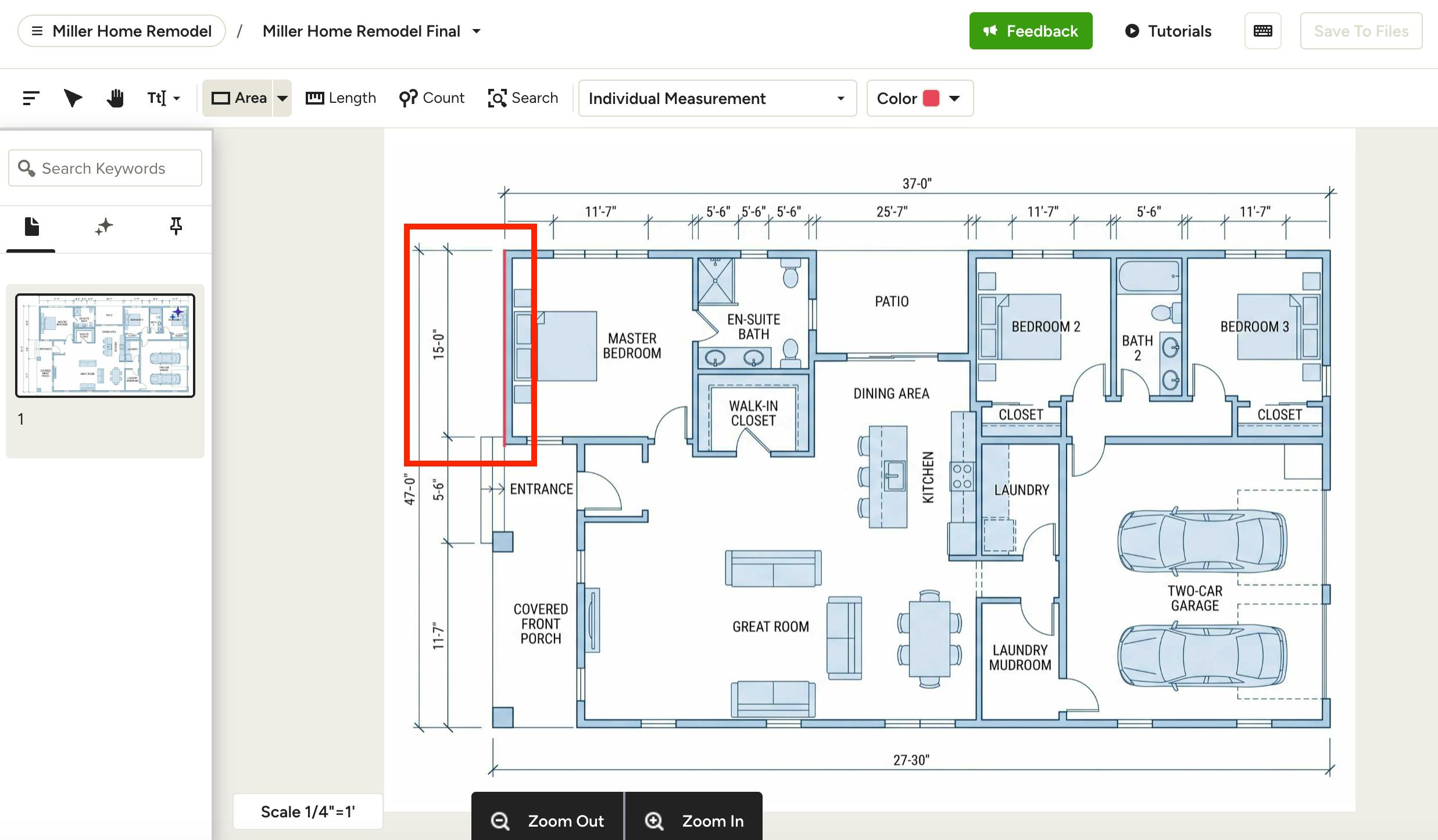
Measure a known length directly on the canvas — click on one corner as your starting point, drag your mouse to the next corner as your ending point. Double click to finish the line.
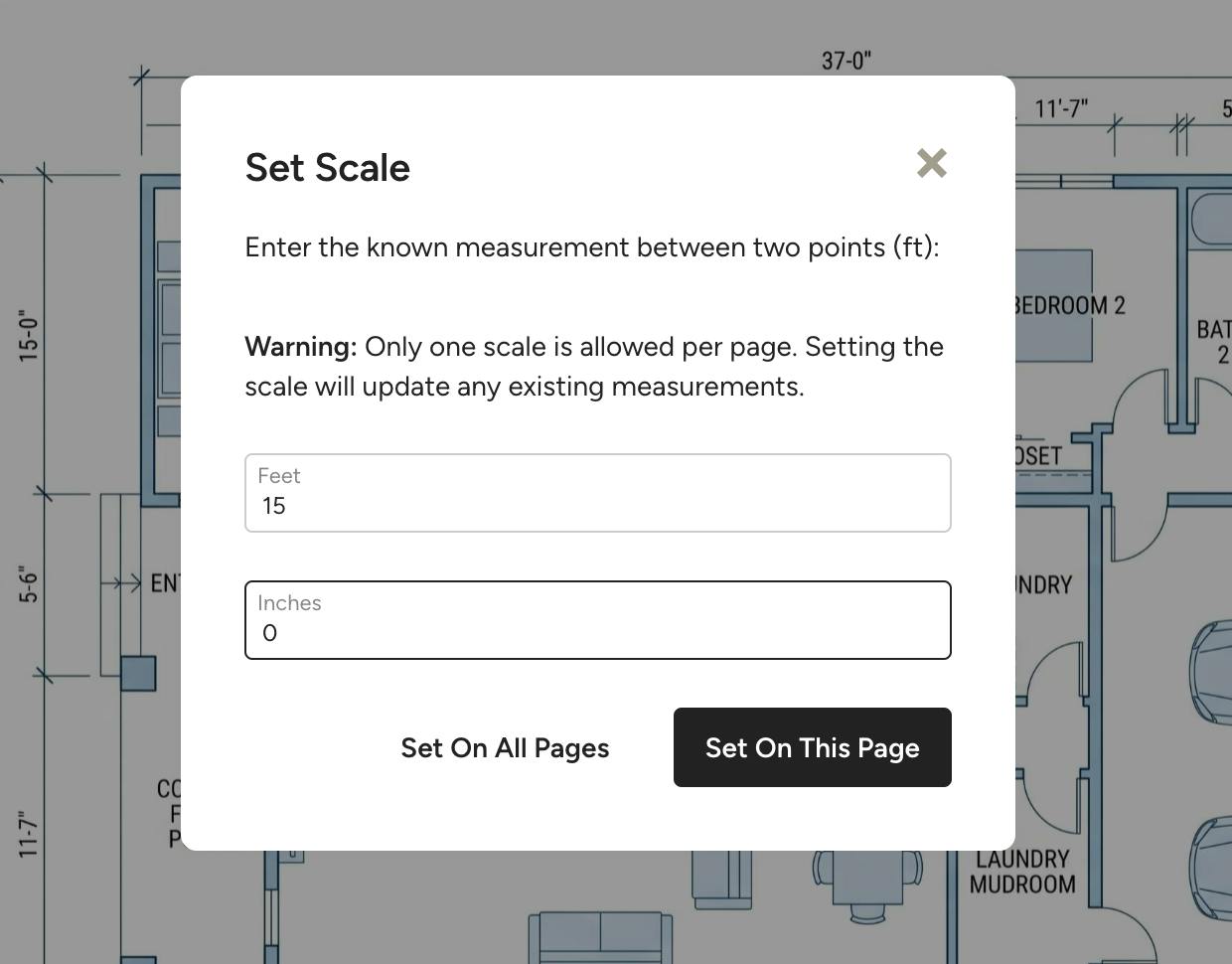
A screen will appear where you can input your known measurements in the text boxes.
Select Set On This Page if you only want to change the scale for the selected page.
Select Set On All Pages if you want to change the scale for all pages.
Houzz Pro will now automatically calculate the scale for your takeoff based on that single measurement.
Pro Tip: It’s always a good idea to verify your scale by measuring another known distance on the plan after you’ve set it.