
Every Feature You Need in One Powerful Place
Looking for the all-in-one way to better manage your business? Book a demo to explore the Houzz Pro custom features and AI enhancements we tailor-made for home builders, remodelers, and designers like you.
HOW IT WORKS
See Your Workflow on Houzz Pro
All-In-One
Tired of too many disconnected tools? Houzz Pro has all you need to scale with clarity and control—no extra software, just one connected toolkit where info moves through phases automatically.
Job Costing
See where projects stand at a glance in our Budget tool that connects financial data from Estimates, Time & Expenses, and more to help you track and protect margins with real-time variance visibility.
3D Visualization
Sell clients on your vision with detailed 3D Floor Plans that showcase their future home—featuring Photorealistic Renders and the ability to walk clients through their 3D plans in augmented reality, right onsite.
Sourcing
Gather proposed products and materials from almost any site in seconds using the AI-powered Clipper—then send those images, pricing, and specs straight to your Product Library, docs, or boards.
Selection Boards
Give high-touch clients the care they came for with Selection Boards that let you organize items by room, style, or category—plus built-in commenting and one-click approvals.
Procurement
Refine your purchasing process with vendor-friendly Purchase Orders that pull from existing Proposals, plus a smart Selections Tracker that keeps item info and shipping statuses on-hand.
Client Experience
Deliver a five-star experience and keep the referrals coming with our Client Dashboard that puts updates and Invoices at their fingertips and organizes Selections in one visual, budget-tracking board.
Financial Suite
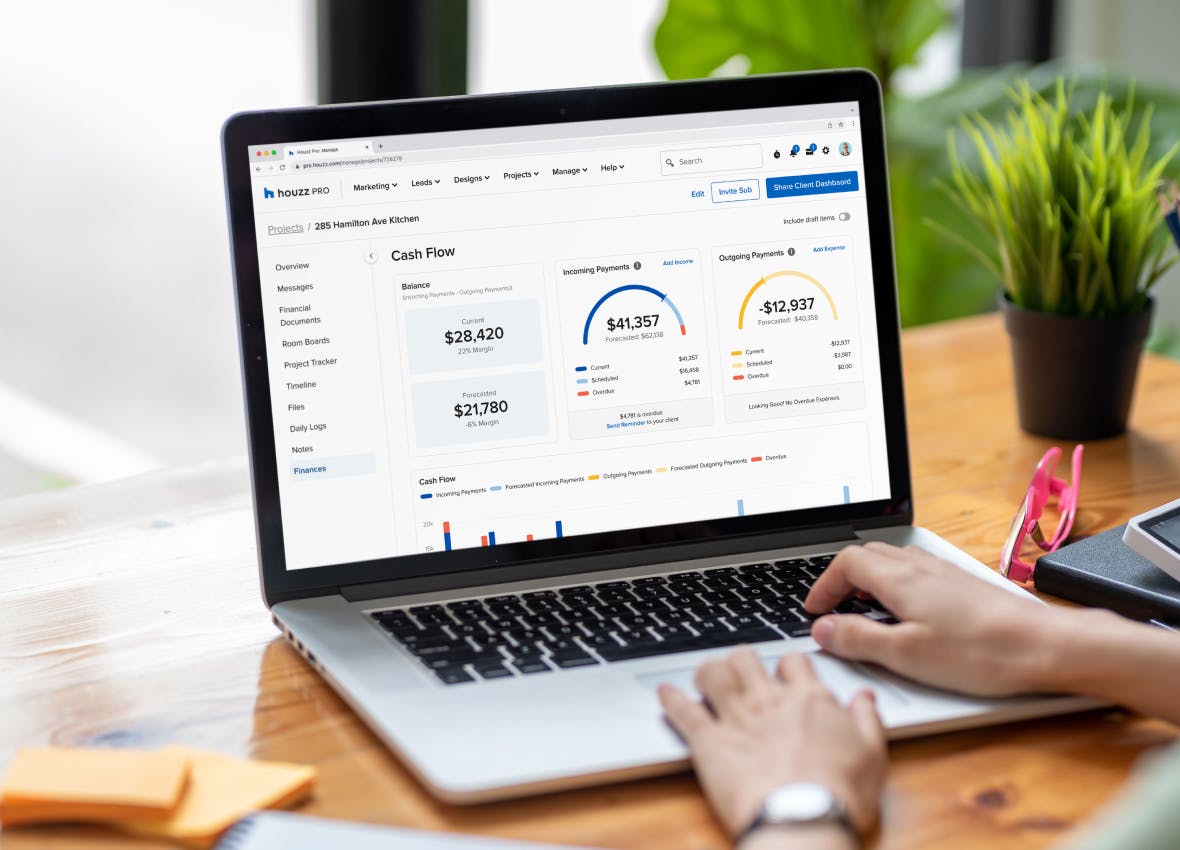
Manage payments, boost profit, and make sense of every dollar with our full financial toolkit featuring Online Payments, budget management, Financial Reports, QuickBooks Online syncing, and more.
Team Collaboration
Work as one, no matter how complex the remodel, with a visual Schedule featuring assignable Tasks—then capture and share jobsite progress with Daily Logs and a login-free Subcontractor Dashboard.

ALL HOUZZ PRO SOFTWARE FEATURES
Detailed Houzz Pro Features' Descriptions


Houzz Pro Project Planning Features
Mood Boards
| Feature | Description |
|---|---|
| Mood Board Creation | |
Digital Mood Board Creator | Create digital mood boards to present interior design concepts, inspiration, and product ideas. |
Multi-Page Mood Boards | Build multi-page boards to present multiple rooms, design options, or phases of a project. |
Drag-and-Drop Canvas | Arrange products, materials, and inspiration images freely on a flexible visual canvas. |
Image Layering & Layout Tools | Resize, rotate, duplicate, and layer images to refine the visual composition of the board. |
Crop & Image Editing Tools | Crop images and adjust placement to highlight key design elements. |
Duplicate Mood Boards | Copy an existing mood board to quickly create alternate design concepts or variations. |
Project Mood Board Organization | Organize multiple mood boards within a single project to represent rooms, design concepts, or phases. |
Houzz Ideabook Images | Pull images directly from your houzz ideabooks |
| Visual Design Tools | |
Background Removal | Remove image backgrounds to create clean product cutouts and polished mood board compositions. |
Color Swatches & Materials | Add paint colors, finishes, fabrics, and other materials to illustrate palettes and textures. |
Text Labels & Design Notes | Add annotations, descriptions, and notes to communicate design ideas clearly. |
Image Flip & Rotation | Flip images horizontally or vertically and rotate elements to refine layout and presentation. |
Layer Order Controls | Adjust the stacking order of images and products to control how elements overlap on the board. |
Canvas Zoom & Navigation | Zoom in and out and pan across the canvas to work on detailed layouts and larger boards. |
Color Picker Tool | Extract colors directly from images to create matching swatches and palettes for design concepts. |
Canvas Background Customization | Change the background color of the mood board canvas to improve visual presentation or branding. |
| Product Sourcing | |
Product Clipper & Web Import | Clip products from any website and automatically capture product details for mood boards. |
Import Images & Files | Upload inspiration images and files from your computer or device. |
Product Details & Specifications | Store product information such as vendor, price, and links for reference. |
Product Pricing Display | View product pricing directly within mood boards to support budgeting and product evaluation. |
Product Source Links | Open the original vendor or retailer webpage directly from products placed on the mood board. |
Integrated Color Swatches | Select colour swatches from integrated vendors: Benjamin Moore and Sherwin-Williams |
| Design Workflow Integration | |
Product Library Integration | Items added to mood boards are saved to the project product library for reuse across tools. |
Selections Integration | Reuse products from mood boards in selection boards to organize final design decisions. |
3D Floor Plan Integration | Add in 3d floor plans |
| Client Collaboration | |
Client Sharing & Comments | Share mood boards with clients and collaborators and collect feedback directly on the board. |
Presentation-Ready Boards | Present polished mood boards during client meetings or design presentations. |
| Templates & Branding | |
Mood Board Templates | Save reusable layouts to quickly create new boards for future projects. |
Branded Design Presentations | Add logos and consistent layouts for professional client presentations. |
| Mobile Access | |
Mobile Mood Board Access | Create, edit, and present mood boards from the Houzz Pro mobile app. |
3D Floor Plans
| Feature | Description |
|---|---|
| Plan Input | |
Upload 2D plans | Upload floor plans (PDF, JPG, or PNG) to use as a reference for building layouts |
AI Automatic floor plan import | Convert your 2D plans automatically into 3D |
Manual plan tracing | Trace walls, doors, and windows over uploaded plans to recreate layouts |
| Floor Plan Creation | |
Create 2D & 3D floor plans | Design floor plans in 2D and view them in 3D |
Draw walls & rooms | Create and adjust walls and rooms precisely within the layout |
Multi-level floor plans | Design multiple floors within a single project |
| Editing & Accuracy | |
Doors & windows placement | Add and adjust doors and windows precisely within floor plans |
Precise dimensions | Set wall lengths, room sizes, and dimensions |
Edit floor plans anytime | Update layout and dimensions as designs evolve |
| Furniture & Products | |
Furniture & decor placement | Add and arrange furniture and decor objects to visualize layouts |
Product placement | Place products into floor plans |
Convert products to 3D | Convert product images from a saved library into 3D models for use in floor plans |
| 3D Visualization | |
2D, 3D & dollhouse views | View floor plans in different modes including 2D, 3D, and dollhouse |
Walkthrough mode | Navigate through the design in a walkthrough view |
Materials & finishes | Apply finishes to floors, walls, and surfaces, add your own finishes |
Photorealistic renders | Generate rendered images of designs from different angles |
Save camera views | Save specific viewpoints for reuse |
| Room Scanning | |
Scan rooms with a mobile device | Capture floor plans using a mobile device |
LiDAR room scans | Use LiDAR-enabled devices for more detailed room scans. LiDAR automatically adds as-built walls, windows, and doors to create an as-built 3D floor plan. |
| Sharing & Collaboration | |
Share floor plans | Share floor plans with clients or collaborators, shared plans are automatically updated |
Comments & feedback | Add and review comments directly on floor plans |
Print & export floor plans | Export or print floor plans for sharing |
| Houzz Pro Integration | |
Use with Houzz Pro projects | Use floor plans within projects and alongside other Houzz Pro tools |
Convert to estimates | Use AI to convert your floor plans into Estimates |
Convert to takeoffs | Use floor plans as part of the takeoff workflow |
Integration with selections | Use floor plan items as part of selections workflow |
Takeoffs
| Feature | Description |
|---|---|
| AI & Automation | |
AI Takeoffs | Use AI to automatically read plans and generate area, length, and count measurements with one click. |
AI-assisted measurement | Use AI to automatically measure elevation plans |
AI symbol recognition | Use AI Symbol Recognition or OCR to automatically detect all instances of a symbol across a page or whole plan |
| Data Management | |
Export Takeoffs to Excel | Export takeoff summaries and quantities to Excel for reporting or additional analysis. |
| Estimate Integration | |
Convert Takeoffs to Estimates | Turn takeoff measurements into estimate line items to continue the estimating workflow. |
| Measurement Management | |
Edit & Update Measurements | Modify measurements easily as plans change, with totals updating automatically. |
Measurement Summary | Review all measurements in a centralized summary for quick validation. |
Measurement Groups | Organize measurements into folders or groups to structure takeoff data by scope or trade. |
Duplicate Measurements | Duplicate existing measurements or groups to reuse them for similar plan areas. |
Additional Measurement Dimensions | Add height, depth, pitch, or multipliers to measurements for more accurate quantity calculations. |
Convert Area to Perimeter | Convert an area measurement into a perimeter measurement for things like trim or baseboards. |
| Measurements | |
Area Measurements | Measure square footage for spaces, rooms, or defined areas directly on the plan. |
Linear Measurements | Measure lengths such as walls, edges, or runs using linear takeoff tools. |
Count Measurements | Count items such as fixtures, doors, windows, or symbols directly from plans. |
Volume Measurements | Calculate cubic measurements for use cases that require volume-based quantities. |
Polygon & Shape Tools | Measure irregular or custom shapes using flexible polygon and drawing tools. |
Item-Linked Measurements | Create measurements tied directly to items/materials/products from your houzz pro catalog |
| Plan Markups | |
Plan Annotations | Add notes, labels, and visual markups directly on plans for clarity and reference. |
Color-Coded Measurements | Visually distinguish measurement types using color coding on the plan. |
Hide / Show Measurement Layers | Hide or reveal measurement layers on the canvas to reduce clutter while working. |
| Plan Setup | |
Upload Floor Plans | Upload PDF floor plans to perform digital takeoffs directly on screen. |
Plan Scaling & Calibration | Set or adjust plan scale to ensure accurate measurements across the entire drawing. |
Multi-Page Plan Support | Perform takeoffs across multiple plan pages within the same project, pin pages for convenience |
| Review & Accuracy | |
Visual Plan Review | View measurements directly on the plan to verify accuracy before estimating. |
Custom Takeoff Summary Views | Customize takeoff summary views to organize measurements by plan, page, or project scope. |
| Workflow Integration | |
Convert 3D Floor Plans to Takeoffs | Generate takeoff measurements from a Houzz Pro 3D floor plan in a few quick step |
Selections
| Feature | Description |
|---|---|
| Selection Boards | |
Digital Selection Boards | Create organized selection boards to present products, materials, and finishes for client approval. |
Multi-Section Selection Boards | Organize selections by room, category, or project phase using customizable sections. |
Selection Board Templates | Save and reuse selection board layouts for faster project setup. |
Duplicate Boards, Sections & Items | Duplicate existing selection boards, items, or sections to reuse them in other projects. |
Selection Board Placeholders | Add placeholder items to represent selections that will be finalized later. |
Custom Client View Settings | Control which product specs clients can see when reviewing Selections, and whether pricing is visible. |
Client Approval Workflow | Share boards with clients and collect approvals directly on selected items. |
Email Templates for Sharing Boards | Send selection boards using customizable email templates. |
Mobile Selection Boards | View and manage selection boards using the Houzz Pro mobile app on iOs |
| Product Library & Sourcing | |
Product Library | Store and organize products, materials, and services in a centralized library for reuse across projects. |
Import Product Catalogs | Import your own catalog of products using spreadsheet uploads. |
Import Product via link | Add items to a Selection Board by pasting a product URL directly, and let AI automatically pull in the item details. |
Product Clipper & Web Sourcing | Save products from vendor websites directly into the Houzz Pro product library. |
Vendor Catalog Integrations | Access integrated vendor catalogs such as Home Depot directly within Houzz Pro. |
Average Price Catalog | Use catalog pricing data to estimate typical product costs. |
Multiple Images per Item | Attach multiple product images to selection items for better visual presentation. |
Product Categories Management | Organize products into categories to simplify sourcing and selection workflows. |
Download Product Tear Sheets | Generate product tear sheets for client review and documentation. |
| Project Cost & Data Management | |
Cost Codes | Assign cost codes to products and services to track costs and categorize project expenses. |
Assemblies for Products & Services | Group multiple components such as materials and labor into reusable assemblies. |
| Procurement & Tracking | |
Selections Tracker | Track all approved selections, procurement status, and product details in a centralized tracker. |
Global Selections Tracker Report | View and manage selections across multiple projects in a consolidated report. |
Export Selections Data | Export selection tracker data to spreadsheets for reporting and procurement coordination. |
Procurement Status Tracking | Track ordering and procurement progress for selected items across projects. |
| Workflow Integration | |
Selection-to-Proposal Workflow | Convert approved selections into proposals with pricing and payment structure. |
Selection-to-Estimate Workflow | Turn selections into estimate line items without re-entering product details. |
Connected Project Documents | Selection data carries across proposals, estimates, invoices, and procurement tracking. |
Mood boards and 3D Floor plan integration | Include Mood Boards and 3D Floor Plans in Selection Boards to create a complete client presentation. |
Bugdet Integration | As selections are approved, track how their cost affect the overall budget. |
Selection-to-Purchase Order Workflow | Generate purchase orders from approved selections for procurement. |
| add later | |
CRM
| Feature | Description |
|---|---|
| Lead Capture & Management | |
Lead Capture & Import | Capture leads from Houzz, forms, email, or manually and store them in one centralized CRM. |
Lead Pipeline Management | Track leads through customizable stages from initial inquiry to won project. |
Lead Organization & Tagging | Organize leads using tags, filters, and custom fields to match your workflow. |
Lead Source Tracking | Track where leads come from to understand marketing performance and ROI. |
| Client Communication | |
Email, SMS & Call Communication | Communicate with leads via email, text messaging, and click-to-call directly within Houzz Pro. |
Communication History Timeline | View all messages, notes, and interactions with each lead in one place. |
Branded Email Templates | Send professional, branded emails and reuse templates for consistent communication. |
| Sales Workflow & Conversion | |
Lead-to-Project Conversion | Convert leads into active projects with all data carried over automatically. |
CRM-to-Estimate & Proposal Workflow | Create estimates and proposals directly from leads to move deals forward faster. |
Meeting Scheduling & Booking Links | Share booking links and schedule meetings synced with your calendar. |
| Task & Activity Management | |
Tasks & Follow-Ups | Assign tasks, set reminders, and track next steps for each lead. |
Notes, Files & Activity Tracking | Store notes, documents, and activity history for each lead or client. |
| Analytics & Insights | |
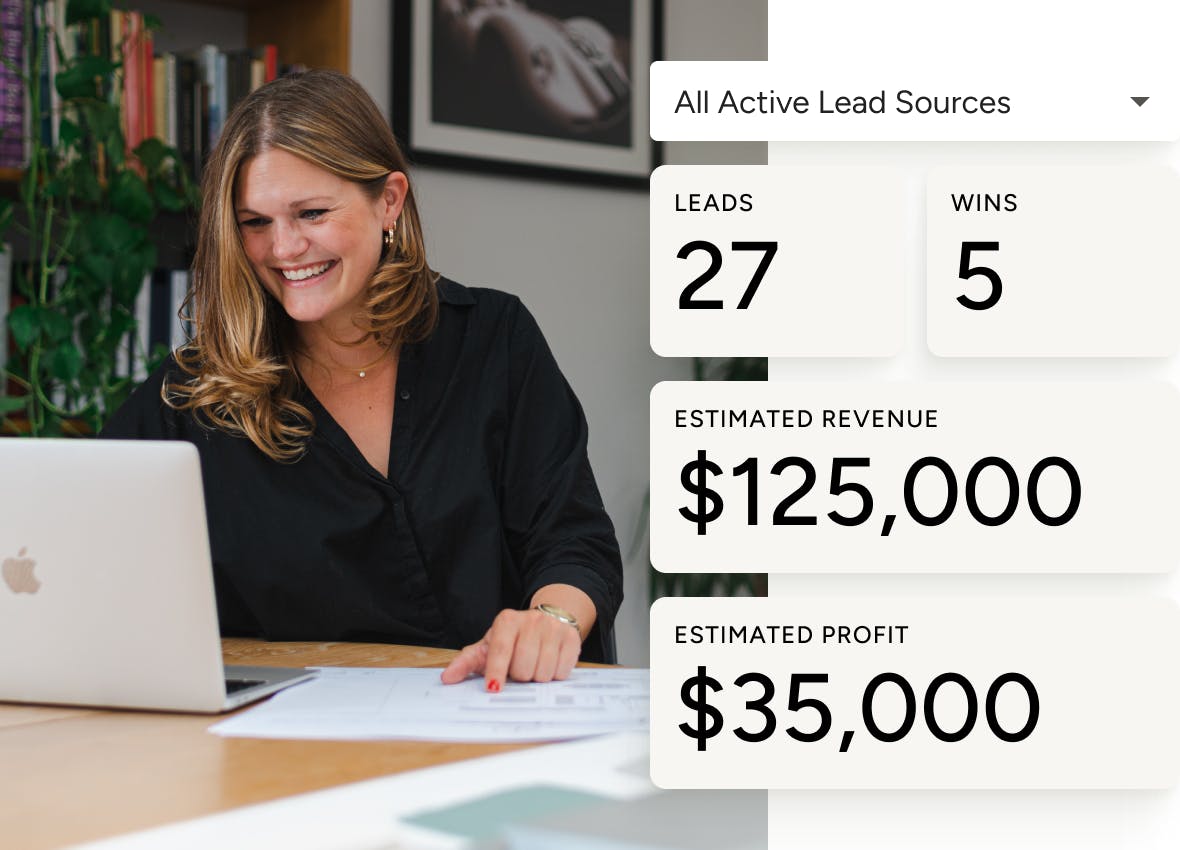
Lead Insights & Reporting | Track lead volume, conversion rates, and performance by source. |
Pipeline Visibility | View lead status, activity, and progress at a glance across all opportunities. |
| Integrations & Connectivity | |
Gmail & Email Integration | Sync emails and manage communication directly from your inbox. |
Calendar & Meeting Integrations | Integrate with Google Calendar, Zoom, and other scheduling tools. |
Zapier Integration | Connect Houzz Pro with other tools to automate lead workflows. |
| Mobile CRM | |
Mobile Lead Management | Manage leads, messages, tasks, and meetings from the Houzz Pro mobile app. |
| All-in-One Workflow | |
Connected CRM to Project Tools | Lead data flows into estimates, proposals, schedules, invoices, and project management tools in one system. |
Bid Management
| Feature | Description |
|---|---|
| Bid Request Creation | |
Create Bid Requests (RFQs) | Create detailed bid requests with scope of work, due dates, project details, and trade requirements. |
Scope of Work & Project Details | Define scope, project address, estimated start date, and instructions for subcontractors. |
Attach Plans & Documents | Upload floor plans, specifications, and supporting documents to include with bid requests. |
Duplicate & Edit Bid Requests | Duplicate existing bid packages or edit draft bids to save time on similar projects. |
| Subcontractor Management | |
Invite Subcontractors to Bid | Select existing subcontractors or add new ones and invite them to submit bids. |
Multi-Trade Bid Requests | Send bid requests to different trades (e.g., plumbing, electrical, etc.). |
Email & SMS Notifications | Notify subcontractors via email and optional text message when bids are requested. |
| Bid Submission Workflow | |
Online Bid Submission | Subcontractors can submit bids digitally with pricing, notes, and attachments. |
Bid Acceptance or Decline | Subcontractors can accept or decline bid requests directly from the invitation. |
Attachments & Bid Notes | Subcontractors can include documents, clarifications, and scope details with their bids. |
| Bid Tracking & Comparison | |
Bid Status Tracking | Track bid progress with statuses such as released, sent, received, awarded, and closed. |
Compare Multiple Bids | View and compare multiple subcontractor bids within one centralized interface. |
Central Bid Dashboard | Manage all bids across trades and projects in one overview table. |
| Communication & Activity Tracking | |
Activity Stream (Audit Trail) | Track all bid-related activity including submissions, updates, and communication in one place. |
Bid Communication History | Maintain a centralized record of interactions between your team and subcontractors. |
| Bid Awarding & Closing | |
Award Bids | Select winning subcontractors and notify them automatically. |
Close Bidding Process | Close bid requests to prevent further submissions and finalize the selection. |
| Automation & Reminders | |
Bid Deadline Reminders | Send automatic reminders to subcontractors before bid due dates. |
| Workflow Integration | |
Project-Based Bid Management | Create and manage bid requests within a project, keeping all related documents and communication organized in one place |
| Mobile Access | |
Mobile Bid Management | Manage bid requests, track responses, and award bids from the Houzz Pro mobile app. |
Product Clipper & Library
| Feature | Description |
|---|---|
| Product Sourcing | |
Web Product Clipper | Save products from any supplier website directly into your Houzz Pro product library using the browser extension. |
Clip Images & Product Details | Capture product images, descriptions, pricing, dimensions, SKUs, and specifications directly from vendor websites. |
AI Smart Product Sourcing | Automatically extract product information from supplier pages using AI-powered smart sourcing. |
Clip Products from Any Vendor | Source items from any website or supplier and store them in your centralized product library. |
| Product Library Integration | |
Automatic Product Library Storage | All clipped products are saved to the Houzz Pro product library for reuse across projects. |
Product Data Editing | Edit product details such as pricing, vendor information, categories, and descriptions in the Clipper, before saving to Houzz Pro |
Multiple Images per Product | Add and manage multiple product images within each clipped product listing. |
Product Categories & Vendors | Assign categories and vendors to clipped items to organize sourcing and make products easier to find later. |
| Design & Presentation Workflows | |
Use Clipped Products in Mood Boards | Quickly add clipped items to mood boards for design presentations. |
Add Products to Selection Boards | Use clipped products to create client-ready selection boards and gather approvals. |
Create Tear Sheets | Generate product tear sheets for client presentations and documentation. |
| Project & Financial Workflows | |
Add Products to Estimates & Proposals | Insert clipped products directly into estimates, proposals, and other financial documents. |
Product Pricing & Markup Management | Add markup percentages or adjust client pricing when adding clipped products to projects. |
Reusable Product Data | Reuse previously clipped products across multiple projects without re-entering details. |
| Image Capture Options | |
Instant Image Clipping | All relevant product images are auto-detected on the vendor website, for faster clipping. |
Manual Image Upload | Add and assign your own images to a clipped product. |
| Mobile Product Sourcing | |
Mobile Clipper | Clip products while browsing on mobile and send them directly to your Houzz Pro library. |
| Workflows Integration | |
Create POs from clipped products | Generate vendor-specific Purchase Orders from clipped products. |
Contracts
| Feature | Description |
|---|---|
| Contract Creation | |
Digital Contract Builder | Create professional contracts directly within Houzz Pro to formalize project agreements. |
Contract Templates | Start from pre-built templates or save your own contracts as reusable templates. |
Upload Existing Contracts | Upload your own contract documents and convert them into reusable templates. |
Smart Text Auto-Fill | Automatically populate contracts with project details such as client name, address, and project information. |
| Contract Customization | |
Custom Contract Fields | Add custom sections, clauses, and editable content to match your business requirements. |
Checkbox Acknowledgements | Add required checkboxes for key terms so clients must review and acknowledge them. |
Flexible Signature Fields | Place signature fields anywhere in the contract for clients and team members. |
| Client Collaboration | |
Contract Preview & Client View | Preview contracts before sending and control how they appear to recipients. |
Comments & Contract Discussion | Allow clients and team members to comment directly on contracts for clarification and collaboration. |
Digital Contract Sharing | Send contracts via email or text message with a shareable link. |
| eSignatures & Approvals | |
eSignature Collection | Collect legally binding electronic signatures directly within Houzz Pro. |
Remote Signing | Clients can review and sign contracts from any device, anywhere. |
Signature Notifications | Get notified instantly when contracts are viewed, signed, or updated. |
| Automation & Follow-Ups | |
Automatic Reminder Notifications | Send automated reminders to clients to review and sign contracts. |
Activity Tracking & Audit Trail | Track every action — including views, comments, and signatures — in a centralized activity log. |
| Workflow Integration | |
Contracts Connected to Projects | Contracts are linked to projects, clients, and financial documents within Houzz Pro. |
All-in-One Business Workflow | Manage contracts alongside proposals, estimates, invoices, and project management tools in one platform. |
| Mobile Access | |
Mobile Contract Management | Send, review, and track contracts from the Houzz Pro mobile app. |
Houzz Pro Financial Features
Estimates
| All estimates tools | Description |
|---|---|
Houzz AI | Use AI to quickly generate estimate line items and costs based on project details. |
Estimate templates | Start estimates using pre-built or saved templates for common project types. |
Branded estimates | Create professional, client-ready estimates with your logo and business details. |
Takeoff tools | Measure plans and generate quantities to support accurate estimating. |
Create Estimate from Takeoff | Turn takeoff measurements directly into estimate line items. |
Add Assembiles | Group materials, labor, and costs into reusable assemblies for faster estimating. |
Add Cost Codes | Organize estimate line items using cost codes for clearer tracking and reporting. |
Online approvals | Send estimates to clients for online review and approval. |
Product Clipper & Library | Save products and materials to your library and add them to estimates. |
Cost Catalogs | Access material and labor cost catalogs to build accurate estimates. |
Auto-calculation of materials & costs | Automatically calculate quantities and costs as items are added or updated. |
Convert Estimate to a Schedule | Turn approved estimates into a project schedule. |
Convert Estimate to Invoice | Convert estimates into invoices to start billing. |
Create Scheduled payments | Set up payment schedules tied to project milestones or stages. |
Integration with budgets and accounting tools | Connect estimates with project budgets and accounting tools for financial visibility. |
Cost tracking | Track estimated and actual costs throughout the project lifecycle. |
Proposals
| Feature | Description |
|---|---|
| Proposal Creation | |
Create proposals from scratch | Build proposals manually within a project |
AI proposal generation | Use AI (AutoMate) to generate proposal line items from a project description |
Proposal templates | Create, save, and reuse custom proposal templates |
Duplicate proposals | Duplicate existing proposals and reuse them across projects |
Upload existing proposals | Upload external proposal files and edit them in Houzz Pro |
| Design & Sourcing | |
Add products to proposals | Add products and services as line items from your library or sourcing workflow |
Convert selections to proposal | Create a proposal from approved selection board items |
Convert 3D floor plan to proposal | Generate a proposal from a 3D floor plan with item lists based on design elements |
| Proposal Customization | |
Customize proposal content | Edit title, client info, pricing, terms, memos, and document settings |
Add visuals, notes & terms | Include images, descriptions, and terms to clarify scope and expectations |
Branded proposals | Automatically include business details and branding in proposals |
| Client Experience | |
Preview proposal before sending | Preview and control what clients see before sharing |
Online approval & eSignature | Clients can approve or decline proposals digitally from any device |
Item-level or full approval | Control whether clients approve the full proposal or individual items |
Client comments & communication | Communicate directly on proposals with built-in comments |
| Payments & Financials | |
Payment schedules | Add and manage payment schedules tied to the proposal |
Online payments | Enable clients to pay directly from proposals |
| Workflow Automation | |
Convert proposal to invoice | Convert proposals into invoices for billing |
| Sharing & Export | |
Send via email or templates | Send proposals with custom or saved email templates |
Export, download & print | Download proposals as PDF, export to Excel, or print |
Change Orders
| Feature | Description |
|---|---|
| Change Order Creation | |
Create Change Orders | Create change orders to manage scope changes, material updates, and pricing adjustments within projects. |
Create from Estimates & Proposals | Generate change orders directly from approved estimates or proposals without re-entering data. |
Create from Scratch or Templates | Build change orders manually or use reusable templates to standardize workflows. |
AI-Generated Change Orders | Use AutoMate AI to generate change order line items and categories based on project descriptions. |
| Scope & Cost Management | |
Track Cost Changes vs Original Scope | Automatically calculate the difference between planned and updated costs for accurate billing. |
Edit Quantities, Materials & Labor | Adjust pricing, quantities, and scope details while preserving original values for comparison. |
Add New Line Items | Add new materials, services, or scope changes directly to change orders. |
Highlighted Change Tracking | Clearly display updated values to show what has changed from the original scope. |
| Client Approval & eSignatures | |
Digital Approval & eSignatures | Send change orders to clients for approval and collect electronic signatures. |
Online Change Order Sharing | Share change orders via email, link, or messaging for quick client review. |
Approval Tracking & Notifications | Track approval status and receive notifications when clients review or approve changes. |
| Payment & Financial Workflow | |
Invoice from Change Orders | Convert approved change orders into invoices to collect additional payments. |
Separate Change Order Billing | Charge only the difference between original and updated costs for accurate billing. |
Payment Schedules | Set up deposits, installments, or payment terms directly within change orders. |
Connect with Project Budget | Connect change orders with project budgets for financial visibility. |
| Workflow Integration | |
Connected Financial Documents | Change orders are linked to estimates, proposals, invoices, and project financials. |
Product & Cost Catalog Integration | Use saved items, assemblies, and catalogs when creating change orders. |
| Client Communication | |
Notes & Explanations per Item | Add notes and descriptions to explain scope changes to clients. |
Custom Client View Settings | Control what pricing, details, and information clients can see before approval. |
| Mobile Access | |
Mobile Change Order Creation | Create and send change orders directly from the jobsite using the mobile app. |
Real-Time Field Updates | Capture changes instantly and keep project financials up to date across devices. |
| Automation & Efficiency | |
Automated Reminders & Notifications | Notify clients when approvals or payments are required. |
No Double Data Entry | Project data flows automatically from estimates to change orders to invoices. |
Invoices
| Feature | Description |
|---|---|
| Invoice Creation | |
Create Professional Invoices | Create detailed invoices for services, materials, products, and project phases directly in Houzz Pro. |
Convert Estimates & Proposals to Invoices | Generate invoices from approved estimates, proposals, or change orders without re-entering project details. |
Create Invoices from Scratch | Build custom invoices manually with flexible line items, pricing, and descriptions. |
Merge Estimates, Invoices & Change Orders | Combine billing documents to streamline invoicing and avoid duplicate entries. |
| Project Billing Workflows | |
Progressive Invoicing | Invoice clients in stages based on project progress, milestones, or percentage of completion. |
Scheduled Payments | Create payment schedules with deposits, installments, or milestone payments directly on invoices. |
Invoice by Item or Project Phase | Bill for specific items, project phases, or the entire project depending on your billing structure. |
| Payment Collection | |
Online Payments | Allow clients to pay invoices online via credit card or bank transfer. |
Payment Tracking | Track invoice status including sent, viewed, partially paid, and fully paid. |
Automatic Payment Reminders | Send automated reminders to clients for upcoming or overdue invoice payments. |
| Financial Management | |
QuickBooks Online Integration | Sync invoices with QuickBooks Online for accounting and financial reporting. |
Void Issued Invoices | Void invoices when needed while keeping accurate financial records. |
| Workflow Integration | |
Connected Project Documents | Invoice data stays connected to estimates, proposals, purchase orders, and project records. |
Assemblies & Cost Catalog Integration | Use predefined assemblies, materials, and service items to create invoices faster. |
| Client Collaboration | |
Digital Invoice Sharing | Send invoices via email or shareable link so clients can review and pay online. |
Client Dashboard Access | Clients can view invoices alongside proposals, schedules, and project updates. |
| Mobile Access | |
Mobile Invoice Management | Create, edit, send, and track invoices from the Houzz Pro mobile app. |
Online Payments
| Feature | Description |
|---|---|
| Payment Collection | |
Online Payments via Invoices, Estimates & Proposals | Clients can pay directly from estimates, proposals, or invoices using a built-in “Pay Now” option. |
Credit Card & Bank Transfer Payments | Accept payments via credit card or ACH/bank transfer directly through Houzz Pro. |
Digital Receipts for Clients | Clients automatically receive a payment receipt after completing a transaction. |
Pay on Behalf of Client | Enter payment details and process payments for clients when needed. |
| Flexible Payment Options | |
Scheduled Payments & Deposits | Set up payment schedules with deposits, milestones, or installments tied to project documents. |
Partial Payments | Allow clients to pay in stages based on the defined payment schedule. |
Multiple Payment Methods | Offer different payment options (card, ACH, etc.) and control which methods are available. |
| Mobile & In-Person Payments | |
Mobile Payment Collection | Accept payments from anywhere using the Houzz Pro mobile app. |
Tap to Pay & QR Code Payments | Accept in-person payments via QR code or contactless Tap to Pay on mobile devices. |
Share Payment Links | Send payment links via email, text, or PDF for easy client access. |
| Financial Automation | |
Automatic Payment Logging | Payments are automatically recorded on invoices, estimates, and proposals without manual entry. |
Payment Notifications | Receive instant notifications when clients make payments. |
Automatic Sync with QuickBooks | Payment data syncs with QuickBooks Online to eliminate double data entry. |
| Cash Flow & Speed | |
Fast Payment Processing | Receive funds in as little as 2–3 business days depending on payment method. |
Instant Payout Option | Access funds within minutes with optional instant payout functionality. |
| Fee Management | |
Flexible Fee Handling | Choose to absorb fees, pass them to clients, or include them in markup pricing. |
| Security & Reliability | |
Secure Payment Processing | Payments are processed securely with bank-level verification and compliance requirements. |
| Workflow Integration | |
Connected Financial Documents | Payments are automatically linked to invoices, proposals, and estimates within each project. |
All-in-One Payment Workflow | Manage payments alongside invoicing, budgeting, and project management in one platform. |
| Client Experience | |
Easy Client Payment Experience | Clients can pay anytime, from anywhere, without needing separate tools or logins. |
Digital Payment Records | Clients have a complete digital record of all payments for documentation and reporting. |
Financial Reports
| Feature | Description |
|---|---|
| Report Overview | |
Generate financial reports | Generate reports in seconds to view business financial data with applied filters |
Multiple report types | Access different reports including payments, payouts, transactions, time billing, and taxes |
| Payments & Cash Flow | |
Payments report | View incoming and outgoing payments, invoiced amounts, and remaining balances |
Payouts report | Track payouts to your bank account, including lump sums and partial payouts |
Open invoices report | Track unpaid and partially paid invoices, including overdue and aging balances |
| Transactions & Revenue | |
Incoming transactions by project | View revenue across estimates, proposals, invoices, retainers, and change orders grouped by project |
Outgoing transactions by project | Track costs and purchase orders grouped by project |
Transaction totals & balances | See totals such as approved amounts, outstanding balances, discounts, and upcoming payments |
| Profitability & Budgeting | |
Budget vs actual comparison | Compare estimated and actual project costs to track cost variance |
Project financial overview | View income, expenses, and cash flow for each project with detailed breakdowns |
| Time & Labor Tracking | |
Time billing reports | Track billable hours by project or team member and export results |
| Taxes & Compliance | |
Sales tax liability report | View how much sales tax is owed based on transactions |
| Data Customization | |
Filter and sort reports | Filter by date, project, document type, client, and other criteria |
Group and organize data | Group reports by project, client, month, or transaction type |
Customize report columns | Show, hide, and reorder columns to control report layout |
| Custom Reporting | |
Save custom report views | Create and save custom reports based on selected filters and layouts |
| Export & Sharing | |
Export reports (Excel/CSV) | Download reports as spreadsheets for accounting, sharing, or analysis |
Global tracker export | Export consolidated data across multiple projects for reporting (e.g. tax prep) |
| Team Access | |
Report permissions | Control which team members can access financial reports |
| Integrations & Accounting | |
QuickBooks integration | Sync financial data with QuickBooks Online to support accounting and reporting workflows |
QuickBooks Online Integration
| Feature | Description |
|---|---|
| Integration Setup | |
Connect to QuickBooks Online | Connect Houzz Pro with QuickBooks Online to sync financial data between systems |
Secure account connection | Authenticate and link your QuickBooks account through a secure connection flow |
| Data Sync | |
Sync customers/clients | Sync client information between Houzz Pro and QuickBooks |
Sync invoices | Sync invoices created in Houzz Pro with QuickBooks |
Sync payments | Sync recorded payments with QuickBooks to keep financial records aligned |
Sync financial data automatically | Automatically sync supported financial data between Houzz Pro and QuickBooks |
| Financial Workflow | |
Track financials across systems | Use QuickBooks alongside Houzz Pro to manage accounting and project finances |
Avoid duplicate data entry | Reduce manual entry by syncing financial documents instead of re-entering them |
Maintain accounting records | Keep accounting records in QuickBooks while managing projects in Houzz Pro |
| Data Mapping & Control | |
Map accounts and settings | Configure account mapping and preferences for how data syncs between systems |
Control sync settings | Choose how and when data is synced between Houzz Pro and QuickBooks |
| Data Accuracy | |
Review synced data | Review synced items to ensure accuracy in both systems |
| Error Handling | |
Sync error visibility | View and address sync issues or errors when they occur |
| Reporting & Accounting | |
Use QuickBooks for accounting reports | Use QuickBooks reporting tools alongside Houzz Pro financial data |
| Workflow Integration | |
Connected financial workflow | Work with estimates, invoices, change orders, purchase orders, expenses, and payments while syncing results to QuickBooks |
Homeowner Financing
| Feature | Description |
|---|---|
| Financing Access | |
Offer homeowner financing | Provide financing options to clients directly through Houzz Pro to help fund projects |
Multiple financing providers | Homeowners can explore financing offers from providers such as Intuit Credit Karma, Figure, and GreenSky |
Loan options for home projects | Offer financing options such as home improvement loans or lines of credit depending on provider |
| Client Experience | |
Financing shown in client documents | Financing options are automatically included in client-facing estimates and proposals |
Simple application process | Homeowners can view and apply for financing directly within Houzz Pro workflows |
Flexible repayment options | Financing providers offer repayment plans based on the homeowner’s selected loan terms |
| Approvals & Funding | |
Fast financing approvals | Financing providers offer quick approval processes to help projects move forward sooner |
Access to higher project budgets | Financing allows homeowners to increase project scope based on available credit |
| Business Benefits | |
No cost to professionals | Financing is offered with no setup or ongoing cost for pros |
Get paid on your schedule | Pros receive payments based on their existing estimate or proposal schedule |
Win more and larger projects | Offering financing helps clients move forward and can increase project size |
| Workflow Integration | |
Integrated with estimates & proposals | Financing is connected to estimates, proposals, and invoices within Houzz Pro |
Financial Hub integration | Financing is part of Houzz Pro’s Financial Hub alongside payments and budgeting tools |
Budget & Cost Management
| Feature | Description |
|---|---|
| Budget Tracking | |
Estimated vs Actual Cost Tracking | Compare estimated project costs against actual project costs |
Centralized Budget View | View project budget information in one place |
| Financial Management | |
Connected Financial Documents | Connect budgets with estimates, change orders, purchase orders, time tracking, invoices, and expense tracking |
Combined Cost Tracking | Pull project costs, expenses, and financial activity into one budget view |
Connected Project Financials | Keep budget, cost, and financial information connected within the project |
Purchase Orders | Track project purchases and supplier orders |
Change Orders | Keep budget, cost, and financial information connected within the project |
Assemblies | Group multiple cost items into reusable assemblies for estimating and budgeting |
| Cost Tracking | |
Budget Variance Visibility | View differences between estimated and actual project costs |
Cost Catalogs | Build and manage project costs using saved cost catalogs |
Cost Code & Category Tracking | Organize budget items using cost categories and project cost structures |
| Forecasting | |
Cash Flow Forecasting | Forecast project cash flow and payment timing |
| Project Management | |
Project-Based Budget Management | Manage budgets directly within projects |
Procurement Tracking | Track product sourcing, ordering, shipping, and receiving activity |
| Reporting & Visibility | |
Budget Performance Visibility | Monitor overall project budget performance throughout the project lifecycle |
Budget Export & Reporting | Export budget reports for accounting or stakeholder review |
| Collaboration | |
Shared Budget Information | Share budget-related project information with clients and team members |
Houzz Pro Project Management Features
Schedule
| Feature | Description |
|---|---|
| Scheduling Setup | |
AI Schedule Creation from Estimates | Automatically convert approved estimates into a project schedule using AI, saving setup time and reducing manual entry. |
Schedule Templates | Create schedules from preset or custom templates and reuse them across projects and leads. |
| Views & Visualization | |
Gantt, Calendar & List Views | Switch between Gantt, calendar (day/week/month), and list views to visualize timelines, dependencies, and workloads. |
| Task & Phase Structure | |
Phases, Items, Tasks & Milestones | Organize schedules into phases, items, tasks, milestones, and document-linked dates to reflect real construction workflows. |
| Dependencies & Logic | |
Task Dependencies & Lag Time | Create finish-to-start or start-to-finish dependencies with adjustable lag time between construction activities. |
| Assignments | |
Team, Subcontractor & Client Assignments | Assign schedule items and tasks to internal teams, subcontractors, or clients with automatic notifications. |
| Workday Controls | |
Workday Settings & Exceptions | Define working days, hours, holidays, and company closures so schedules reflect real availability. |
| Schedule Control | |
Edit Mode & Live Mode (Advanced) | Work privately in edit mode, then publish changes live to clients and subs when ready. |
| Baseline Tracking | |
Schedule Baseline Comparison (Advanced) | Capture a baseline snapshot and compare planned vs actual timelines to track delays and changes. |
| Collaboration | |
Client & Subcontractor Schedule Access | Share full or limited schedule visibility via the client dashboard and role-based subcontractor access. |
| Mobility & Sync | |
Mobile App & Calendar Sync | View and manage schedules on mobile and sync tasks and deadlines to personal or business calendars. |
| Export & Reporting | |
Exportable Schedules | Export schedules as PDF or PNG in Gantt, calendar, or list view for sharing or printing. |
Task Management
| Feature | Description |
|---|---|
| Task Creation | |
Create tasks | Create tasks within projects or leads to track work and to-dos |
Add task details | Add title, due date, description, and attachments to tasks |
Create tasks on desktop & mobile | Create and manage tasks from both desktop and mobile app |
| Task Assignment | |
Assign tasks to team members | Assign tasks to internal team members to delegate work |
Assign tasks to clients & subcontractors | Assign tasks to clients or subcontractors with controlled visibility (private or shared) |
Invite new assignees | Invite new team members or collaborators directly when assigning tasks |
| Task Tracking | |
Task status tracking | Track task status (e.g. complete, in progress) and updates |
Due dates & prioritization | Set due dates and view tasks sorted by urgency (overdue, upcoming, future) |
Task Center overview | View all tasks across projects and leads in a centralized Task Center |
Project & lead task lists | Manage tasks within individual projects or leads with full visibility |
| Organization & Filtering | |
Search, sort & filter tasks | Filter tasks by status, assignee, project/lead, or reporter |
Task tags (organization) | Organize tasks using tags (mentioned in task management help section) |
| Templates & Reuse | |
Task templates | Save tasks as templates to reuse across projects |
Bulk task template creation | Save multiple tasks at once into templates from Task Center or projects |
| Communication & Collaboration | |
Task comments | Add comments to tasks for team or client communication |
Notifications & alerts | Send and receive notifications when tasks are assigned, updated, or completed |
Client task visibility control | Choose whether tasks are visible to clients via shared or private settings |
| Workflow Integration | |
Add tasks to schedule | Add selected tasks to project schedules |
Tasks on project timeline | Tasks appear on project timeline and can be shared with clients |
Tasks in client dashboard | Shared tasks are visible in the client dashboard |
| Export & Reporting | |
Export tasks | Export tasks as PDF or PNG for offline use or sharing |
| Productivity Tools | |
To-Do dashboard view | View upcoming tasks in the homepage To-Do section |
Daily Logs
| Feature | Description |
|---|---|
| Daily Reporting | |
Construction Daily Logs | Create and manage daily job site logs within projects |
Job Site Activity Tracking | Record daily project activities, progress updates, and completed work |
Weather Tracking | Add weather conditions to daily logs |
Labor & Subcontractor Tracking | Record labor activity and subcontractor presence on site |
| Workflow | |
Daily Log Notifications | Notify stakeholders when logs are published, a comment is added, or a team member is mentioned |
| Documentation | |
Notes & Observations | Add daily notes, comments, and project observations |
Photo Attachments | Attach project photos to daily logs |
File Attachments | Upload files and supporting documents to logs |
Centralized Log History | Store and review historical daily logs within the project |
Auto Weather Population | Automatically populate weather conditions in logs |
| Collaboration | |
Daily Log Sharing | Share daily logs with clients, team members, or subcontractors through Houzz Pro workflows |
| Mobile Functionality | |
Mobile Daily Log Management | Create, edit, and manage daily logs from the Houzz Pro mobile app |
Procurement
| Feature | Description |
|---|---|
| Product Sourcing & Organization | |
Selections Boards | Create boards and structure them into sections to organize all product selections by project. |
Board-Level Budgeting | Set and manage budgets at the board level for better cost control. |
Selections Library | Add and manage product options with specifications and quantities. |
Section Grouping | Group selections into sections by trade, product type, style, or others. |
Visual Organization | Use labels and color coding to visually organize selections. |
| Collaboration | |
Client Communication on Selections | Leave comments for your clients and communicate with them directly on specific product selections. |
Internal Team Communication | Keep internal team discussions separate from client-facing communication. |
| Procurement Tracking | |
Centralized Item Tracking | Track all items from selections, estimates, invoices, and POs in one place. |
Approval Status Tracking | Track whether items are approved, pending, or declined. |
Vendor Tracking | Track vendor details for each selected product. |
Room-Level Item Tracking | Associate each item with a specific room in the project. |
Document Linking | Link items to estimates, invoices, and purchase orders. |
Custom Fields | Create custom fields (e.g., responsible party) for advanced tracking. |
Custom Views | Create custom views to always have the set of information visible at a glance that you need. |
Filtering by Document Type | Filter items by estimates, invoices, or purchase orders. |
Filtering by Approval Status | Filter items based on approval status (approved/declined). |
Global Tracker Report | Download a customizable, consolidated report of all your projects' selections. |
Project Lifecycle Tracking | Track items from requested to ordered, shipped, and received. |
| Procurement Workflow | |
Vendor-Based Organization | Group and filter items by vendor for ordering. |
Order Creation Workflow | Identify items to order and organize purchasing by vendor. |
Order Details Tracking | Track order date, shipping cost, and tracking information. |
Delivery Tracking | Track delivery dates and monitor incoming items. |
Delivery Status Updates | Update status as items are shipped, delivered, or damaged. |
Bulk Editing | Update multiple items at once for efficiency. |
Delivery Forecasting | Sort items by delivery date to plan job site readiness. |
PO-Based Purchasing | Complete purchasing by generating and sending POs to vendors (no direct checkout integration). |
| Financial Integration | |
Purchase Order Creation | Convert items into purchase orders for vendors. |
Payment Tracking via Documents | Track financial progress through linked estimates, invoices, and POs. |
| Reporting & Field Use | |
FF&E Export (FFN PDF) | Export selections and procurement data for field teams and subcontractors. |
Room-Based Exporting | Export documents like tear sheets or FFE schedules for on-site use. |
| Procurement (Advanced / Bid Mgmt) | |
Supplier Price Comparison | Compare subcontractor bids side-by-side; product comparison possible manually via selections. |
Automated Vendor Quote Requests (RFQs) | Send bid requests to multiple vendors and collect quotes in one dashboard. |
Time & Expense Tracking
| Feature | Description |
|---|---|
| Time Tracking | |
Stopwatch Time Tracking | Track time in real-time using a stopwatch on desktop or mobile. |
Multiple Stopwatches | Run multiple timers simultaneously across projects or tasks. |
Manual Time Entry | Log time entries manually with project, rate, and service details. |
Cross-Device Sync | Access and manage time entries across desktop and mobile. |
Geo-Location Tracking | Enable location services to enhance mobile time tracking accuracy. |
Billable & Taxable Time | Mark entries as billable or taxable for invoicing. |
Attachments to Time Entries | Add notes, files, or supporting documents to time entries. |
| Expense Tracking | |
Expense Entry Logging | Add expenses per project with cost and details. |
Mobile Expense Tracking | Capture expenses from the field or office at any time. |
Batch Expense Entry | Add multiple expenses at once for efficiency. |
Receipt Attachments | Attach receipts or files to expense entries. |
| Financial Integration | |
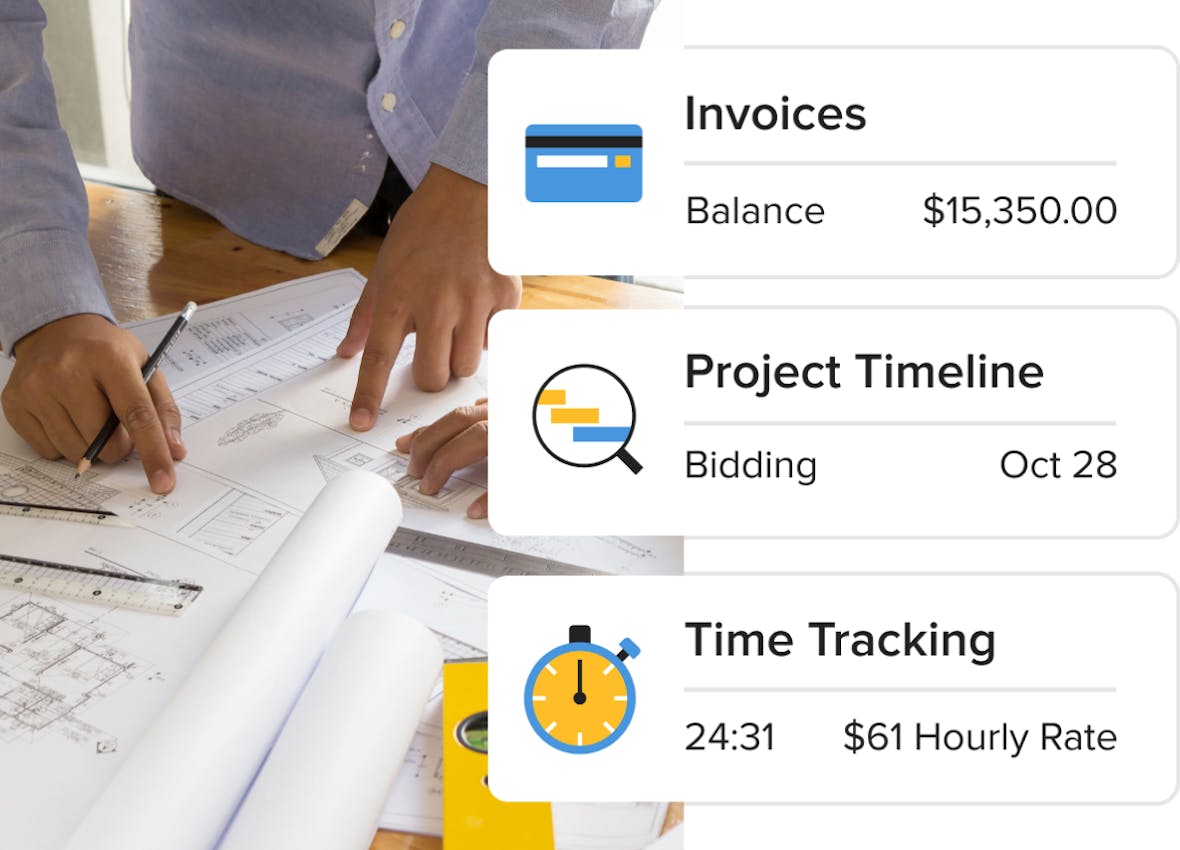
Convert Time to Invoice | Turn tracked time into invoices with one click. |
Add Expenses to Invoice | Include tracked expenses directly in invoices. |
Time Billing Accuracy | Ensure accurate billing by capturing all tracked hours and costs. |
| Reporting | |
Time Billing Reports | View logged time in reports for billing and analysis. |
Project Cost Visibility | View total time and cost per project for profitability insights. |
| Team Management | |
Team Time Tracking | Track time across multiple team members and activities. |
Custom Rates per Member | Assign different rates for different team members or services. |
| Workflow | |
Add Time Entries to Existing Invoices | Add additional time entries to invoices before billing |
Client Dashboard
| Feature | Description |
|---|---|
| Core Functionality | |
Centralized Client Dashboard | Provide clients with a single dashboard to access all project-related information in one place. |
| Communication | |
Client Messaging | Enable clients and pros to communicate directly within the dashboard. |
| Document Sharing | |
Financial Documents Sharing | Share estimates, invoices, proposals, and related documents. |
Files & Photos Sharing | Share project files, images, and documents with clients. |
| Project Management | |
Schedule Sharing | Share project schedules and timelines with clients. |
Task Visibility | Allow clients to view assigned tasks and project activities. |
Task Interaction | Allow clients to interact with tasks (e.g., updates, completion where applicable). |
Daily Logs Sharing | Share daily logs to keep clients informed on job site progress. |
| Design Collaboration | |
Selections Sharing | Share selections boards and allow clients to review and interact with items. |
Mood Boards Sharing | Share mood boards for design collaboration. |
3D Floor Plans Sharing | Share 3D floor plans for visualization and review. |
| Financial & Approvals | |
Online Payments | Allow clients to pay invoices and financial documents online. |
Payment Tracking Visibility | Allow clients to view payment-related information and status. |
Document Approvals | Allow clients to review and approve project documents (e.g., estimates, proposals). |
E-Signature Workflows | Enable digital signing of documents such as proposals or contracts (via Houzz Pro workflows). |
Budget Visibility | Share and display project budget information with clients. |
| Permissions & Access | |
Feature-Level Visibility Control | Control which dashboard sections are visible to clients. |
Document-Level Sharing Control | Publish or hide specific documents from client view. |
| Customization | |
Dashboard Menu Customization | Customize dashboard sections shown to clients. |
Widgets | Add elements such as text or media to enhance dashboard experience. |
Branding | Display company logo, contact details, and branded header background |
| Sharing & Access | |
Share via Link or Email | Provide access via shareable link or email invitation. |
Subcontractor Dashboard
| Feature | Description |
|---|---|
| Access & Onboarding | |
No-Login Access | Subcontractors can access the dashboard via a unique link without creating an account. |
Email Invitation Access | Receive a secure link via email to access project-specific dashboard. |
Bookmarkable Dashboard | Save dashboard link for quick access on desktop or mobile. |
Optional Account Creation | Create an account for expanded functionality and multi-project access. |
| File Management | |
File & Photo Viewing | View shared project files such as floor plans and drawings. |
File Downloading | Download project documents directly to device. |
File Uploading | Upload documents and photos to share with project team. |
| Task Management | |
Assigned Task Viewing | View tasks assigned by contractor or designer. |
Task Completion | Mark tasks as complete directly in the dashboard. |
Task Notes & Attachments | Add notes, photos, and files to tasks. |
| Task Management (Account) | |
Task Creation | Create new tasks when using an account. |
| Scheduling | |
Assigned Schedule Viewing | View schedule items assigned to the subcontractor. |
Full Project Schedule Access | View full project timeline when shared by the pro. |
Schedule Item Details | Open schedule items for detailed timeline information. |
Schedule Completion Tracking | Mark schedule items as complete. |
| Field Collaboration | |
Daily Logs Access | View daily job site activity logs shared by the pro (account required). |
Log Detail Viewing | Access detailed updates from project team via logs. |
| Collaboration | |
Centralized Project Information | Access files, tasks, schedules, and logs in one place. |
| Multi-Project Management (Account) | |
Multi-Project Access | View and manage multiple projects from one dashboard (with account). |
| Permissions & Visibility | |
Project-Level Access Control | Access limited to invited project(s) via unique link. |
Role-Based Experience | Different capabilities depending on login vs no-login usage. |
Project Collaboration
| Feature | Description |
|---|---|
| Team Collaboration | |
Invite Team Members | Invite employees to collaborate and control their access to projects, leads, and key features |
Subcontractor Collaboration | Invite subcontractors with controlled access to project information. |
Project File Sharing | Share documents, plans, and photos with team members |
| Permissions & Access | |
Role-Based Access | Control what team members and subcontractors can see and access. |
| Project Management | |
Centralized Project Hub | Manage projects, files, updates, and communication in one place. |
| Communication | |
Team Chat | Communicate with team members and share updates, files, and mentions. |
Comments on Documents | Comment directly within documents and project items. |
Internal Notes | Create private notes for internal team collaboration (not client-facing). |
| Task Management | |
Task Assignment | Assign tasks to team members, subcontractors, or clients. |
Task Notifications | Notify users of new, updated, or completed tasks. |
| Scheduling | |
Project Scheduling | Create and manage project schedules and timelines. |
Calendar Sync | Sync schedules with personal calendars for better coordination. |
| Reporting | |
Daily Logs | Capture daily progress with photos, videos, and updates from the field. |
Shared Progress Visibility | Give team and subcontractors visibility into project progress and updates. |
| Subcontractor Tools | |
Subcontractor Dashboard Integration | Share schedules, tasks, daily logs, purchase orders, files and chat with subcontractors via a dedicated dashboard. |
Houzz Pro Marketing Features
Custom Website
| Feature | Description |
|---|---|
| Website Builder | |
Website Editor | Edit website content using the built-in editor interface. |
Pages Management | Create, edit, and organize website pages. |
Styles Customization | Customize fonts, colors, and overall site design. |
Header & Footer Editing | Edit header and footer sections for branding and navigation. |
Projects Page Integration | Display and manage project portfolio on the website. |
Blog Creation | Add and manage blog content on the website. |
Website Settings | Manage global website settings and configuration. |
Navigation Management | Control page structure and navigation. |
| Lead Capture | |
Contact Form Customization | Add custom fields to contact forms. |
Lead Capture Forms | Collect client inquiries through website forms. |
| Marketing & Branding | |
Custom Domain Setup | Connect a custom domain to the website. |
Houzz Badge Integration | Add Houzz badge to the website. |
| Marketing & SEO | |
SEO Elements Editing | Edit website elements that impact SEO (e.g., content, structure). |
Accessibility Improvements | Modify website elements to improve accessibility. |
| Analytics & Tracking | |
Tracking Pixel Integration | Add tracking pixels (e.g., Facebook/Google). |
| Content Management | |
Visual Content Editing | Edit images, text, and page content. |
Insights and Analytics
| Feature | Description |
|---|---|
| Profile Analytics | |
Profile View Analytics | Track profile visibility and engagement activity |
| Portfolio Analytics | |
Photo Performance Insights | View engagement metrics related to project photos and portfolio content |
| Lead Analytics | |
Lead Source Tracking | Analyze lead activity across Houzz and external lead sources |
| Advertising Analytics | |
Campaign Performance Metrics | View campaign reach, clicks, and engagement data for sponsored placements |
Lead Generation
| Feature | Description |
|---|---|
| Lead Generation Platform | |
Access to hiring homeowners | Get discovered by homeowners actively looking to hire on Houzz |
Targeted local exposure | Appear in relevant searches based on location, project type, and services |
Flat-rate lead generation model | Access leads through subscription-based pricing instead of pay-per-lead |
| Lead Quality & Matching | |
Project, location & budget matching | Receive leads aligned with your services, service area, and budget preferences |
| Profile-Based Conversion | |
Portfolio-driven lead generation | Showcase projects and photos to attract and convert homeowners |
Reviews & reputation signals | Display client reviews prominently to build trust and credibility |
Business highlights & standouts | Highlight differentiators (e.g., services, experience, availability) on your profile |
| Client Engagement | |
Video consultations | Allow prospects to book and attend video meetings directly from your profile |
| Lead Management (CRM) | |
Lead pipeline & stages | Track leads through stages (new, contacted, meeting, proposal, won) |
Lead organization & filtering | Filter and manage leads by project type, tags, source, and status |
Messaging & communication | Communicate with leads via messages, notes, and files within Houzz Pro |
Convert leads to projects | Turn qualified leads into active projects within the platform |
| Integrations & Workflow | |
Calendar integration | Schedule meetings and track appointments with leads |
Integrations with business tools | Connect with tools like Gmail, QuickBooks, and calendars for workflow management |
Targeted Advertising
| Feature | Description |
|---|---|
| Ad Targeting | |
Geographic targeting | Choose specific service areas where your ads appear |
Service-based targeting | Select the services you offer to match your ads with relevant homeowner searches |
Project type targeting | Define the types of projects you want to advertise for |
Budget targeting | Set preferred project budget ranges to attract relevant inquiries |
Lead preferences filtering | Control which types of leads you receive based on your targeting settings |
| Ad Placement | |
Placement in Houzz search results | Appear in search results when homeowners look for professionals on Houzz |
Placement in homeowner browsing experience | Show your business to homeowners as they browse projects and professionals on Houzz |
| Ad Customization | |
Select ad images | Choose which project photos are used in your ads |
| Ad Delivery | |
Lead delivery from ads | Receive inquiries generated through your advertising placements |
Lead notifications | Get notified when a homeowner submits a project request through your ads |
SMS lead alerts (optional) | Enable text notifications for new advertising leads |
| Ad Optimization | |
Adjust targeting settings anytime | Update targeting (location, services, budget) to refine ad performance |
Control ad activity (on/off) | Enable or disable advertising availability to manage lead flow |
| Ad Enhancements | |
Promotional offers in ads | Add special offers (e.g., free consultation) to advertising placements |
Email Marketing
| Feature | Description |
|---|---|
| Campaign Management | |
Bulk Email Sending | Send bulk marketing emails to leads, clients, and vendors. |
Campaign Creation | Create and send newsletters, promotions, and email campaigns. |
Targeted Email Lists | Create and manage email lists to send targeted campaigns. |
Contact-Based Targeting | Send emails to specific groups based on contact lists. |
| Email Builder | |
Template Editor | Create, edit, and customize emails using a template editor. |
Pre-Designed Templates | Use pre-built email templates for newsletters and campaigns. |
Custom Email Design | Build custom email layouts using rows, columns, and content blocks. |
Content Blocks | Add and edit text, images, and layout elements within emails. |
Personalization Tags | Insert recipient-specific fields (e.g., name) into emails. |
| Contact Management | |
Centralized Contact Database | Store and manage contacts (clients, leads, vendors) in one place. |
Email List Creation | Create multiple email lists for different audiences. |
| Workflow | |
Gmail Sending Integration | Send marketing emails using a connected Gmail account. |
Save Custom Templates | Save customized templates for reuse in future campaigns. |
| Marketing | |
Client Nurturing Emails | Send updates and newsletters to stay in touch with leads and clients. |
More Houzz Pro Features
Houzz AI
| Feature | Description |
|---|---|
| AI Document Generation | |
AI Estimates, Proposals & Invoices | Generate estimates, proposals, invoices, and change orders automatically by describing a project in text or voice. |
AI Line Item Creation | Automatically generate line items, categories, and cost structures based on project descriptions. |
AI Document Editing | Use AI to expand, refine, or update existing financial documents with additional project details. |
| Project Planning Automation | |
Estimate-to-Schedule AI | Convert detailed estimates into project schedules with phases, tasks, and milestones automatically created. |
AI Task Suggestions | AI analyzes project notes and logs to suggest tasks and action items for your team. |
| AI Takeoff Automation | |
Automated Plan Measurements | Upload plans and let AI detect areas, wall lengths, and item counts automatically for faster takeoffs. |
Automatic Object Detection | AI detects plan elements |
| AI Communication Tools | |
AI Writing Assistant | Improve daily logs and notes by automatically refining text clarity, formatting, and spelling. |
AI Task Extraction from Notes | AI analyzes project notes to identify potential follow-up tasks. |
| Voice-Activated AI Assistant | |
Voice Commands for Project Management | Use voice commands in the Houzz Pro mobile app to create documents, log activities, and manage project tasks. |
Voice-Generated Estimates | Dictate project details and generate structured estimates automatically. |
Voice-Created Notes & Logs | Create daily logs, notes, and project updates hands-free while on site. |
| Expense & Financial Automation | |
AI Expense Scanning | Scan receipts or upload photos and let AI automatically fill in expense details. |
| Design & Visualization AI | |
AI 3D Floor Plan Creation | Convert 2D floor plans into editable 3D floor plans automatically using AI. |
AI Product-to-3D Conversion | Convert product images into 3D models that can be used in Houzz Pro 3D floor plans. |
| Workflow Automation | |
Connected AI Project Workflows | AI integrates across financial documents, takeoffs, schedules, logs, and design tools to reduce manual data entry. |
| Mobile AI Tools | |
Mobile AI Assistant | Access AI features directly in the Houzz Pro mobile app while working in the field. |
Mobile App
| Feature | Description |
|---|---|
| Project Management | |
Mobile Project Access | Access project information from mobile devices |
Tasks & Schedule Management | View and manage project tasks and schedules from mobile |
| AI Tools | |
AI-Assisted Document Creation | Use AI to create estimates, invoices, change orders, daily logs, notes, and other project documents from mobile |
Voice-Based AI Input | Use voice commands for AI-assisted workflows |
| Design Tools | |
3D Floor Plans | Create 3D floor plans from any phone with LiDAR |
Mood Boards | Use mood boards on mobile devices |
| CRM & Communication | |
Lead Management | Manage leads and client communication from mobile |
Client Messaging | Communicate with clients through mobile workflows |
| Financial Tools | |
Estimates & Proposals | Create, review, and manage estimates and proposals from mobile |
Invoices & Payments | Access invoices and payment-related workflows on mobile |
Change Orders | Review and manage change orders from mobile |
| Mobile Functionality | |
Photo Capture & Upload | Capture and upload project photos from job sites |
File Access | Access and manage project files and documents |
LiDAR Room Scanning | Scan rooms using LiDAR-supported devices |
Offline Access | Access project data without internet connection |
Mobile Document Signing | Approve or sign documents directly from mobile |
| Time Tracking | |
Mobile Time Tracking | Track time and job-related activity from mobile |
| Daily Logs | |
Mobile Daily Logs | Create and manage daily logs from mobile |
| Collaboration | |
Client Dashboard Access | Access and manage client dashboard workflows from mobile |
Subcontractor Collaboration | Access subcontractor-related workflows from mobile |
| Workflow | |
Mobile Project Updates | Update project activity and workflows while on site |
Mobile Approval Workflows | Approve project workflows directly from mobile |
Push Notifications | Receive mobile alerts and project notifications |
E-Signature & Approvals
| Feature | Description |
|---|---|
| E-Signature | |
Online Document Signing | Allow clients to review and sign documents digitally from desktop or mobile. |
Multi-Document Signing | Enable signing of estimates, proposals, and change orders. |
Paperless Signing Workflow | Capture signatures without printing or manual paperwork. |
Terms & Conditions Inclusion | Add terms and conditions directly to documents before sending for signature. |
| Approvals | |
Full Document Approval | Allow clients to approve entire estimates or proposals in one action. |
Line-Item Approval | Allow clients to approve individual line items within estimates or proposals. |
Approval Workflow Integration | Send documents for approval directly from estimates and proposal workflows. |
Change Order Approvals | Send and approve change orders digitally within project workflow. |
| Financial Integration | |
Online Payments | Allow clients to pay by card or ACH directly after approval. |
Approval-to-Payment Workflow | Connect approvals with invoicing and payment collection process. |
| Workflow | |
Mobile-Friendly Experience | Enable clients to review, approve, and sign documents from mobile devices. |
Centralized Document Tracking | Track document status (sent, approved, signed) within Houzz Pro workflows. |
Integrations
| Feature | Description |
|---|---|
| Accounting Integrations | |
QuickBooks Online Integration | Sync invoices, payments, and financial data with QuickBooks Online |
| Communication Integrations | |
Gmail Integration | Connect Gmail accounts for email communication workflows |
| Scheduling Integrations | |
Google Calendar Integration | Sync meetings and schedules with Google Calendar |
| File Management Integrations | |
Google Drive Integration | Access and manage project files through Google Drive |
| Automation Integrations | |
Zapier Integration | Connect Houzz Pro workflows with external apps using Zapier |
| Workflow Sync | |
Cross-Platform Workflow Sync | Keep project and workflow information aligned across connected tools |
| Financial Workflows | |
Financial Data Synchronization | Sync accounting-related project data between Houzz Pro and connected systems |
| Productivity Workflows | |
Calendar & Meeting Synchronization | Coordinate project meetings and scheduling workflows across platforms |
| Payroll Integrations | |
Gusto Integration | Connect Houzz Pro with Gusto for payroll-related workflows |
Expert Support
| Feature | Description |
|---|---|
| Support Channels | |
Live Chat Support | Contact support directly within Houzz Pro via live chat during support hours |
Email Support | Submit support requests through email or support tickets. |
Phone Support | Contact support team directly via phone. |
| Expert Assistance | |
Industry-Specific Support | Access support from experts familiar with construction and design workflows. |
Specialist Support | Get help from specialists (e.g., workflows, integrations). |
| Self-Service Support | |
Help Center Access | Access articles, tutorials, and guides through the Houzz Pro Help Center. |
Video Tutorials | Learn features through on-demand video tutorials. |
Training Resources | Access training materials to learn how to use Houzz Pro features. |
| Community | |
Pro Forum | Connect with other professionals to ask questions and share knowledge. |
| Product Updates | |
Product News & Updates | Stay informed about new features and updates. |
| Support | |
Dedicated Account Manager | Dedicated representative is assigned to any Advertising or Custom Houzz PRO software customers |
| AI Support | |
AI Chatbot Support | Automated support assistant inside product |
| Training | |
Certification Programs | Formal certification for software proficiency |





AWARD-WINNING SUPPORT
Here to Help—However You Need It.
Got questions? Our remodeler software experts have answers. For anything our self-guided resources can't solve, reach out for assistance and we'll take it from there.

Online Chat
The fastest way to find answers is at the bottom right of your browser.


Phone
We’re here from Monday to Friday, 6am to 5pm PT at (888) 372-2851.

ALL HOUZZ PRO SOFTWARE PAGES