Houzz Pro Local Advertising: New Features and Quality Improvements
In order to improve lead quality and volume for our pros who advertise on Houzz, we’ve launched six (6!) great improvements.
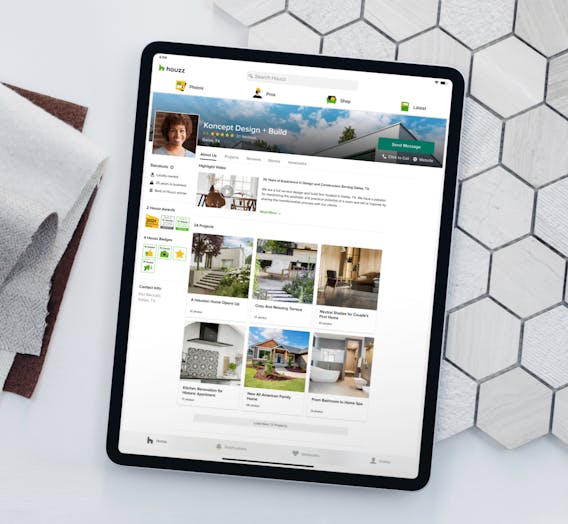
You’ve put in the effort to put your best foot forward with a polished Houzz Profile. Your profile photo is uploaded, your project photos look great, and your reviews are glowing. So how does Houzz help get more homeowners to get to know your business and contact you?
If you are a Houzz Pro Ultimate member (meaning you advertise on Houzz), we do everything we can to connect with quality new leads - and we’re looking for new ways to improve every day! We’re excited to let you know about the latest improvements that are live and included in your Ultimate subscription.
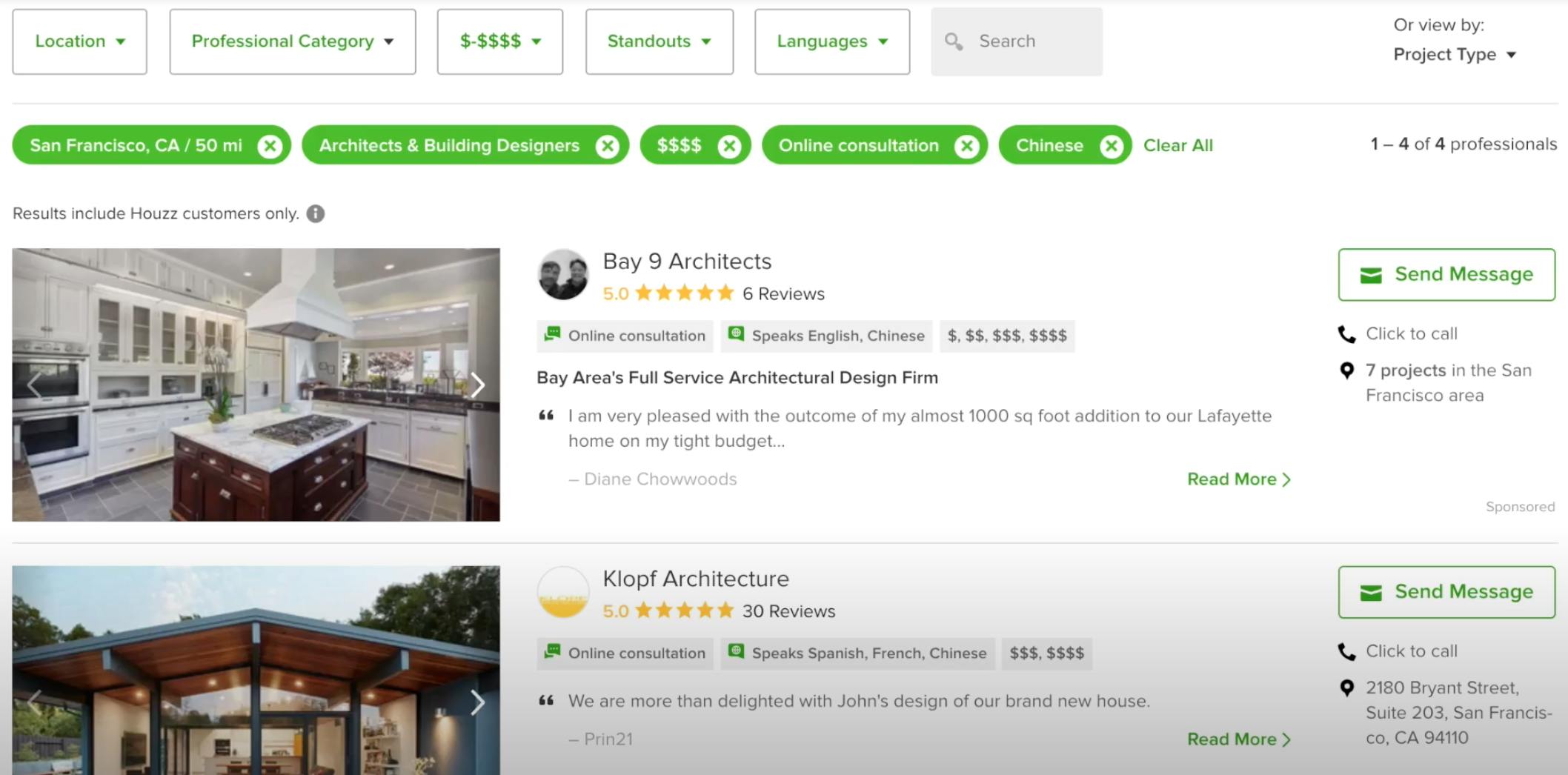
1. When homeowners in your area who are looking for your services select certain filters, we are giving your business elevated visibility.
Only Ultimate and Essential subscribers will appear when the following filters are applied: a general indicator of their budget ($-$$$$), Standouts, and Languages spoken.
Although you can adjust your budget settings is your Subscription settings, we encourage you to keep the default settings to reach homeowners who may not yet be clear about their budget.
You may be wondering, what are Standouts and do I have them? Standouts are tags that you can feature on your profile and your directory listing in order to stand out from competitors and quickly communicate what's unique about your business.
You can find Standouts under your profile photo in your Houzz profile. Select up to 3 Standouts to feature. If you’d like to feature languages that you speak as a Standout, that selection will also be used as a filter enabling homeowners to find you when they are searching in the Houzz Find a Pro directory.
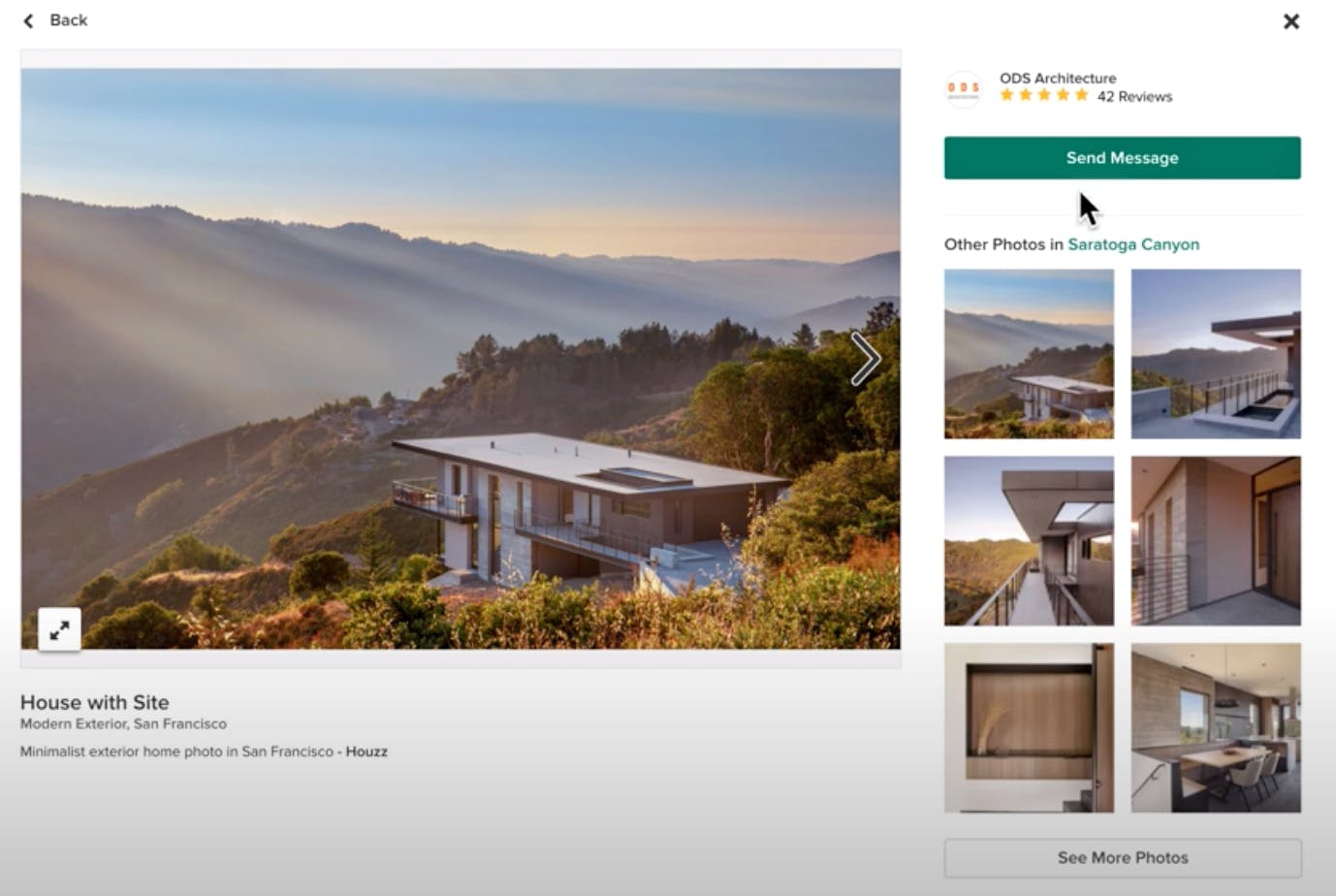
2. We’ve added a prominent “Send Message” button so homeowners can more easily contact you when they are viewing your project photos.
If homeowners like what they see, not only can they visit your profile with just a click but they can also now send you a message right from your photo.
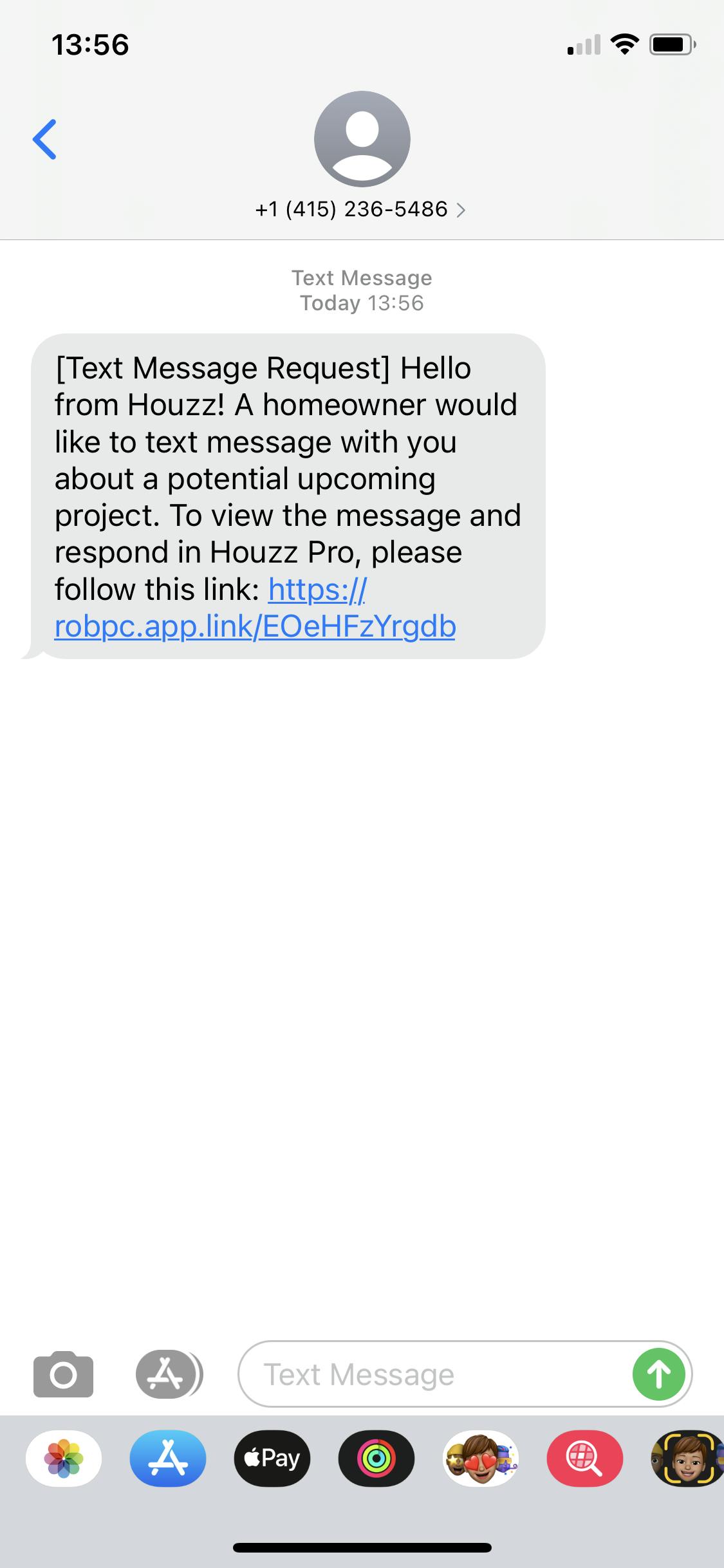
3. Receiving new leads just got easier. You can now text message with homeowners looking to hire who reach out to you from Houzz!
When homeowners visit your Houzz profile and send you a direct message, we’ll connect you with your new lead right away via text message. Similarly, if a homeowner uses our tool to get matched with an appropriate professional, you may also receive a text message connecting you directly with your new lead.
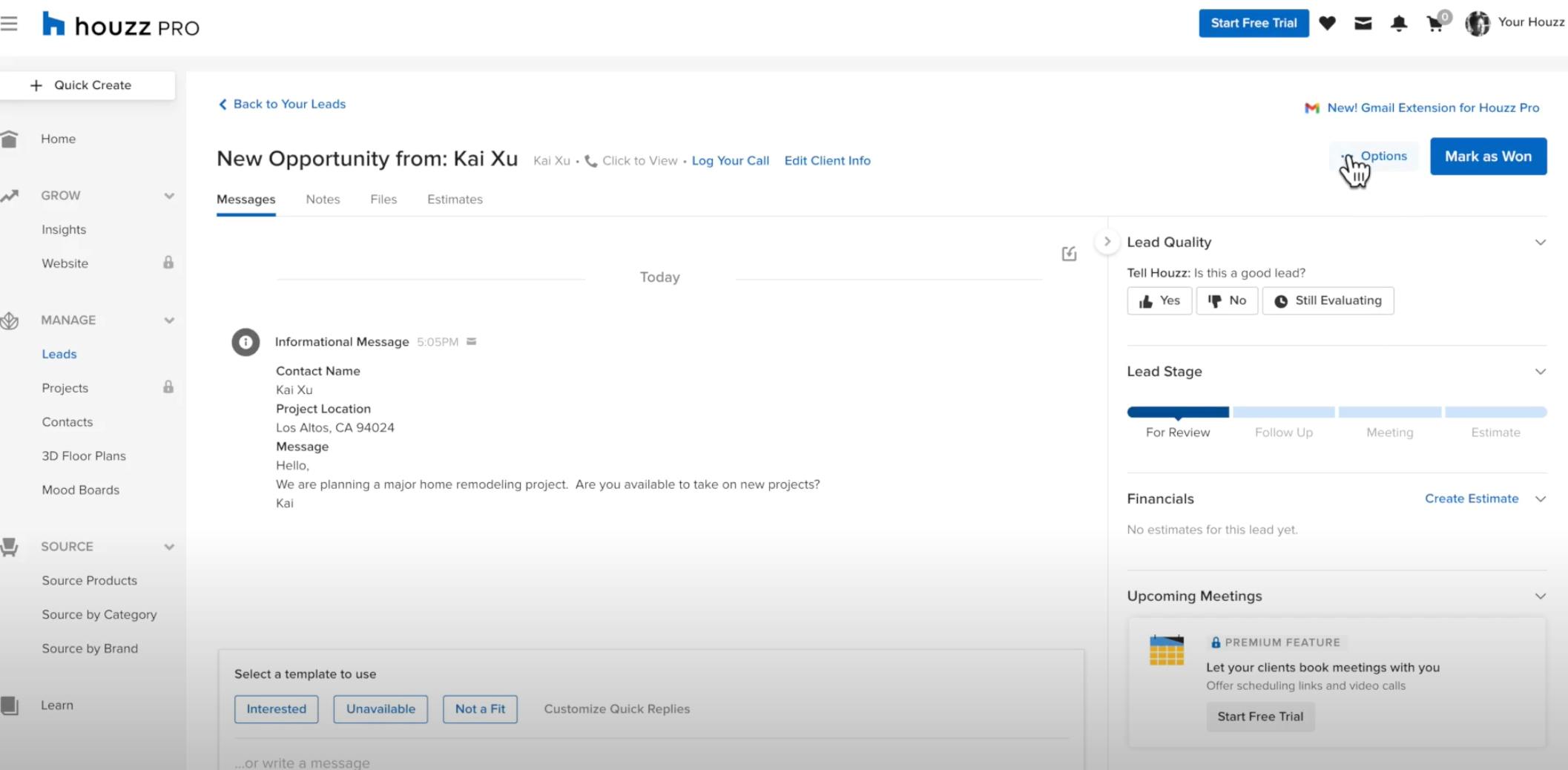
Both you and your new lead will receive a text from Houzz which connects you both via SMS. From there, both you and the homeowner can text or call each other. To call the homeowner, simply call the phone number that texted you! The entire conversation will be conveniently recorded for you in Houzz Pro. You can refer to it anytime from the Houzz Pro app or Houzz Pro CRM on the web.
4. Ever received a good lead from Houzz that's just not the right fit? You can now easily refer those leads to other pros, and receive lead referrals in return.
The Houzz Lead Referral Network lets you make a wonderful impression on homeowners who reach out but are not a fit for your business. Whether you’re booked out for another year, the homeowner’s budget is too small, or they're looking for a project that turns out not to be in your wheelhouse - you can still be helpful to them and earn some good karma.
You can easily refer homeowners to other pros that you know personally, or simply connect them to pros that we recommend with a click. No matter what, your referral will be appreciated. Just as you can send homeowners another pro’s way, you can also receive lead referrals sent from other pros! Here at Houzz, we’re all about making it easy for pros to help other pros. To refer a pro to one of your leads, start by clicking "options" when you're looking at the lead details in the Houzz Pro lead management tool. Then follow the prompts to enter or select a pro, and add a note. It's that easy.
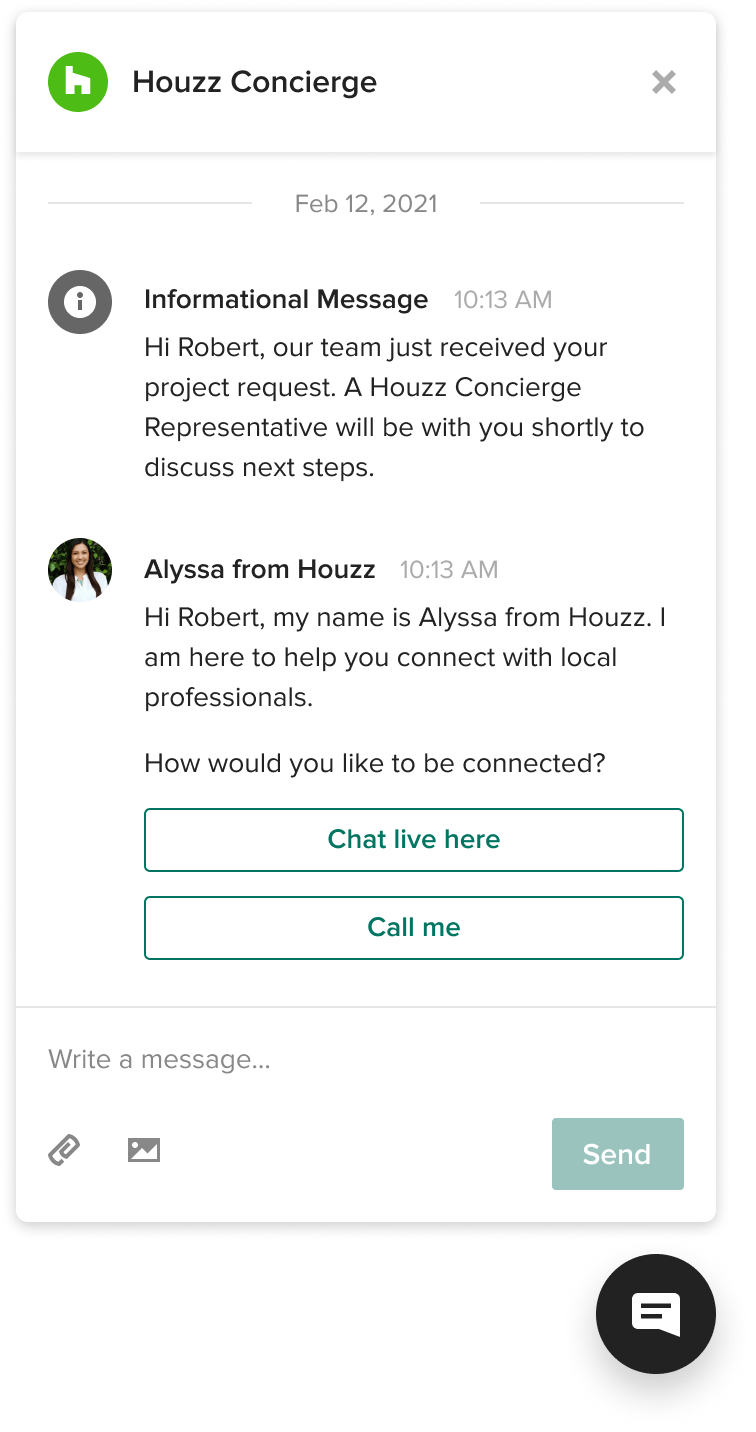
5. We're pre-screening even more leads with three-way chat, a new feature of the Houzz Concierge service
The more that our team can screen leads and connect them with you right away, the more effective and efficient you can be with your time. We've been testing this new three-way chat feature for a few weeks, and it's been an overwhelming success, so we're excited to roll it out widely. Now homeowners have the option of connecting with a Houzz concierge rep by chat, providing the important details about their project, and then continuing the conversation with a pro in that same chat. In addition to our concierge-screened phone leads, this is a great new tool for getting more qualified homeowner leads to our pro customers more quickly. Want to participate? Be sure you have the Houzz App on your phone - download it now.
6. By popular demand: zip code targeting
We’ve heard you loud and clear! Cities and sub-metros are not granular enough. With our latest update, you’re now able to specify which zip codes you’d like to include or exclude on your advertising package’s sub-metro map.
This can be especially helpful if there are zip codes in your broader area which are too far or inconvenient to get to, or perhaps you’re interested in expanding your business presence in a specific luxury zip code. This feature is being rolled out over the next several weeks, so stay tuned for more information on how to use it, or reach out to your success manager directly.
Let us know what you think of these latest improvements in the comments below!


Want advice delivered to your inbox?
Unlock industry insights and updates for contractors and design pros
By signing up, I agree to the Houzz Terms of Use and Privacy Policy and that Houzz may use my information to contact me about relevant content, products, and services.