What's New in Houzz Pro: Construction Edition
Time for our latest monthly release—here’s what’s new across Houzz Pro.
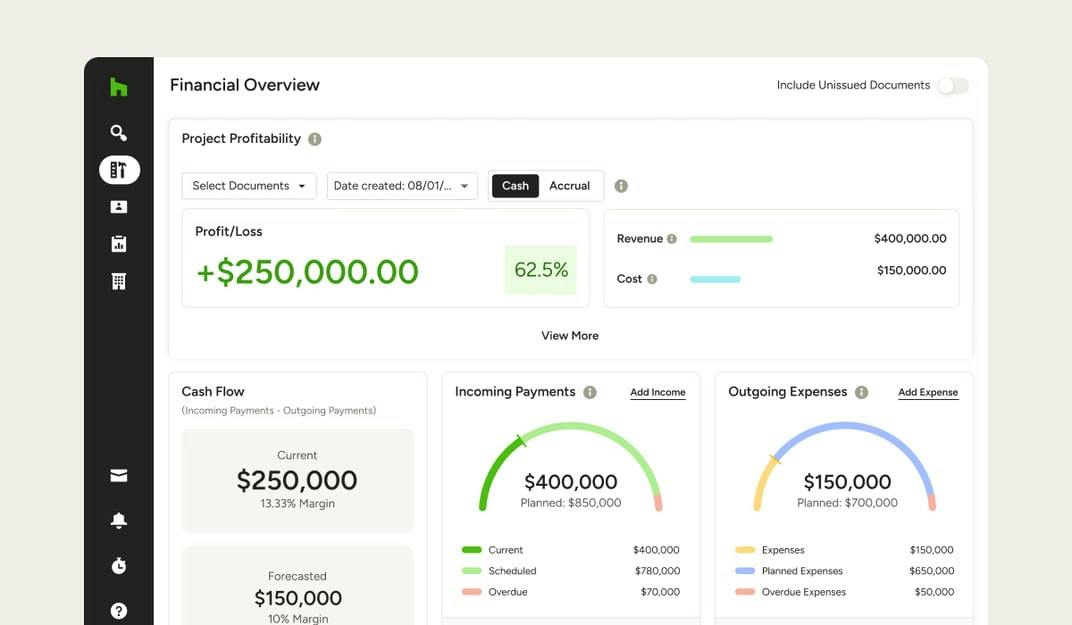
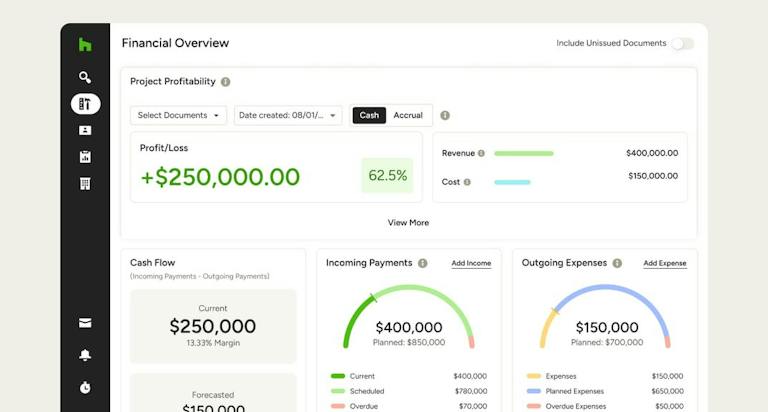
Get a Clear, Real-Time View of Every Project's Profit
View Profitability and other financial reports directly in Houzz Pro. Quickly view issued invoices and billed purchase orders in one view—layer in estimates, time, expenses or unbilled POs for a more complete picture. Always current, no reconciling required.
Let AI Automatically Name and Number Your Plan Pages in Takeoffs
Upload a plan to Takeoffs and Houzz AI automatically names and numbers every page, so your team can jump straight to measuring without any manual setup.
Design with Custom Cabinet Dimensions—Not Just Presets
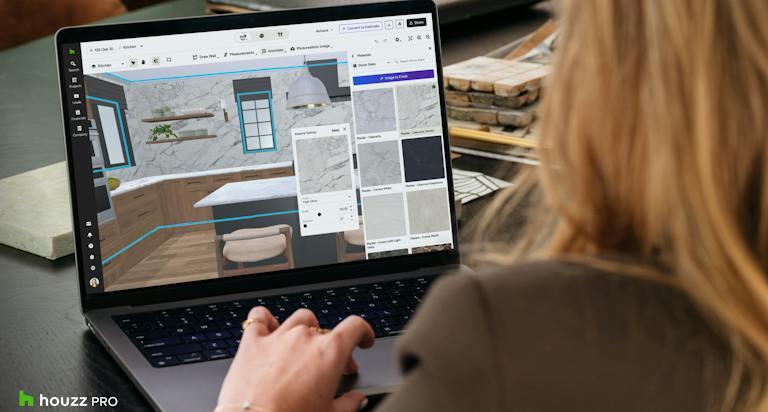
Design to your client's exact vision. 3D Floor Plans now support custom cabinet dimensions, adjustable to any width, height and depth.
Scan Kitchen Cabinets as True Base, Wall and Tall Units
Room Scan for iPhone now captures kitchen cabinets as true cabinets, not just generic wall mounts, saving you time when designing your 3D floor plan.
Set Flexible Budget Placeholders Before Selections Are Final
Add a budget placeholder to any Estimate line while selections are still in progress, then lock it in or reopen it as choices are made, so the estimate can move forward before every decision is final.

Want advice delivered to your inbox?
Unlock industry insights and updates for contractors and design pros
By signing up, I agree to the Houzz Terms of Use and Privacy Policy and that Houzz may use my information to contact me about relevant content, products, and services.