How Efficient Construction and Design Pros Stay Organized Through Every Project
The secret sauce to always having what you need at your fingertips? A great lead and project management system.
You had a phone call with a client where you were diligently jotting down notes, but now you can’t find your notebook. You made a mental note of something, but later wished you had just written it down in the moment. Sound familiar?
When you keep all of your information organized in one centralized place, you’ll eliminate clutter and eliminate needing to dig around. Houzz Pro lets you manage all of your leads and projects in one place, where all communications, files, estimates or proposals, and invoices are all neatly stored.
Log your calls in Houzz Pro so you can have a chronological record of your conversations. You can jot down any meeting notes for your reference, and make sure that you get things right the first time.

Learn how to log a call in Houzz Pro:

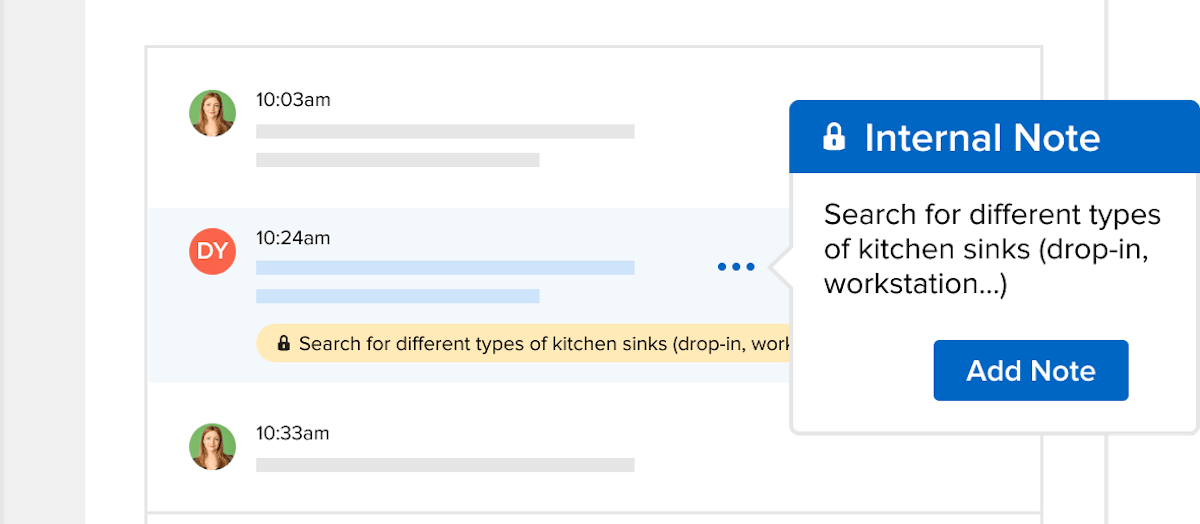
Create notes in Houzz Pro so you can create a note-to-self that you’ll never lose. You can attach a note to all activities between you and your client. For example, if a client sends you a collection of photos or ideas, you can summarize takeaways as a contextual note. When you create private notes, only you and your team can see key information about customer communication and project to-dos.
Learn how to add a note in Houzz Pro:


Want advice delivered to your inbox?
Unlock industry insights and updates for contractors and design pros
By signing up, I agree to the Houzz Terms of Use and Privacy Policy and that Houzz may use my information to contact me about relevant content, products, and services.