How to Merge Estimates, Invoices or Change Orders
Merging estimates, invoices or change orders can be a great way to consolidate related records into a single document for your client to review and pay.
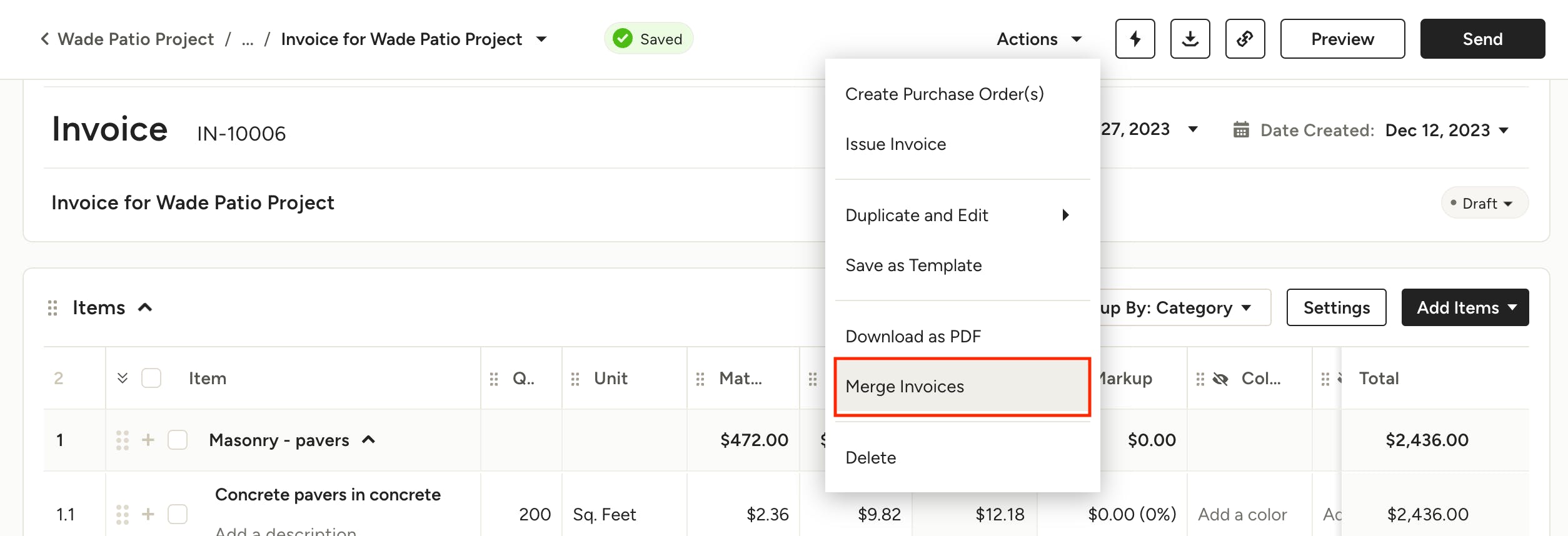
How to Merge Invoices
Here's a step-by-step guide on how to merge invoices:
1. Open an invoice.
2. Click on the Actions menu and select Merge Invoices.
Please note that this feature is only available for invoices that are in the draft stage and in the same project.
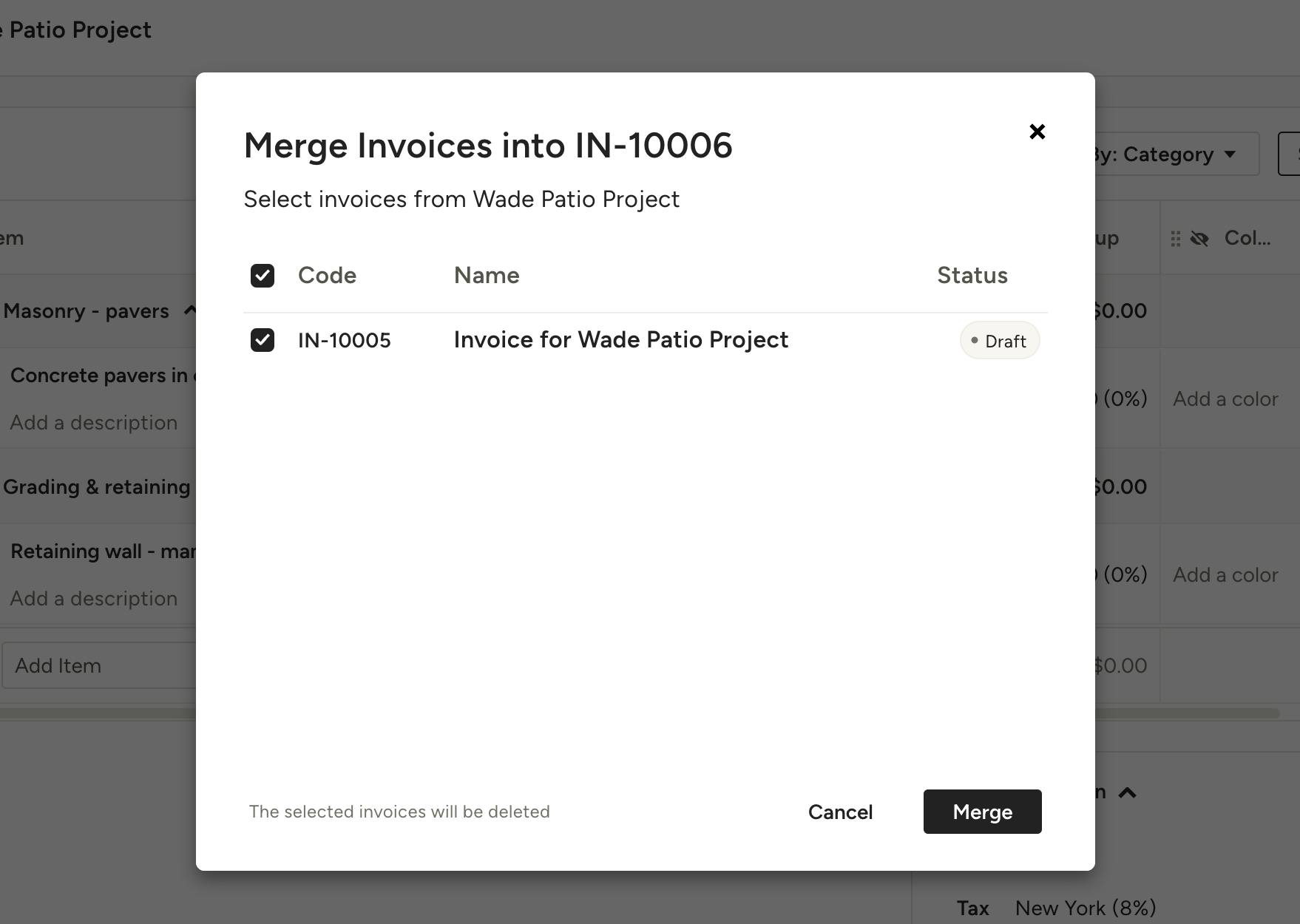
3. You will see a list of draft invoices associated with the same client and project. Check the corresponding checkboxes beside each invoice to select the invoices you want to merge.
4. Click on Merge to proceed.
-The selected invoices will be combined into a single invoice, including the attachments.
-The selected invoices will be deleted.
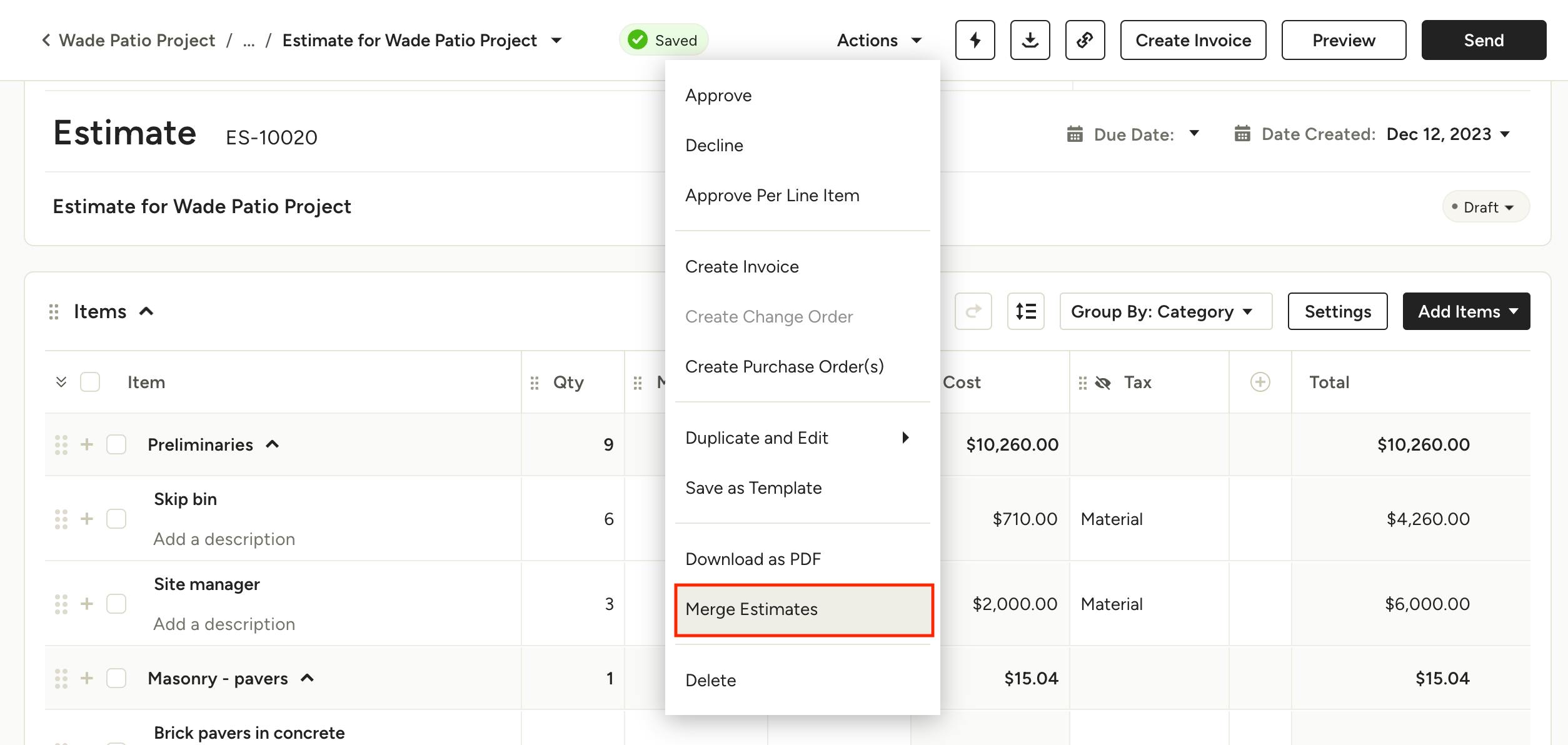
How to Merge Estimates
Here's a step-by-step guide on how to merge Estimates:
1. Open an Estimate.
2. Click on the Actions button and select Merge Estimates.
Please note that this feature is only available for estimates that are in the draft stage and in the same project.
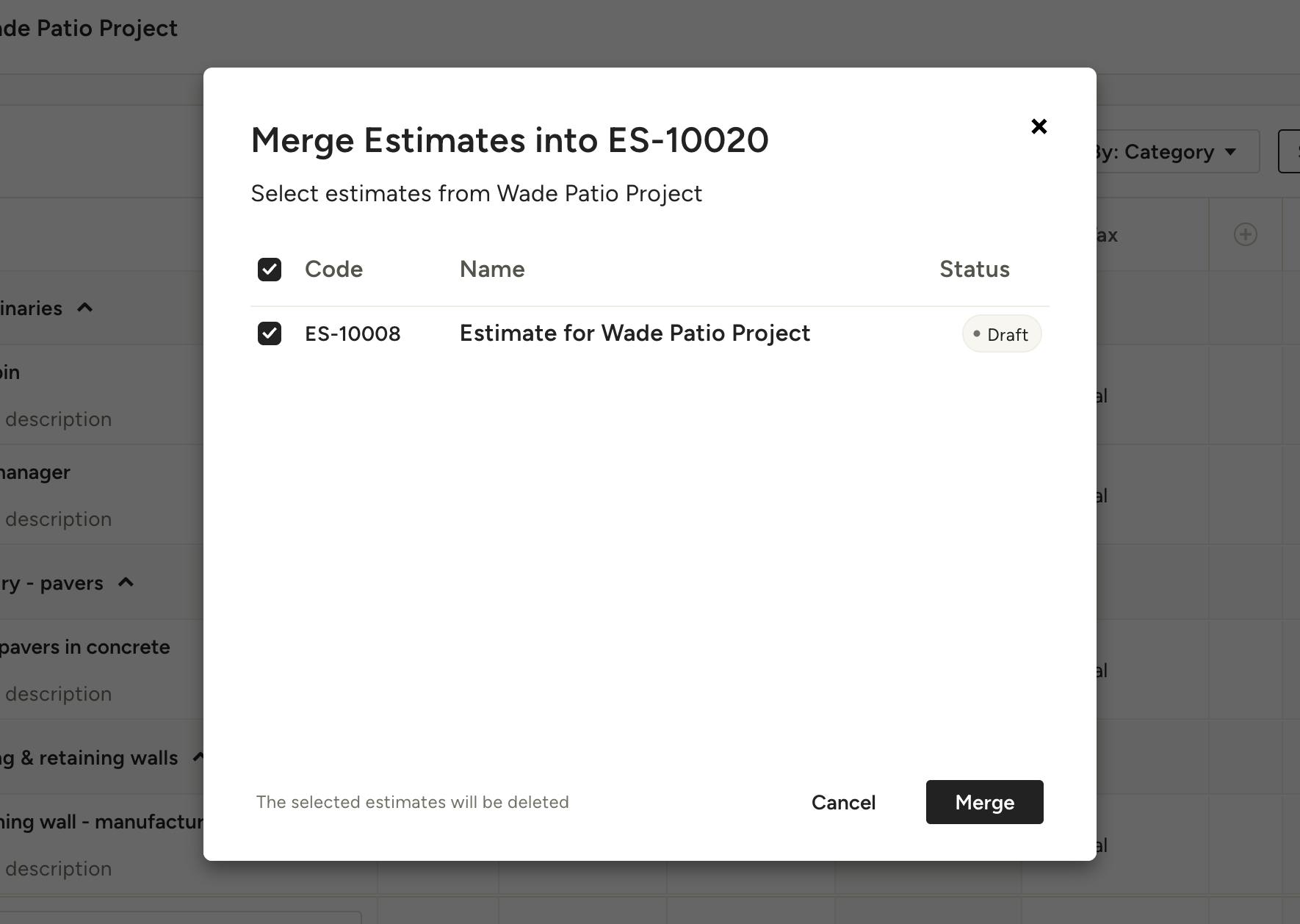
3. You will see a list of draft Estimates associated with the same client and project. Check the corresponding checkboxes beside each Estimate to select the Estimates you want to merge.
4. Click on Merge to proceed.
-The selected Estimates will be combined into a single Estimate, including the attachments.
-The selected Estimates will be deleted.
How to Merge Change Orders
Here's a step-by-step guide on how to merge Change Orders:
1. Open a Change Order.
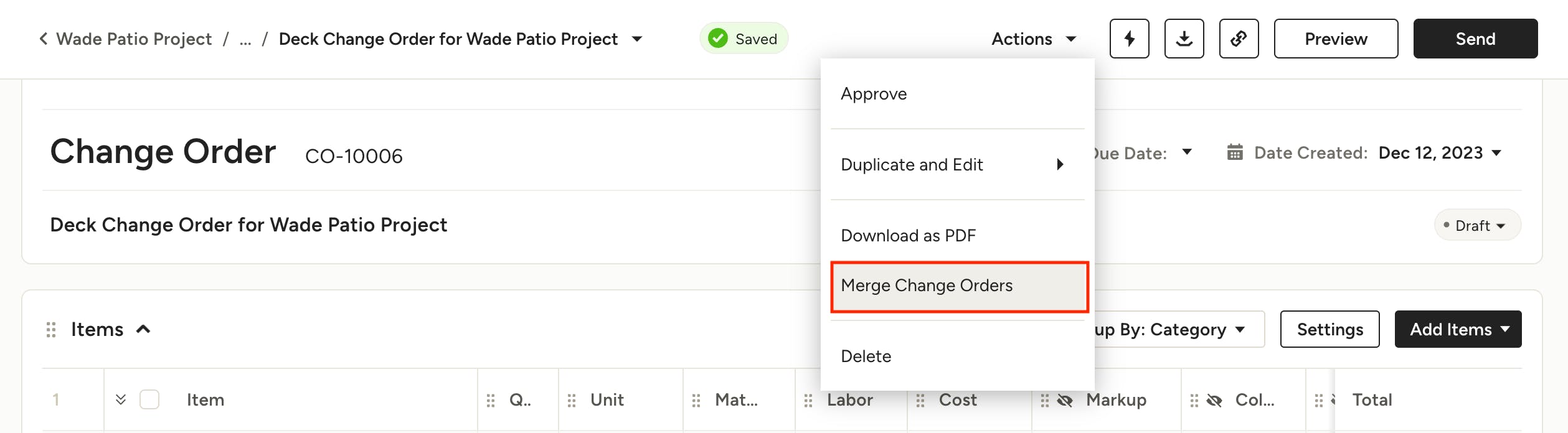
2. Click on the Actions button and select Merge Change Orders.
Please note that this feature is only available for change orders that are in the draft stage and in the same project.
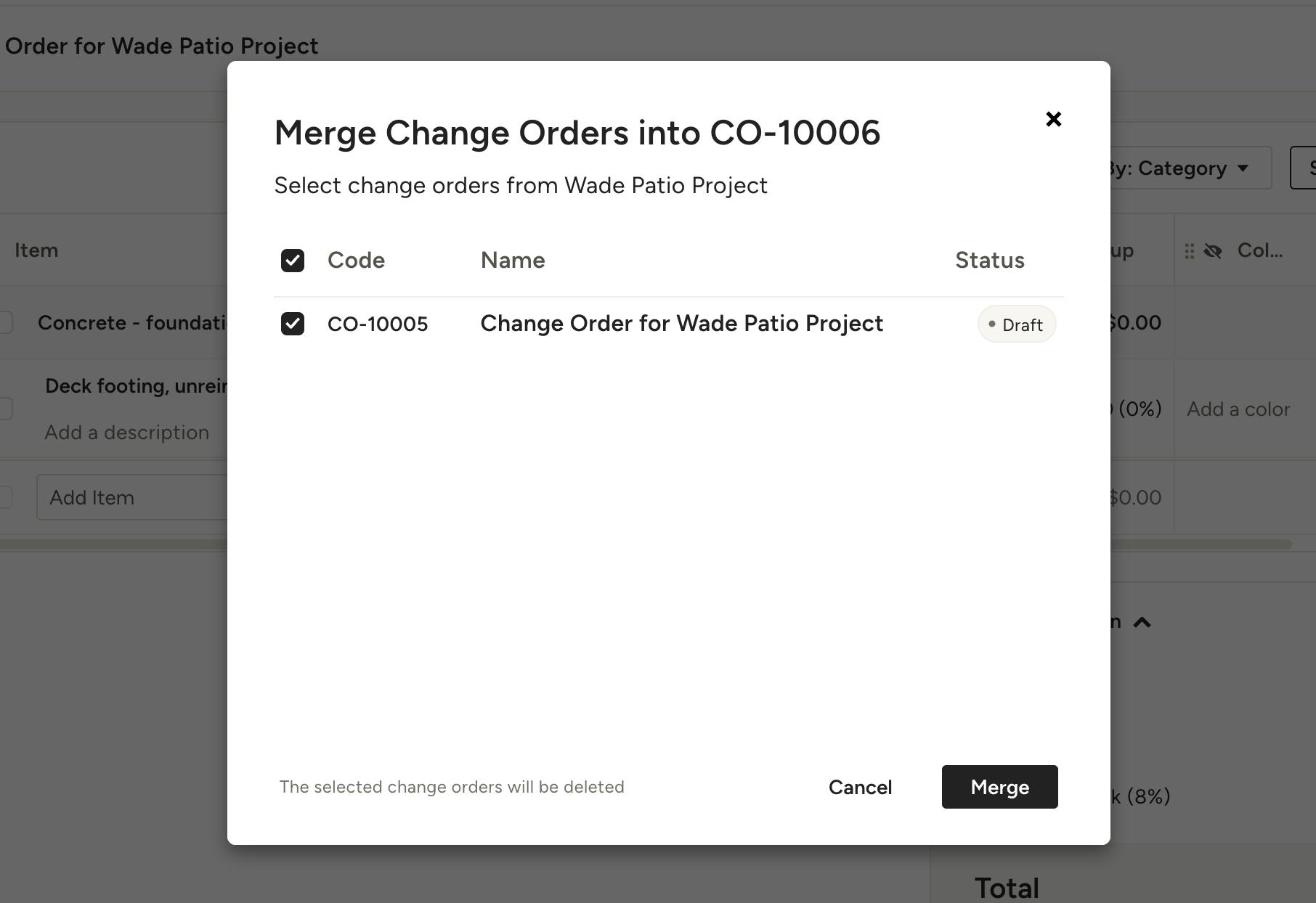
3. You will see a list of draft Change Orders associated with the same client and project. Check the corresponding checkboxes beside each Change Order to select the Change Orders you want to merge.
4. Click on Merge to proceed.
-The selected Change Orders will be combined into a single Change Order, including the attachments.
-The selected Change Orders will be deleted.