How to Customize Your Project Overview Page
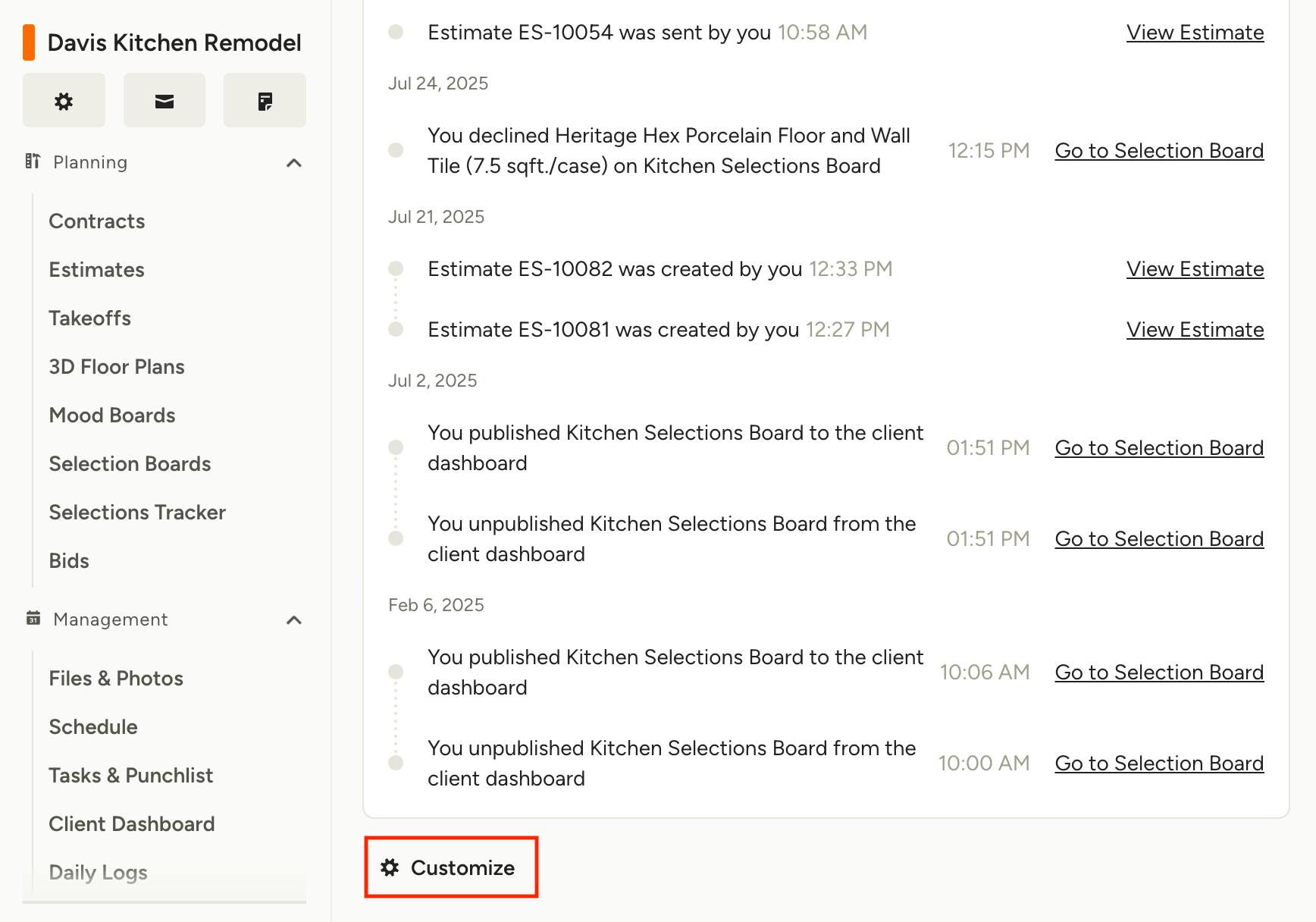
Each project overview page is central hub for individual project status and details, designed to give you quick access to the information you need. The feature-specific widgets provide a look into recent actions and upcoming items, and can be customized to fit your teams workflow.
To personalize the layout of the widgets, including showing/hiding them and the order in which they appear, scroll to the bottom of the project overview page and click Customize.
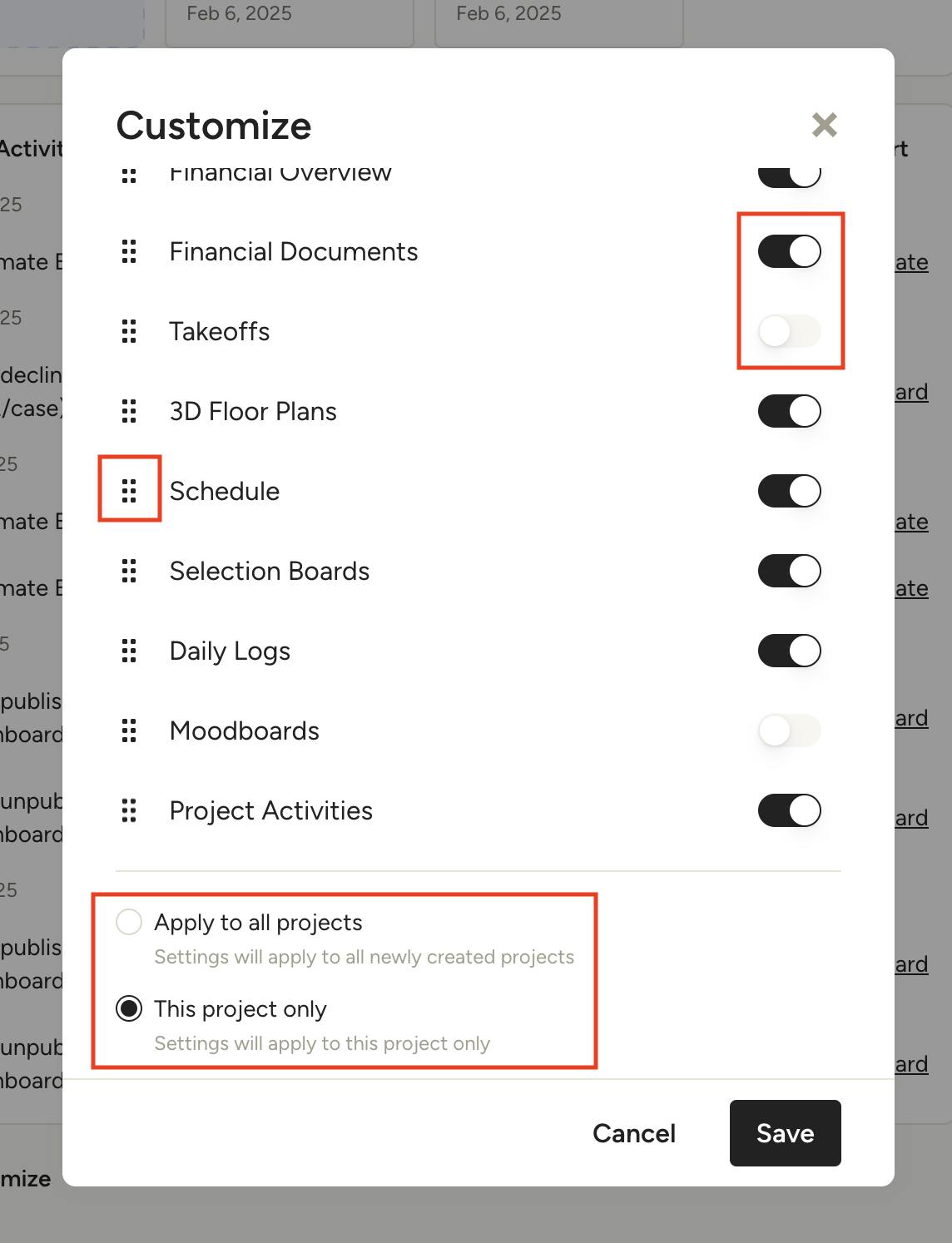
In the Customize modal, use the toggles to the right of each widget to show or hide them from the project overview. You can set the order they are shown in by using the six dots to the left of each one to drag and drop them into place.
At the bottom of the modal (be sure to scroll all the way down) you have the option to "Apply to all projects" (Settings will apply to all newly created projects) or "This project only" (Settings will apply to this project only). Once you've made your customizations, click Save to see your new layout.
Project Widgets
The following widgets are available for you to use on your project overview page:
- Upcoming: Time sensitive items due in the next few weeks, with the ability to filter by feature and quickly view Today, This Week and Next Week.
- Project Profitability: At-a-glance view of how profitable your project is.
- Tasks & Punchlist: Overview of tasks and punchlist items, including due dates and assignee information, plus the ability to create a new task.
- Files & Photos: Project files and photos preview, with the ability to upload new files.
- Budget: Summary of the project budget, including Estimated, Actual and Variance.
- Financial Overview: Summary of the project financials, including Cash Flow, Incoming Payments, Outgoing Payments and forecasts.
- Financial Documents: List of recent financial documents, with the ability to quickly view by document type and create new documents.
- Takeoffs: Project takeoffs preview, with the ability to upload new plans.
- 3D Floor Plans: Preview of recent 3D plans, with the ability to create a new plan.
- Schedule: Overview of current and upcoming schedule phases and items.
- Selection Boards: Preview of project selection boards, with the ability to create a new one.
- Daily Logs: Overview of recent daily logs, plus the ability to create a new one.
- Mood Boards: Preview of project mood boards, with the ability to create a new one.
- Project Activities: Feed of activities related to the project, with sorting options and ability to click on the feature/item corresponding to the activity.