How to Change the Language on Houzz Pro Desktop
Houzz Pro allows you to switch the language in which your content appears, so you can work comfortably in your preferred language. Switching languages will only impact your account, not your team members or subcontractors, so you have the freedom to personalize your experience.
Multi-Language Overview
The majority of your Houzz Pro account will be shown in the language you set, but it's important to know that multi-language support only updates the interface language (menus, buttons, labels, settings, navigation, etc.). Here are other key things to note:
- Content written by users is not automatically translated. This includes task names and descriptions, daily log entries, messages, comments, and similar user-generated text.
Keep in mind that anything you write will appear exactly as you wrote it for clients, subcontractors and team members, and will not be translated. - Client and subcontractor views will remain in the site's original language. This means even if you switch from English to Spanish, their Houzz Pro view will still show in English, including shared documents, selections, 3D plans, client dashboards, subcontractor dashboards, etc. Subcontractors can change their language in their account or on their dashboard if desired.
- Templates, such as document or message templates, will be in the default language for your domain. If you would like to have templates in a different language, you can create and save them in your preferred language and apply them as needed.
- Features that are only available in specific countries will remain in the default language for that domain that they are unique to. If there are features you’d like to see translated, let us know! We prioritize translation based on customer requests.
- Help Center links will still direct to your domain's Help Center, and the help articles will still be in the default language for that domain. For example, if you are signed up on .com (English (United States/Canada)) but set your preferred language to Spanish, your help articles will still appear in English (United States/Canada).
- Language settings are synced across your desktop and mobile app. The language you select on desktop is connected to your mobile app setting — update one, and the other will update automatically.
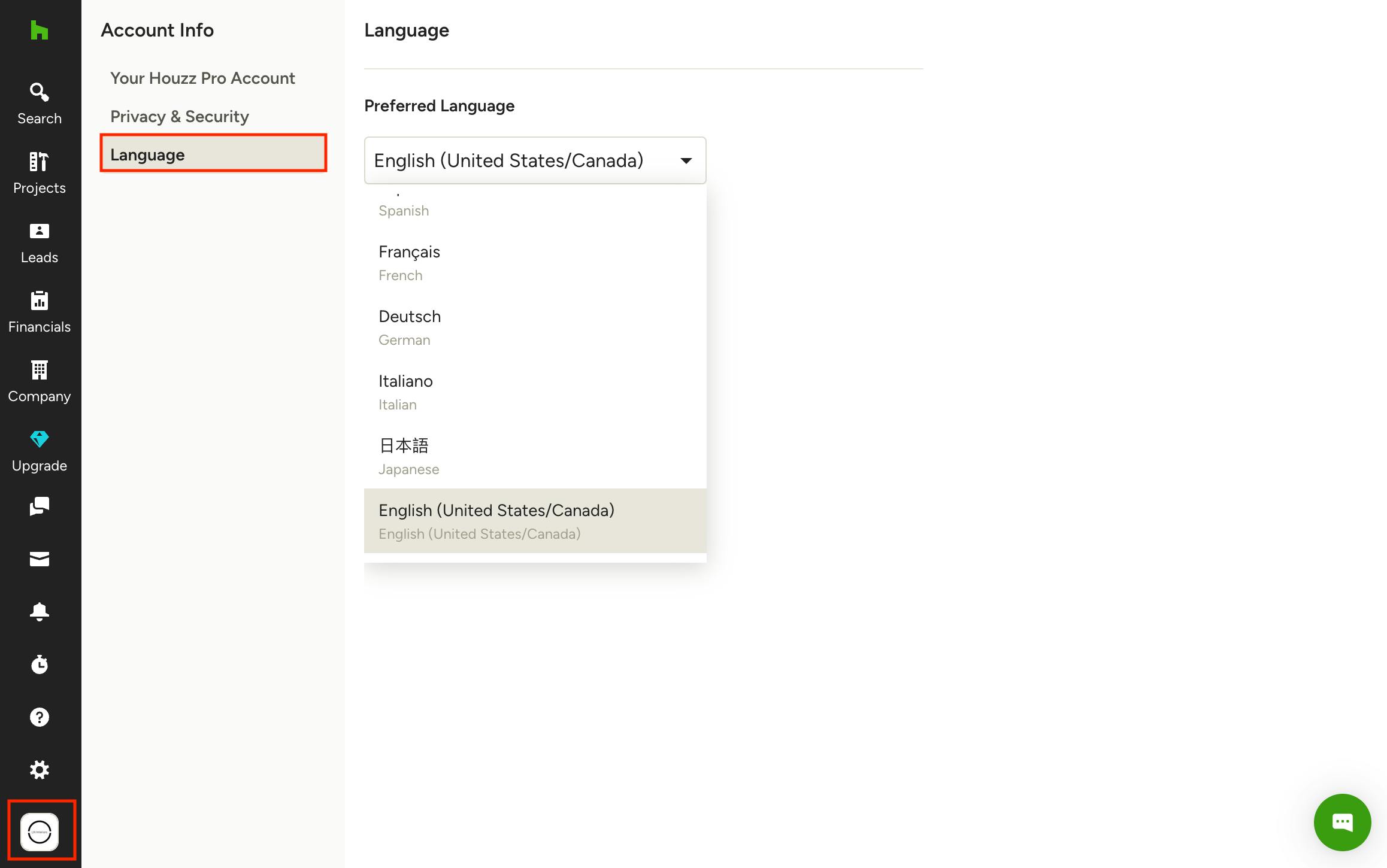
Set Up Your Preferred Language
To set your preferred language on Houzz Pro desktop, click on your Profile icon at the bottom of the left navigation, then select Account Info from the menu. From the Account Info menu, select Language. Use the Preferred Language dropdown to choose a language. Your content will change as soon as you make a selection.
You can also set your preferred language from the Houzz Pro mobile app, both on iOS and Android devices. Remember, language settings are synced, so if you set the language in your app, it will automatically change the language in the desktop version. Learn more in How to Change the Language on the Mobile App.