Takeoffs Keyboard Shortcuts
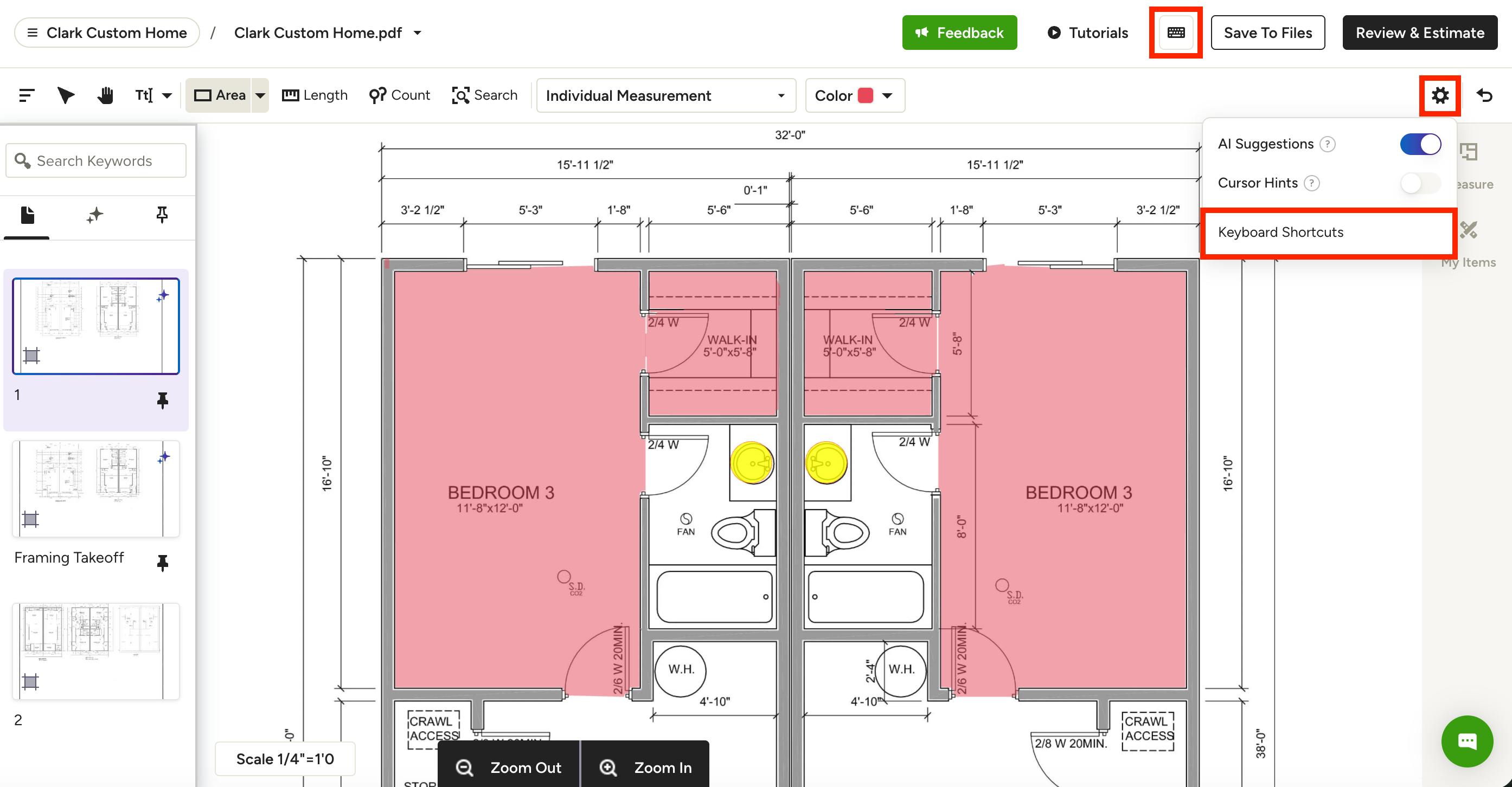
There are a number of custom keyboard shortcuts that will help you navigate the takeoff canvas and speed up the time it takes you to complete a takeoff.
To access the keyboard shortcut list from your takeoff, select the Keyboard icon at the top of your canvas. You can also click the Settings Gear icon, then select Keyboard Shortcuts in the dropdown menu.
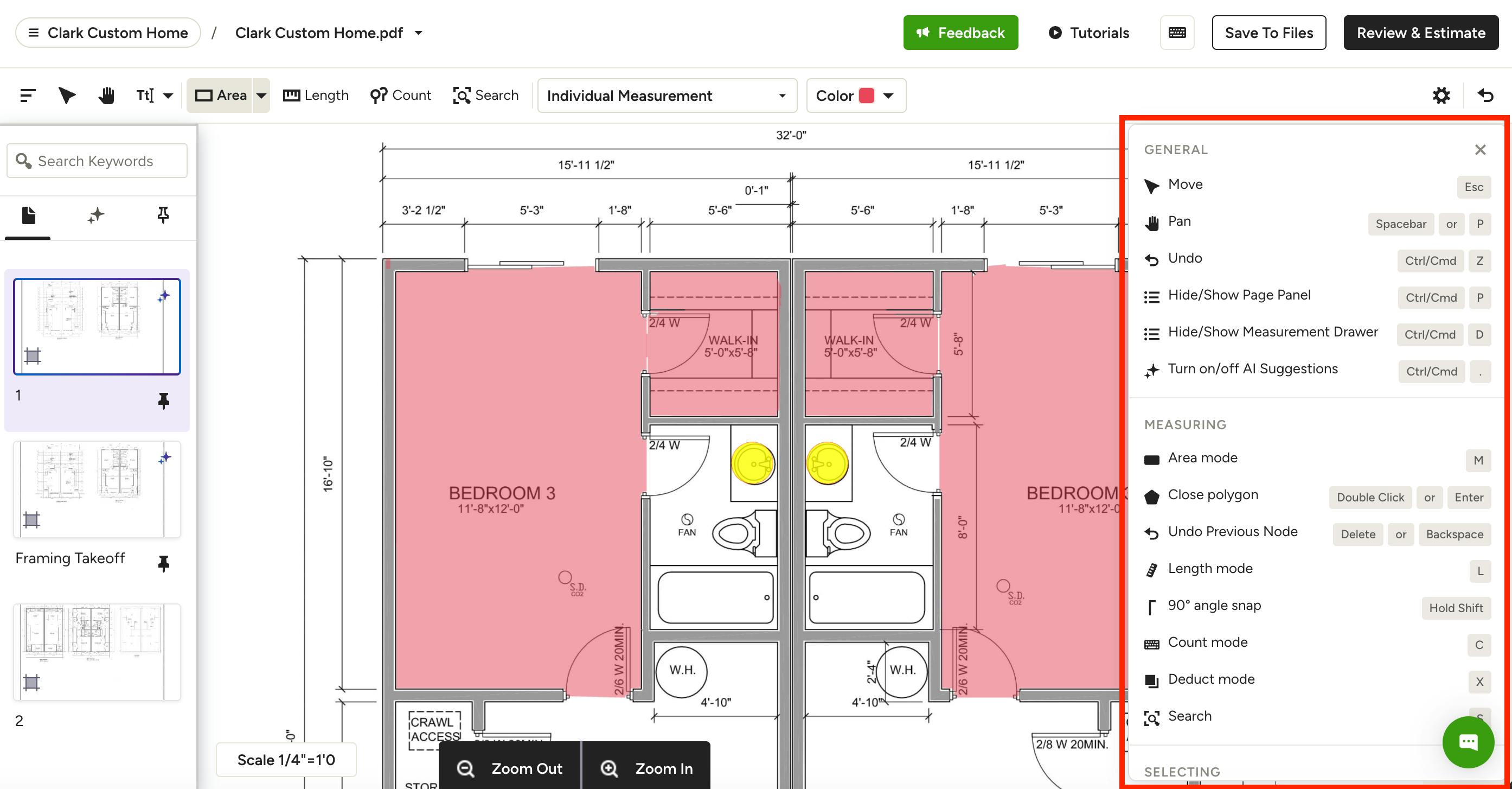
The full list of shortcuts will appear, as shown below.
Here is a list of the shortcuts mentioned for your reference:
- ESC → Move
- SPACEBAR → Hold the spacebar down and click with your mouse to pan around the canvas.
- CTRL/CMD + ‘Z’ → Undo functionality
- CTRL/CMD + ‘P' → Hide/show Page Panel (left panel)
- CTRL/CMD + ‘D’ → Hide/show Measurement Drawer (right panel)
- CTRL/CMD + ‘.’ → Turn on/off AI Suggestions
- 'M' → Access Area mode
- DOUBLE CLICK or ENTER → Close polygon
- DELETE or BACKSPACE → Erase the last length line on an ongoing length measurement
- 'L' → Access Length mode
- SHIFT → Hold the SHIFT key while measuring lengths, and the line will snap to a 90-degree angle to ensure straight lines
- 'C' → Access Count mode
- 'X' → Access Deduct mode
- 'S' → Access Search mode
- SHIFT CLICK → Multi-select
- CTRL/CMD + ‘A’ → Select all
- CTRL/CMD + ‘C’ → Copy
- CTRL/CMD + ‘V’ → Paste
- 'T' → Access Text (annotations) mode
- 'A' → Access arrow in Text (annotations) mode
- 'R' → Access revision cloud in Text (annotations) mode
- 'D' → Access draw in Text (annotations) mode
Still need help?