How to Navigate Between New and Old Projects and Reports
After your move to the new Houzz Pro experience, you’ll still be able to access your pre “new experience” projects and financial reports from before the transition.
Projects created before the transition are pre “new experience” projects and projects created after the transition are “new experience” projects.
Access Pre “New Experience” Projects
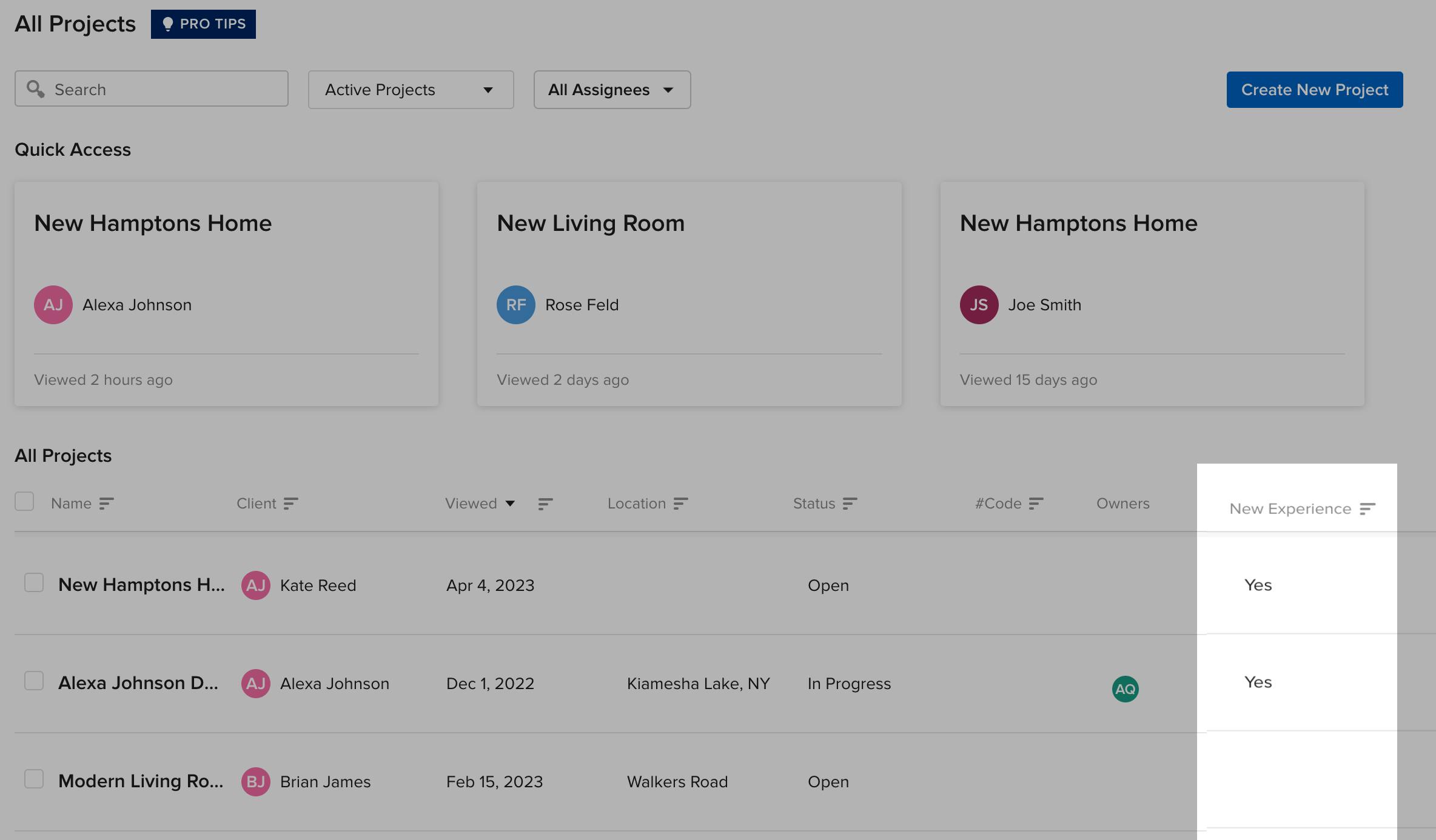
To access pre “new experience” projects from before the transition, go to the Projects page and you’ll see a column called “New Experience.” If there’s a Yes in that column for a project, it means the project is a “new experience” project. If there’s nothing in that column for a project, it means the project is from before the transition. Just click on the project name to open it.
See the “New Experience” column in the image below:
Access Pre “New Experience” Financial Reports
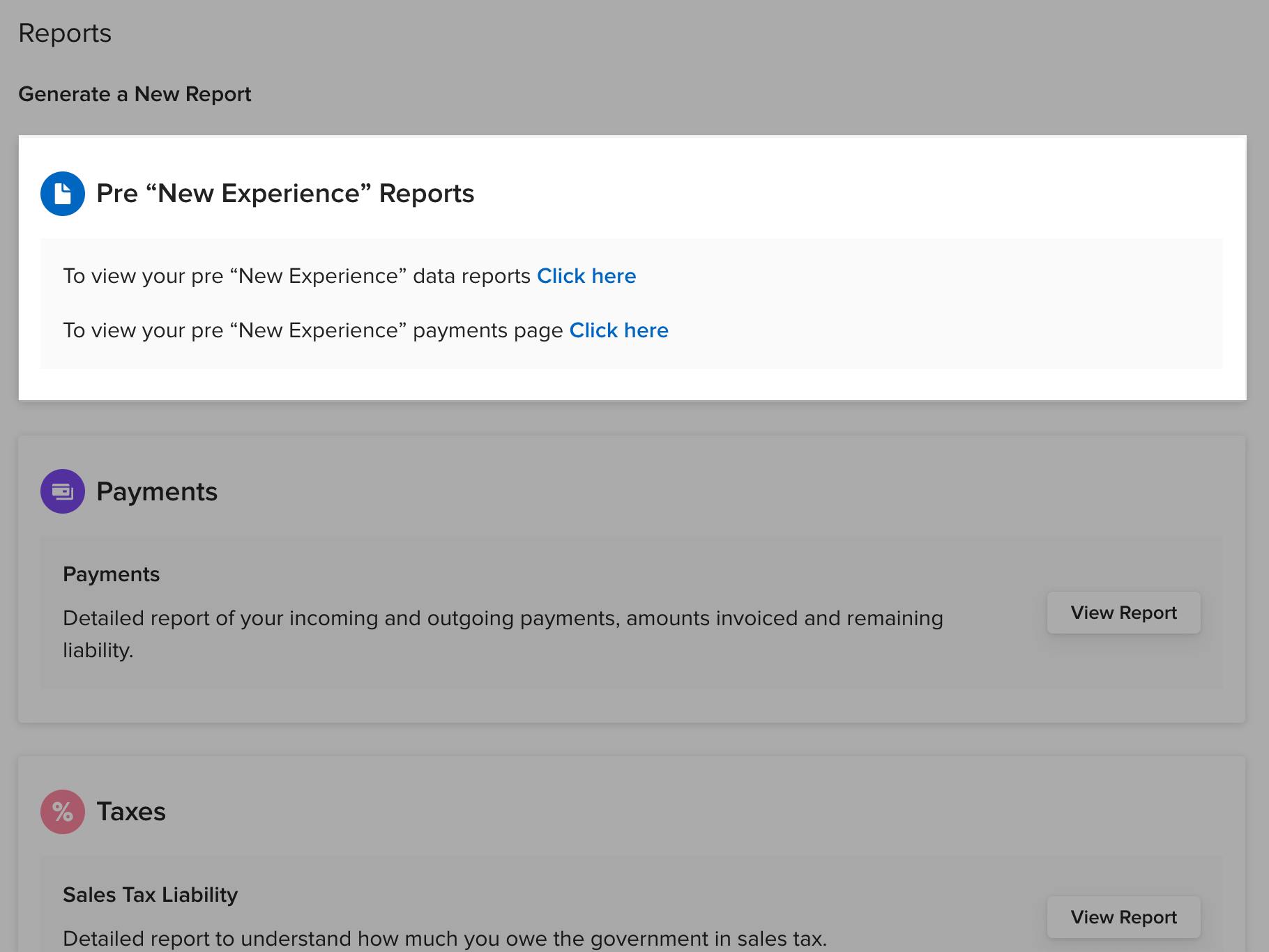
We’re working on an upgrade that allows you to pull all reports, old and new, from the same place. Until then, to access pre “new experience” projects from before the transition, go to the Financial Reports page and at the time you’ll see a section called Pre “New Experience” Reports with all your old reports.
See the Pre “New Experience” Reports section in the image below: