How to Import Time Entries
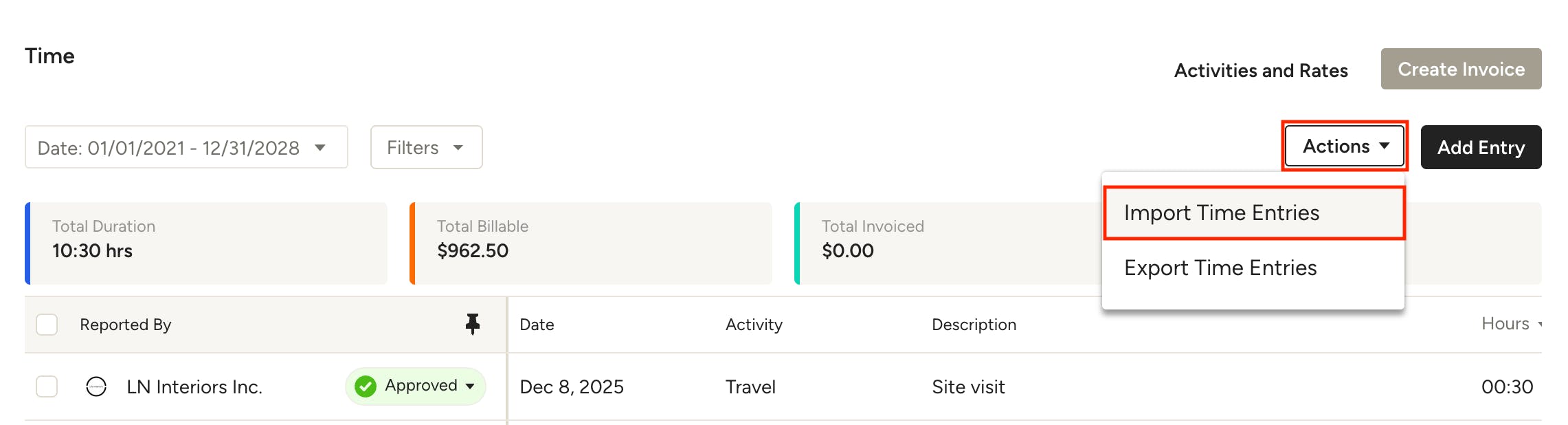
In the Time section, you can import time entries from other software services, such as Harvest. For a successful import, you'll need to ensure that you're uploading Excel or CSV files only, and the required fields are filled in.
Select Import Time Entries under the Actions dropdown to get started.
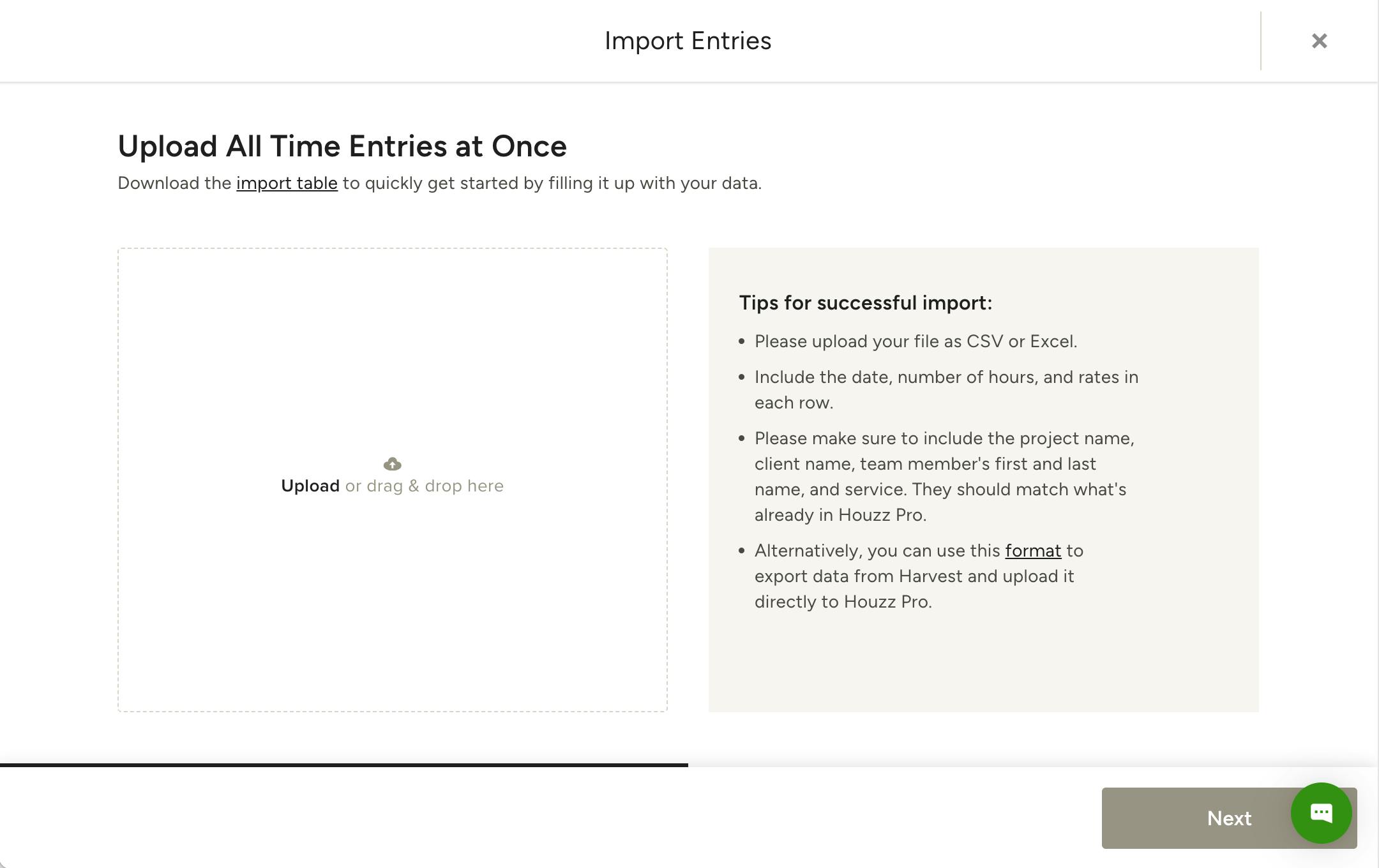
Next, you can either download the import table template and fill it in with your data, or upload your own file as long as it contains the required fields. Make sure to include the date, number of hours, and rates in each row.
Also be sure to include the project name, client name, team member's first and last name, and service. They should match what's already in Houzz Pro.
If you use Harvest for your time tracking, you can export your data using this format and upload it to Houzz Pro without making any adjustments.
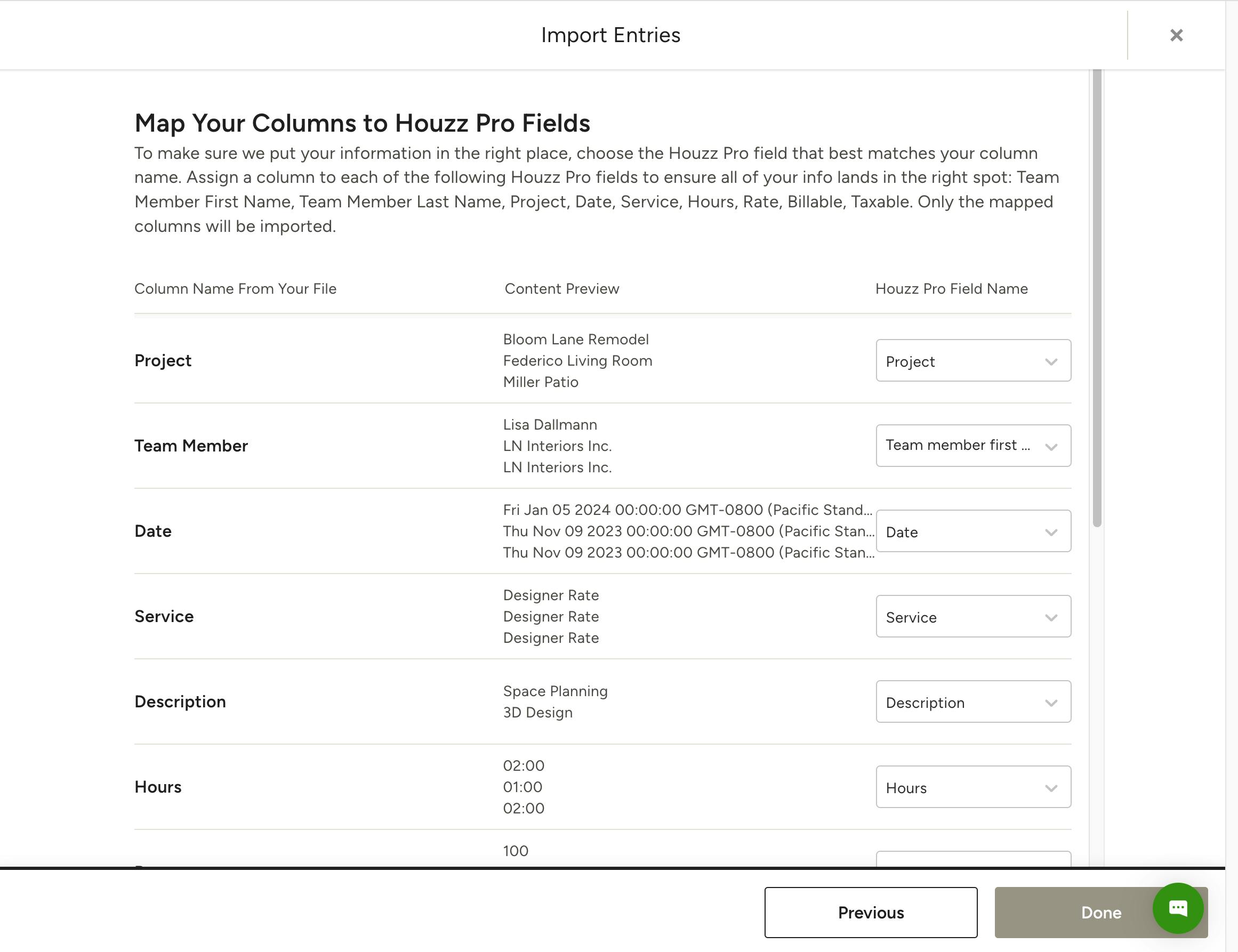
Next, confirm that your columns are mapped to the correct Houzz Pro field. Only mapped columns will be imported. Click Done and you're all set!