How to Customize Your Houzz Profile Slideshow
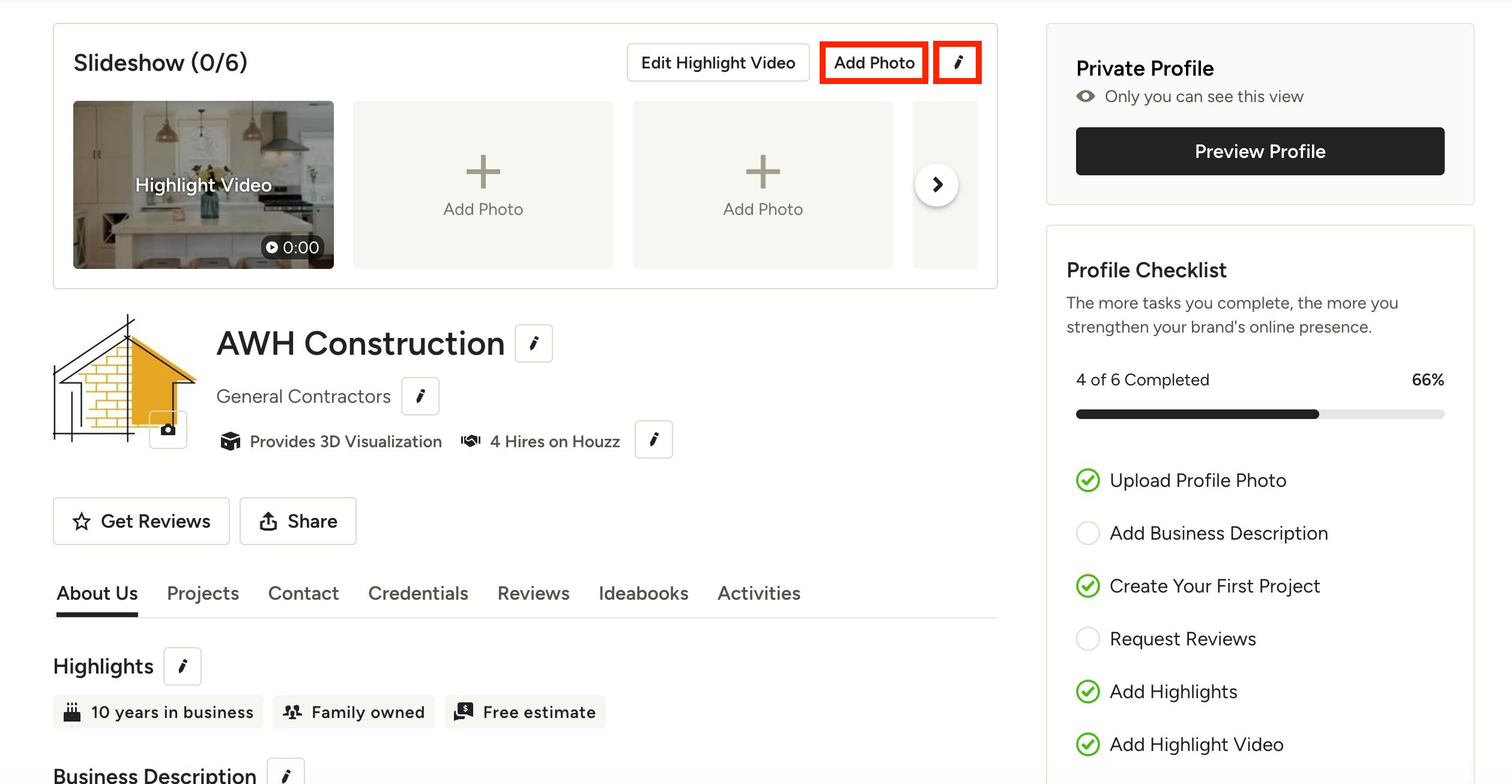
Having a slideshow on your Houzz Profile allows you to showcase your projects and key information in a visual way that homeowners can watch. You can include a Highlight Video, project/team photos, and stellar reviews in your slideshow.
To create a slideshow on your profile, go to your profile edit screen, then select Add Photo or the pencil icon at the top of your slideshow.
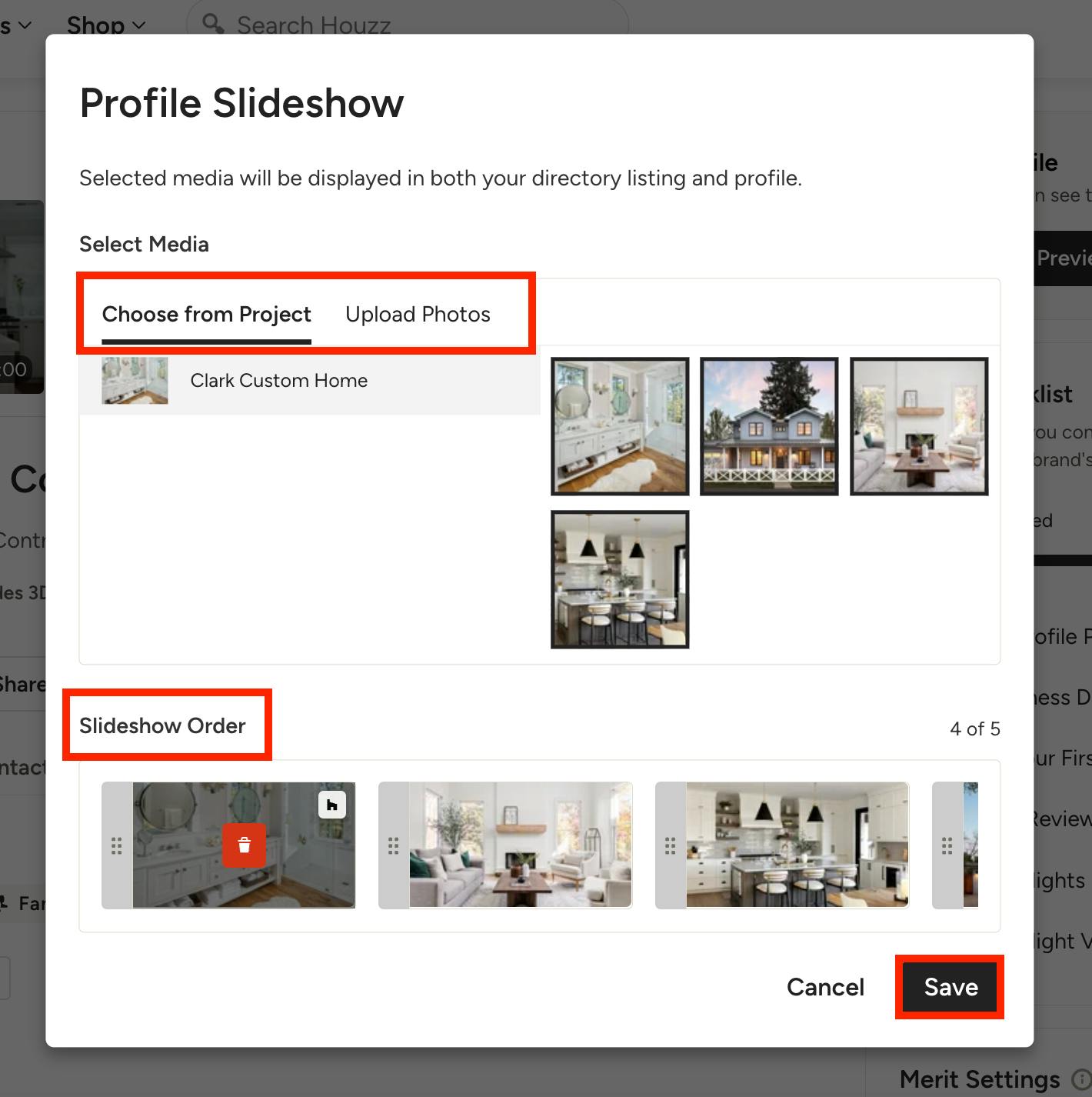
From here, you will be able to select media from an existing project, or you can upload videos and/or photos from your computer.
Under the Slideshow Order section, you can click and drag the photos to adjust the order they will appear in. You can also delete. Be sure to click Save.
Please Note: If you have a highlight video, this will always appear first regardless of the order you select.
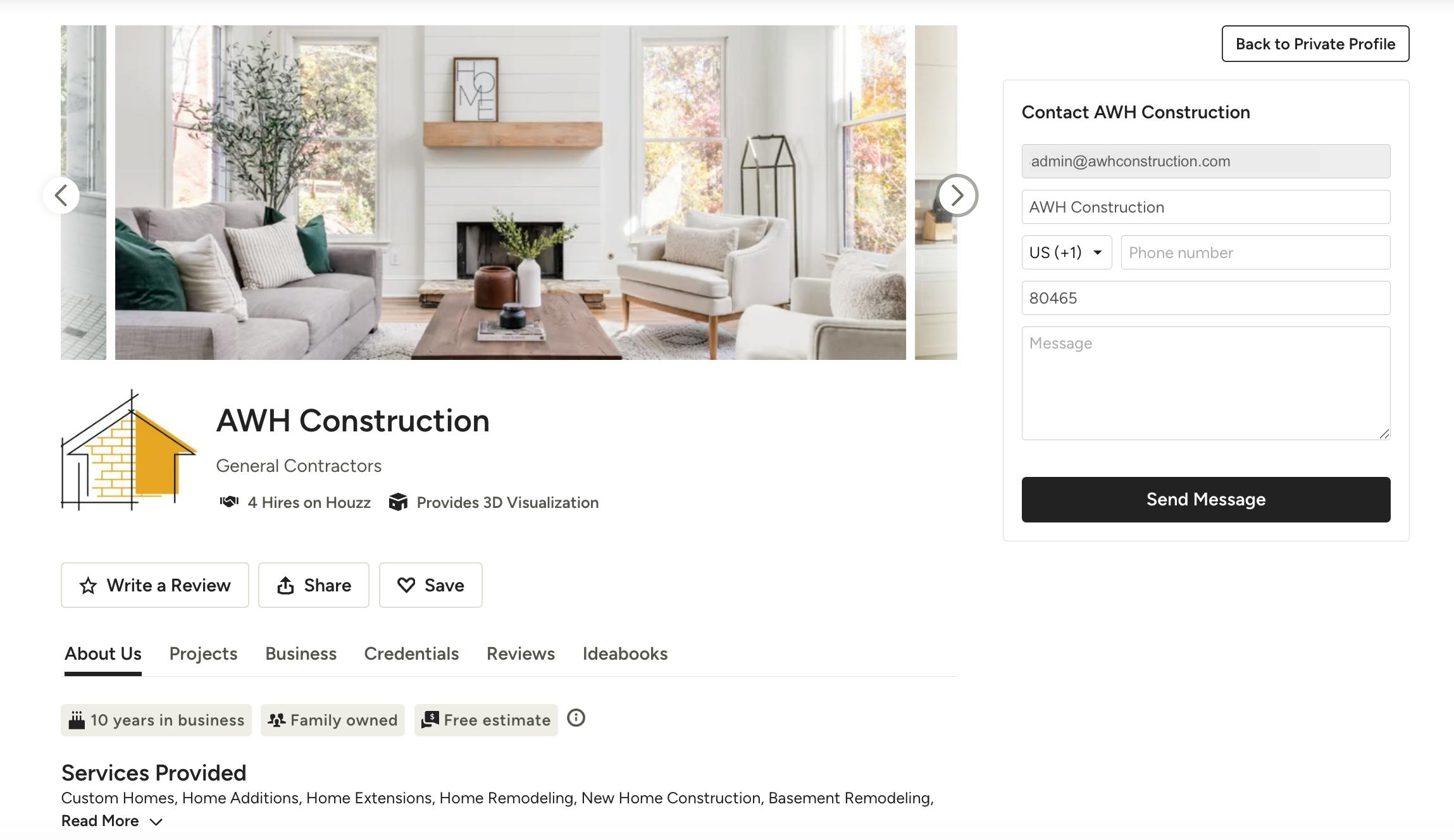
Your slideshow will now appear at the top of your Houzz profile.