How to Add Multiple Email Addresses for a Client
If you are working with more than one client on a project (family members, business partners, etc.) and need to add two separate email addresses, you can easily do this within Houzz Pro. You can either edit the client details page, or you can manually add multiple email addresses to a document when sending.
Add Multiple Emails to Client Details
One way to add multiple email addresses for a client is by editing your client details page. You can only do this for a client — you cannot currently add multiple email addresses for a lead.
You can access your client details page from your Contacts list, or you can edit from the project itself.
From the Contacts List
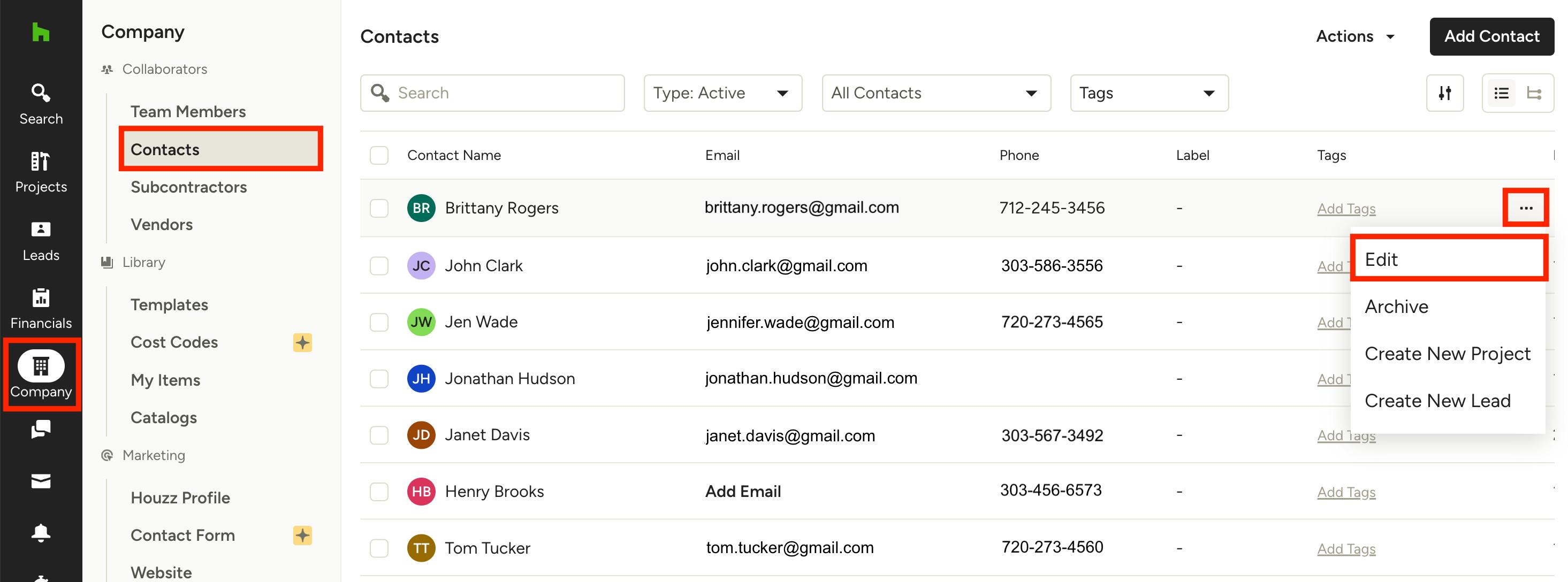
To edit the client details from the Contacts list, click the Company icon in your left navigation, then click Contacts from the menu.
Your Contacts list will now appear. To edit a specific contact, click the contact name — you can also click the three dots icon on the right, then select Edit from the dropdown menu.
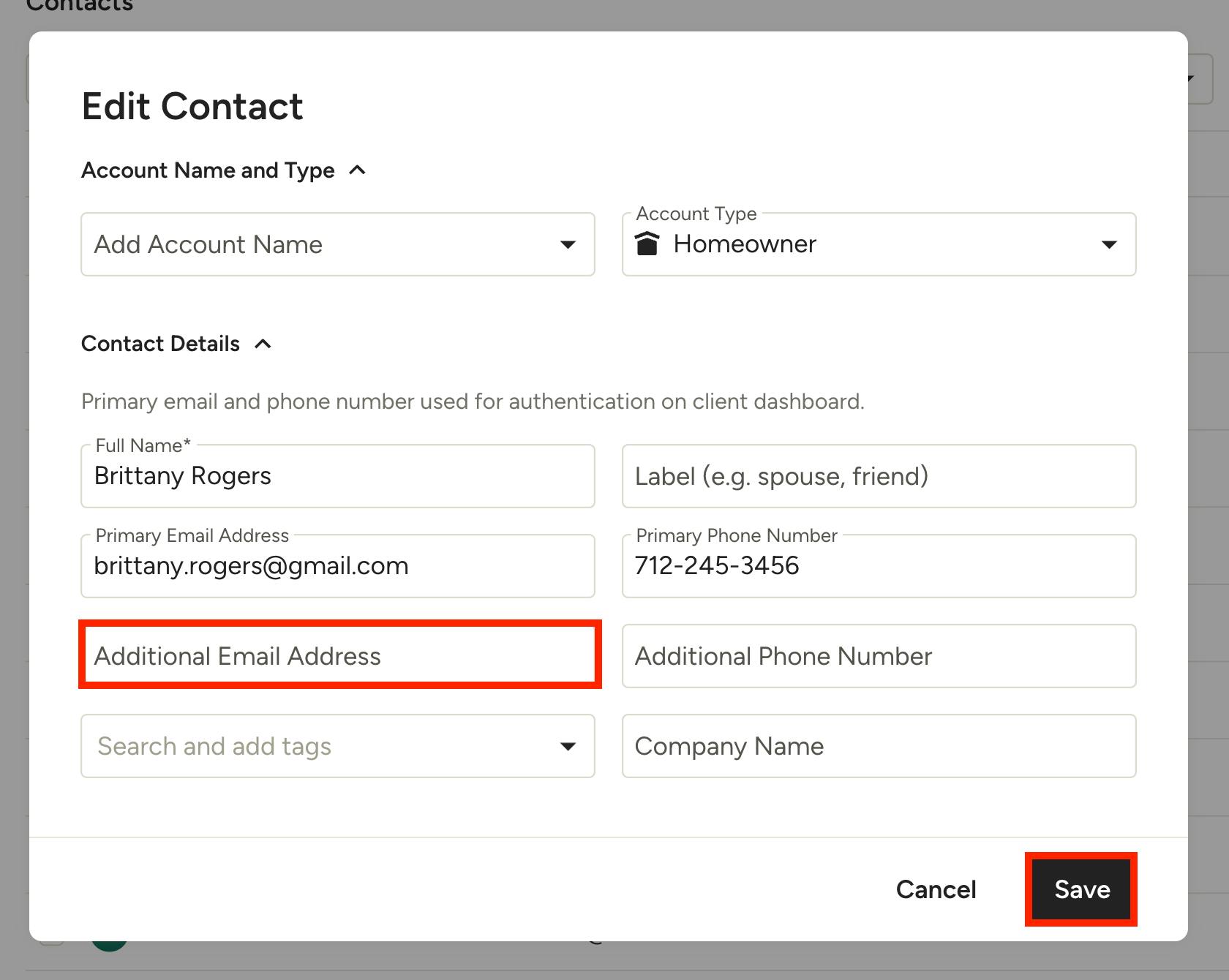
Within the Edit Contact page, your contact's primary email address will be listed. To add another email address, enter it in the Additional Email Address line, then click Save.
From a Project
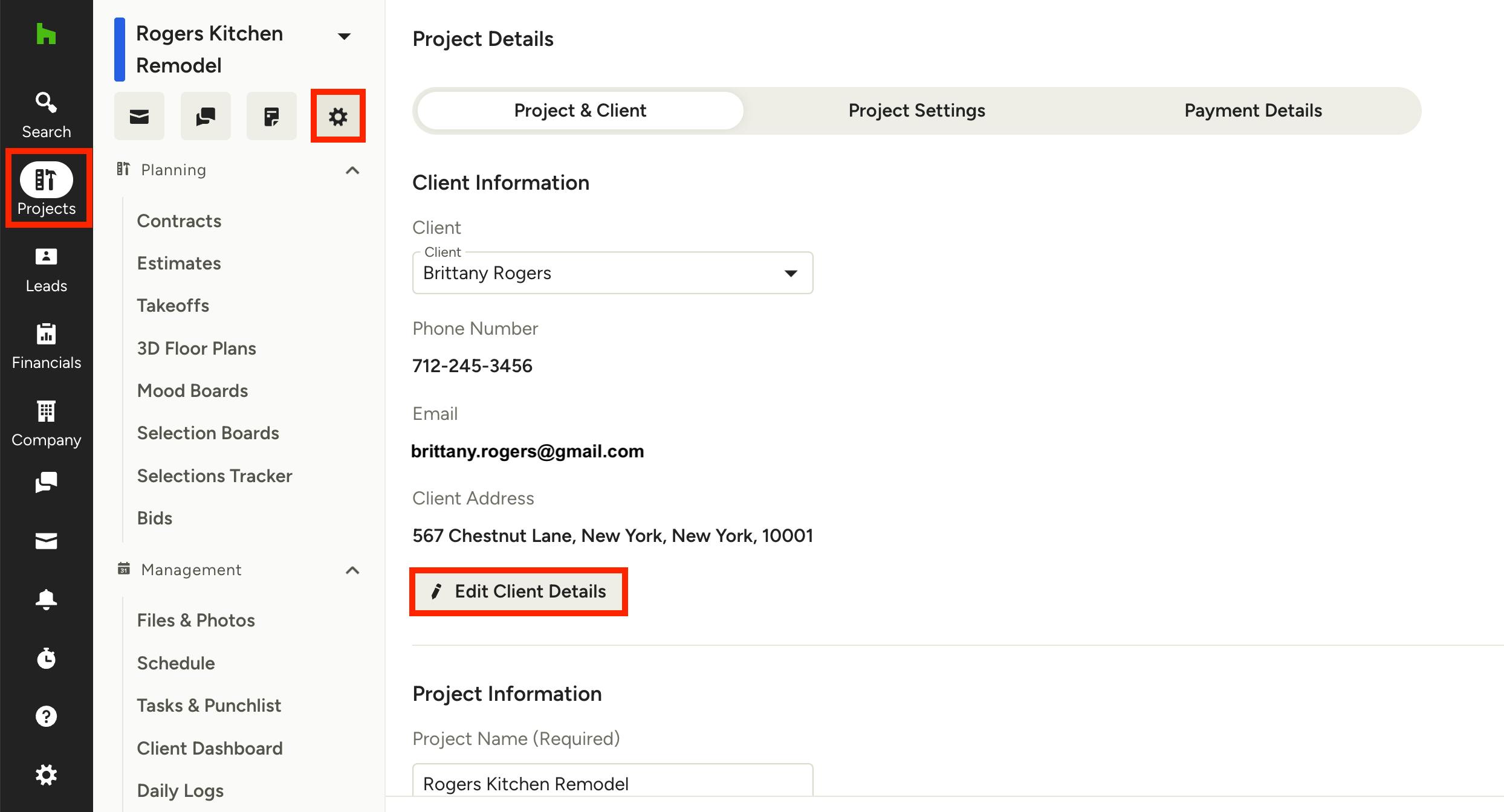
To edit the client details from a project, click the Projects icon in your left navigation, then select the relevant project from the project list. Once on the project overview page, click the gear icon in the top left to edit project.
Click the Edit Client Details button to edit client information.
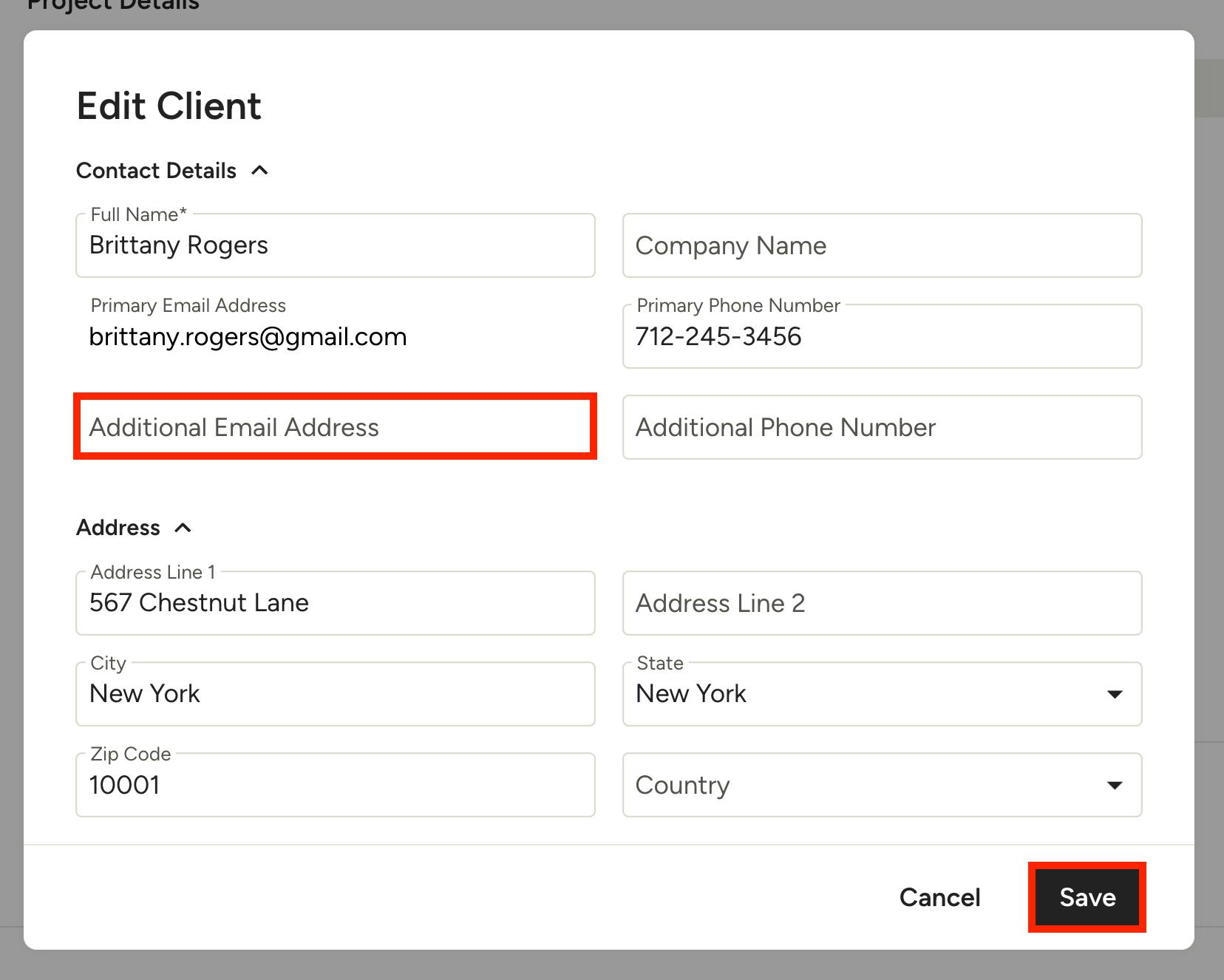
Within the client details page, your client's primary email address will be listed. To add another email address, enter it in the Additional Email Address line, then click Save.
Add Multiple Emails to Documents
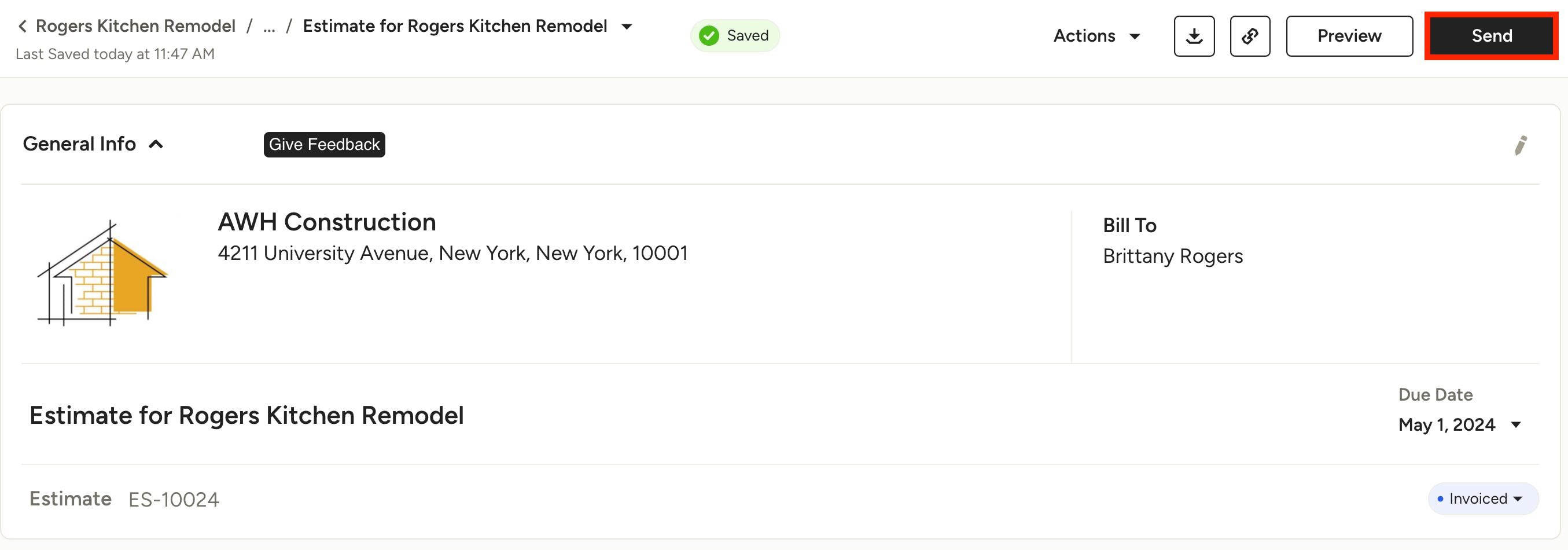
If you are sending a document to either a client or a lead, you can add multiple email addresses when sending. To do this, open up the relevant document, then click the Send button at the top right of your document.
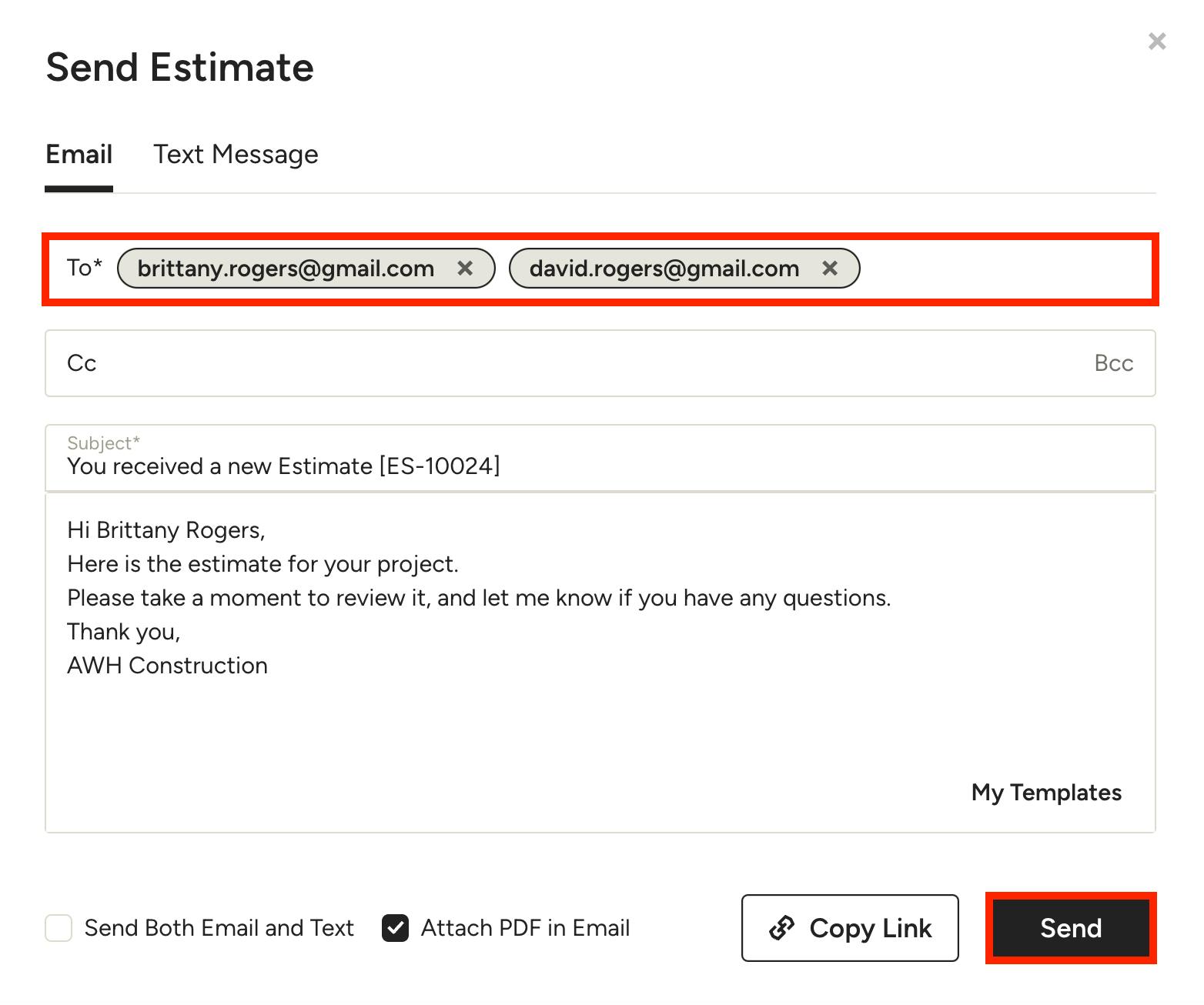
In the To section of your email, add in the relevant email address followed by a comma, then input the second email address. You can add several email addresses if needed. Be sure to click Send once complete.