How Do I Adjust My Profile Privacy Settings?
Even though Houzz profiles and ideabooks are public, you can easily adjust what profile information appears and also set your ideabooks to private.
Update Profile Privacy Settings
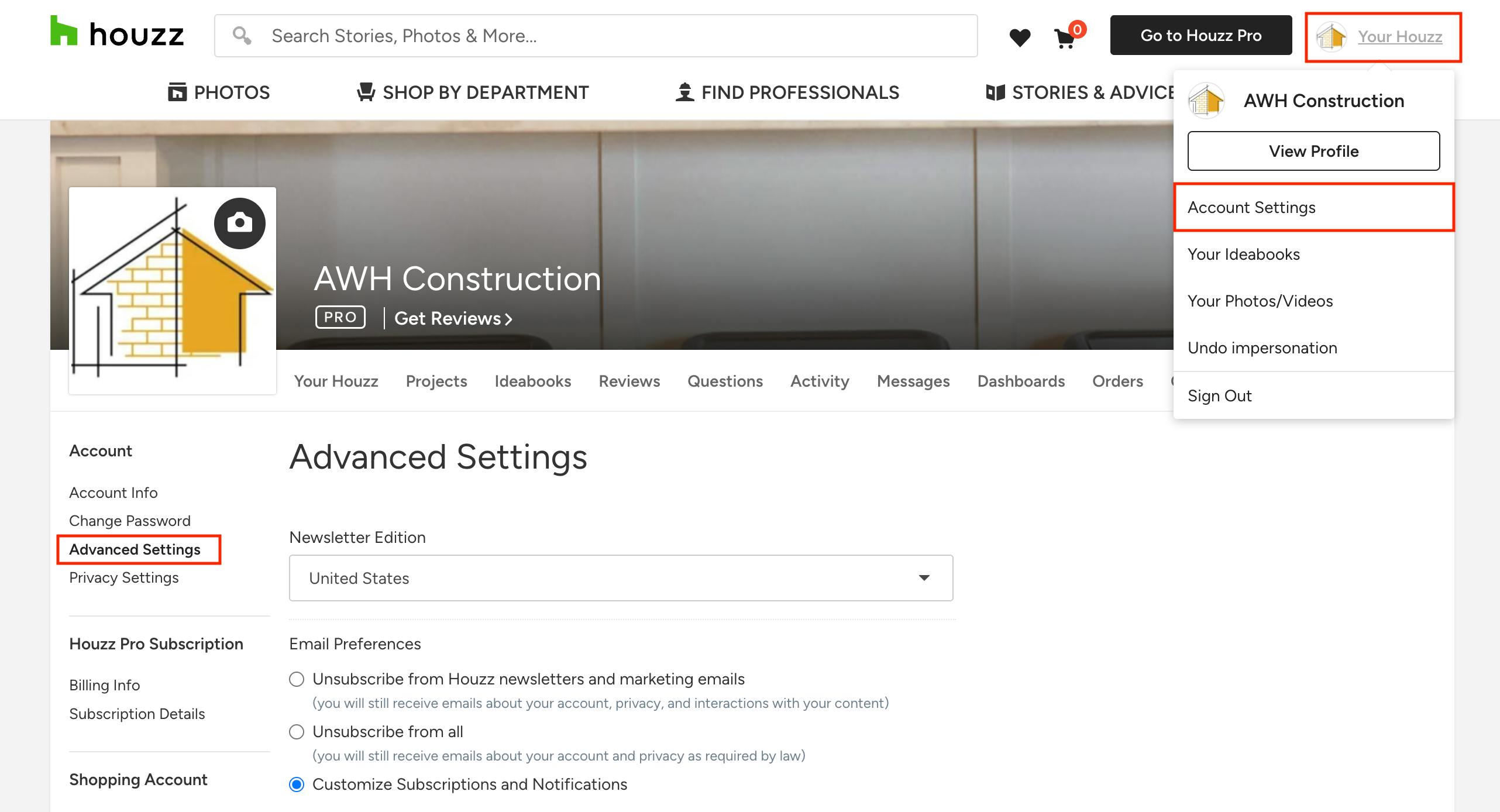
1. Sign into your Houzz.com account. Hover over your company icon at the top right of your screen, then select Account Settings from the dropdown menu.
2. On your profile edit screen, select Advanced Settings from the left menu.
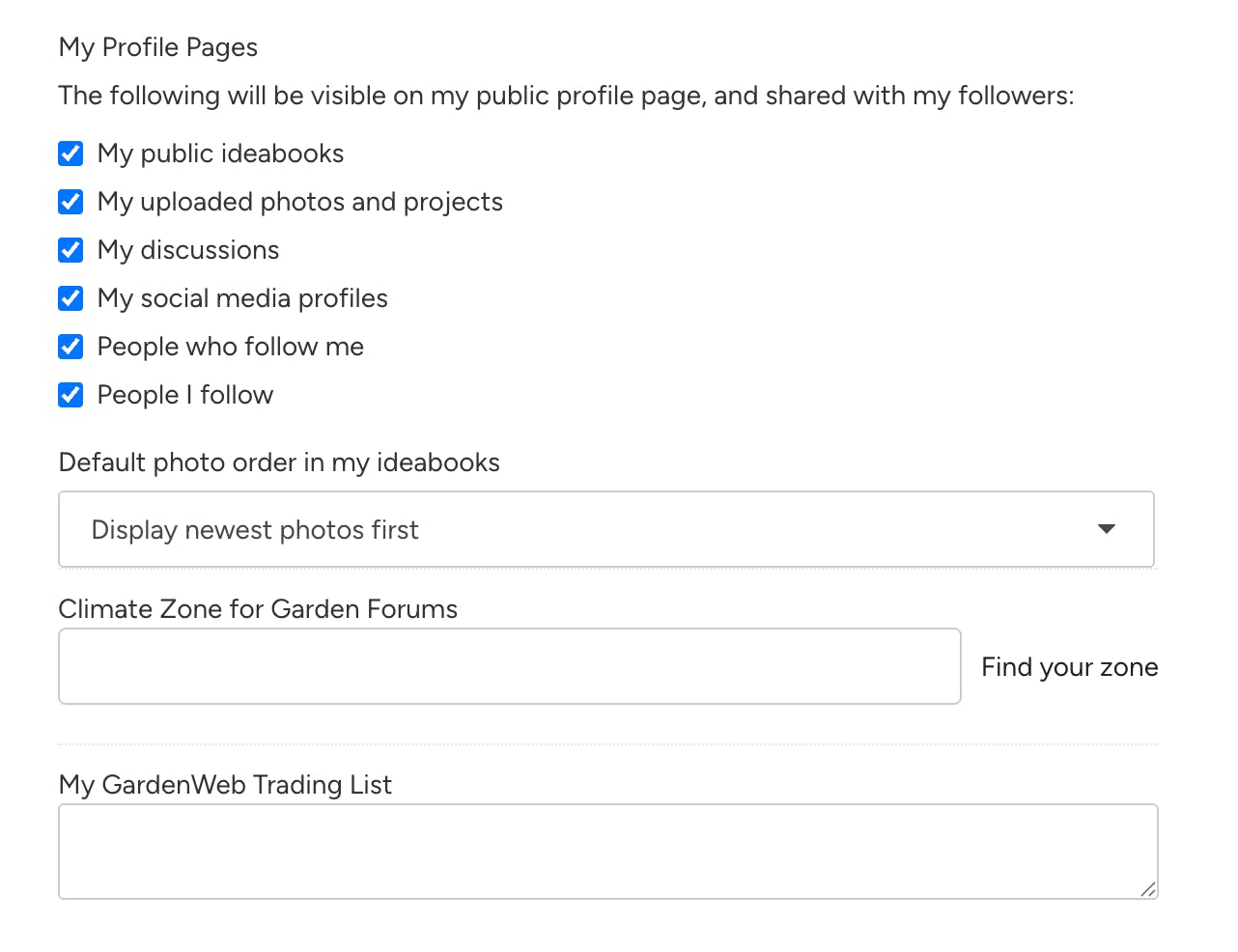
3. Near the bottom of the page under My Profile Pages, you can uncheck the box next to any profile information you want to keep private.
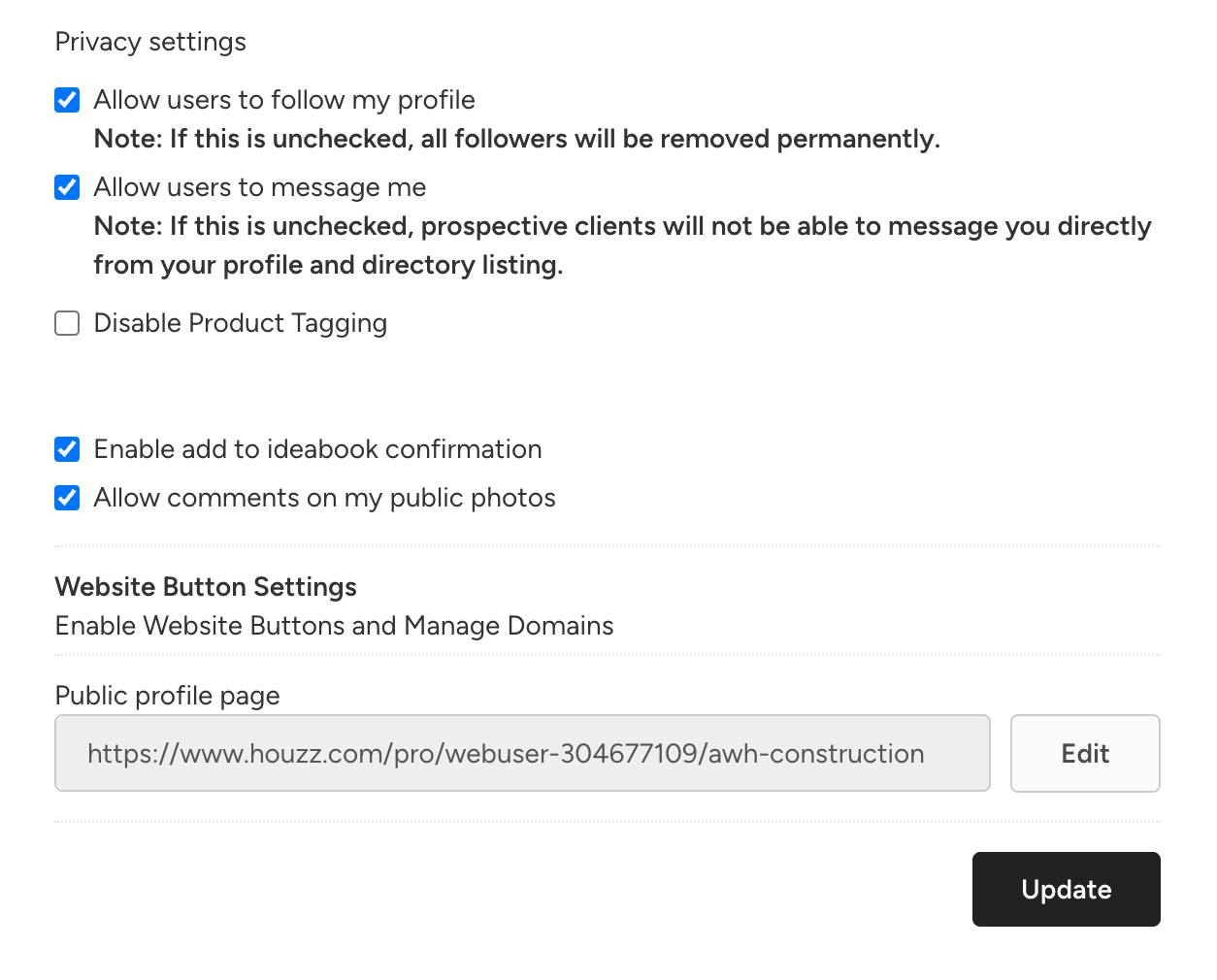
4. Scroll further down in Advanced Settings to adjust more privacy details. Be sure to click Update to save.
Update Houzz Ideabook Privacy Settings
Houzz Ideabooks and the content within them are public by default. You can change your ideabooks and ideabooks shared with you to private. If you share your ideabooks with others, they also can change the privacy settings.
To Update:
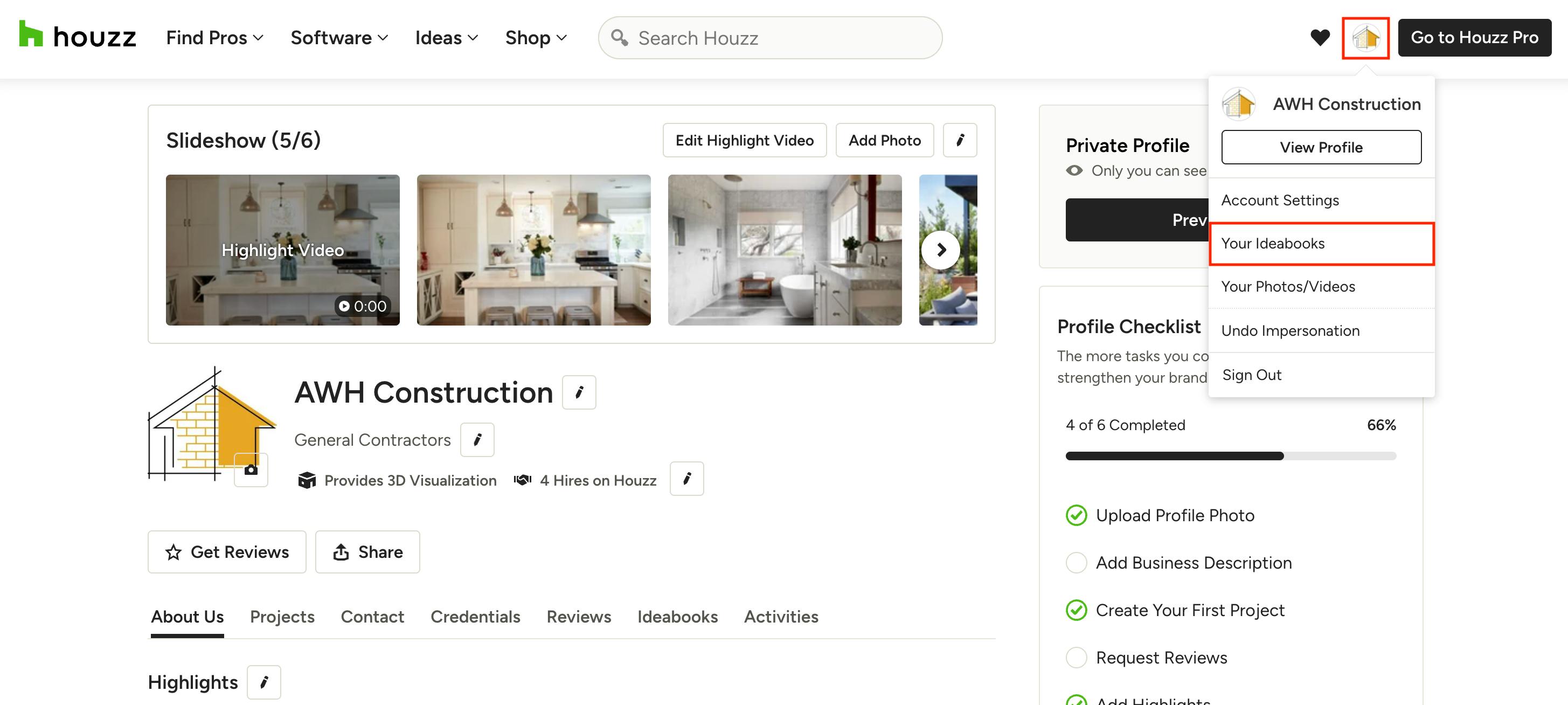
1. Sign into your Houzz.com account. Hover over your company icon at the top right of your screen, then select Your Ideabooks from the dropdown menu.
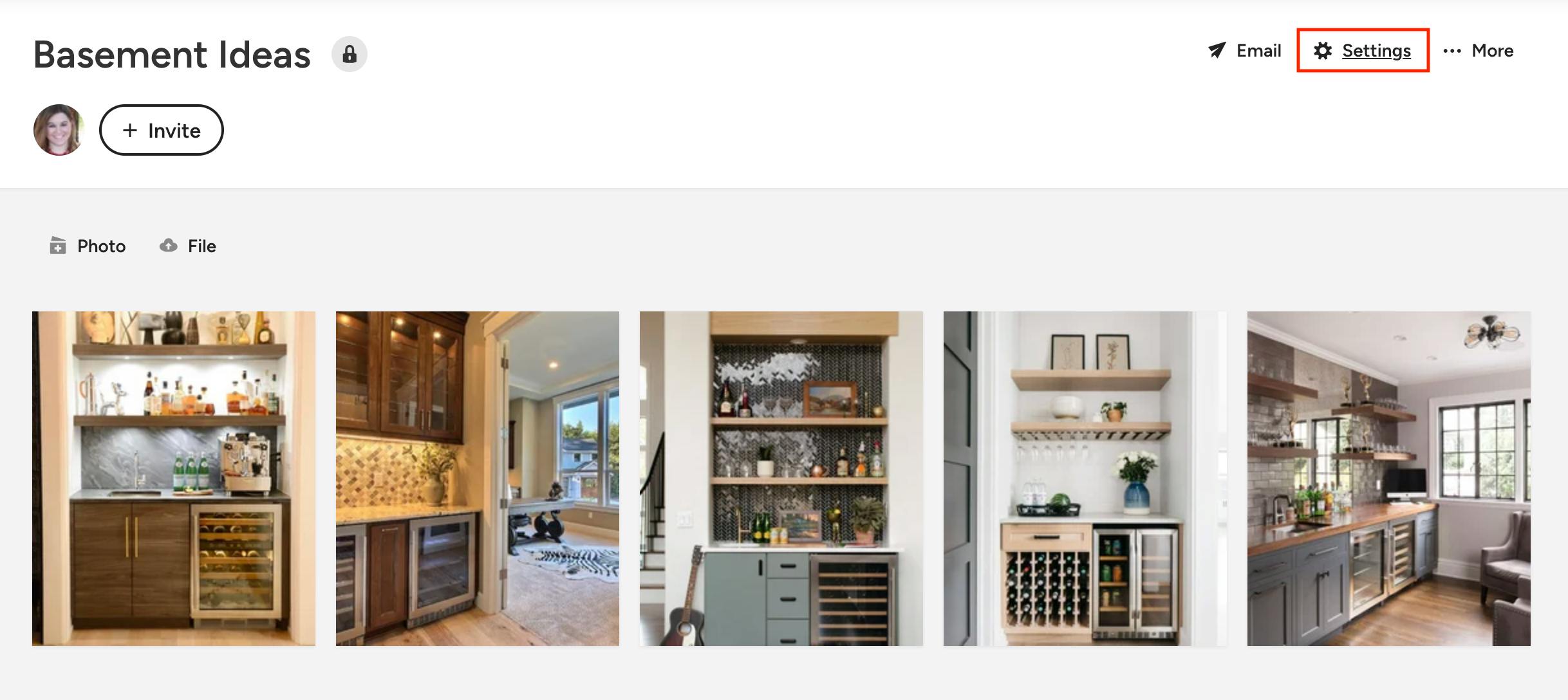
2. Open the ideabook you would like to change the privacy settings for. Within the ideabook, click the Settings gear icon at the top.
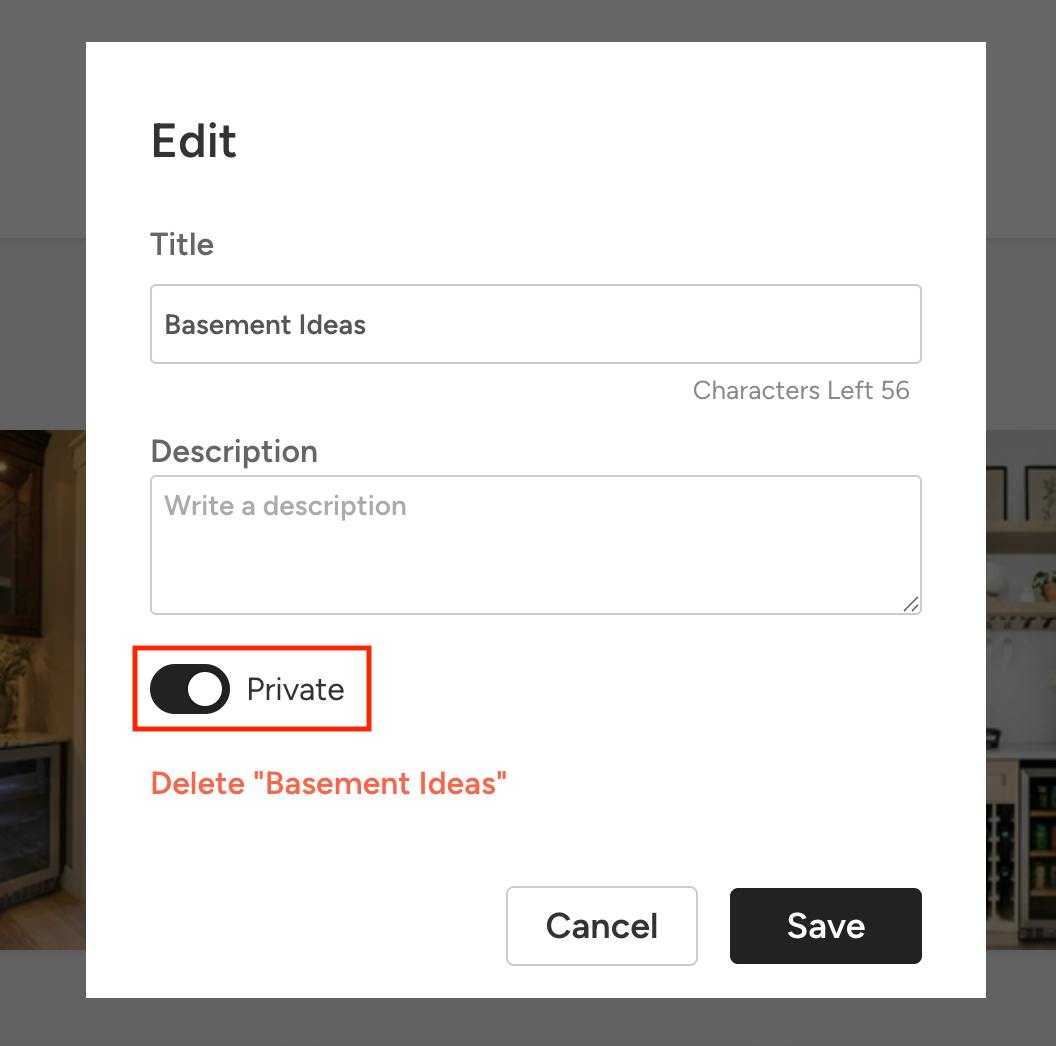
3. Toggle on the Private option, and be sure to click Save.