Houzz Pro Refer a Colleague Program

The Houzz Pro Refer a Colleague Program is an easy way to share Houzz Pro with friends and colleagues. With just a few simple clicks, you can share Houzz Pro with others in your network, track the status in your referral dashboard, and earn rewards for every contractor or designer you successfully refer. The program offers a discount for the new Houzz Pro customer, as well as a credit for you, so it's a win-win for everyone!
Read this article to learn more about the program and how to get started.
How Does the Houzz Pro Referral Program Work?
You: When you refer a new professional, you will receive a credit for 10% of the total subscription value. You'll earn the 10% credit at the time of purchase for paid-in-full packages, or three months after purchase for monthly payment packages. Example: If the colleague you refer signs up for a plan that is $5,000 annually, you will receive a credit for $500.
Your Referral: They'll receive a 10% discount on their subscription at the time of purchase.
How to Send a Houzz Pro Referral Link
If you would like to refer friends and colleagues, just share your Houzz Pro referral link. This can be done by:
- Copying the referral link and sharing via email or text (recommended)
- Sending an invite on social media (LinkedIn, Facebook, X)
- Submitting a form through Houzz Pro if you want to easily send multiple invites at once
Please Note: In order to receive the 10% credit, your referral needs to sign up with your unique referral link through one of these methods.
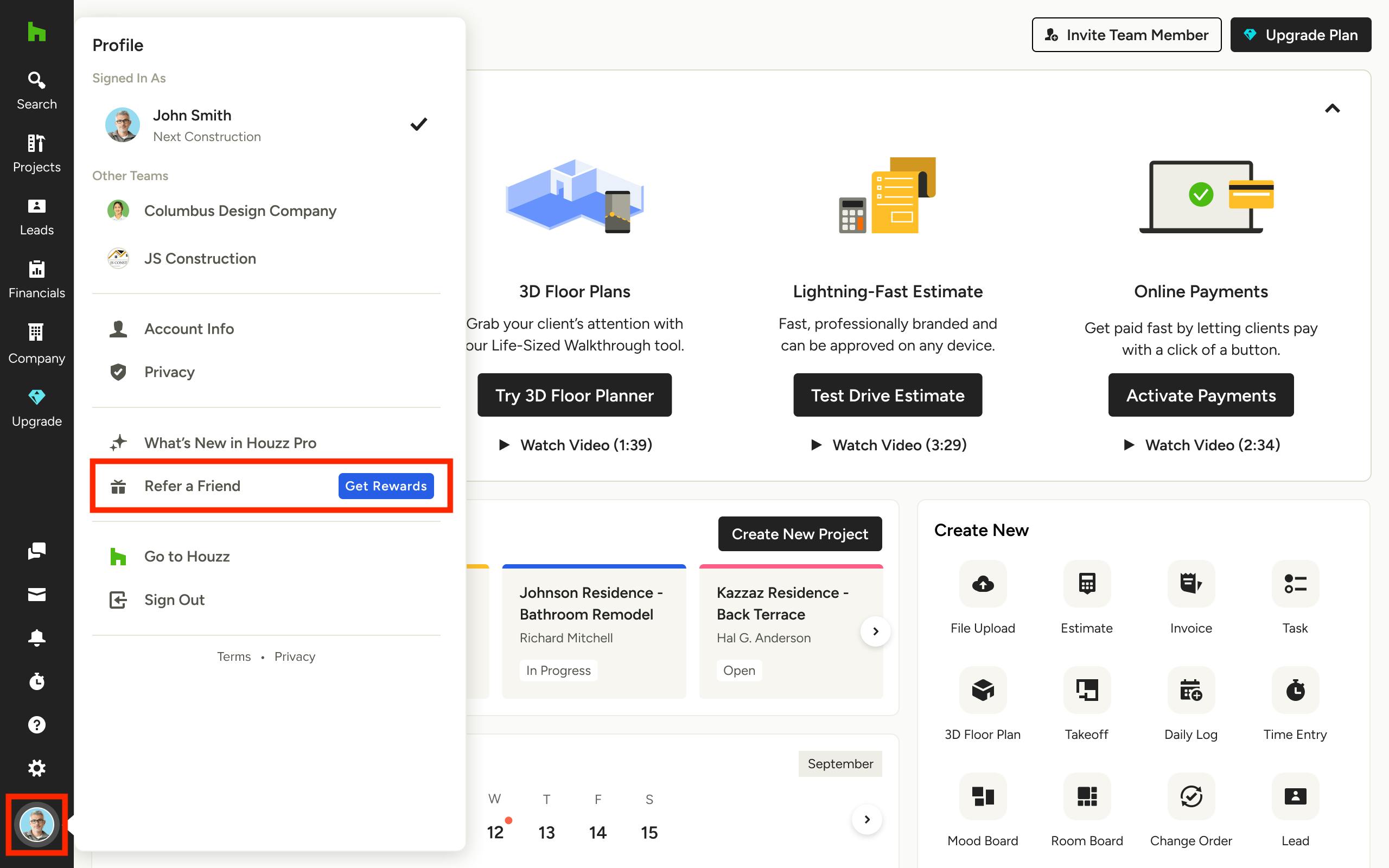
To get started, hover over your Profile icon at the bottom of the Houzz Pro left navigation. Select Refer a Friend in the dropdown menu.
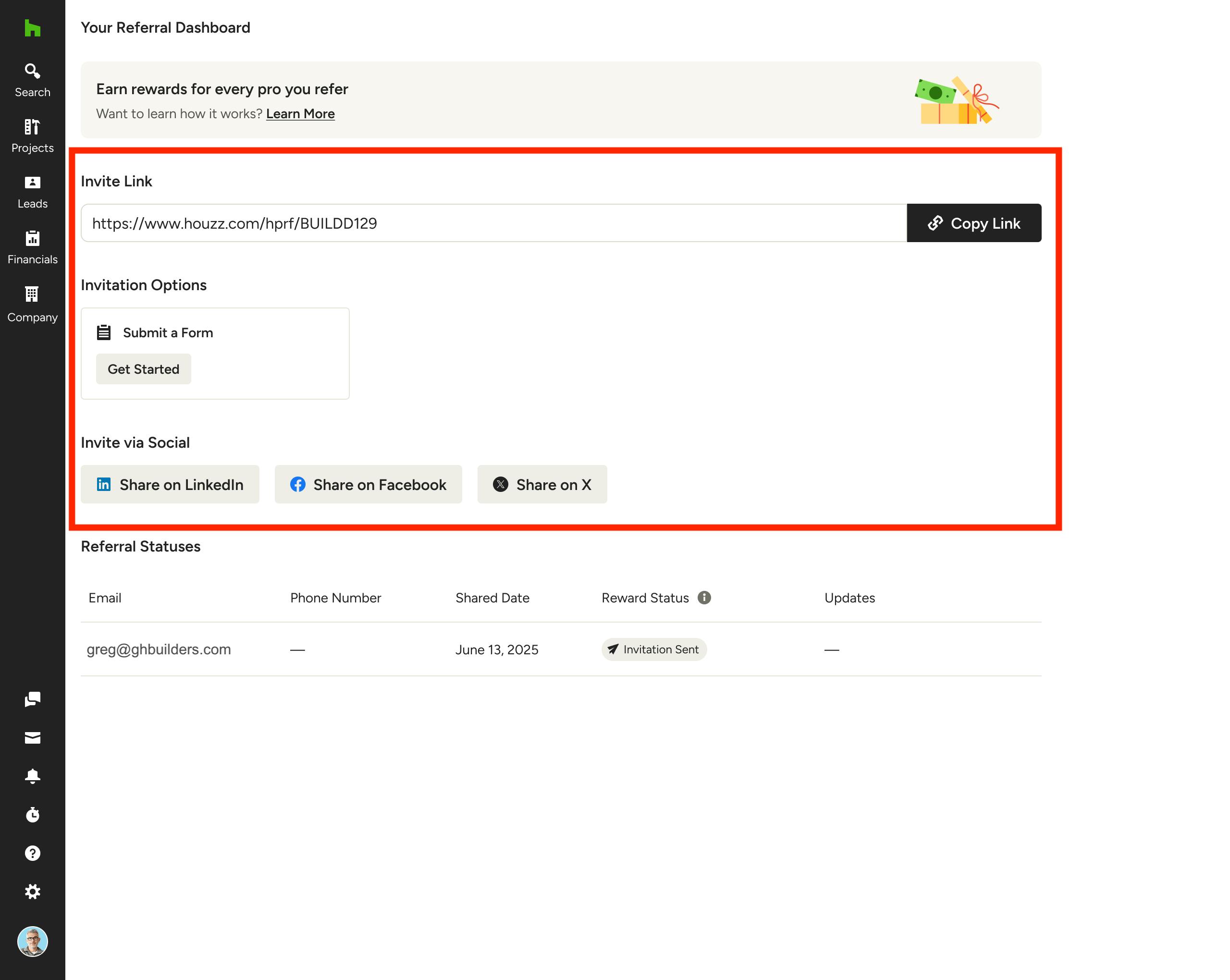
You will be directed to your referral dashboard. Here, you can choose which method you want to use to send your referral link.
Your Shareable Link
It's easy to share with any friend of colleague. You can copy it and share via personal email, or even on social. You'll get credit when a new customer signs up by clicking on your link.
Here is an email template example you can use as-is or personalize to share the link:
Subject line:
Join me on Houzz Pro!
Body:
Hey there,
I’ve been using Houzz Pro as my all-in-one business management solution, and it’s been a game-changer — helping me stay organized and streamlining my workflow. I thought it might be the perfect software for your business, too.
Here’s my unique referral link. If you use it to sign up for a paid plan, we’ll both get rewards! [REFERRAL LINK]
Best,
[PRO NAME]
Invite via Social Media
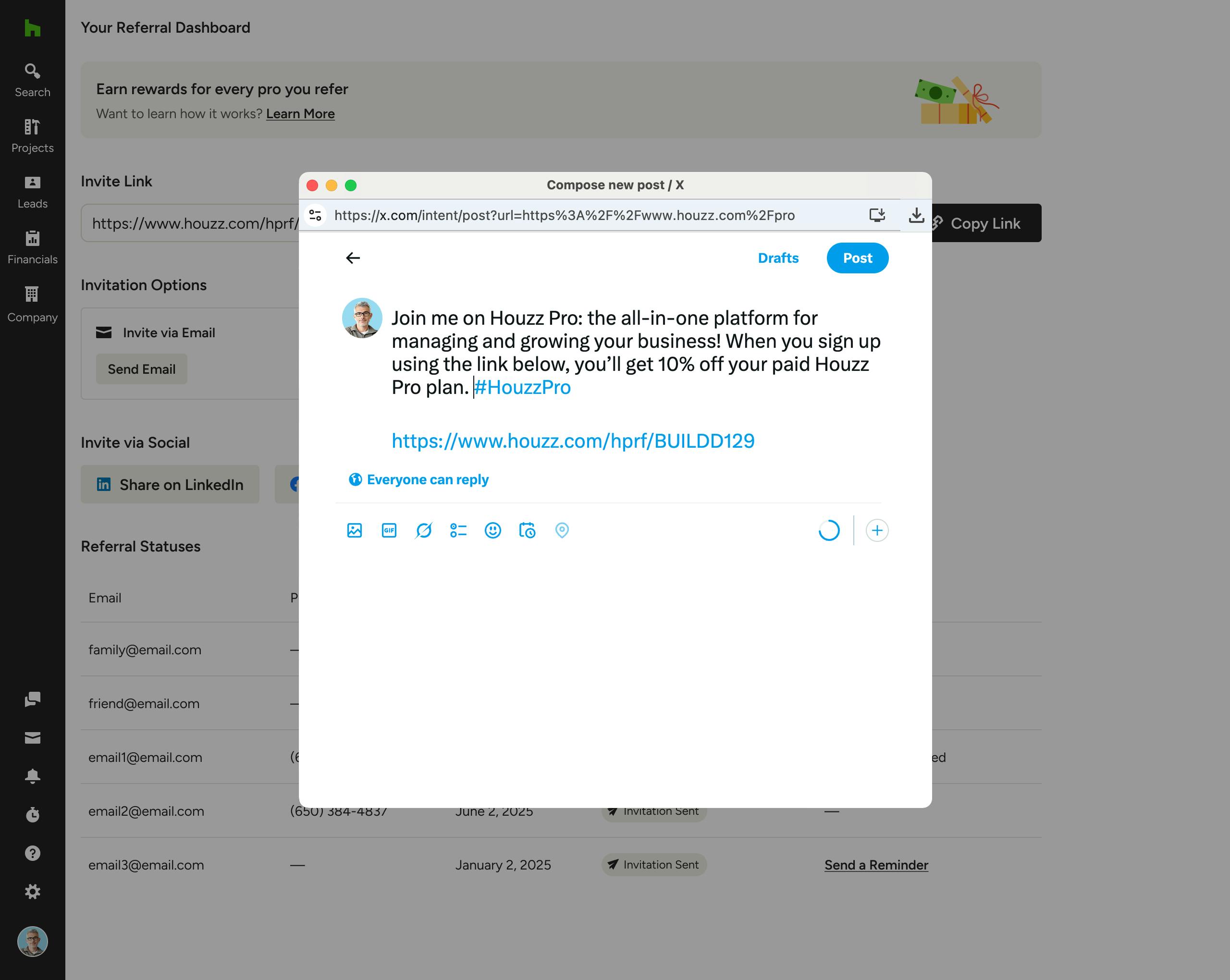
To send invites to pros on your social media networks (LinkedIn, Facebook or X), select the relevant social media icon within your referral dashboard.
A new screen will appear where you can compose a new post, as shown below with X. Be sure to post once complete.
Invite via Houzz Pro Form
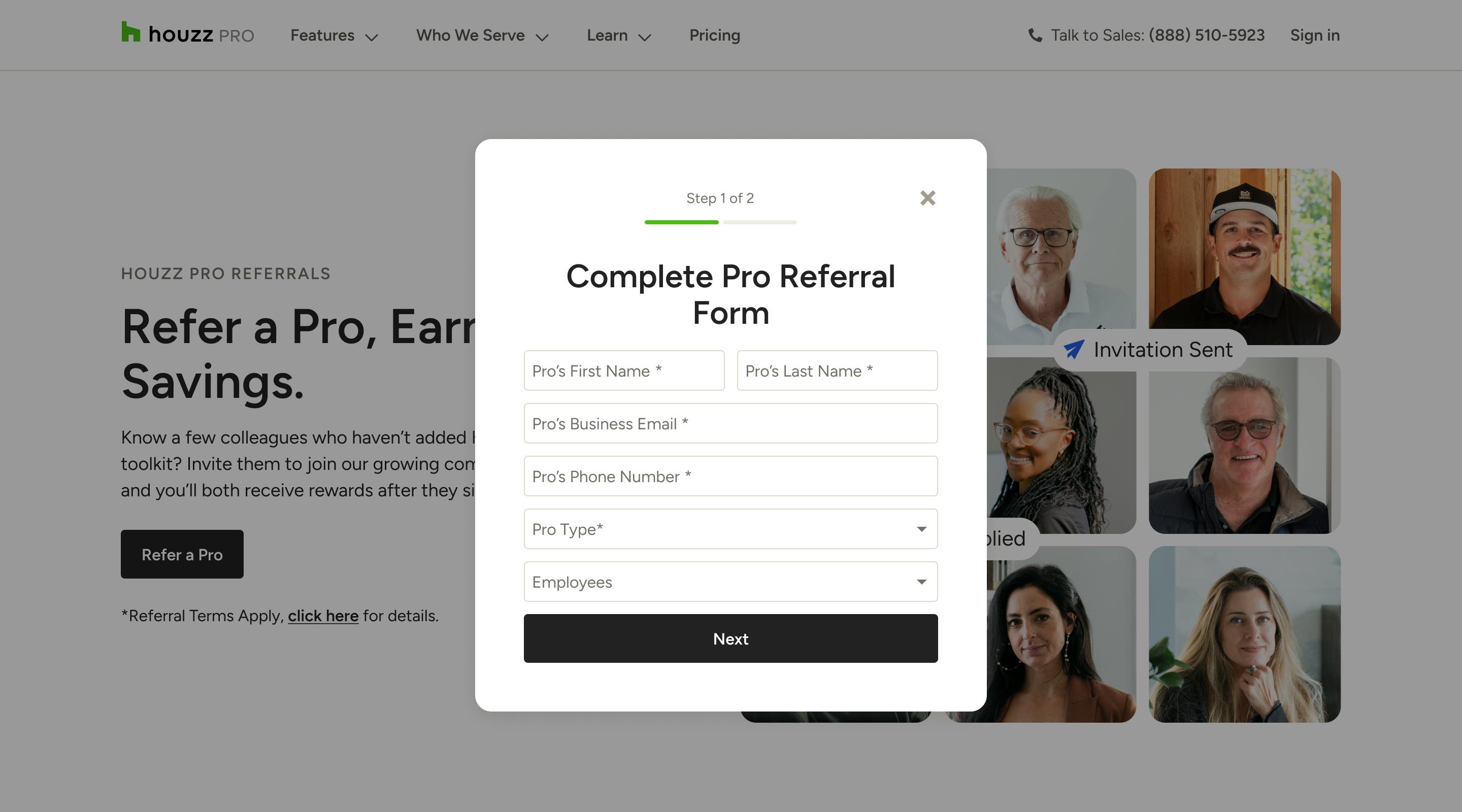
To invite a pro via a form through Houzz Pro, select the Get Started button under Submit a Form within your referral dashboard. You can also submit a form from the referral landing page.
A new screen will appear where you can input the pro's name, business email, phone number, pro type and number of employees. Click Next.
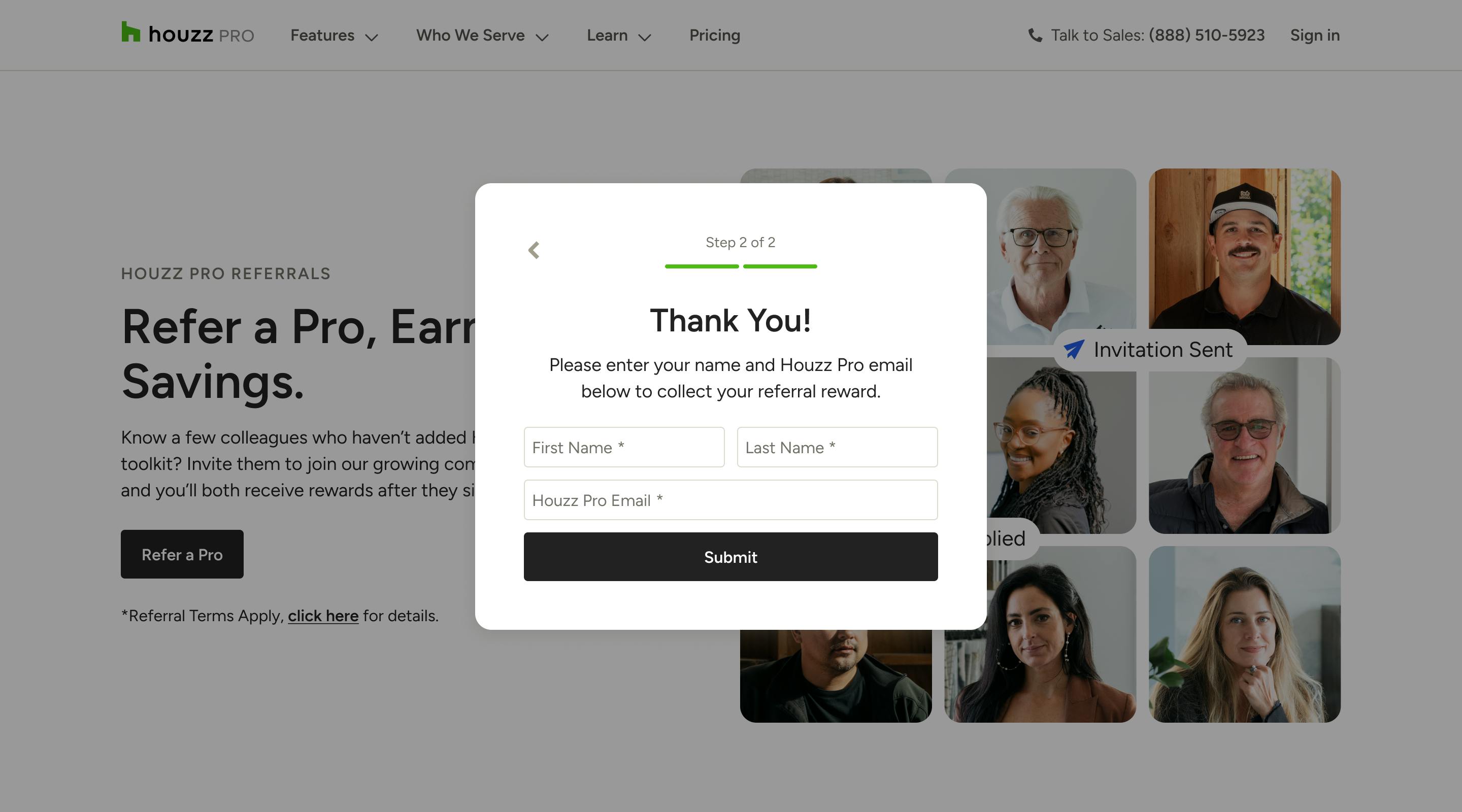
You will then need to input your name and email to ensure the referral is properly documented. Click Submit once complete.

When your friend or colleague clicks on the unique link you share, they will see a custom page with your business name, and instructions to sign up (as shown below).
From this page, they can start their subscription right away, or they can sign up for a Free Trial. Once they start their subscription, they will receive 10% off their package (monthly or annual), and you will receive your 10% credit.
Referral Dashboard
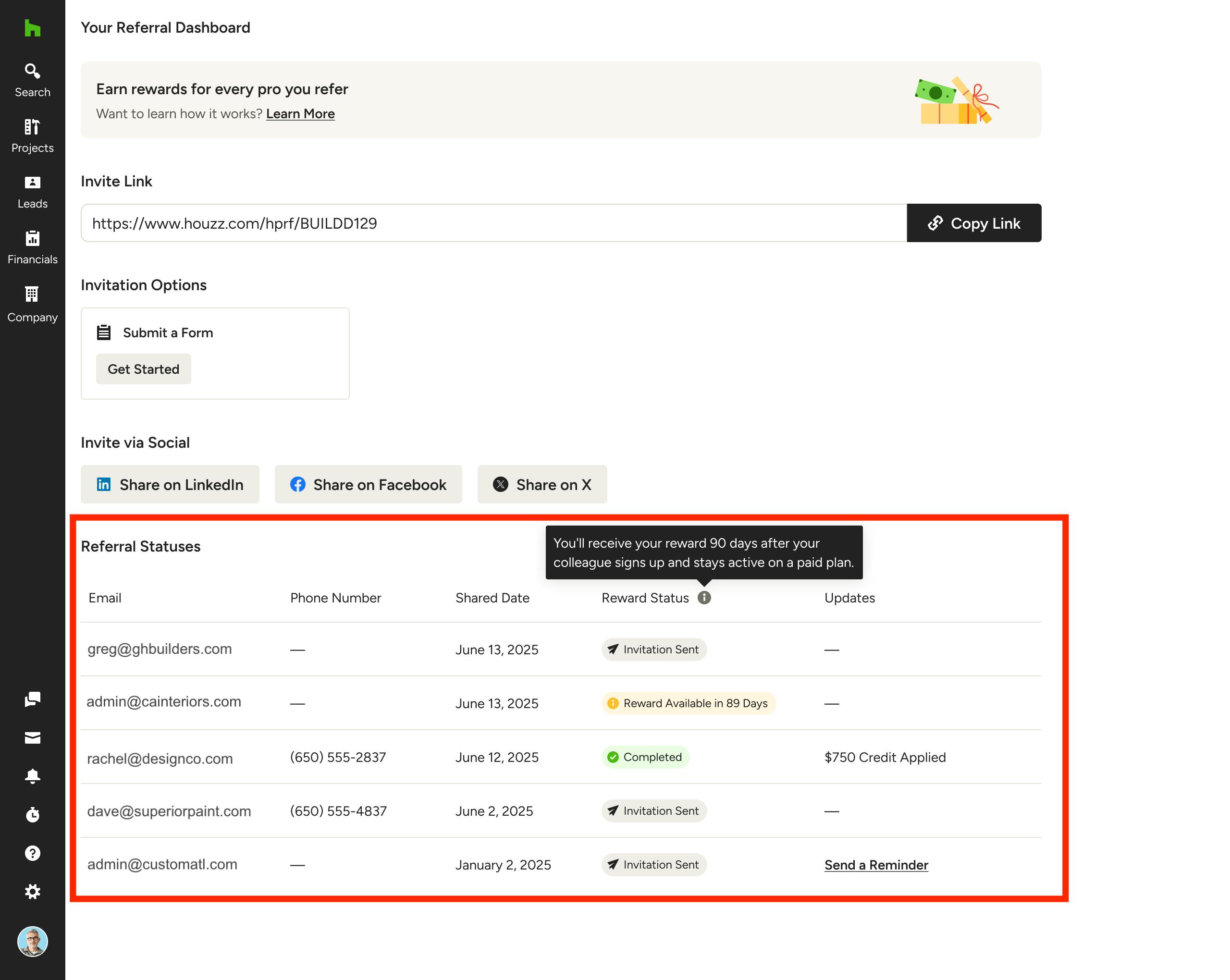
Your referral dashboard is the go-to spot to send new referrals (as mentioned above), as well as view the status of existing referrals.
At the bottom of the dashboard, you can view all the referrals you have sent. You can see contact information, referral date, reward status (Sent, Completed, Reward Available Date), as well as any referral updates.
If you would like to send a reminder email or text message to the referred pro, select Send a Reminder under Updates.
Referral Program FAQ
- When will I receive my 10% credit? Your payout date is dependent on the type of payment the referred pro selects. If the pro selects a monthly payment plan, you will receive your statement credit 3 months after purchase (and after the free trial ends, if applicable). If the pro selects a pay-in-full plan, you will receive your statement credit after purchase.
- How is the 10% credit calculated? Your 10% credit is determined by the license value of the referred pro. This includes the base plan, plus any additional seats and/or feature add-ons at sign-up. Please Note: This does not include any add-ons that are purchased after initial sign-up.
- Can I refer multiple people? Yes, you can share your referral link with multiple friends and colleagues, but you are only able to receive a maximum of 20 lifetime credits. See the referral dashboard to view how many people you have referred.
- Is there a maximum in how much credit I can receive per referral? Yes, the maximum credit is $500 per referral.
- Where can I find the referral terms? Please read the Houzz Pro Referral Program terms here.