The Differences Between Mood Boards and Selection Boards
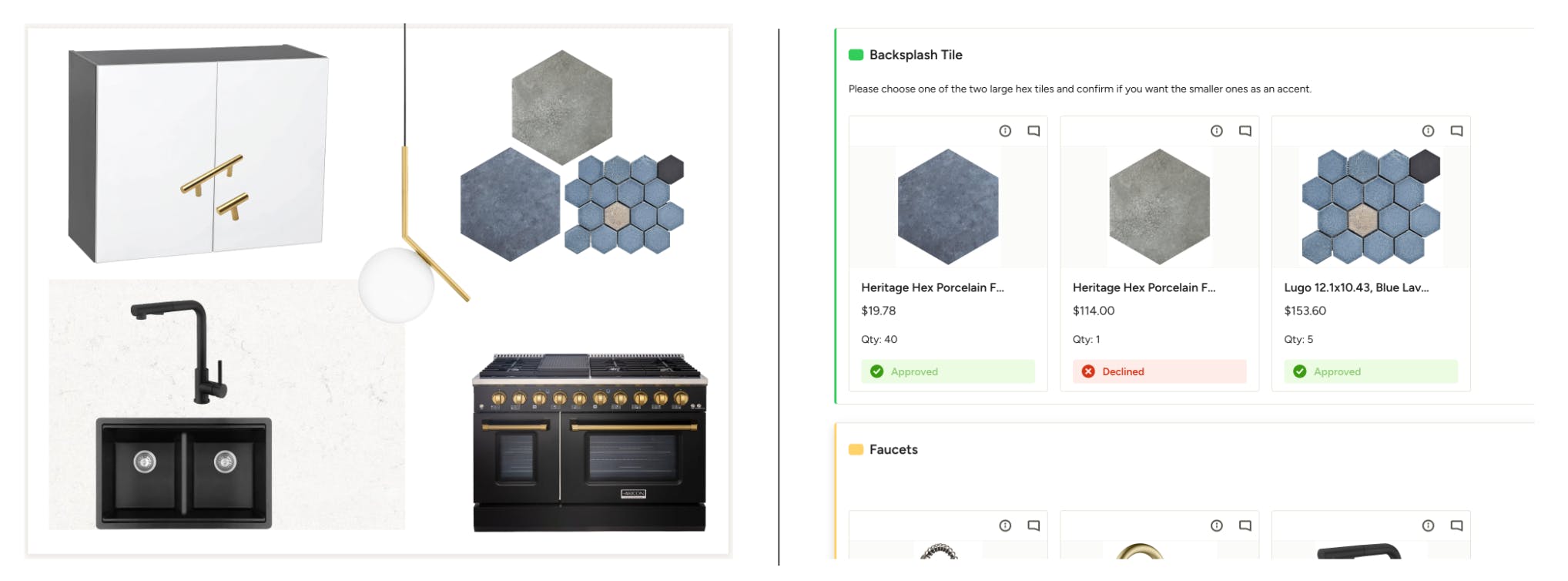
Mood boards and Selection boards are essential tools in the design process. While they share some similarities in visual presentation, they serve different purposes and are used at different stages of a project. Understanding the differences between them can help you understand how to use these tools more effectively.
Purpose and Functionality
Mood Boards
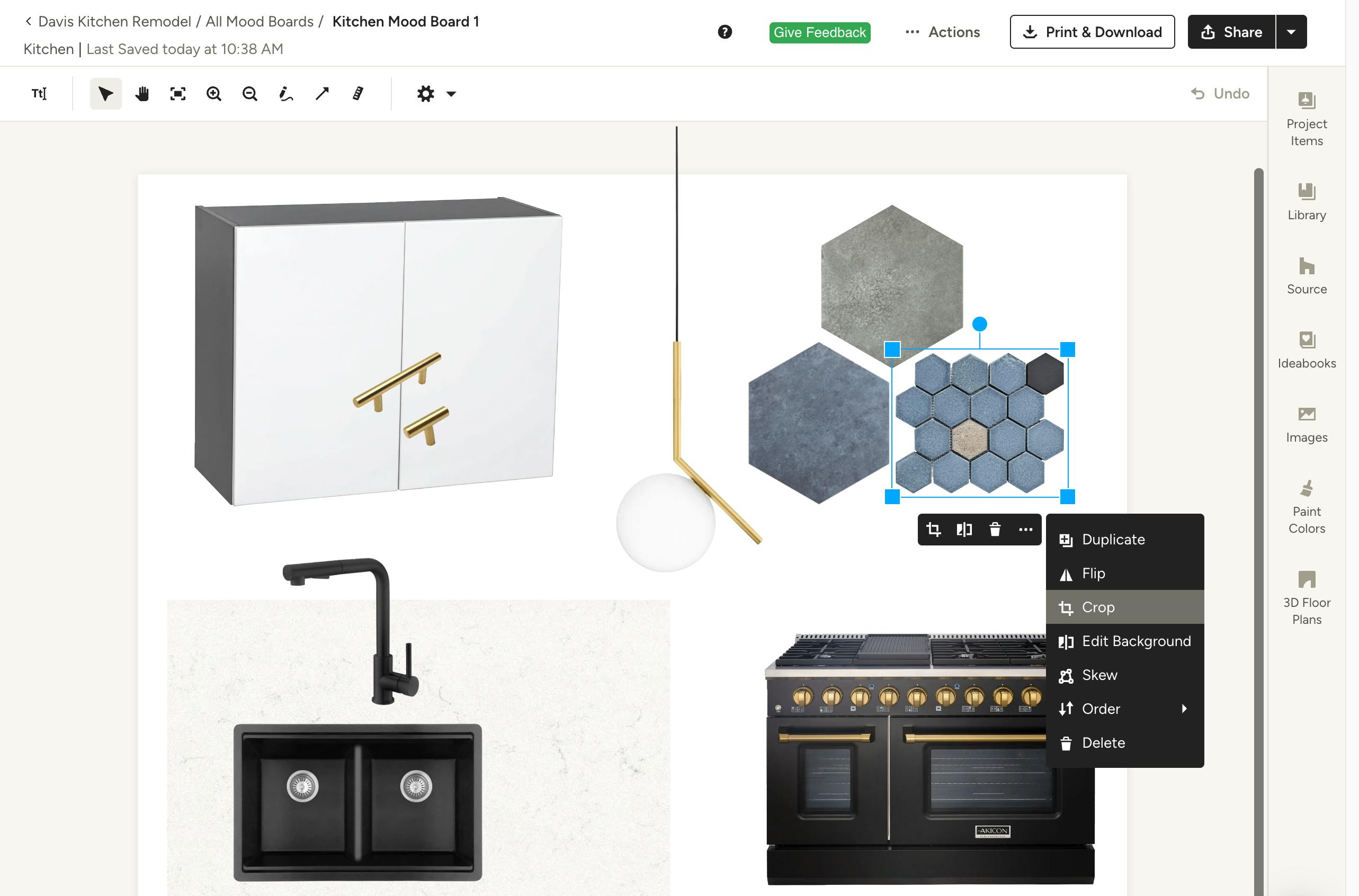
Purpose: Mood boards are used to convey the overall aesthetic and feel of a design project. They are primarily for conceptualization and inspiration, helping clients visualize the design direction, style, color palette, and ambiance of the project.
Functionality:
- Creation: Mood boards are created by compiling images, textures, colors, and other design elements.
- Adding Items: Images and items can be added through drag and drop from the computer, through the Clipper tool, or selected from the Houzz Pro library.
- Editing: Items on the mood board can be moved, resized, edited for background removal, cropped, flipped, and rotated.
- Sharing: Mood boards can be shared with clients online, printed, or downloaded as PDFs or JPEGs.
Selection Boards
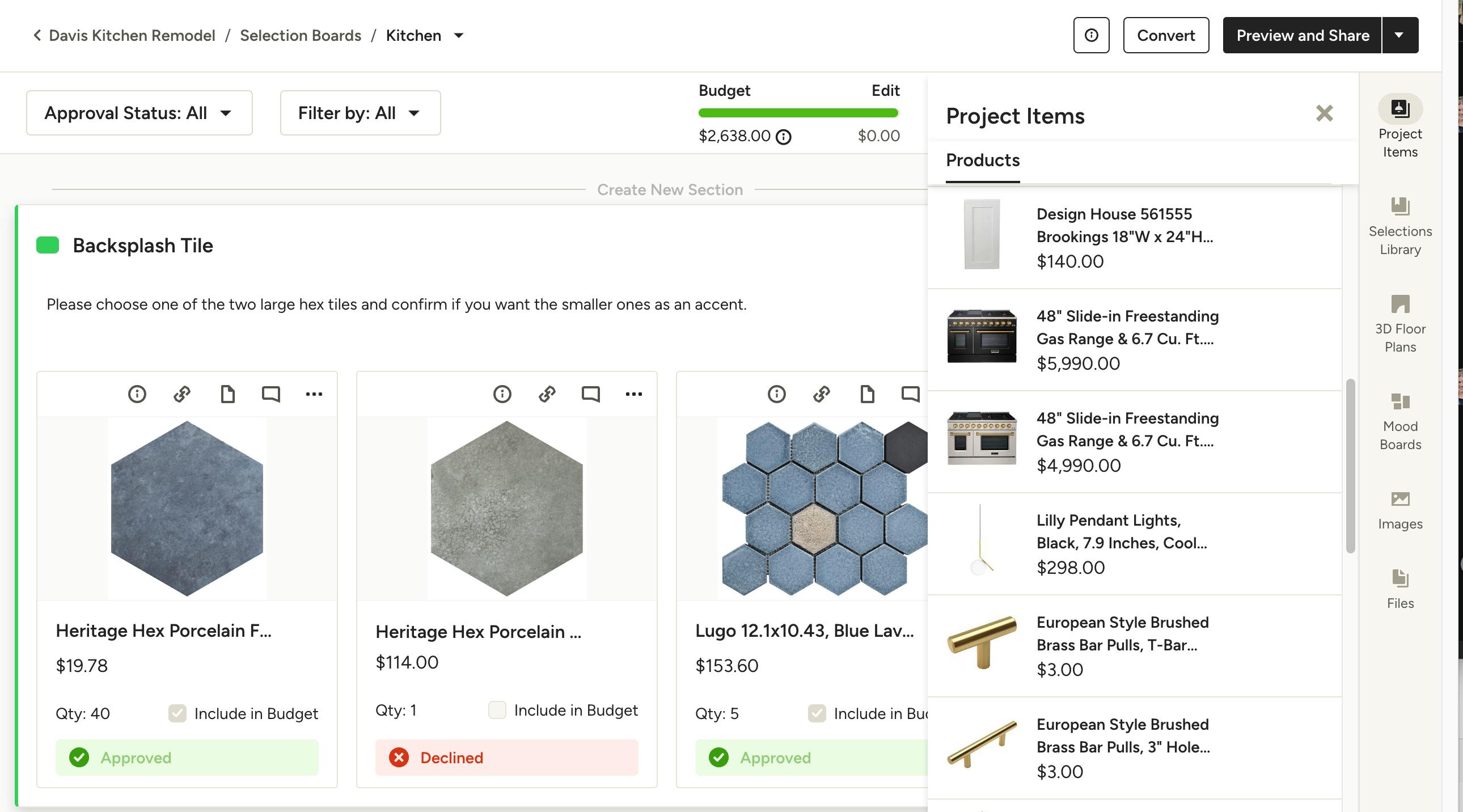
Purpose: Selection boards are used to manage and present specific product and material selections for a project. They help organize items, allow you to present options to clients, and finalize selections, all with budget considerations.
Functionality:
- Creation: Selection boards are created by pulling in products, materials, finishes, fixtures, and other items from the Houzz Pro library or project items.
- Adding Items: Items can be added by clicking, dragging, and dropping from the side panel, or directly from the Clipper tool.
- Organizing: Items can be organized by sections, rearranged, resized, and set with cover images.
- Tracking: Selection boards include features to track the project budget, manage item statuses, and connect to documents like estimates or invoices.
- Sharing: Selection boards can be shared with clients for approval, feedback, and finalization through email, client dashboards, PDFs, or tear sheets.
Key Differences
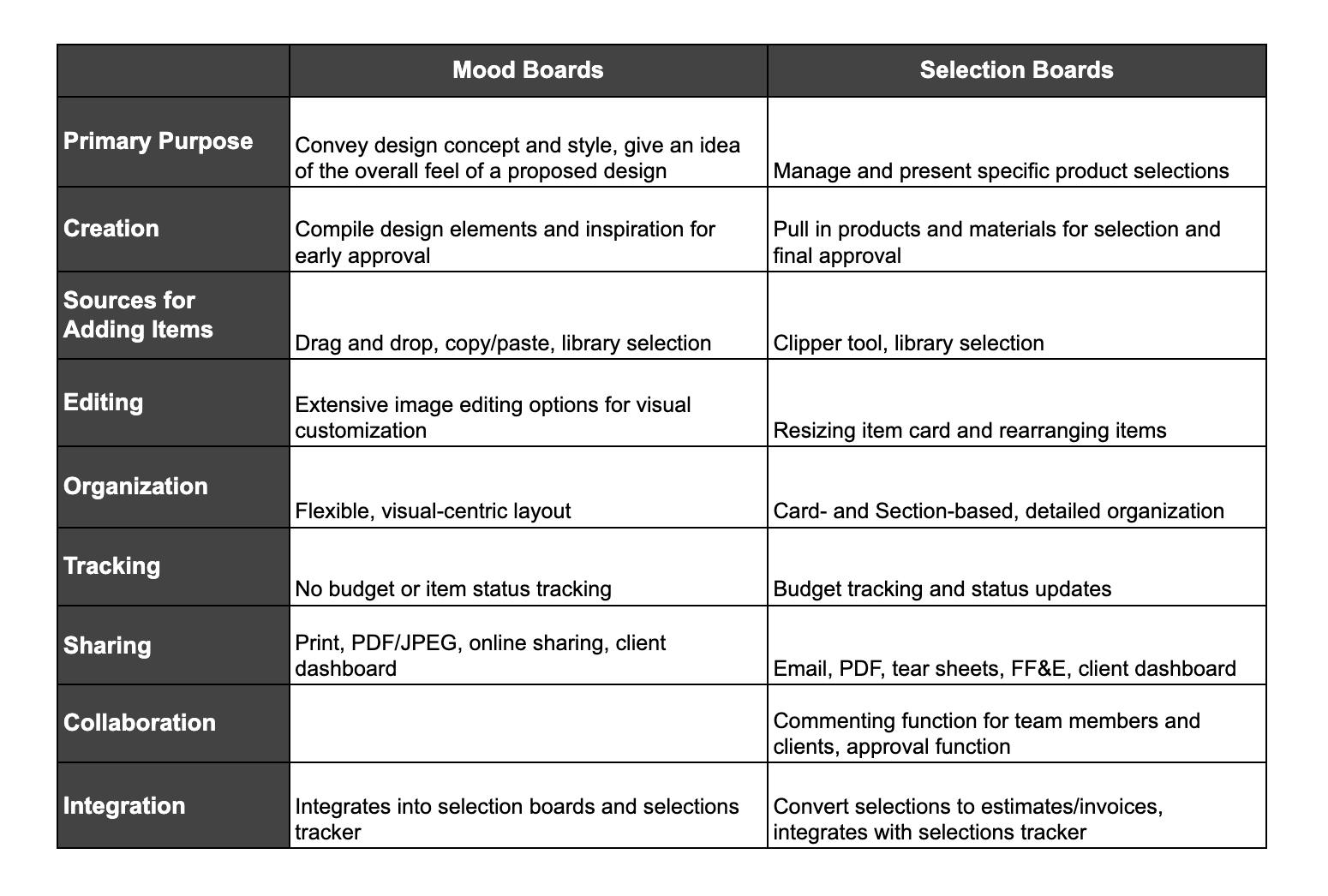
Detailed Comparison
Visual Presentation
- Mood Boards: Focus on visual appeal and thematic consistency. They use images, textures, and colors to convey an overall design vision. Editing tools include cropping, background removal, skewing, and rotating images to create a cohesive look.
- Selection Boards: Focus on detailed presentation of product options. They organize items into sections for clarity and allow for resizing and rearranging items to highlight specific selections. (Section Examples: all Plumbing, or all Sofa options)
Functional Tools
- Mood Boards: Utilize a toolbar for adding text, lines, shapes, and measurements, making it easy to annotate and highlight design elements.
- Selection Boards: Feature tools for setting cover images, creating sections, and managing hidden items. They also have budget bars to manage financial aspects of the selections.
Client Interaction
- Mood Boards: Primarily used for presenting the initial design concept to clients. They are shared to gain early approval for the design direction.
- Selection Boards: Used for client decision-making on specific products and materials. Clients can approve or decline items, providing direct feedback on selections. These boards also facilitate commenting as well as converting approved selections into estimates or invoices.
Integration and Workflow
- Mood Boards: Serve as the starting point for a project, setting the tone and style. They can be integrated into selection boards to provide context to the selections.
- Selection Boards: Serve as the next step after mood boards, where specific items are chosen and finalized. They streamline the process from selection to budgeting and invoicing.
Understanding these differences will allow you to effectively use mood boards for inspiration and concept presentation and selection boards for detailed selections management and client approvals, leading to a smoother and more organized design process.